What is role-based access control? How it can be utilized in DDI Central for granular access management?
A network's security and operational efficiency are only as strong as its access management. When every individual in the organization has unrestricted access to critical network resources, the risk of misconfigurations, unauthorized changes, and security vulnerabilities significantly increases. Managing who can access what—and to what extent—is a challenge that many network administrators face daily.
Without a structured access control mechanism, granting the right level of access to the right individuals can become inconsistent and error-prone. This is where role-based access control (RBAC) in DDI Central comes into play. With the latest release, DDI Central extends RBAC to DNS domains, DHCP subnets, supernets, and hosts—giving network administrators the granular control they need to manage resource access based on individual roles and responsibilities.
Let's explore how RBAC for DNS and DHCP in DDI Central helps organizations build a more secure, well-governed network!
DHCP RBAC
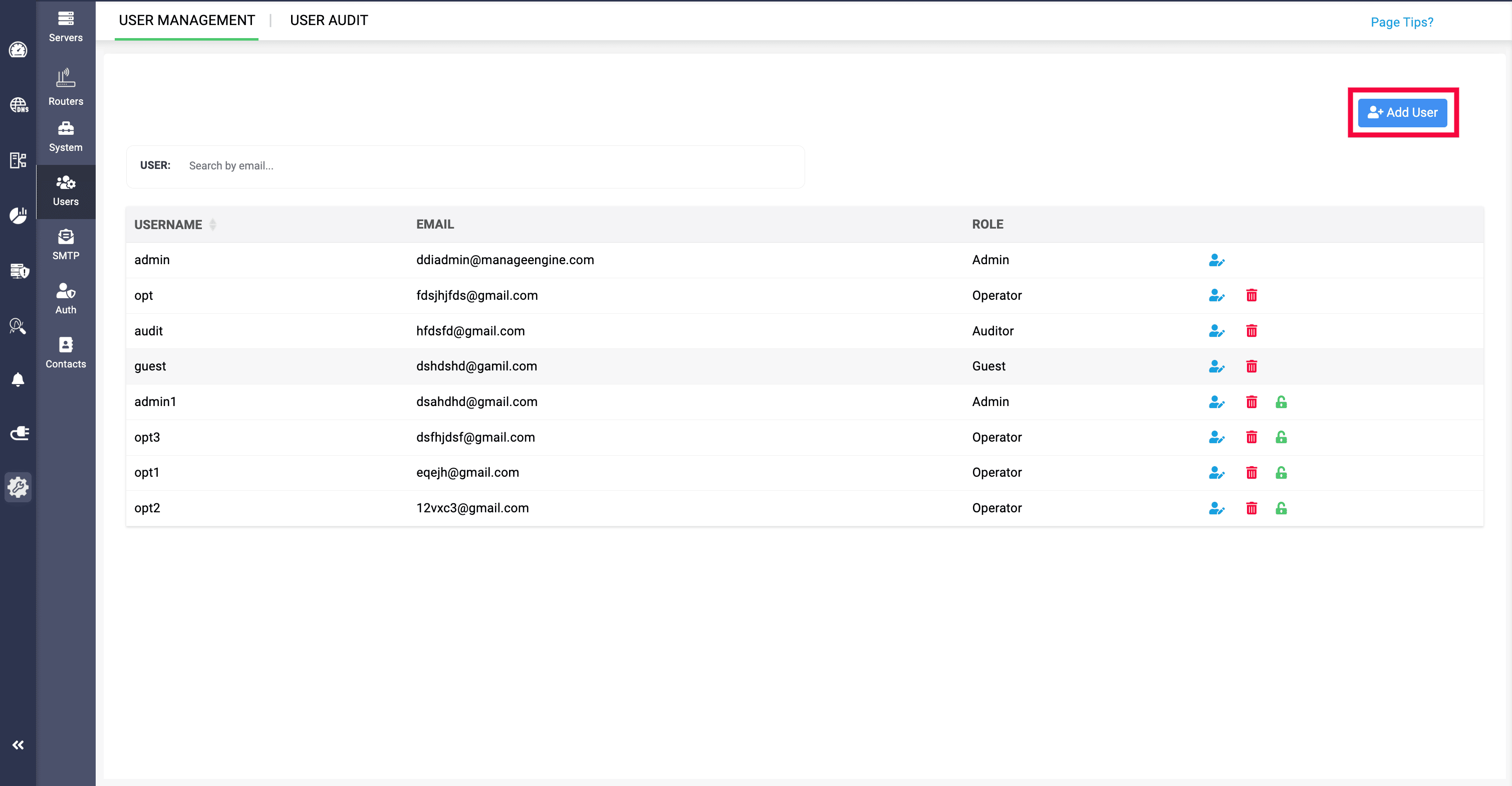
DHCP subnets, supernets, and hosts across your organization's servers can now be assigned to individuals based on their roles in the network. Administrators can navigate to Settings, select Users, then click Add User to create a user and define their access permissions.
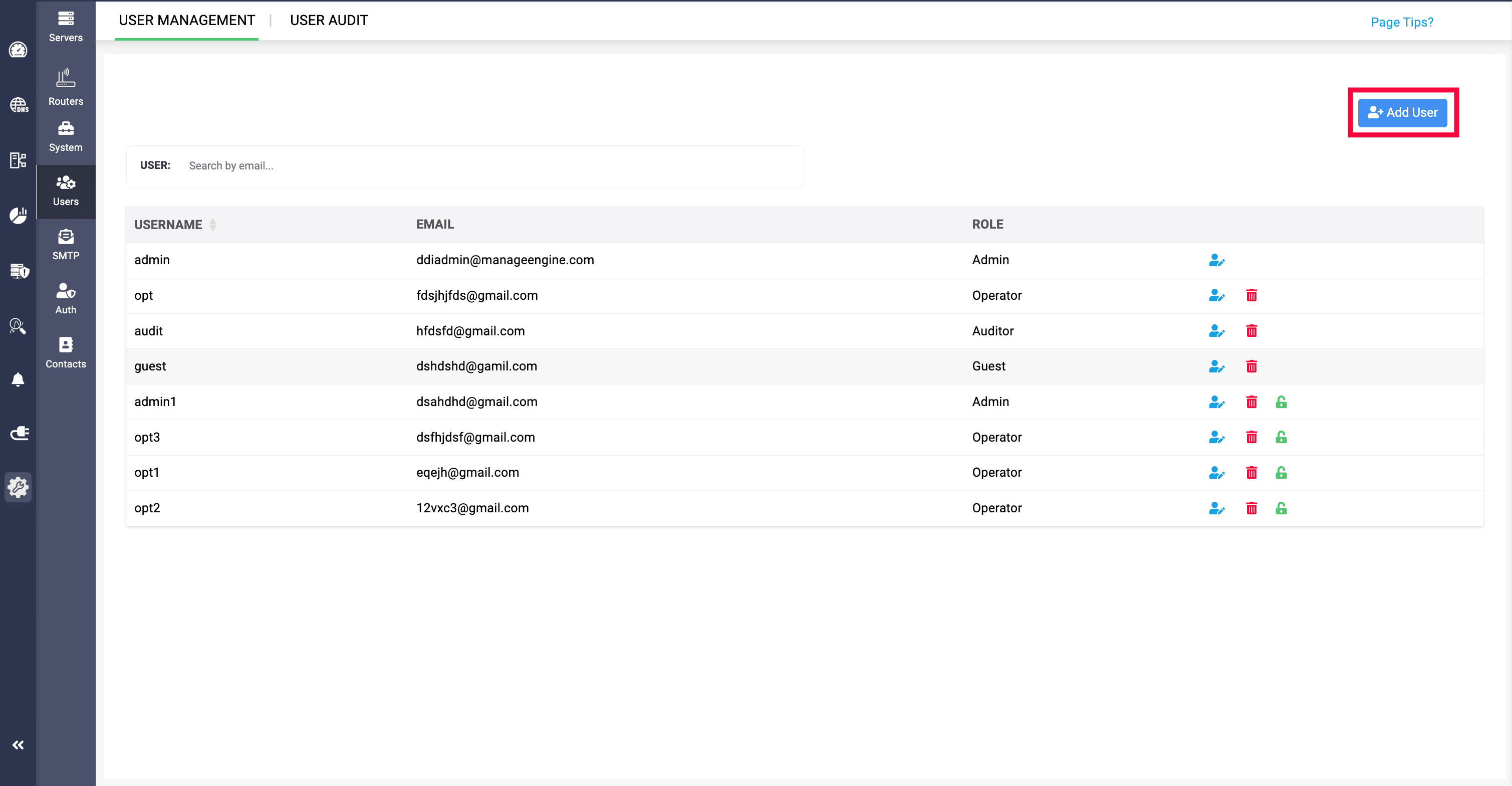
Only operator and guest roles are eligible for resource-level access, ensuring that administrative privileges remain appropriately restricted.
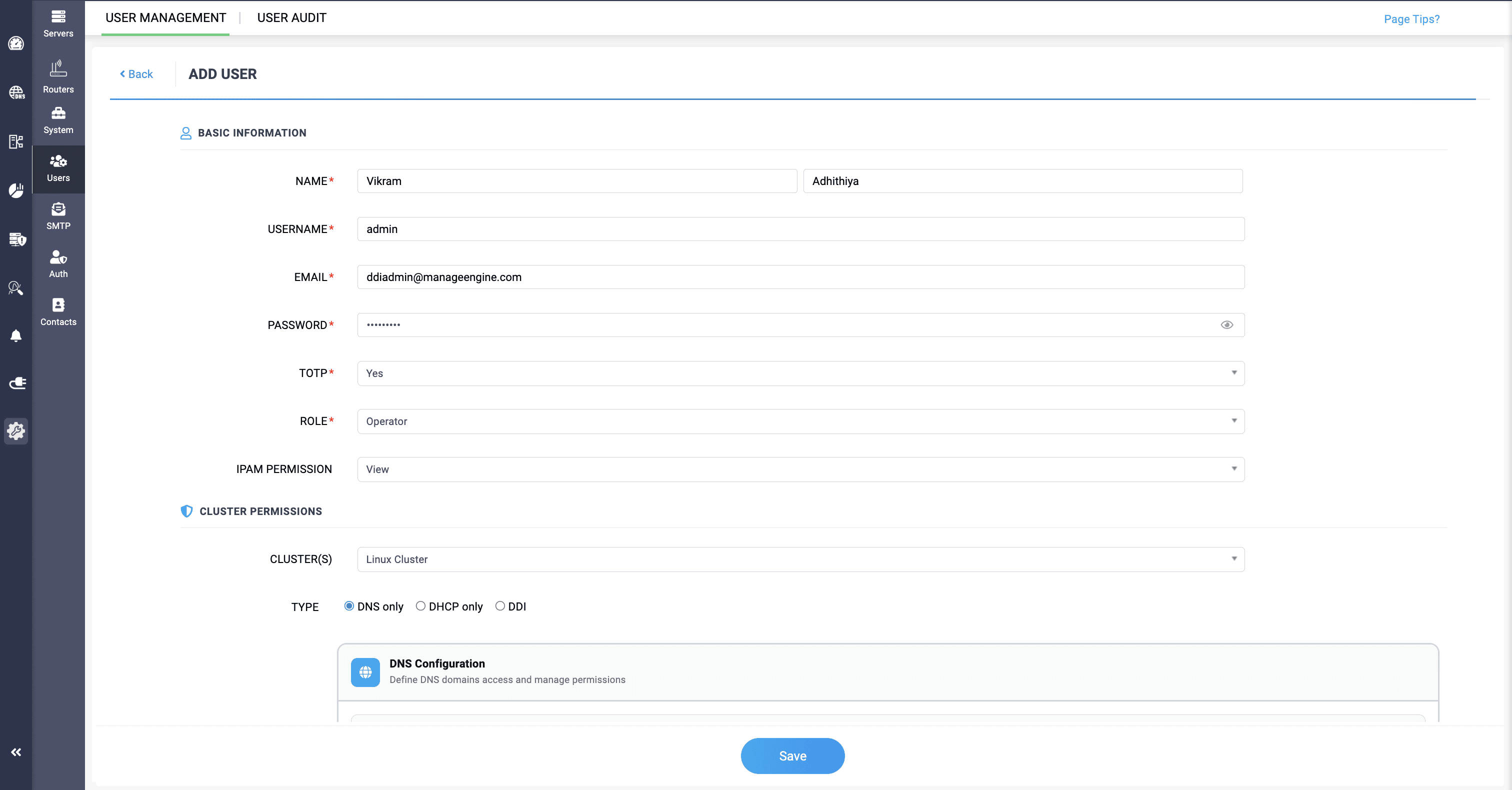
When configuring a new user, admins can select DHCP only, which reveals the DHCP Configuration section. Here, the IPAM Permission field allows administrators to control whether the user can view IPAM Tower View data or be restricted from accessing it entirely.
For supernet access, admins can select specific supernets to assign to the user. Once a supernet is selected, two permission levels become available: Manage, which allows the user to handle existing subnets within the supernet, and Manage and Configure, which additionally allows them to create new subnets within it. Below this, subnet access can be set to All for full subnet management, or Select Subnets to hand-pick specific ones.
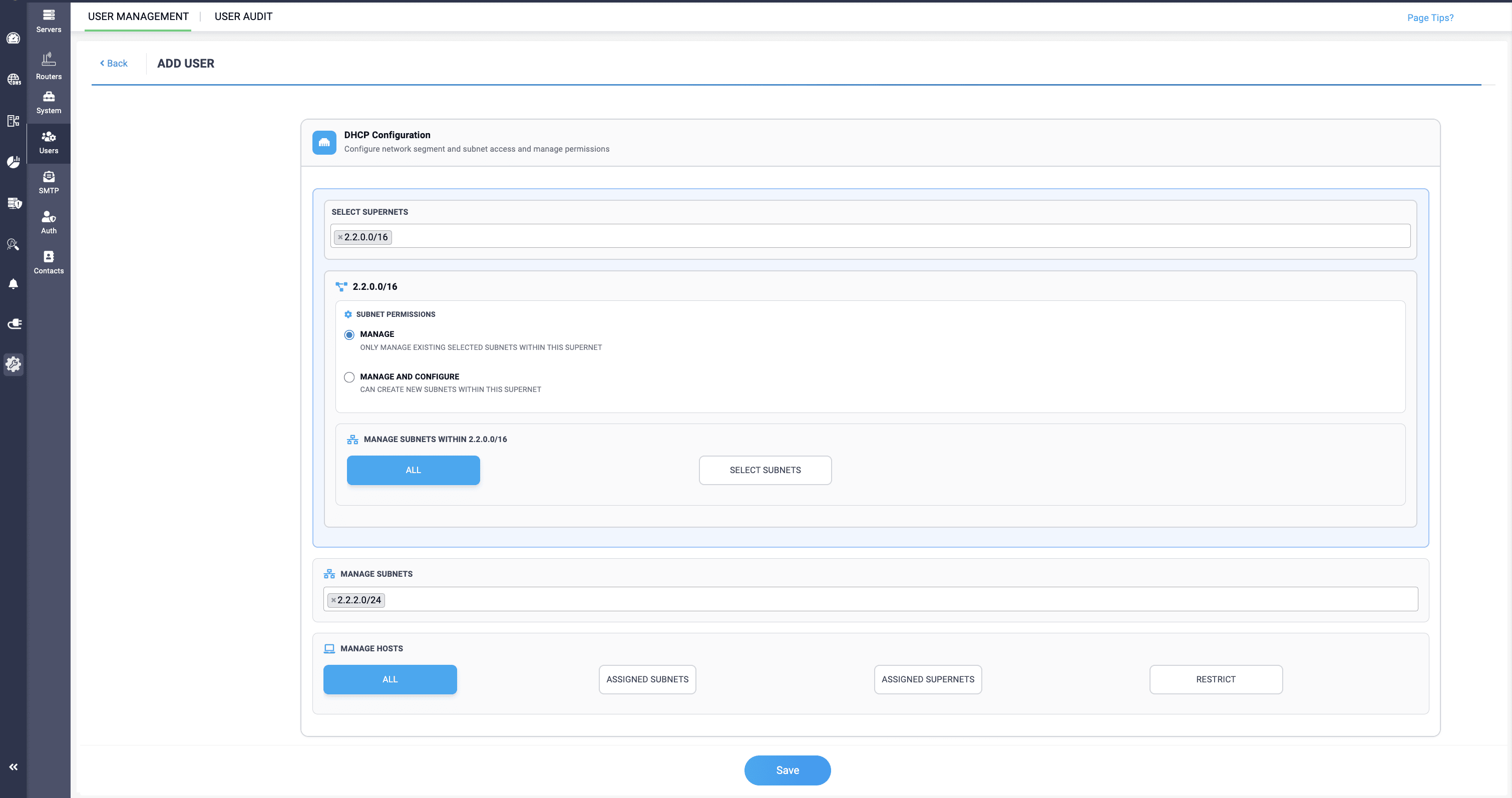
Finally, host access can be configured as All, Assigned Subnets, Assigned Supernets, or Restrict, depending on how much control the user needs over host management. Once the permissions are set, clicking +Add Cluster Permissions saves the configuration, and the user is added with their defined access.
DNS RBAC
DNS domains in the network can be access-granted to individuals through the same user management workflow. Navigate to Settings, select Users, click AddUser, and select DNS only or DDI as the service type to reveal the DNS Configuration section, where domain-level permissions can be defined.
Within the DNS Configuration section, Monitor Permissions can be set to Restrict to block access to DNS monitors entirely, View to allow read-only visibility, or Edit to permit full modification of monitors.
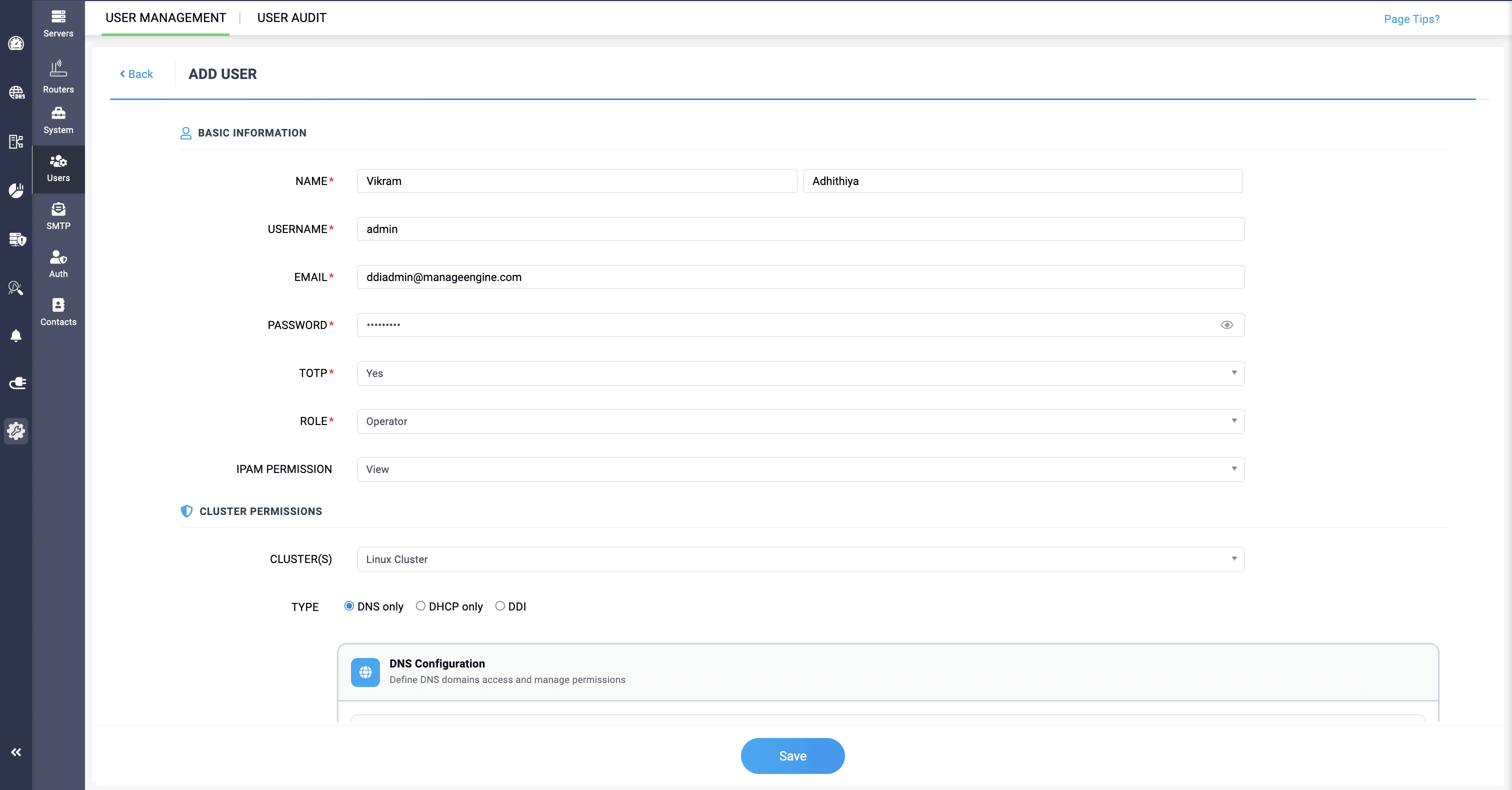
For domain access, selecting All grants the user access to every DNS domain in the assigned cluster, while picking Select Zones lets admins choose specific zones for more targeted access control. Like DHCP, the IPAM Permission field is also available here to control access to IPAM Tower View data.
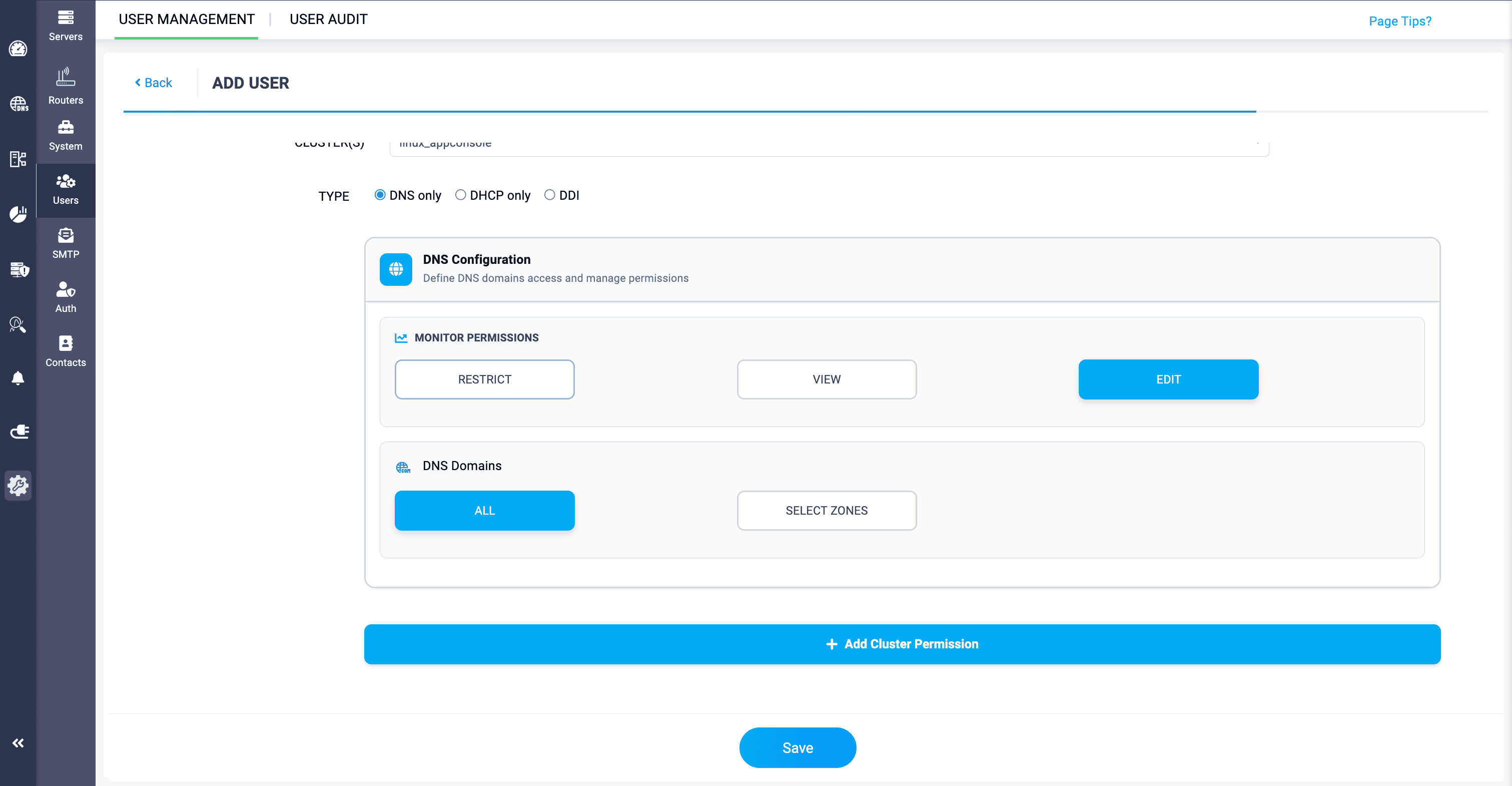
Once configured, click +Add Cluster Permissions to save the settings, and the assigned clusters will be displayed as summary cards showing the user's access scope at a glance.
What benefits does it provide?
Granular access control over network resources
RBAC in DDI Central gives administrators precise control over who can access DNS domains, DHCP subnets, supernets, and hosts and lets network admins define which users can access that particular network resource. Rather than applying broad, blanket permissions, admins can tailor access at the resource level, ensuring that users can only interact with the parts of the network relevant to their role. This level of granularity significantly reduces the risk of unauthorized changes and accidental misconfigurations.
Strengthened network security
By restricting access based on roles and responsibilities, RBAC minimizes the attack surface within the network. Sensitive resources like DNS monitors and DHCP configurations are only accessible to users with the appropriate permissions. The addition of TOTP-based two-step verification during user onboarding further strengthens access security, ensuring that resource permissions are protected by an additional layer of authentication.
Operational efficiency and accountability
When individuals are given access only to the resources they manage, network operations become more organized and accountable. Administrators can confidently delegate tasks to Operators and Guests without worrying about overreach. The summary view of assigned clusters and their permission scopes also gives admins a quick, clear picture of each user's access history, making audits and reviews more straightforward.
Scalability for growing network teams
As organizations grow and network teams expand, managing access manually becomes increasingly difficult. RBAC in DDI Central allows administrators to scale access management efficiently, onboarding new users with clearly defined permissions without disrupting existing configurations. Whether it's assigning a new operator to manage a specific subnet or granting a guest user read-only visibility on DNS monitors, the process remains consistent and manageable at any scale.
Controlled access is the foundation of a secure network
In today's complex network environments, knowing who has access to what is just as important as keeping services running. With RBAC for DNS and DHCP in DDI Central, administrators gain a structured, flexible way to manage resource access across the organization, from broad domain-level permissions to highly specific subnet and host assignments. By aligning access with roles and responsibilities, DDI Central helps organizations maintain tighter security, cleaner operations, and greater confidence in their network governance.
Whether you're managing a compact team or a large, distributed network organization, DDI Central's RBAC capabilities make access management precise, scalable, and easy to oversee—all from a single, intuitive console.
Explore a 30-day, free trial or schedule a personalized demo to see how RBAC in DDI Central can strengthen your network's access management today.