Add Java Agent

Before proceeding with the installation steps for Java agent, please make sure that you have met the following prerequisites.
Install APM Insight Java Agent
- Select APM > APM Insight > Java tab.
- Click on Download to download the apminsight-javaagent.zip file.
Note
Verify the integrity of the downloaded agent using Checksum validation. Learn more
- The zip file contains apminsight-javaagent.jar, apminsight-javaagent-api.jar and its conf files.
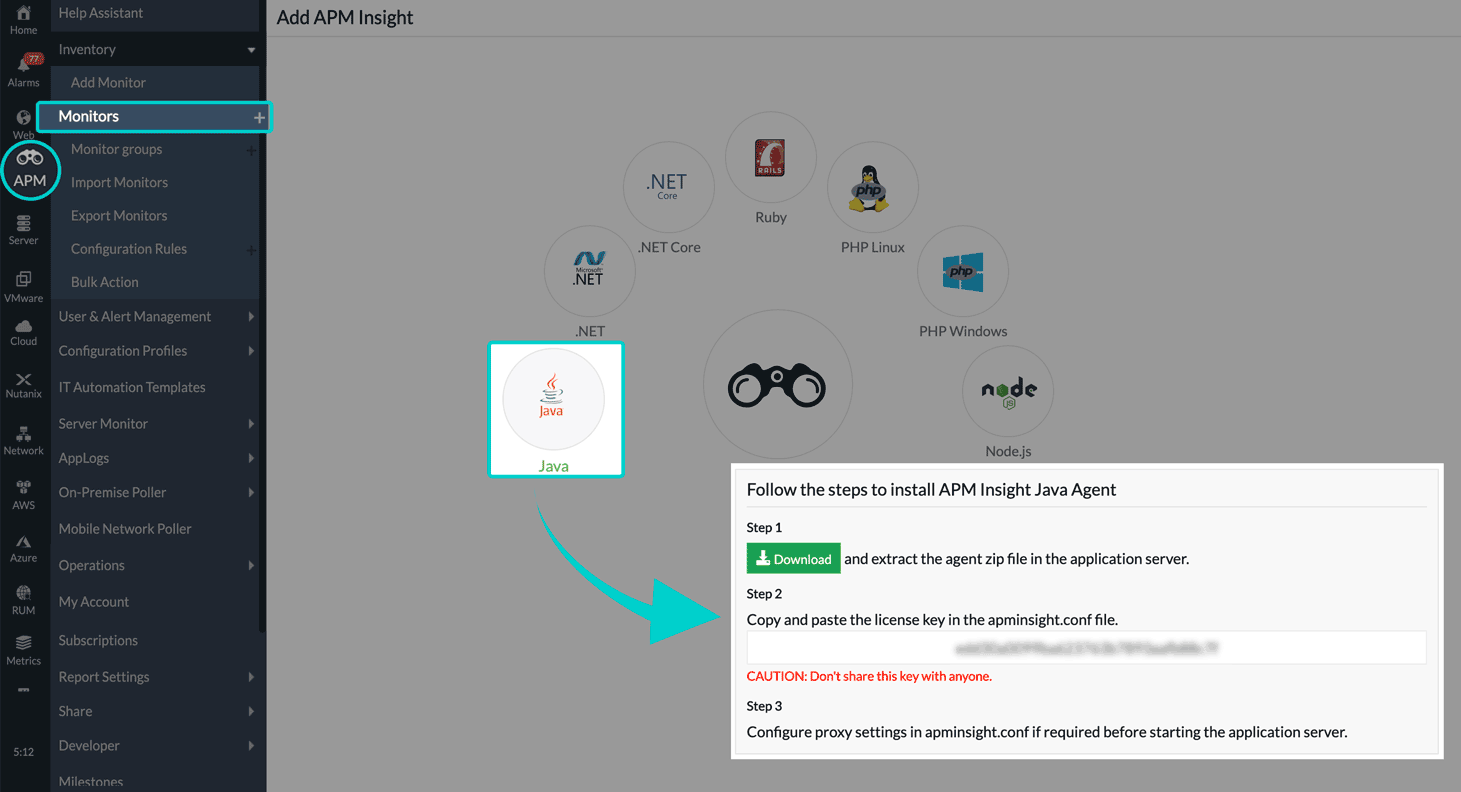
- Based on the application server being used, follow the below instructions to proceed further with the installation.
- Install Java agent in Tomcat Server 8.x & above
- Install Java agent in Glassfish Server 4.x & above
- Install Java agent in Weblogic 12.1.3 & above
- Install Java agent in Websphere 8.5.5.9 & above
- Install Java agent in JBoss EAP 6.3.3 & above
- Install Java agent in JBoss AS 4.2.x & above
- Install Java agent in JIRA Server
- Install Java agent in WildFly 9.x & above
- Install Java agent in Resin Server 4.5 & above
- Install Java agent in JOnAS Server 7.0 & above
- Install Java agent in ColdFusion
- Install Java agent in SonarQube
- Install Java agent in spring boot application
- Install Java agent on AWS Beanstalk
- Install Java agent in Azure Webapp
- Install Java agent in other Java servers
- Install Java agent in a Docker container
- Install Java agent in a Kubernetes container