1. Authentication Issues
Error Message: KRB_AP_ERR_BAD_INTEGRITY – "Integrity check on decrypted field failed."
Issue
Authentication failures in Kerberos can occur due to incorrect passwords, expired tickets, or encryption mismatches.
Fix:
Check whether the user's password is correct and not expired
How to do it
- Reset the password if necessary in Active Directory Users and Computers (ADUC).
- Ensure the user is logging into the right domain.
2. Expired or locked-out accounts
Issue
The account is disabled, expired, or locked due to multiple failed login attempts.
Fix:
How to do it
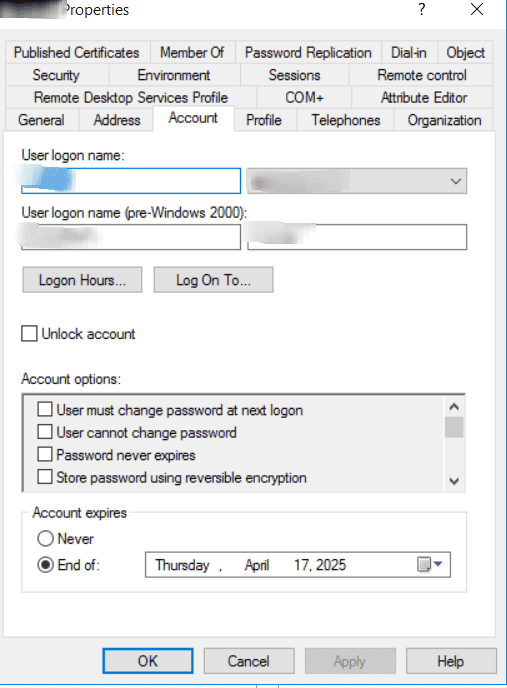
- Unlock or enable the account via ADUC
- Go to Users, right-click on the affected user, then select Properties
- Under Account, check for expiration or lockout status and reset if needed
- Adjust the Account Lockout Policy in Group Policy if needed.
3. Ensure the system time is synchronized
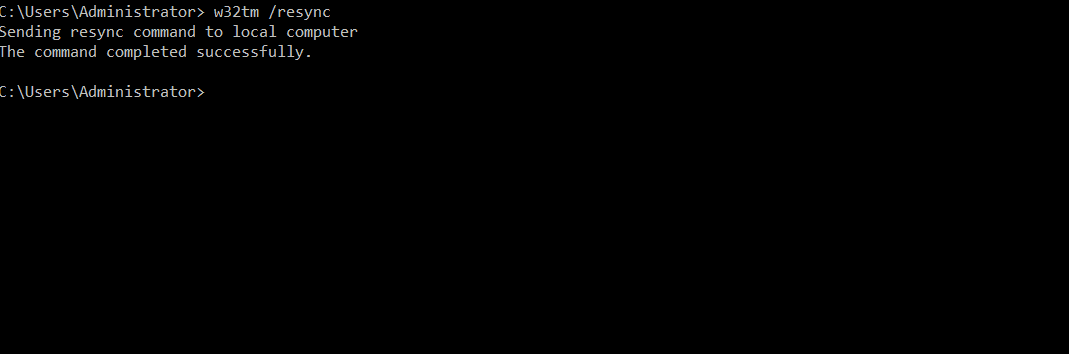
How to do it
- Open the Command Prompt as an administrator and run this command: w32tm /resync
4. Verify the correct encryption type is being used
How to do it
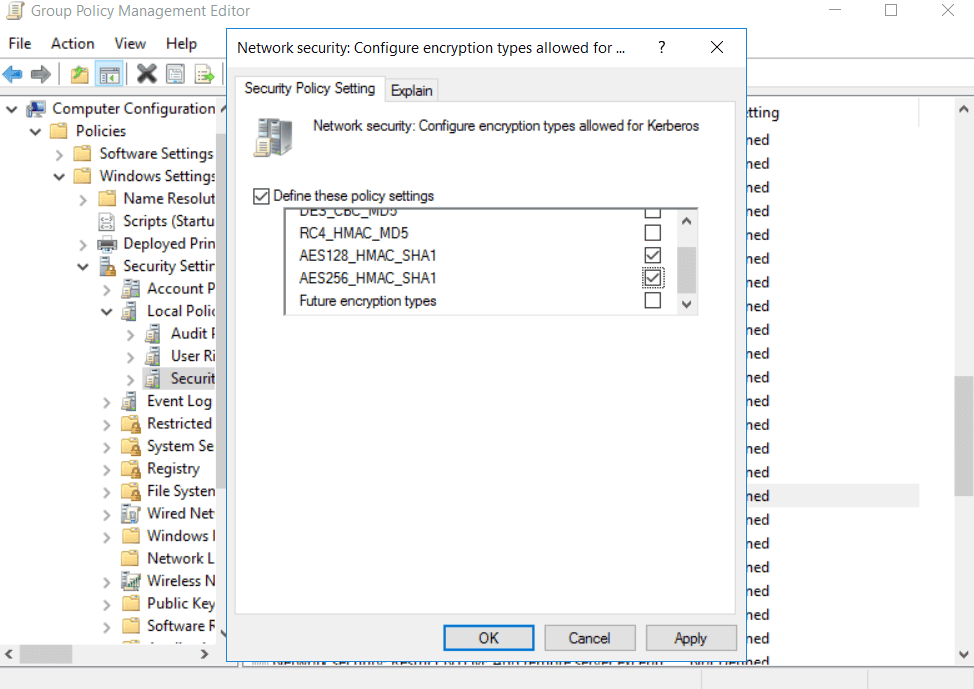
- Open Group Policy Editor.
- Navigate to Computer Configuration > Policies > Windows Settings > Security Settings > Local Policies > Security Options > Network security: Configure encryption types allowed for Kerberos.
- Enable AES128 and AES256 encryption.
5. Clear the Kerberos ticket cache and try again
To purge the Kerberos ticket cache, log off, log back on, and then type: klist purge





