1. DNS configuration Issues
Error Message: KRB_AP_ERR_KDC_UNKNOWN – "Cannot locate Key Distribution Center."
Issue
Kerberos relies on DNS to find domain controllers. Misconfigured DNS settings can cause authentication failures.
Fix 1:
Check the client’s DNS settings
How to do it
- Open Command Prompt and run this command: ipconfig /all
- Ensure the Primary DNS Server is pointing to the correct domain controller.
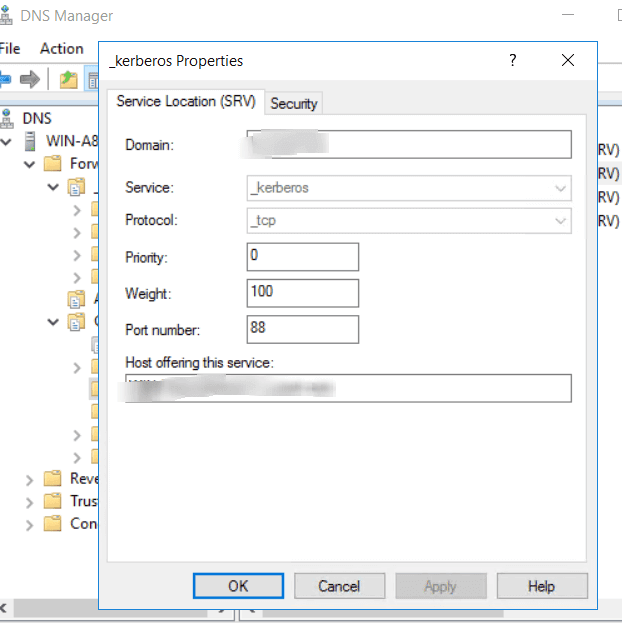
2. Verify SRV records exist in DNS
Fix:
How to do it
- Open DNS Manager.
- Navigate to Forward Lookup Zones
- Ensure _kerberos._tcp.<domain> and _ldap._tcp.<domain> SRV records exist.
3. Flush and register DNS records
Open the Command Prompt as an administrator and type the following commands:
- ipconfig /flushdns
- ipconfig /registerdns