


What is email collection (T1114)?
Email Collection (T1114) is a MITRE ATT&CK technique describing how adversaries collect email data from victim mail servers, clients, or cloud email services. Email is one of the most valuable data sources for attackers because it contains strategic communications, credentials shared between employees, financial data, intellectual property, and information about the organization's security posture.
MITRE defines three sub-techniques for email collection:
- Local Email Collection: Accessing email data stored locally on endpoints (PST files, OST caches, local mailbox stores).
- Remote Email Collection: Accessing email through protocols like Exchange Web Services (EWS), Microsoft Graph API, IMAP, or MAPI to read messages directly from the mail server.
- Email Forwarding Rule: Creating inbox rules or transport rules that automatically forward copies of email to attacker-controlled addresses, providing persistent access to communications without repeated active access.
The Microsoft Threat Intelligence team documented that Midnight Blizzard (APT29) used a compromised OAuth application to access senior executive mailboxes at Microsoft, collecting emails specifically related to Microsoft's knowledge of the threat actor group. This attack demonstrated that email collection remains a primary objective even against the most sophisticated defenders.
Key insight: Email collection is the most common collection technique in state-sponsored espionage campaigns. Unlike file theft, which requires knowing where specific documents are stored, email provides a centralized source of organizational intelligence. A single compromised mailbox of a senior executive can yield months of strategic communications, merger details, security assessments, and shared credentials.
Impact, scope, and risk
Email collection represents a severe data loss risk because of the volume and sensitivity of information concentrated in email systems:
- Strategic intelligence: Board communications, M&A discussions, partnership negotiations, and competitive strategy are routinely shared via email.
- Credentials and access: Employees frequently share passwords, SSH keys, API tokens, and access instructions through email - especially during onboarding or system changes.
- Regulatory exposure: Email often contains PII, PHI, financial data, and legal privileged communications. Email theft can trigger GDPR, HIPAA, or SEC disclosure requirements.
- Persistent collection: Forwarding rules (T1114.003) provide ongoing access to email without requiring the attacker to maintain an active presence. A single rule can collect months of future communications.
Threat groups known to use T1114
| Threat group | Email collection method | Notable campaigns |
|---|---|---|
| APT29 (Midnight Blizzard) | OAuth application abuse, Graph API access | Microsoft corporate email breach (Jan 2024) |
| APT28 (Fancy Bear) | Credential phishing + OWA access | DNC email collection (2016), multiple government targets |
| Kimsuky (North Korea) | Email forwarding rules via compromised webmail | South Korean policy researcher targeting |
| LAPSUS$ | Direct mailbox access via compromised admin accounts | Multiple technology company breaches (2022) |
| Storm-0558 | Forged authentication tokens for Outlook access | US government email breach (2023) |
How email collection attacks work
Method 1: Inbox rule forwarding (T1114.003)
The attacker creates an inbox rule that automatically forwards copies of incoming email to an external address. This is the stealthiest email collection method because:
- The rule persists after the attacker's session ends
- No repeated authentication is needed
- Email is forwarded in real time without leaving read receipts
- Users rarely audit their inbox rules
Detection signals
Operation: New-InboxRule Parameters: ForwardTo, ForwardAsAttachmentTo, RedirectTo Target: External domain not in organization's allow-list Source: Non-owner access or recently compromised account
Method 2: eDiscovery and compliance search abuse (T1114.002)
Attackers with sufficient privileges (eDiscovery Manager or Compliance Administrator role) can use Microsoft 365's built-in search tools to query and export mailbox contents at scale. This technique is particularly dangerous because eDiscovery tools are designed for bulk email access and can export entire mailboxes to PST files.
Detection signals
Operation: New-ComplianceSearch, Start-ComplianceSearch, New-ComplianceSearchAction -Export Initiator: Account not in authorized eDiscovery group Target: Executive or sensitive user mailboxes Volume: Searches returning thousands of results
Method 3: OAuth application-based access (T1114.002)
An attacker registers or compromises an OAuth application with Mail.Read or Mail.ReadWrite permissions. The application can then access mailboxes programmatically through Microsoft Graph API without individual user credentials. This method was used by APT29 against Microsoft.
Detection signals
Activity: MailItemsAccessed (Microsoft 365 Unified Audit Log) Identity: Service Principal / Application ID Access pattern: Multiple mailboxes accessed by same app ID Anomaly: Application accessing mailboxes for first time
Method 4: Local PST collection (T1114.001)
On compromised endpoints, attackers locate and collect locally cached email files. Outlook stores email in PST (archive) or OST (offline cache) files that contain full message content, attachments, and contact information.
Detection signals
Process: File access to *.pst, *.ost locations outside Outlook.exe Command: dir /s *.pst, Get-ChildItem -Recurse -Filter *.pst Staging: PST files copied to temp or staging directories
Detect and investigate with Log360
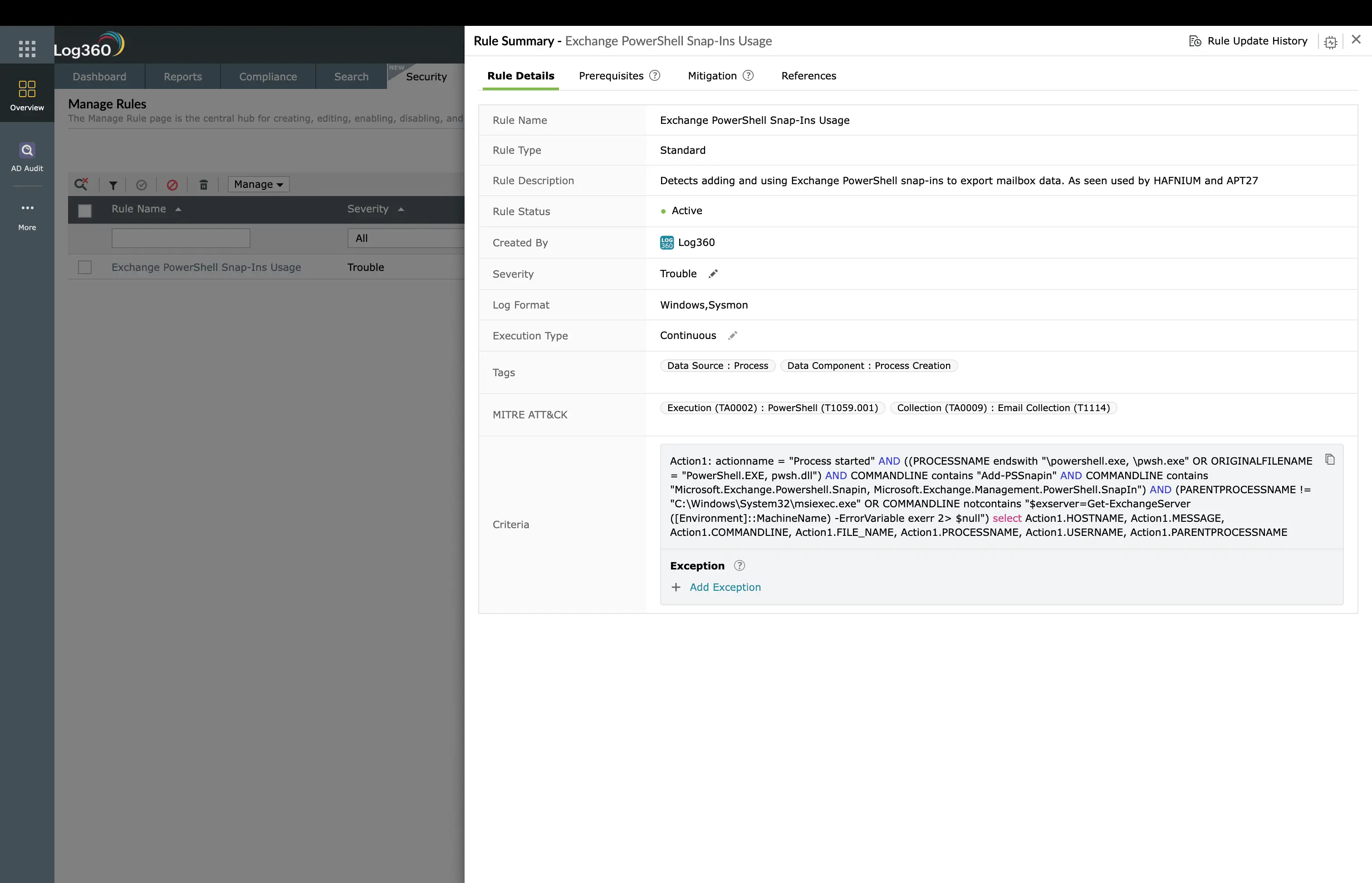
Log360's 12 prebuilt T1114 detection rules
| Rule name | Severity | Data source | What it detects |
|---|---|---|---|
| Inbox rule forwarding to external domain | High | M365 Unified Audit | New-InboxRule with ForwardTo/RedirectTo pointing to external domain |
| eDiscovery search by unauthorized account | Critical | M365 Unified Audit | Compliance Search operations from non-authorized accounts |
| Bulk mailbox access by service principal | High | M365 Unified Audit | MailItemsAccessed from app identities across multiple mailboxes |
| Transport rule redirecting externally | Critical | Exchange Admin Audit | New-TransportRule with external redirect action |
| Graph API mail access from unusual IP | Medium | Azure AD Sign-in | Graph API mail operations from IPs not in organization baseline |
| Mailbox export to PST (non-admin) | High | M365 Unified Audit | New-MailboxExportRequest from non-admin identity |
| Multiple mailbox access in short window | High | M365 Unified Audit | Single identity accessing 5+ distinct mailboxes within 1 hour |
| OAuth app mail permission grant | Medium | Azure AD Audit | Application granted Mail.Read/ReadWrite without admin review |
| Delegate access added outside business hours | Medium | M365 Unified Audit | Add-MailboxPermission for FullAccess during non-business hours |
| EWS bulk message download | High | Exchange IIS/Audit | Exchange Web Services requests returning 500+ messages in single session |
| SMTP forwarding address addition | Medium | M365 Unified Audit | External email address added to ForwardingSMTPAddress property |
| Suspicious search query patterns | Medium | M365 Unified Audit | eDiscovery searches with keywords like "password", "credentials", "confidential" |
Investigation workflow
- Identify the compromised identity - Determine whether the email collection is from a compromised user, service principal, or administrative account. Check sign-in logs for anomalous authentication (unusual IP, device, or location).
- Map the collection scope - Identify all mailboxes accessed by the compromised identity. Query MailItemsAccessed events filtered to the identity and time window.
- Check for forwarding rules - Audit all inbox rules and transport rules created by the identity. Use Get-InboxRule and Get-TransportRule PowerShell cmdlets across the tenant.
- Assess data exposure - Determine the volume of messages accessed, the sensitivity of targeted mailboxes (executive, legal, HR), and whether attachments were downloaded.
- Look for exfiltration - Check for concurrent PST exports, large outbound email, or cloud storage uploads that indicate collected data has already been extracted.
- Contain and remediate - Remove inbox rules, revoke OAuth tokens, reset credentials, and implement Conditional Access to restrict future access.
Remediation and prevention
- Restrict inbox rule destinations - Use Exchange Online transport rules to block automatic forwarding to external domains. Enable the "Remote domain" setting to prevent outbound auto-forwarding.
- Limit eDiscovery access - Grant Compliance Search permissions only to authorized Legal/HR personnel through Privileged Access Management (PAM) with time-limited elevation.
- Audit OAuth applications monthly - Review all enterprise applications with Mail.Read, Mail.ReadWrite, or Mail.ReadBasic permissions. Remove unused or excessive grants. Require admin consent for mail permissions.
- Enable mailbox audit logging - Ensure MailItemsAccessed is captured for all mailboxes (enabled by default in E5, must be configured in E3). This is the primary data source for email collection detection.
- Implement Conditional Access - Restrict email access to managed/compliant devices and approved networks. Block legacy authentication protocols that bypass MFA.
- Deploy DLP for email - Use Microsoft Purview DLP or equivalent to detect and alert on bulk sensitive data access through email channels.
- Monitor service principal activity - Set up alerts for service principals accessing mailboxes they have not historically accessed. Any new mailbox access by an application identity should be reviewed.
Need to explore ManageEngine Log360? Schedule a personalized demo
FAQ
What is email collection (T1114) in MITRE ATT&CK?
Email collection describes techniques adversaries use to collect email data from victim environments. Sub-techniques include Local Email Collection (T1114.001), Remote Email Collection (T1114.002), and Email Forwarding Rule (T1114.003). Attackers target email because it contains strategic intelligence, credentials, and sensitive communications.
How does Log360 detect email collection attacks?
Log360 provides 12 prebuilt rules monitoring Microsoft 365 Unified Audit Log, Exchange audit, and Azure AD. Rules detect inbox rule forwarding to external domains, eDiscovery searches by unauthorized accounts, bulk MailItemsAccessed from service principals, and OAuth application-based email access anomalies.
What are the signs of email collection in Microsoft 365?
Key indicators include new inbox rules forwarding to external domains, MailItemsAccessed events from unusual IPs or service principals, eDiscovery operations by non-authorized accounts, Graph API mail access from newly registered applications, and delegate access additions outside normal processes.
How do I prevent email collection attacks?
Restrict inbox rule forwarding to external domains, limit eDiscovery permissions through PAM, audit OAuth applications with mail permissions monthly, implement Conditional Access for email, and monitor all service principal mailbox access with Log360.
What is the difference between Remote Email Collection and Email Forwarding Rule?
Remote Email Collection involves directly accessing mailboxes through EWS, Graph API, or IMAP to read messages. Email Forwarding Rule creates persistent rules that forward copies automatically. Forwarding rules are stealthier because they persist without active sessions.
Detect email harvesting in real time
Start your free 30-day trial of Log360 and activate 12 prebuilt Email Collection detection rules across Microsoft 365 and Exchange.
- What is email collection (T1114)?
- Impact, scope, and risk
- How email collection attacks work
- Detect and investigate with Log360
- Remediation and prevention
- FAQ

