

- Home
- SIEM use cases
- Veeam failover plan tampering
How to detect failover plan tampering in Veeam solutions
In this page
Understanding the threat: What is failover plan tampering in Veeam solutions?
Disaster recovery (DR) environments are often the last line of defense during a ransomware attack, but they become a prime target when threat actors move laterally into the backup or replication layer. A failed failover event, especially one occurring outside planned maintenance, can be an early signal that attackers are actively undermining recovery capabilities. This typically happens when ransomware operators tamper with replica metadata, corrupt replication chains, or disable components within the failover workflow to ensure that recovery cannot occur when it’s needed most.
These disruptions are subtle. They are designed to look like routine replication issues or infrastructure outages. If ignored, a failed failover event can leave the organization unable to switch workloads to a clean replica, increasing the blast radius of ransomware and amplifying downtime. Continuous visibility into Veeam solution failover operations, replica integrity, and behavior anomalies is critical to detecting this threat early.
Category:
- External threat
MITRE ATT&CK® mapping
- T1490 | Inhibit system recovery
- T1565 | Data manipulation
Compliance mapping
- PCI DSS Requirement 1.3 and Requirement 6.4
- SOX IT General Controls: Program Change Management
- HIPAA Security Rule 164.308(a)(7) and 164.312(c)(1)
- NIST SP 800-53 AC-6
- ISO/IEC 27001 Annex A.17.1
Scenario
A SOC team noticed a failed Veeam solution failover plan while investigating why a standby VM didn’t come online during a routine host maintenance event. With no centralized monitoring in place, the failure surfaced only inside the Veeam console, without any broader context or alerting around what led up to it.
As the team reviewed the surrounding logs manually, they found several red flags that had been overlooked earlier. A privileged account had modified the failover sequence two days before the failure, quietly removing a critical recovery resource.
Scenario infographic:

What went wrong
- Unauthorized modification of the failover sequence: A privileged account silently removed a critical recovery resource, breaking the failover workflow without triggering any alerts.
- No monitoring of privileged administrative activity: There was no behavior tracking or configuration change auditing for the account used to make the change, allowing the alteration to pass as routine maintenance.
- Siloed log data: Access logs, configuration edits, and failover execution logs existed in different consoles, preventing the SOC team from correlating the unauthorized change with the resulting failure.
How a SIEM solution helps detect this threat
- Correlates configuration changes with failover events: A SIEM solution links privileged account activity, DR plan edits, and failover failures, revealing the sequence of actions that leads to a disruption.
- Surfaces unauthorized edits in real time: Any modification to failover steps, recovery resources, or replication settings is flagged instantly, preventing silent configuration drift.
- Monitors privileged account behavior: Anomalous administrative actions, such as edits from unusual endpoints or at unusual times, are detected early.
- Provides centralized visibility: Access logs, configuration logs, and failover execution logs are unified onto a single timeline, allowing the SOC team to identify tampering that would otherwise stay hidden.
How to detect failover plan tampering in Veeam solutions with Log360
Prerequisites
- Go to the ManageEngine Marketplace.
- Under Log360, select Veeam for Log360 and install the extension.
- Follow the steps provided here to ensure that Veeam solution logs are properly ingested and visible within the Log360 console.
Detecting with Log360
- Enable the Veeam solution failover plan failed alert under Alerts > Manage Alert Profiles.
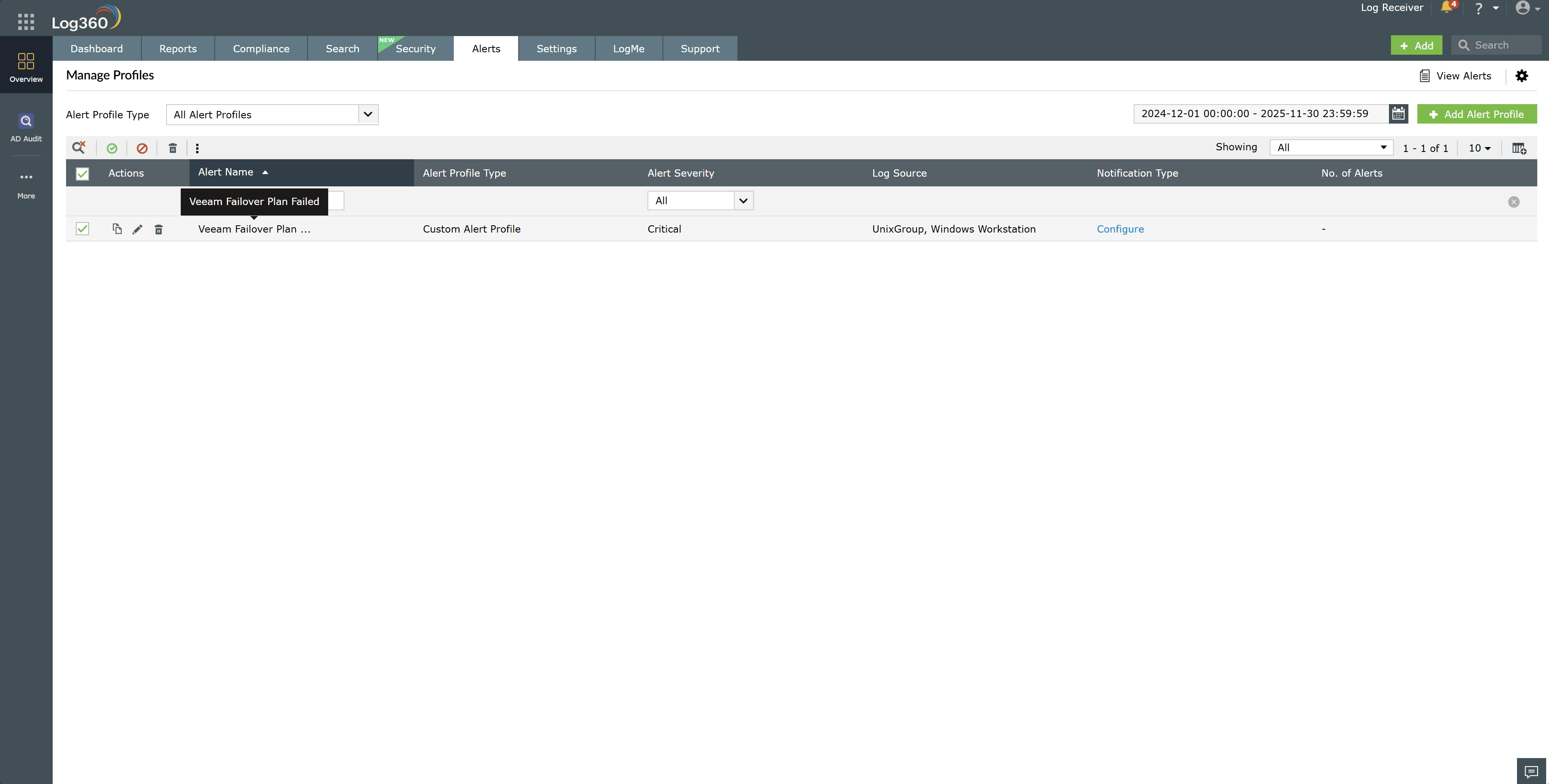
- Monitor the alert stream for unexpected failover plan failures, especially outside of scheduled maintenance windows.
- Open the alert details to review the timestamp, initiating account, source host, and specific Veeam solution action performed.
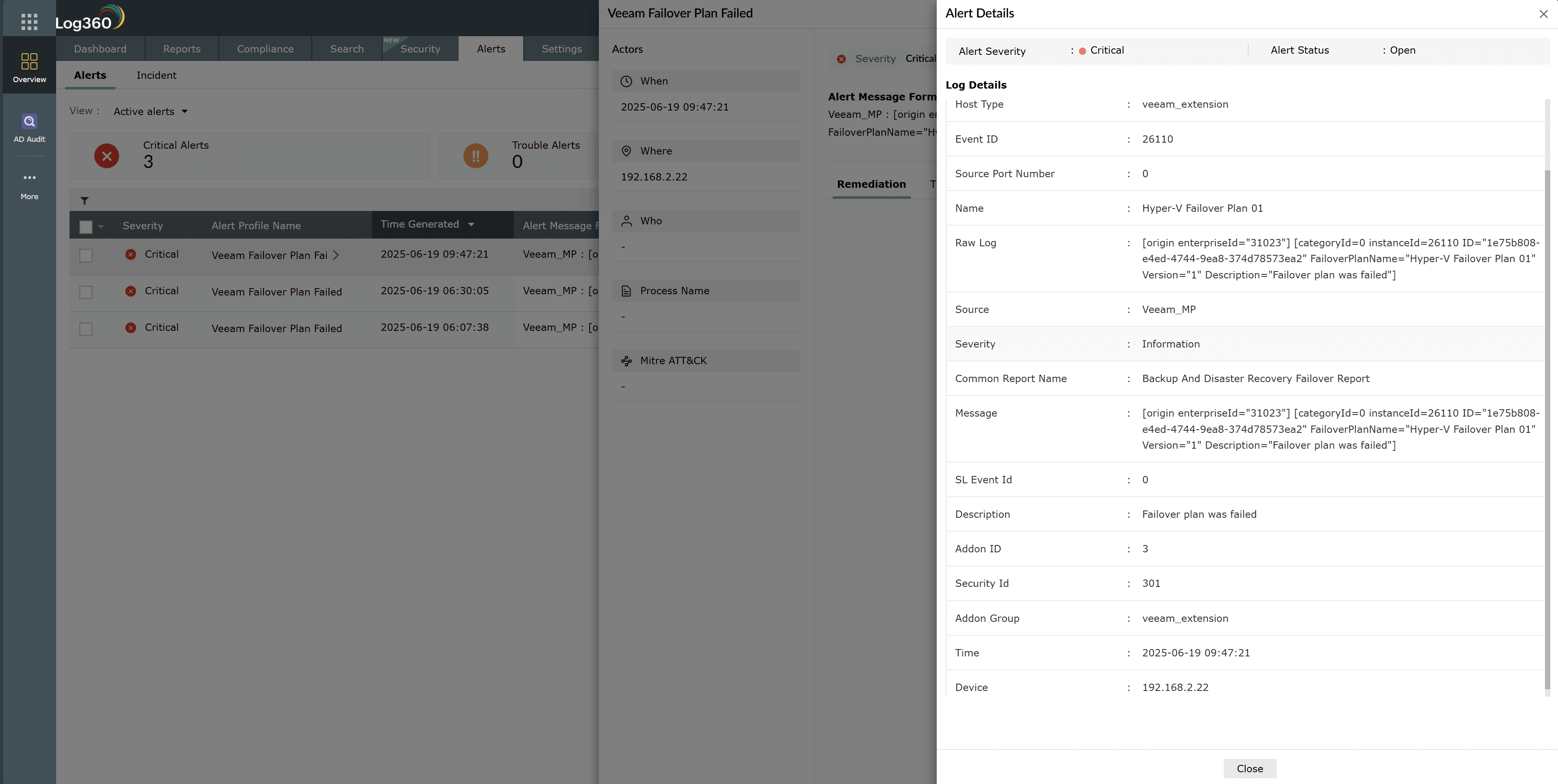
- Click Zia Insights from the alert to obtain recommended remediation steps and contextual guidance.
- Access the Veeam solution failover plan failed report and filter the entries by the plan name to view all related actions taken.
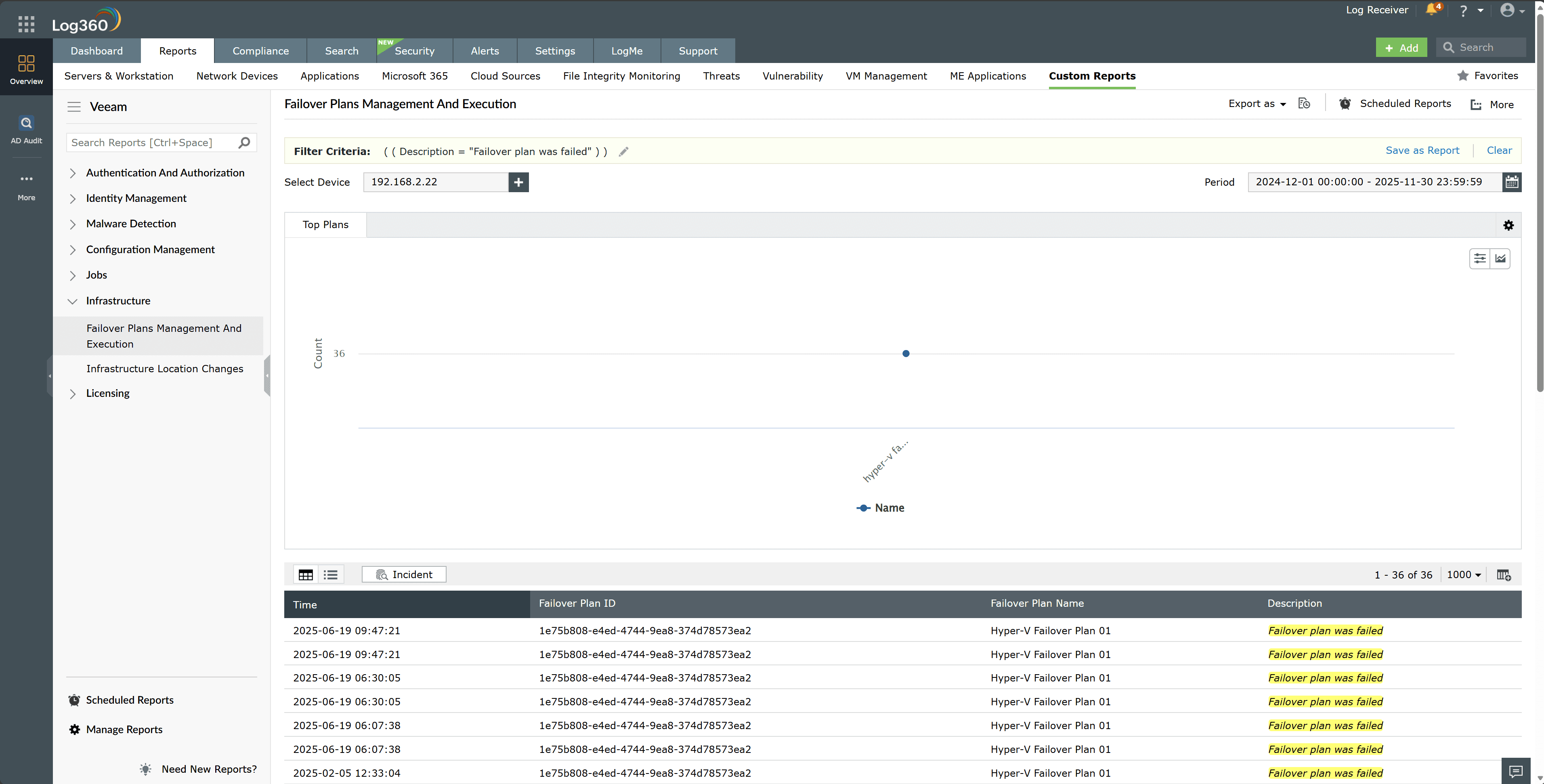
- Correlate these events with authentication logs, privileged access logs, and configuration change records to build a clear activity timeline.
- Cross-reference backup job histories, replica statuses, network telemetry, and host-level logs to identify signs of data redirection, exfiltration, or disabled verification tasks.


Next steps
- Restore the approved failover configuration from a trusted baseline and isolate any replicas or workloads affected by the manipulation.
- Lock or suspend the implicated privileged accounts and begin a focused forensic review of their recent activity within the Veeam solution environment.
- Enable or tighten alerts for DR configuration changes and privileged account actions to prevent similar manipulation going forward.

