Key takeaways
- Apple MDM is a framework built into iOS, iPadOS, macOS, and tvOS that lets IT teams remotely configure, secure, and manage Apple devices over the air through a central server, with no heavy agents on the device.
- Zero-touch enrollment via Apple Business Manager means new devices configure themselves the moment an employee powers them on.
- Declarative Device Management (DDM), Apple's modern MDM protocol, allows devices to autonomously maintain configurations, reducing IT overhead for large fleets.
- ManageEngine Mobile Device Manager Plus manages all Apple platforms (iOS, iPadOS, macOS, tvOS, watchOS, visionOS) plus Android, Windows, and Chrome from one console.
- BYOD iPhones and iPads can be managed with full privacy protection, corporate data is separated from personal data and IT cannot access personal content.
Apple Mobile Device Management (MDM) software helps organizations manage both corporate and employee-owned Apple devices. Built on Apple's in-built management framework, it supports iOS, iPadOS, macOS, tvOS, watchOS, and visionOS, covering iPhones, iPads, MacBooks, Apple Watches, Apple Vision Pro, and Apple TVs.
Apple MDM solutions let IT administrators remotely enroll, deploy, and manage Apple devices in bulk, enforce security settings, and distribute apps and content, all over the air without physical access to each device.
While some Apple MDM tools manage only iOS, ManageEngine Mobile Device Manager Plus manages iPhones, iPads, and Macs from one console, and also handles Android, Windows, and Chrome. From small businesses to enterprises, it streamlines management, strengthens security, and boosts productivity.
This Apple MDM solution to manage Apple devices covers the following:
- What is Apple MDM?
- How does Apple MDM work?
- Core tools of Apple MDM
- Key Capabilities of Apple MDM Software
- How to manage Apple devices with Apple MDM Software?
- Supervised vs. unsupervised Apple devices: What's the difference?
- Managing BYOD Apple devices with Apple MDM
- iOS device management software
- How to manage iOS devices with Apple MDM solutions?
- macOS device management with Apple MDM
- Benefits of Apple device management solutions
- Apple MDM compliance and security auditing
- Why is Apple MDM software important?
- Why is ManageEngine Mobile Device Manager Plus the best Apple MDM?
What is Apple MDM?
Apple Mobile Device Management (Apple MDM) refers to the remote management of iOS, iPadOS, macOS, tvOS, watchOS, and visionOS devices under corporate oversight. It allows IT admins to distribute and manage content across Apple devices and apply necessary security configurations to prepare devices for business use. Apple MDM solutions, like Mobile Device Manager Plus, enable IT admins to enroll Apple devices over the air, provision work-ready devices to employees without manual setup, and enforce policies across every device in the fleet from a single console. To learn more, see our guide on what is iOS MDM.
How does Apple MDM work?
Apple MDM works through a framework built into Apple's operating systems, so devices can be managed remotely without installing heavy agents. Four elements make it work:
- Built-in framework: Apple embeds management capabilities directly into iOS, iPadOS, macOS, and tvOS, so no heavy software agents are needed on the device.
- MDM server: A cloud or on-premises MDM platform, such as Mobile Device Manager Plus, sends the commands, profiles, and policies that configure and secure each device.
- APNs communication: The Apple Push Notification service (APNs) wakes devices so they check in with the MDM server and receive commands promptly.
- Enrollment: Devices are registered with the MDM through user setup or automated tools like Apple Business Manager for zero-touch deployment.
Core tools of Apple MDM
A few Apple technologies do the heavy lifting behind Apple MDM:
Apple Business Manager and Apple School Manager
Apple Business Manager and Apple School Manager are Apple's web portals that automate device enrollment straight out of the box and let organizations buy and distribute apps and books in volume.
Configuration profiles
Configuration profiles are small files that carry the settings which tell a device what it can and cannot do, such as Wi-Fi, VPN, email, passcode, and restriction settings. An MDM creates and pushes these profiles to devices and groups over the air.
Declarative Device Management (DDM)
Declarative Device Management (DDM) is Apple's modern evolution of the MDM protocol, introduced with iOS 15. In traditional MDM, the server sends commands and waits for device responses, creating communication overhead at scale. With DDM, the server instead declares a desired state and the device autonomously applies and maintains that configuration without waiting for server instructions. This reduces the volume of MDM traffic, speeds up configuration changes across large fleets, and means devices self-correct if a configuration drifts out of compliance. ManageEngine Mobile Device Manager Plus supports DDM, making it compatible with Apple's recommended approach for modern enterprise management.
Key Capabilities of Apple MDM Software
Every Apple MDM (iPhone/iOS MDM) solution or Apple device manager must support the following capabilities to provide effective Apple device management on devices.
Apple Device Enrollment
- Remotely bring devices under management with over-the-air (OTA) enrollment methods.
- Regulate the number of devices that can be enrolled per user.
- Authenticate users with one-time passcode or with their Active Directory (AD) credentials.
- Automate bulk enrollment with Apple Configurator or Apple Business Manager via Automated Device Enrollment (ADE).
- Enroll unsupervised devices (BYOD) with Automated User Enrollment , prioritizing user privacy while managing corporate data.
- Seamlessly enroll devices using the organization's Managed Apple ID.
Watch our videos on how to enroll iPhone into our Apple MDM with Apple Configurator and Automated Device Enrollment (ADE). Also, learn how to enroll Apple TV into ABM using Apple Configurator.
Apple Profile Management
- Create and associate profiles for apple device management in bulk to Groups and devices.
- Containerize work apps and personal apps by applying restrictions on devices.
- Restrict the use of non-productive applications including camera, YouTube, AirDrop, iCloud photo library, Safari browser, etc.
- Create profiles to configure passcodes, restrictions, AirDrop, Touch ID, Wi-Fi, VPN, App Lock, and Global HTTP Proxy.
- Deploy iOS devices (iPhones and iPads) as Kiosks, right from the MDM console.
Apple App management
- Silently distribute both in-house and App Store applications without Apple ID and user intervention.
- Ensure that only trusted apps are installed on the devices by restricting user from installing unauthorized apps.
- Manage licenses for Apple apps on iOS devices, using Apple Business Manager.
- Purchase and deploy apps based on departments/location using location tokens.
- Track and generate reports on the number of app licenses that are used and are available for distribution.
- Control app updates on Apple devices, sanctioning fixes and upgrades through MDM, without disturbing the users.
- Publish apps on the App Catalog to allow users to conveniently install applications themselves.
- Blocklist user installed, MDM installed and system apps on iOS devices.
Apple Asset management
- Receive insights on device summary, network usage, configuration details, and installed apps.
- Track granular information on feature status, such as Activation Lock or location services.
- Gain complete visibility on your devices with out-of-the-box reports.
Apple Security management
- Set stringent passcodes with maximum number of failed attempts allowed.
- Automate security updates on iOS devices with Automated OS updates.
- Remotely lock the device to prevent unauthorized third party access.
- Automatically remove Jailbroken devices when detected in your network.
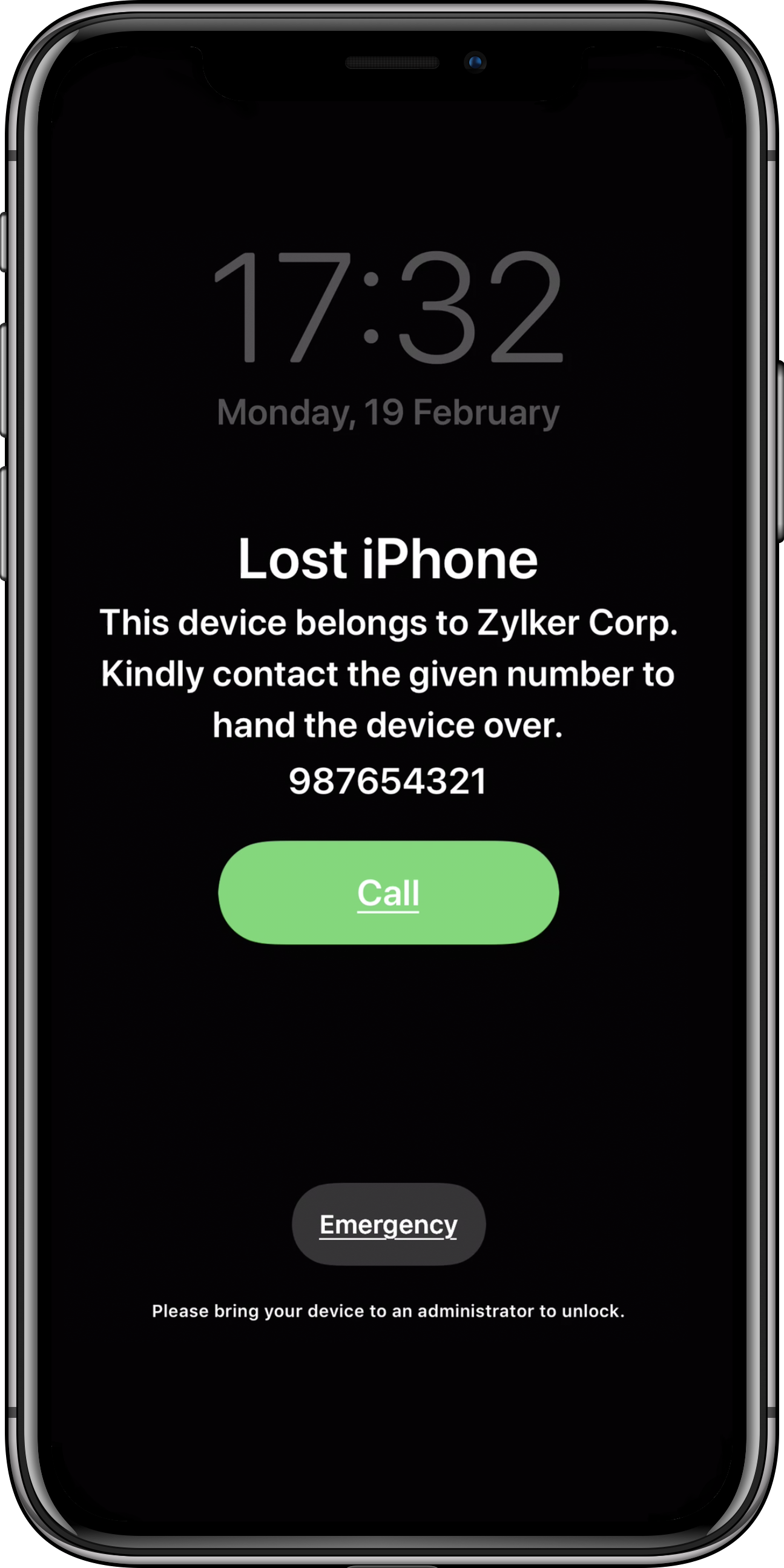
- Enable Lost Mode when devices are lost or stolen and perform a complete or corporate wipe to protect corporate data. Refer this document to learn how to secure corporate devices using Apple MDM solutions.
Audit and reports
- Perform assertive monitoring by generating detailed reports of iOS devices.
- Generate reports to monitor the status of apps installed in the device.
- Customize reports based on applied criteria such as apps by devices, devices by model, and more.
How to manage Apple devices with Apple MDM Software?
Follow the steps given below to manage iOS devices using Mobile Device Manager Plus as an Apple MDM software:
Step 1: Add APNs certificate
One of the pre-requisites for iOS remote device management using an Apple device manager is creating an APNs certificate. This certificate is required to secure the communication between the MDM for iPhones and Apple Push Notification service for device management of Apple devices. Learn how to create an APNs certificate and add it to ManageEngine's Apple MDM solution, Mobile Device Manager Plus.
Step 2: Enroll the devices
The devices can be enrolled into Apple MDM solutions such as Mobile Device Manager Plus or any other Apple (iOS) device manager using Apple Business Manager (ABM) or Apple School Manager (if you're an educational institution). Enrolling iOS, iPadOS and macOS devices using ABM/ASM allows organizations to completely automate the remote device management for iOS devices with the added advantage of mandatory management of devices.
Step 3: Create and associate profiles
Create Groups based on departments and automate the distribution of security policies, apps and documents. With the Apple MDM solution, organizations can also:
- Lock down iPhones/ iPads into Kiosk Mode.
- Configure policies to manage OS updates.
- Remotely locate, lock and wipe lost or stolen devices to ensure complete data security and prevent unauthorized data access with Lost Mode.
How does zero-touch enrollment work?
Zero-touch enrollment allows organizations to deploy iPhones, iPads, and Macs without any manual IT setup per device. When devices are purchased through Apple or an authorized reseller and added to Apple Business Manager, they are automatically assigned to your MDM server. The first time an employee powers the device on and connects to the internet, it enrolls in MDM automatically, apps, security policies, and configurations are applied before the user even reaches the home screen. For organizations deploying dozens or hundreds of devices, zero-touch eliminates the need for IT to physically handle each device before it reaches an employee.
Supervised vs. unsupervised Apple devices: What's the difference?
Supervision is a device state that gives an MDM solution a deeper level of control over an Apple device. Supervised devices, typically corporate iPhones, iPads, and Macs enrolled via Apple Business Manager, allow IT admins to enforce restrictions that are not available on unsupervised devices, including preventing users from removing the MDM profile, disabling specific apps or features, enabling single-app kiosk mode, and restricting AirDrop and iCloud services. Unsupervised devices, which are typically personally-owned devices enrolled via manual methods, receive a more limited set of managed policies and users retain more control over the device. When planning enrollment, organizations should use Automated Device Enrollment (ADE) via ABM for all corporate devices to ensure supervision is applied automatically at setup.
Managing BYOD Apple devices with Apple MDM
For organizations where employees use personally-owned iPhones and iPads for work, Apple's User Enrollment method provides a privacy-preserving management path. When enrolled via User Enrollment, a managed Apple ID creates a separate work partition on the device. IT can configure work apps, push email settings, enforce a passcode, and remove all corporate data with a targeted wipe, without ever accessing personal photos, messages, browsing history, or activity in personal apps. ManageEngine Mobile Device Manager Plus supports User Enrollment for BYOD device management, giving organizations a compliant path to manage employee-owned Apple devices while respecting user privacy.
Why is Apple MDM software important?
Apple devices now account for a significant share of enterprise endpoints, with iPhone and Mac adoption continuing to grow across industries including healthcare, finance, education, and professional services. The inherent security of Apple devices and the varied functions they serve are the main reasons for the exponential adoption of iOS, iPadOS, macOS, tvOS, watchOS, and visionOS devices in organizations. To make the most of the benefits offered, organizations must deploy an Apple MDM solution for Apple device management. Apple MDM solutions provide organizations the means to ensure that corporate or personally-owned Apple devices can remotely be configured with the required security policies and enterprise-approved apps and content, at any scale, without requiring physical access to each device.
iOS device management software (iOS MDM)
iOS device management software and solutions ( what is iOS MDM) are dedicated to iOS remote management. It enables IT admins to seamlessly deploy iPhones, configure security policies and provision the iOS devices with the required apps and content, over-the-air. Similarly iPadOS devices can be managed using iPad management software. These iPad management software and tools allow IT admins to remotely manage the iPads used within organizations.
How to manage iOS devices with Apple MDM solutions?
Corporate management of iOS devices like iPhones is made possible with iOS MDM solutions. In addition to simplifying iPhone device management, most iOS MDM solutions usually double up as an Apple MDM solution. MDM solutions for Apple facilitate the management of iOS, iPadOS, macOS, tvOS, watchOS, and visionOS devices. Moreover, comprehensive MDM tools handle Apple device management along with managing Android, Windows and Chrome devices. ManageEngine's Mobile Device Manager Plus is one such Apple/iOS device management software that lets you manage all Apple devices including even Apple iPods as well as devices running other OS.
macOS device management with Apple MDM
Managing Macs in an enterprise environment requires capabilities beyond what basic MDM provides. ManageEngine Mobile Device Manager Plus extends full macOS MDM management to MacBooks, Mac desktops, and Mac minis enrolled in the platform. IT admins can automate macOS enrollment via Apple Business Manager, push configuration profiles, manage FileVault encryption, enforce password policies, deploy and update Mac apps silently, and run remote commands including lock and wipe, all from the same console used to manage iPhones and iPads. For organizations running a mixed Apple fleet, this eliminates the need for a separate Mac management tool and gives IT a unified view of every device across iOS, iPadOS, macOS, and tvOS.
Benefits of Apple device management solutions
Apple MDM solutions offer organizations the following benefits in terms of iOS mobile device management:
- Bulk deployment of Apple devices Using an Apple MDM solution, organizations can deploy the devices out-of-the-box to all their employees in bulk with minimal admin intervention.
- Customizable dashboard Apple MDM solutions or MDM solutions serve as a one stop shop for managing their Apple devices. It provides a dashboard for viewing updated inventory details such as hardware & software details, information on the associated configurations and certificates, installed app etc.
- Seamless app distribution Apple MDM solutions allow organizations to manage Store and enterprise apps through their entire lifecycle. It restricts users from installing malicious apps and also allows organizations to run only specific set of apps on devices.
- Extensive support for configurations and restrictions Apple MDM solutions provide organizations a vast array of policies that allow organizations to configure devices to their needs and also ensure corporate data security.
Using an iOS MDM software IT admins might not be able to achieve complete Apple device management. This is why, in addition to the iPad/iPhone device management capabilities, ManageEngine's Apple MDM, Mobile Device Manager Plus also supports extensive features for managing devices running macOS, facilitating comprehensive device management in Apple. Learn more about Mobile Device Manager Plus' Mac management capabilities.
Apple MDM compliance and security auditing
For organizations in regulated industries, Apple MDM is as much a compliance tool as it is an operational one. ManageEngine Mobile Device Manager Plus helps IT teams demonstrate compliance with HIPAA, GDPR, PCI DSS, CJIS, ISO 27001, and other major frameworks by providing centralized enforcement of security policies across every managed Apple device. Encryption can be enforced and verified across all iPhones, iPads, and Macs in the fleet. Passcode requirements, app restrictions, and conditional access policies are applied consistently and auditable through detailed reports. Lost Mode and remote wipe ensure that sensitive data on lost or stolen devices can be rendered inaccessible immediately. Audit logs record every administrative action taken on every device, giving compliance teams the documentation they need during audits or regulatory reviews. For Apple School Manager deployments in education, MDM Plus helps institutions apply student data protection policies across all managed devices.
Why is ManageEngine Mobile Device Manager Plus the best Apple MDM?
- Comprehensive Apple MDM Support ManageEngine Mobile Device Manager Plus supports all Apple devices, including iPhones, iPads, MacBooks, and Apple TVs, allowing organizations to easily enroll, configure, and secure devices running iOS, iPadOS, macOS, and tvOS.
- Unified Console for Multi-Platform Management In addition to managing Apple devices, the platform extends its capabilities to Android, Windows, and Chrome devices, providing a single, unified management console for all device types.
- Simplified Enrollment and Deployment Streamlined enrollment processes make it easy to onboard devices quickly, reducing IT workload and ensuring a smooth deployment for businesses of all sizes.
- Enhanced Security and Compliance Robust security features help organizations enforce policies, protect sensitive data, and meet compliance requirements with ease, ensuring your Apple devices remain secure.
- Efficient App and Content Management Manage and distribute apps and content seamlessly across Apple devices, ensuring that employees have access to the tools they need, when they need them.
- Scalable Solution for Businesses of All Sizes Whether you're a small business or a large enterprise, Mobile Device Manager Plus is designed to scale with your organization's needs, offering flexible and effective device management solutions.