New in Applications Manager: Unified monitoring for Veeam Backup Enterprise Manager
We are excited to announce our new monitoring capability: Full-stack observability for Veeam Backup Enterprise Manager.
As environments scale, visibility into backups often fractures. The result is siloed data and manual log checks. Our new integration brings your Veeam backup ecosystem directly into the ManageEngine Applications Manager dashboard, providing a centralized view to level up your data protection strategy.
What’s new?
We’ve built a direct connection to the Veeam REST API to pull high-fidelity data into your monitoring console. Here is what it does:
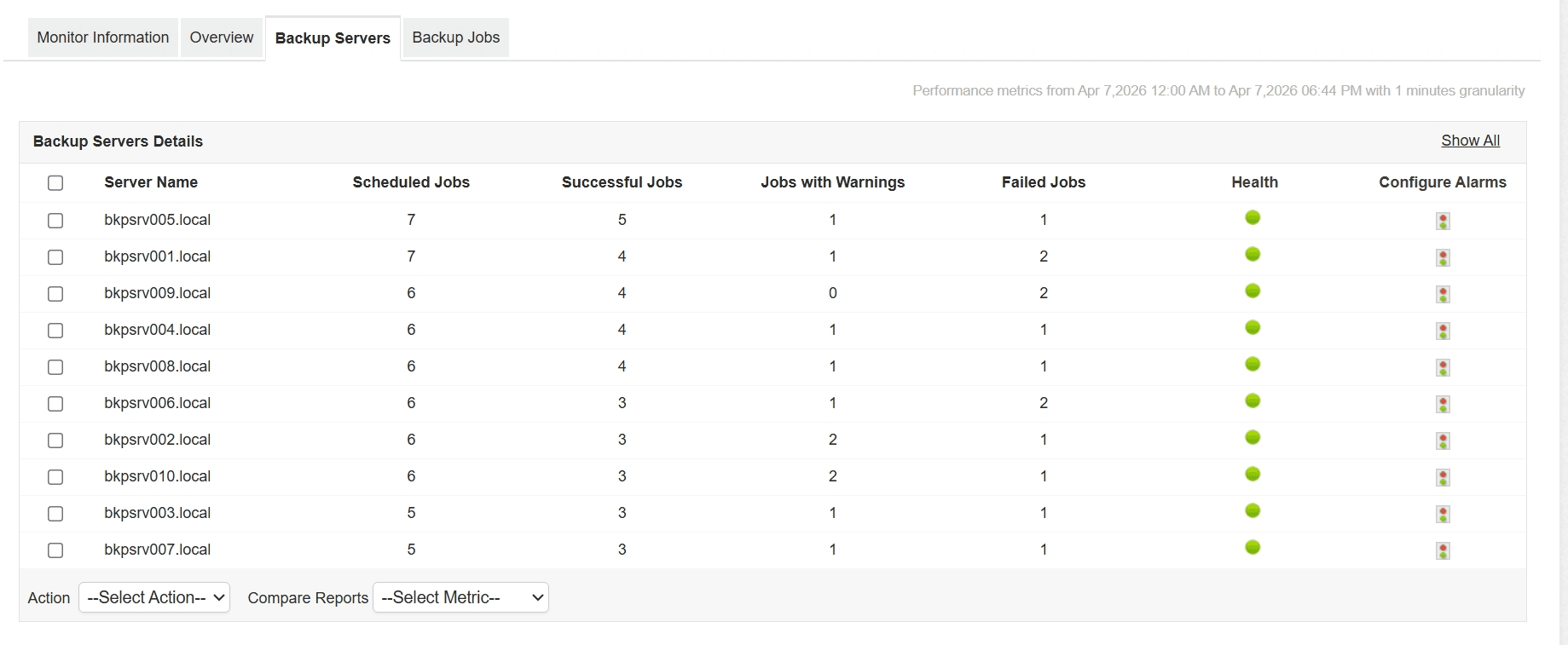
Job status monitoring: You can monitor every scheduled backup job across all servers from one screen. Whether it’s a standard backup or an agent-based job, you can check for immediate success, warning, or failure indicators.
Execution duration tracking: Efficiency is as important as uptime. Applications Manager tracks how long jobs take to run, helping you identify slow-running backups that might be causing performance and utilization anomalies.
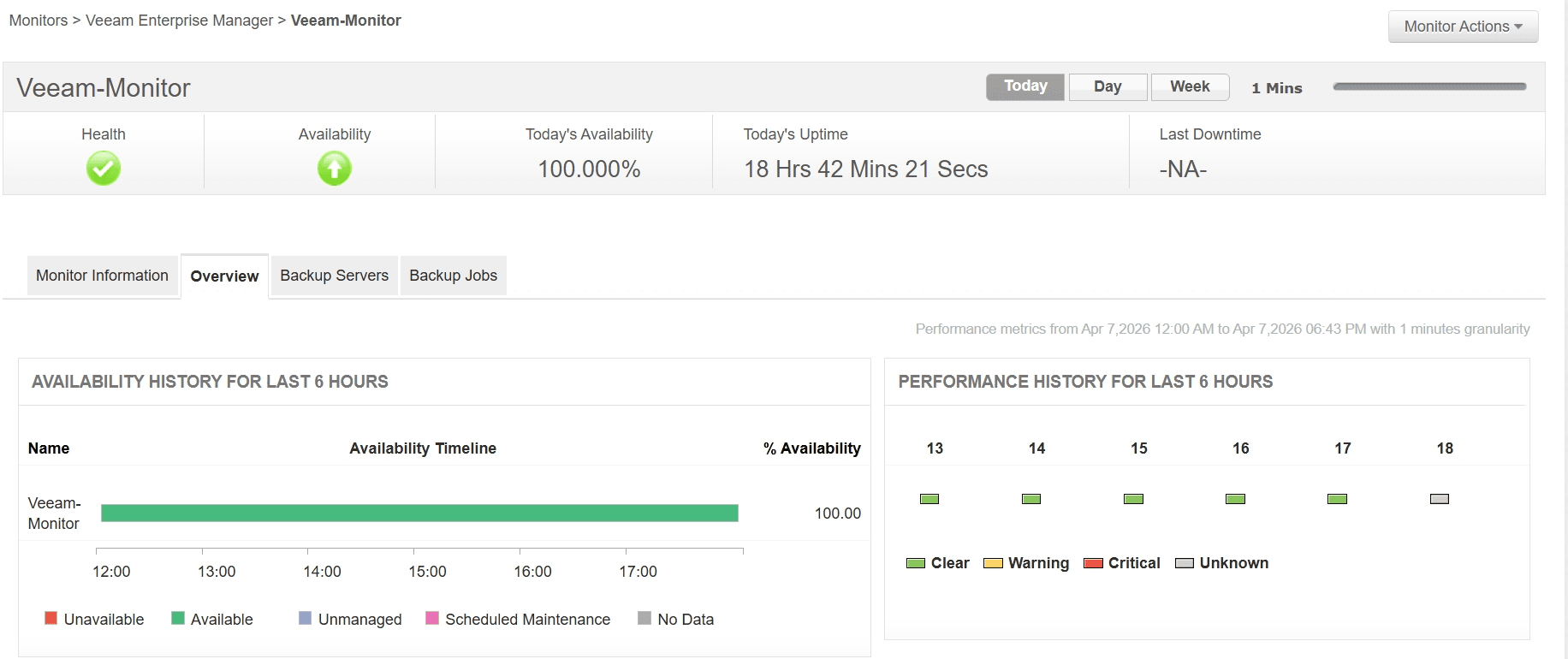
Drill-down error analysis: When a job fails, you can pull the specific error message from the last run directly into the dashboard. Instead of digging up old server logs for answers, you can find and fix errors before they cascade into downtime.
Workload distribution: You can monitor job counts at the backup server-level to ensure your infrastructure isn't lopsided. Applications Manager helps you identify which servers are doing the heavy lifting and which have room to scale.
Retention and compliance oversight: Applications Manager helps you validate your next scheduled runs and retention settings to ensure your data is retained for as long as you need it.
Set up in minutes
Setting up the monitor is straightforward. Once you’ve met the REST API prerequisites, simply:
Navigate to Add New Monitor in Applications Manager.
Select Veeam Enterprise Manager under the Virtualization category.
Provide the Host Name and API credentials (default port 9398).
Set your polling interval and start collecting data.
Take control of your backups today
This feature is now live for all Applications Manager users. Stop switching consoles and start seeing the full picture of your infrastructure health.