AS View
If a network administrator wants to switch between any two Autonomous Systems, it would usually be a time-consuming task to get the values from each router. The accuracy is also not always guaranteed.
NetFlow Analyzer uses the BGP information exported from the router to show the AS name, AS number, and IN/OUT traffic.
To use AS view, you must enable BGP. Click here to see how.
To enable AS View in NetFlow Analyzer:
Navigate to Settings > NetFlow > Storage Settings > AS View
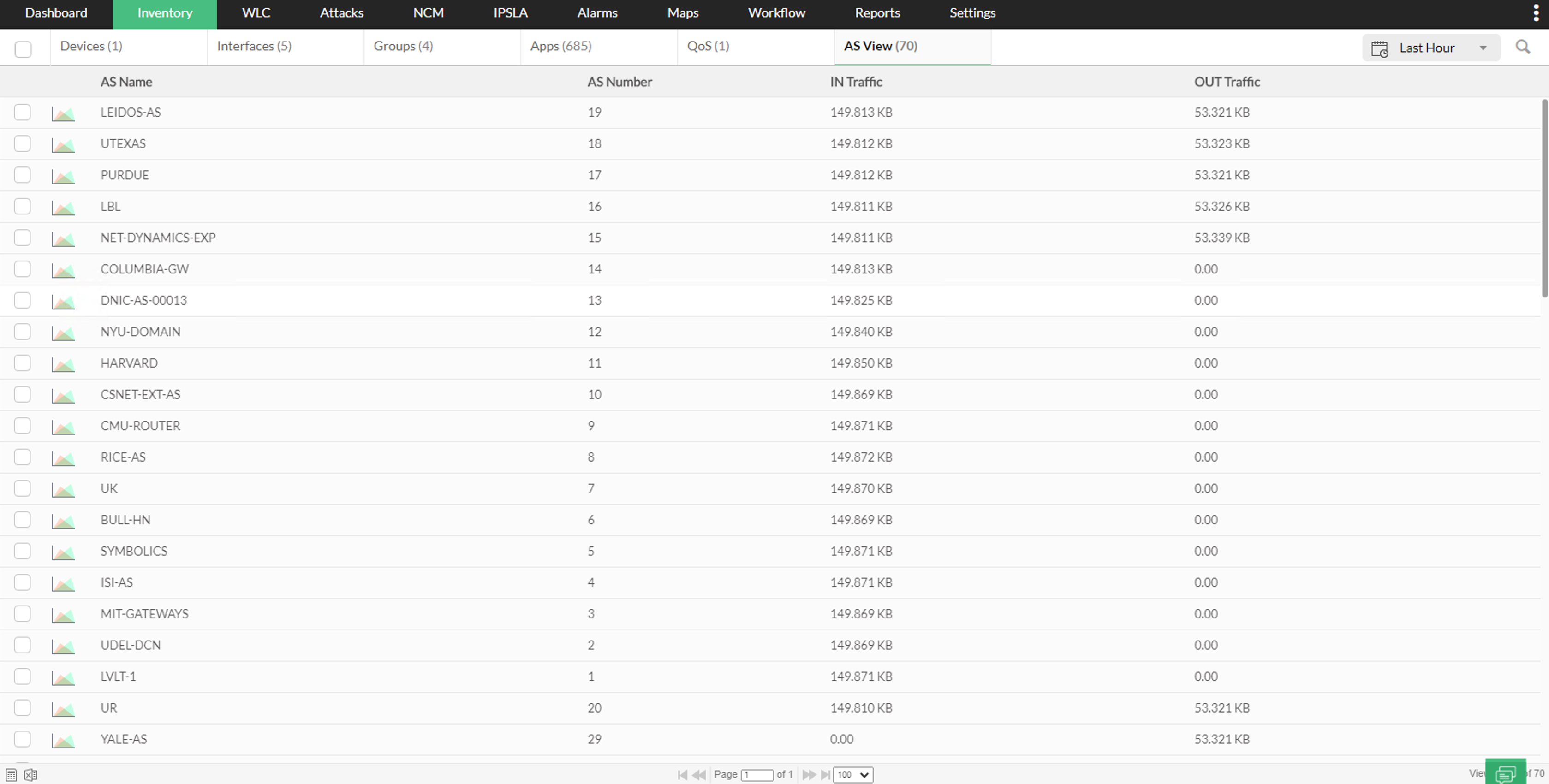
The AS view tab shows the current autonomous systems details such as AS name, AS number, IN traffic, and OUT traffic.
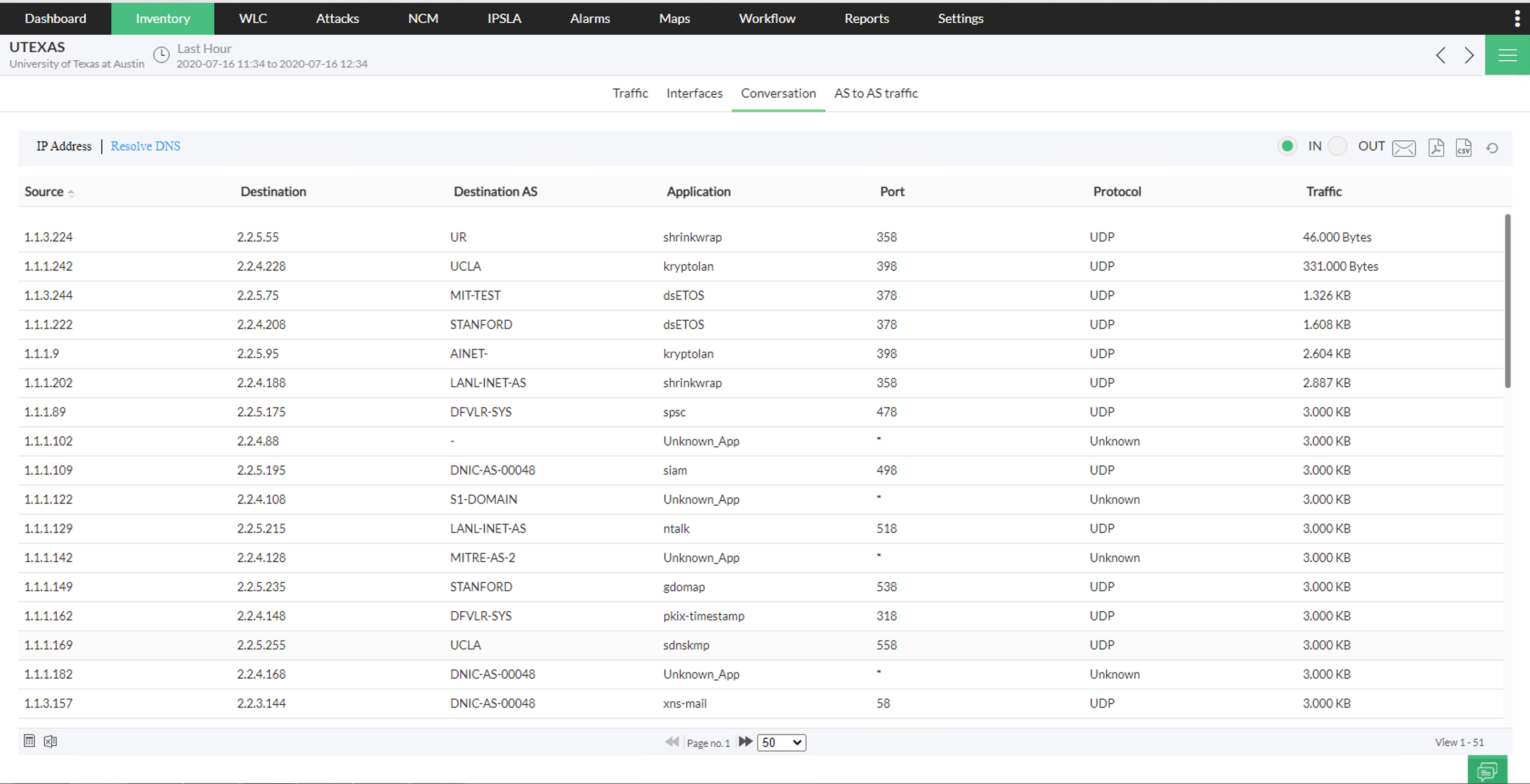
Once an autonomous system is clicked, you can see additional details such as source, destination, application, port, protocol, and traffic consumed.