Home
Report Profile
How to create a new filter in report profile?
Navigate to Reports > Report Profiles > Filter
Click on "Add Filter"
Provide Filter name and type
Define condition for the filter such as Application, Source, Destination, DSCP name or Protocol to be added to Report Profile
Click Save
How to add a new report profile?
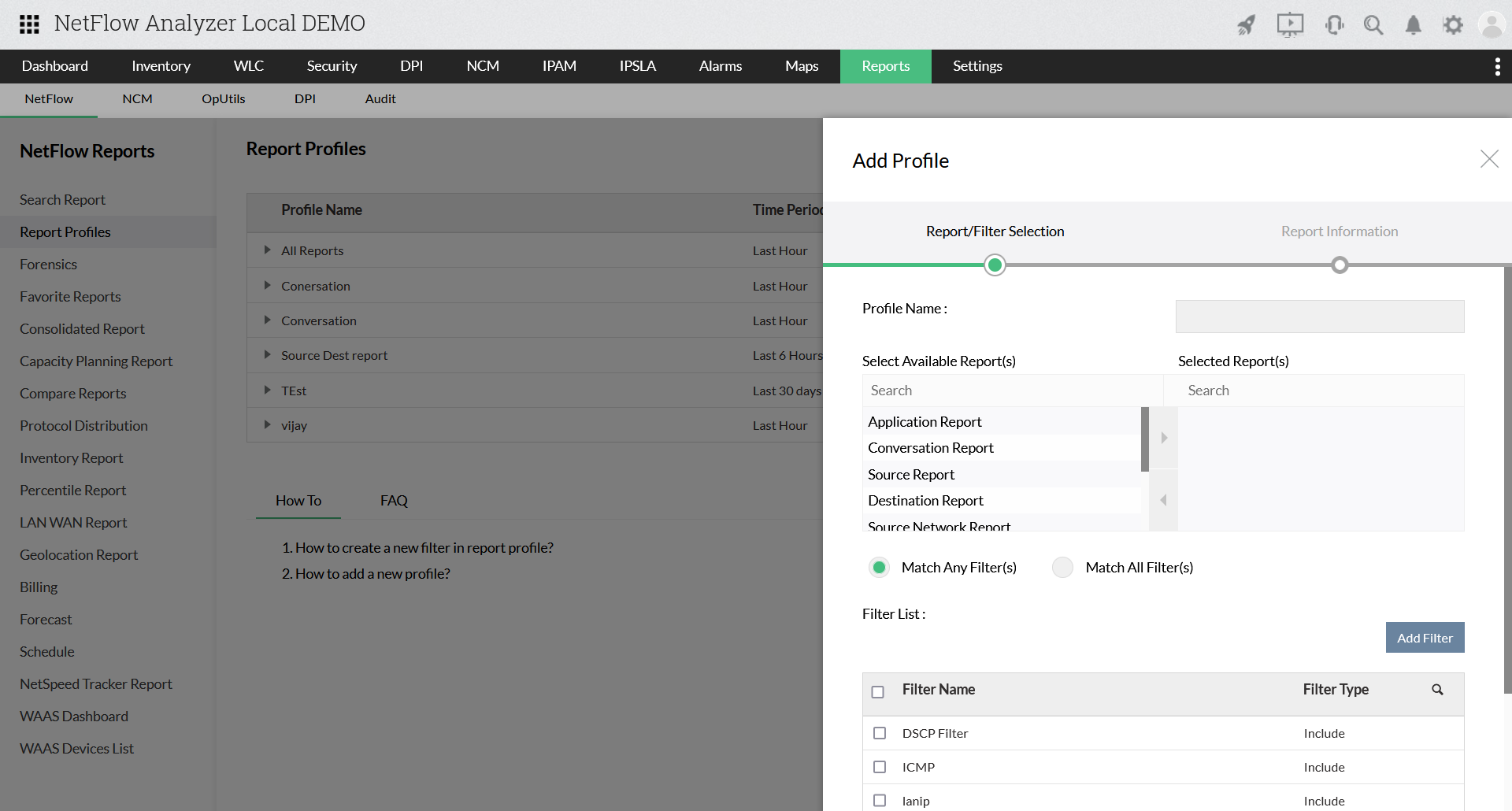
Navigate to Reports > Report Profiles > Add Profile
Provide the Profile name, select the reports, and the filter created and click "Next"
Select the Device, Interface and the time period.
Click Save
Benefits
Related Products
»
Bandwidth Monitor
»
Bandwidth Reporting
»
Cisco NetFlow
»
NetFlow Monitoring
»
Network Traffic Analyzer
»
Site to Site Traffic Monitoring
»
Application Performance Optimization
»
Network Security
»
NetFlow Reporting
»
Automating Network Reports
»
Customizable Dashboard
»
Network Traffic Monitor
»
Faster Network Troubleshooting
»
Protocol and Application Monitoring
»
NetFlow Analyzer Reports
»
Department-wise Bandwidth Monitoring
»
Billing ⁄ Measure Bandwidth Usage
»
Cisco CBQoS Monitoring
»
Network Monitoring
»
Application Performance Monitoring
»
Bandwidth Monitoring & Traffic Analysis
»
Network Configuration Management
»
Switch Port & IP Address Management
»
Firewall Management