How to manage device interfaces?
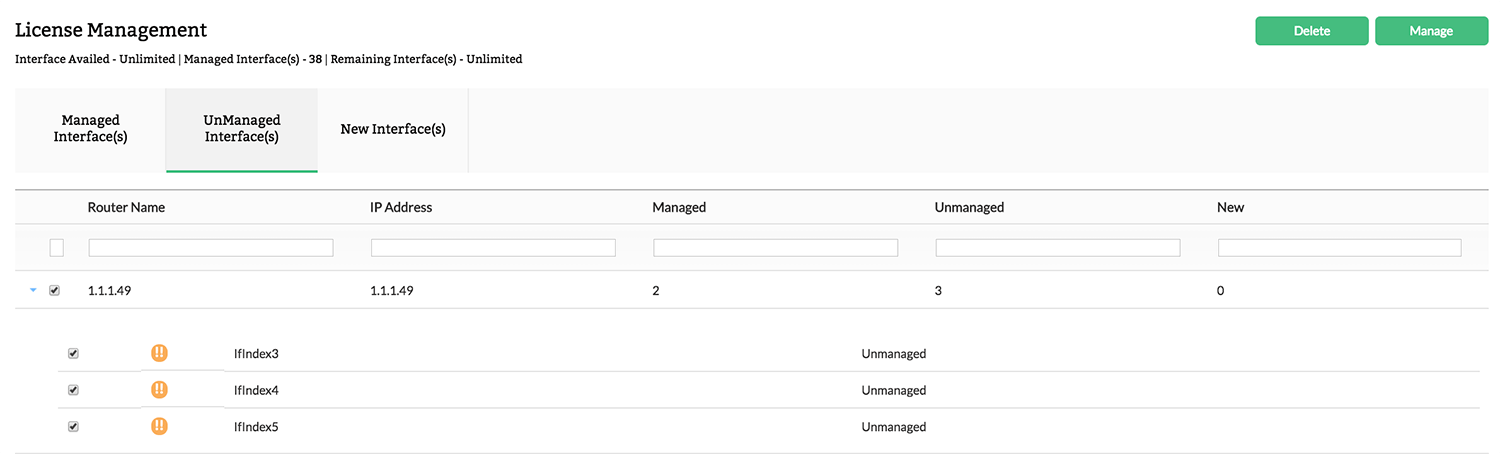
- Navigate to Settings > NetFlow > License Management
- Select the interfaces from "New Interfaces" or "Unmanaged Interfaces"
- Click Manage
Note: Interface exporting flows will be automatically added to "Managed Interfaces" until the license is available.
How to unmanage interfaces?
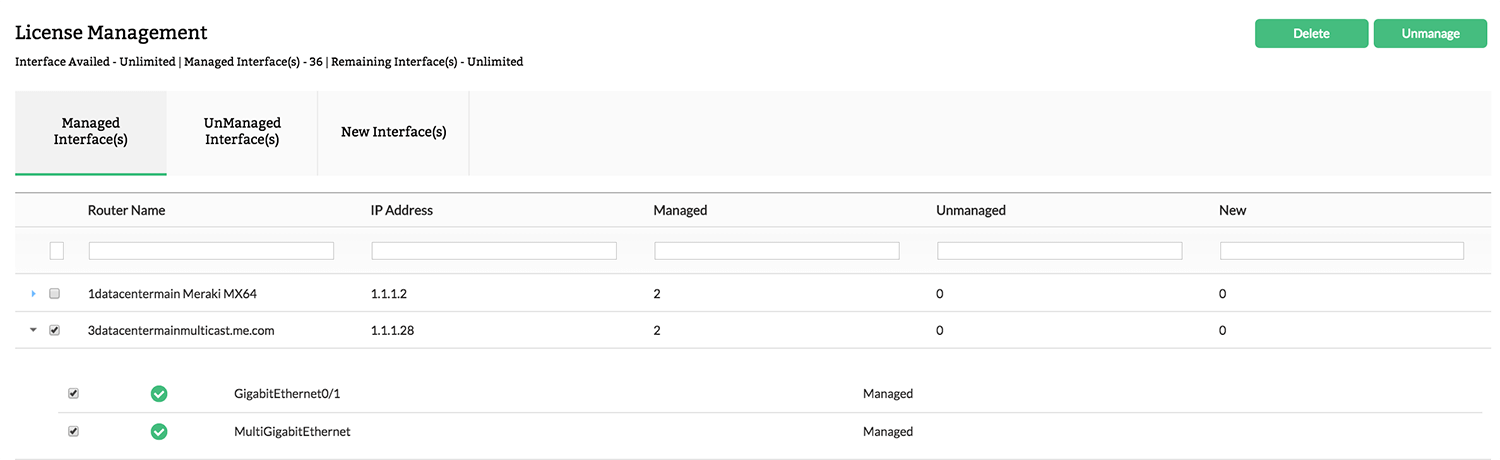
- Navigate to Settings > NetFlow > License Management
- Select the interfaces from "Managed Interfaces"
- Click Unmanage
How to manage/unmanage newly added interfaces?
- Navigate to Settings > NetFlow > License Management
- To Manage interfaces, select the interfaces from "New Interfaces"
- Click Manage
- To UnManage interfaces, select the interfaces from "New Interfaces"
- Click Unmanage
Note: Make sure you have available license limit to perform the below operation.