How to schedule a report for traffic graphs?
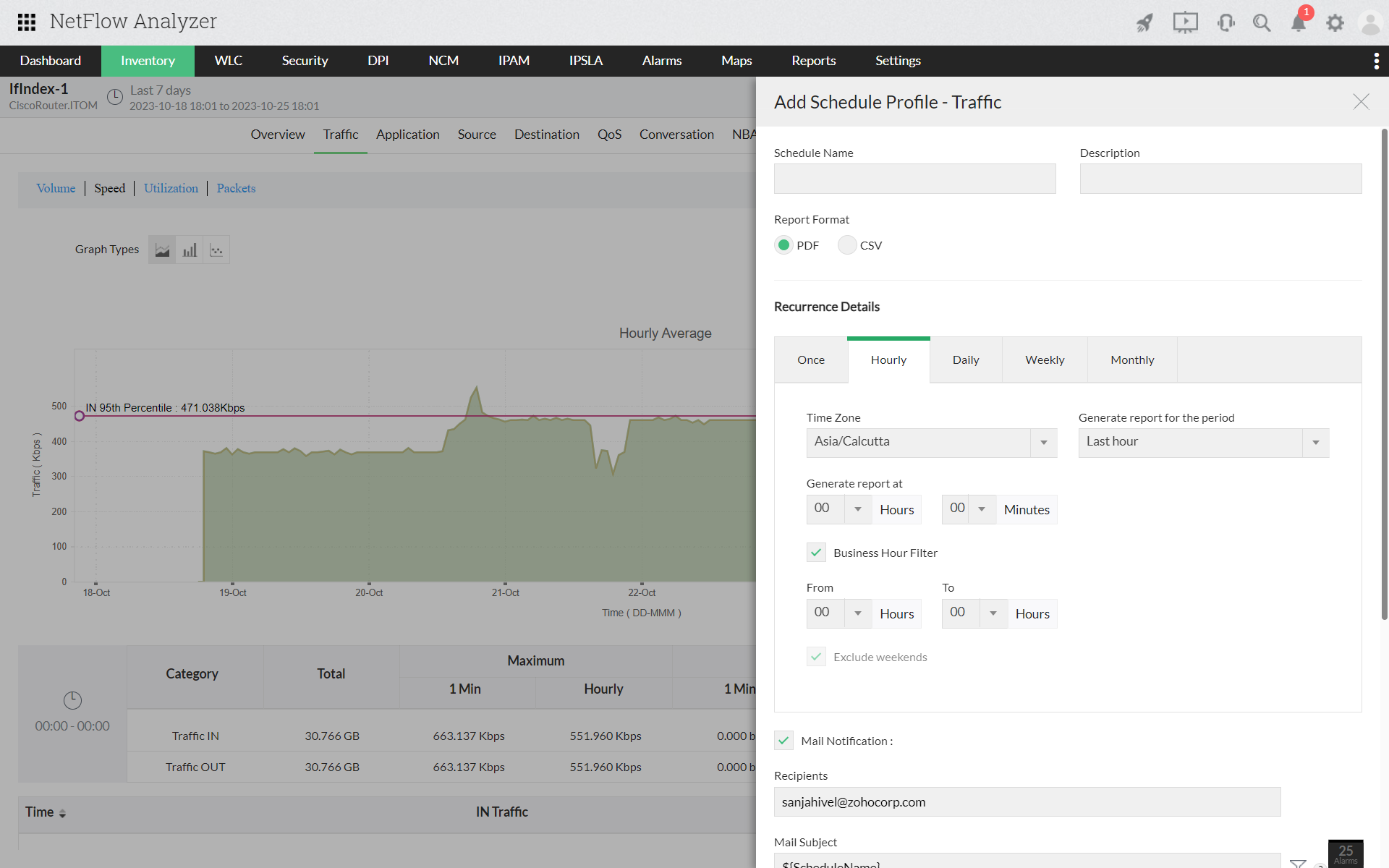
- Navigate to Inventory > Interface > Interface Snapshot
- Click on any particular traffic graph for schedule option: Traffic/Source/Destination/QoS/Conversation
- Click on Expand icon

- Click on add a schedule icon
 in the right corner
 - Enter schedule details such as Schedule name, description, report format (PDF/CSV) and time zone
- Provide schedule details for the generation of report such as period (Once/Daily/Weekly/Monthly), date, time and duration of traffic details
- Enable mail notification and enter details such as mail id and subject to get report via mail
- Enable mail notification and enter details such as mail id and subject to get report via mail