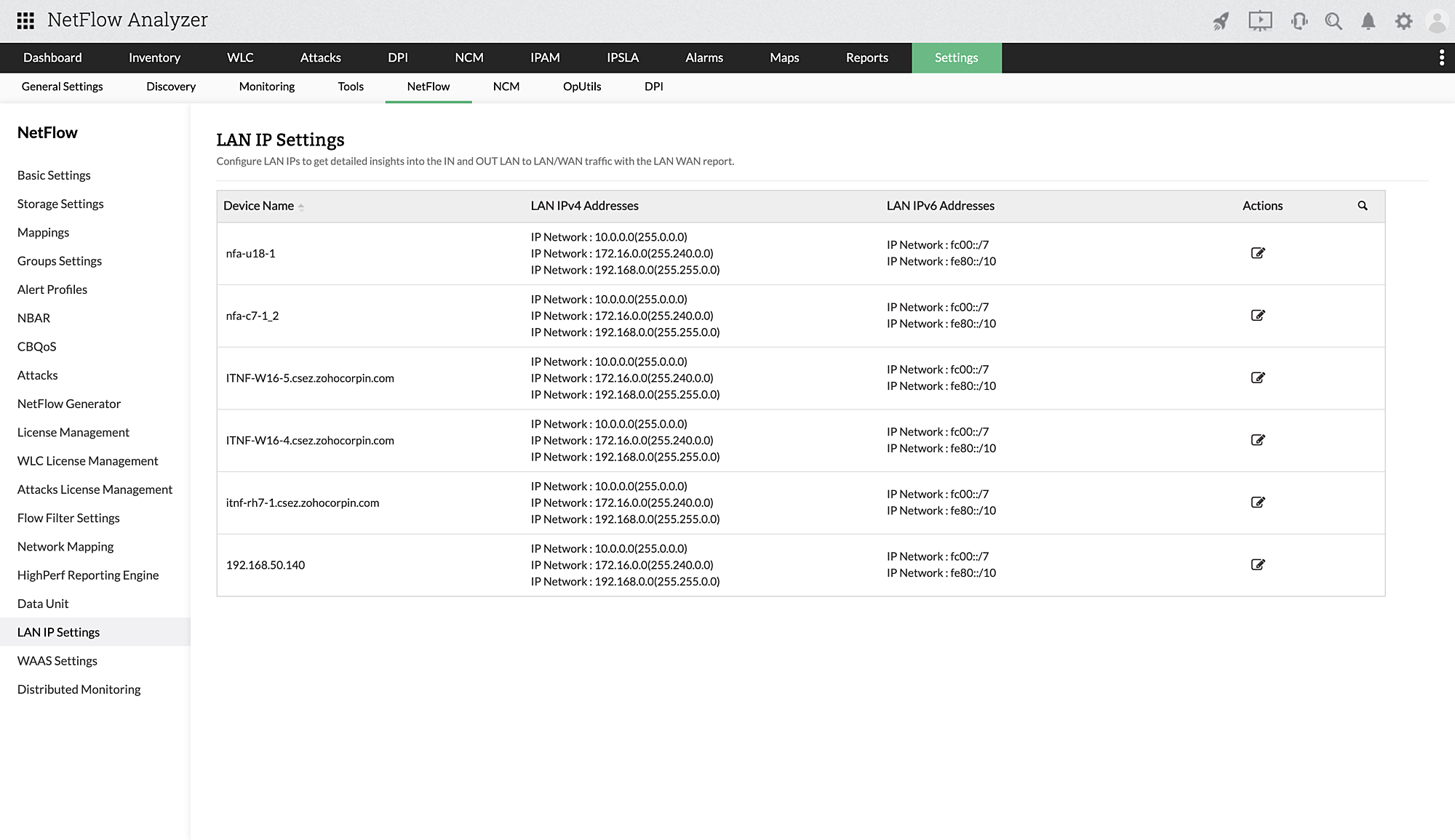
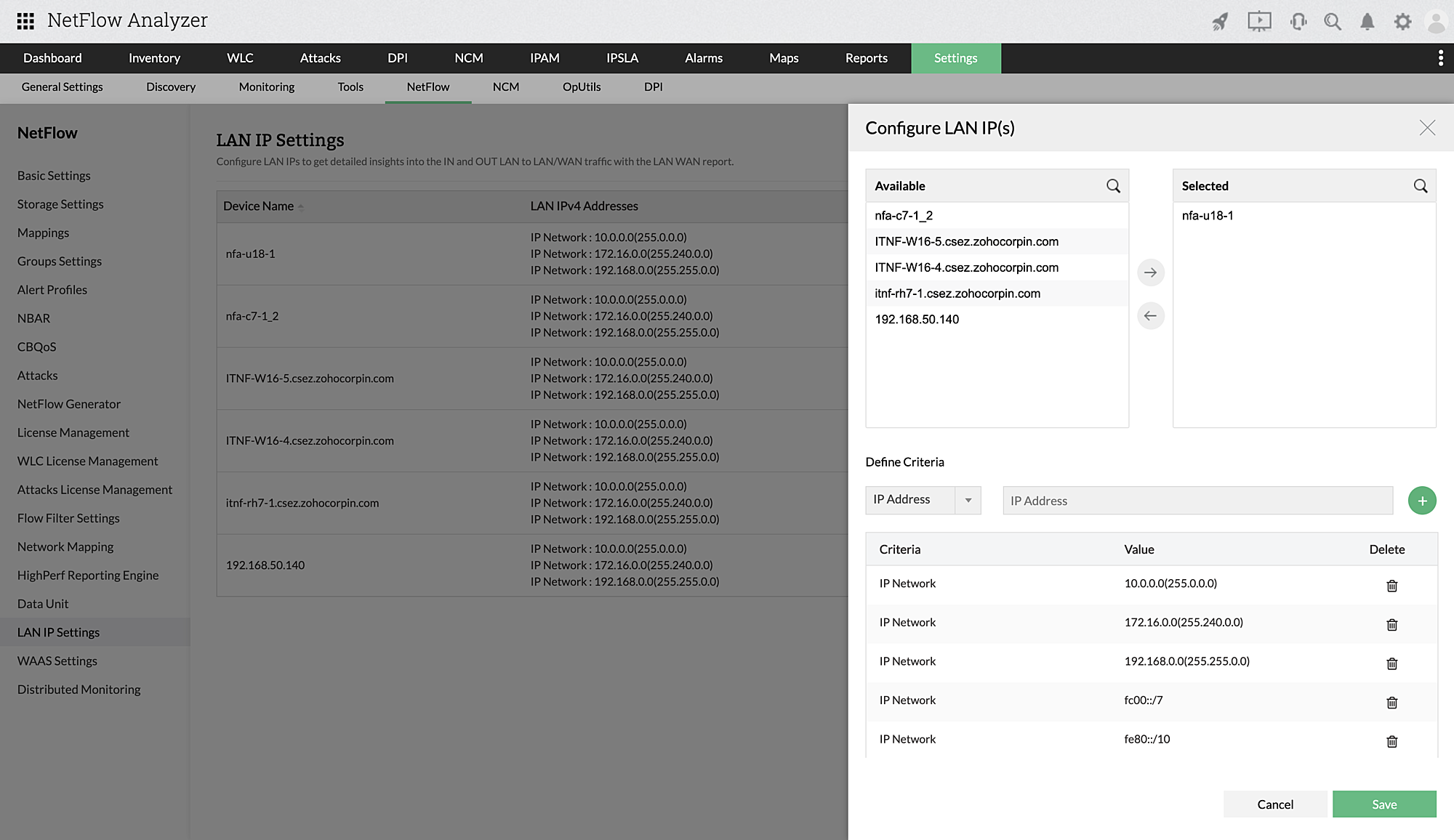
Steps to Configure LAN IP
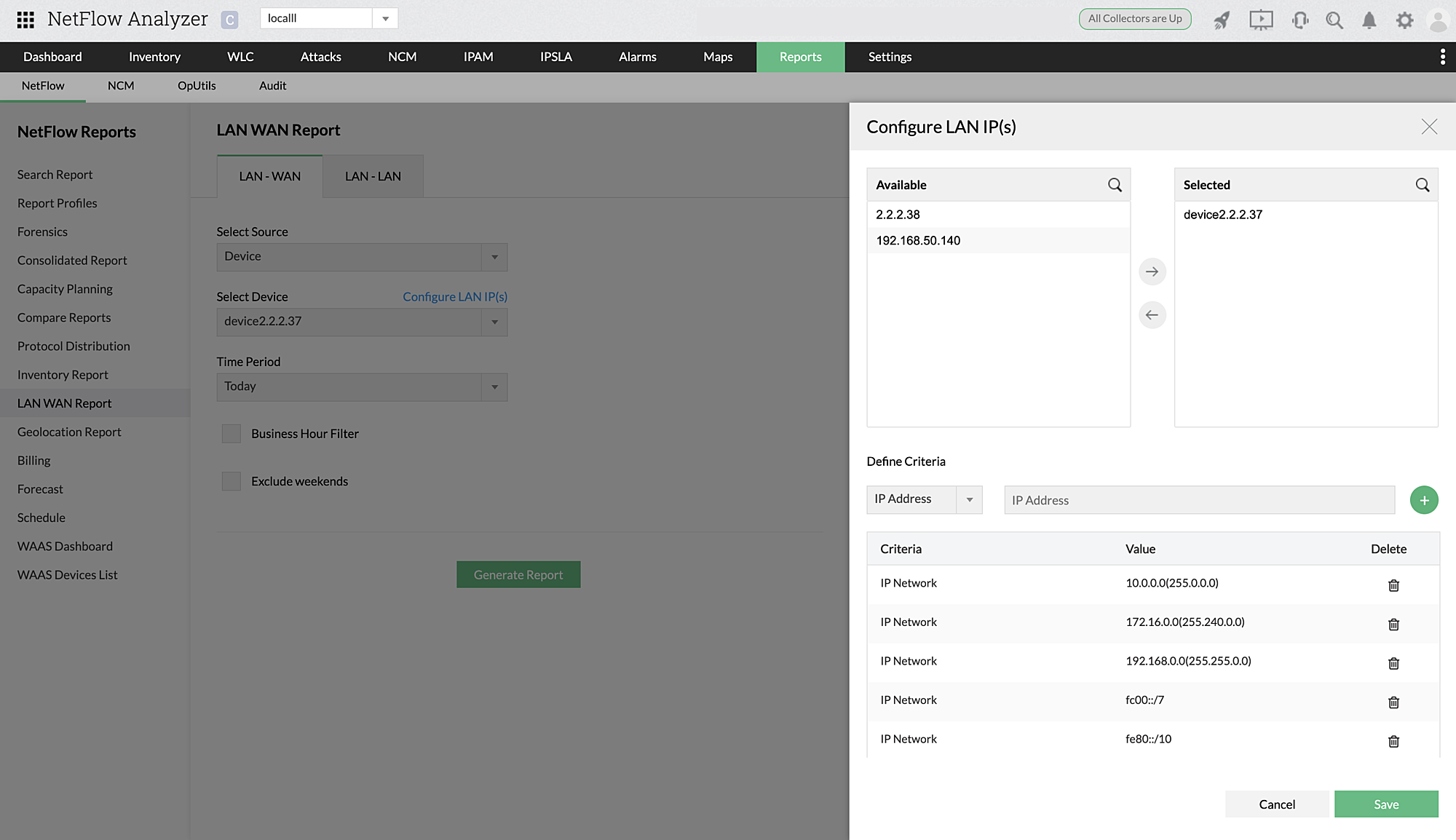
Configuring LAN IPs help get detailed insights on the IN and OUT LAN-LAN/WAN traffic. To configure LAN IPs while generating a LAN-WAN or LAN-LAN report,
- Select the source and click Configure LAN IP(s).
- Select the devices.
- Define and add criteria based on IP(s), IP range or IP network.
- Click Save.
To edit configured LAN IPs,
- Navigate to Settings > NetFlow > LAN IP Settings.
- Under Actions, click on the edit icon.
- Select or deselect the required devices.
- Under Define Criteria, you can add new criteria by clicking on the "+" add icon, or delete any of the existing criteria.
- Click Save.