Mail server settings
These settings are important when e-mail notifications have to be sent for alerts generated and when Scheduled Reports have to be emailed.
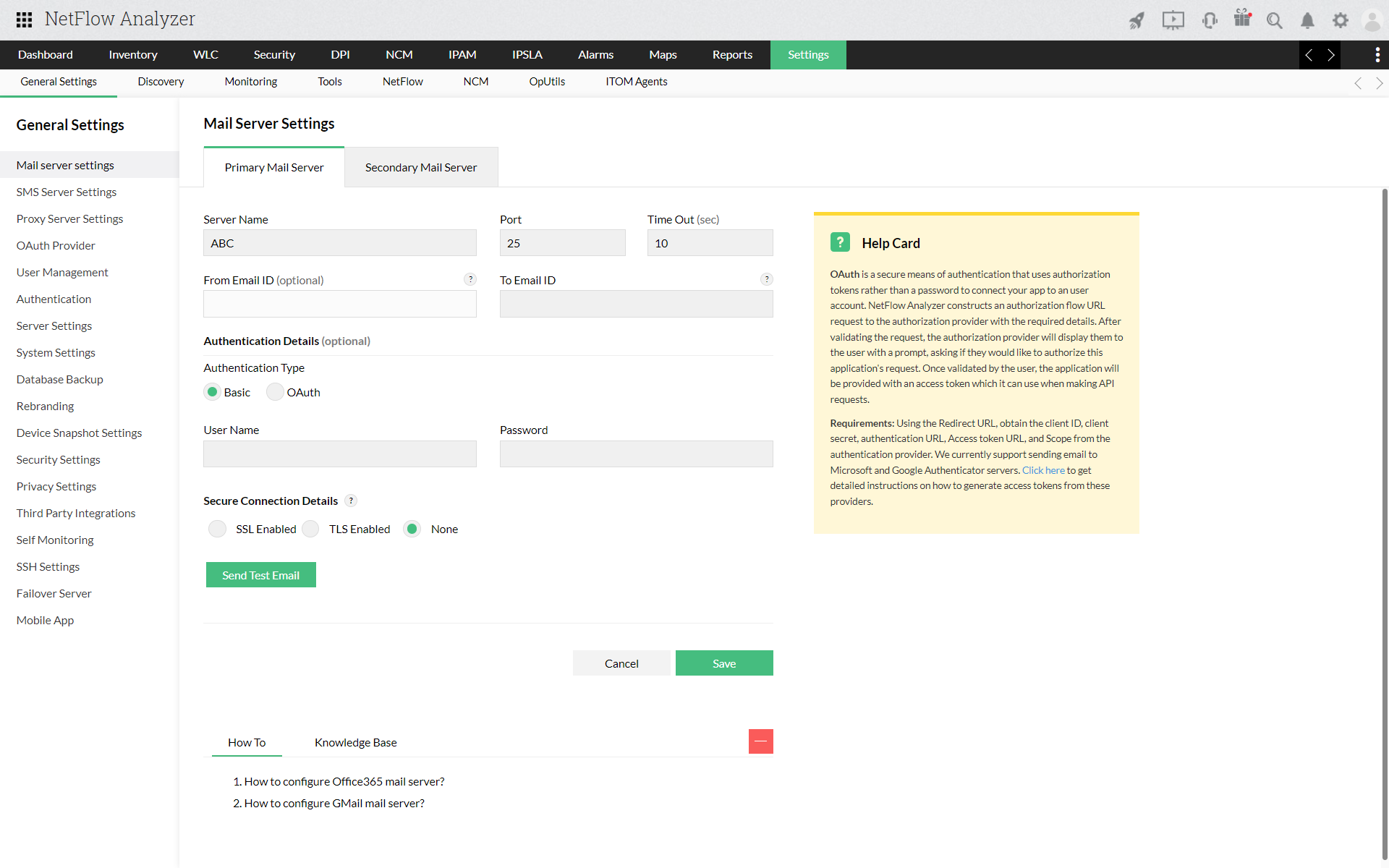
| Option | Default Value | Description |
| Server Name | smtp | The name of the outgoing SMTP server used to send e-mails. |
| Port | 25 | The port number on the outgoing server that is used to send e-mails. |
| From Email ID | (optional) | The "From" address of the mail that is being sent. |
| To Email ID | (optional) | The Email address to which the E-mail notifications have to be sent. |
| User Name | (none) | The authentication user name for the mail server. |
| Password | (optional) | The corresponding password for mail server authentication. |
| Encryption Protocol | (optional) | Enable SSL/TLS connection to send secure information. |
| Add a secondar mail server | (optional) | Configure a secondary mail server to receive uninterrupted alerts via email when the primary server is down. |