

How to clean up groups automatically?
Last updated on:Objective
Clean up the groups you no longer need automatically.
Steps
- Go to the Automation tab.
- Click the Create New Automation link.
- Enter a name and description for the automation.
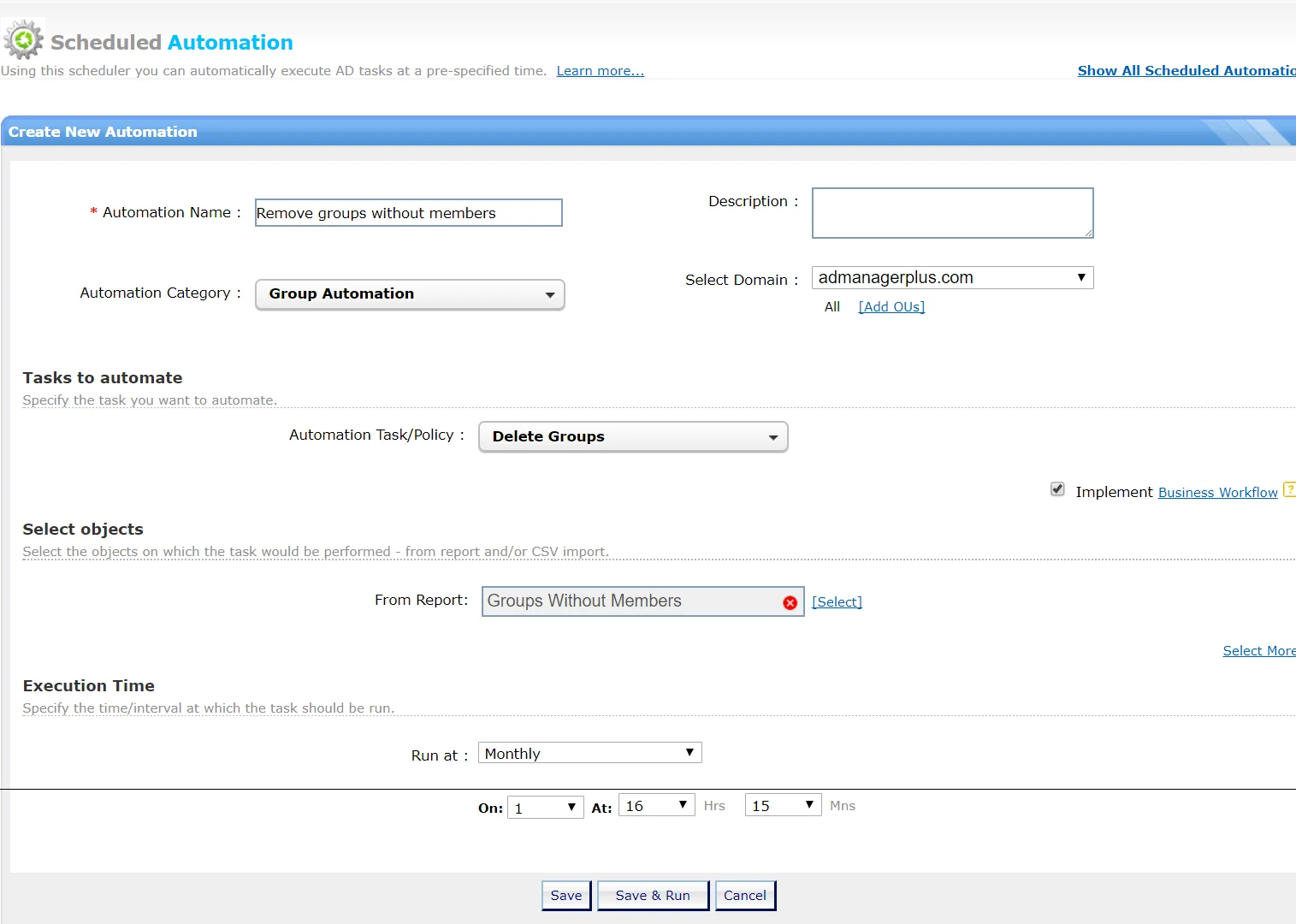
- Select Group Automation from the Automation Category drop down menu.
- Choose Delete Groups from the Automation Task/Policy drop down menu.
- If you require supervision of this task, click the Implement Business Workflow checkbox.
- To specify the task that needs to be performed, carry out one of the following:
- Choose the ADManager Plus report from the From Report option.*
- Import a CSV file by clicking the Select More link.
- Specify the interval at which the task should be run from the Execution Time menu.
*: If you want to delete all the groups in your organization that don't have members, you can use ADManager Plus' automation policy to do so. Choose Groups Without Members in the From Report option and ensure that the automation task is run every month, as shown in the figure.
 Free Edition












