- Free Edition
- What's New?
- Key Highlights
- Suggested Reading
- All Capabilities
-
Log Management
- Event Log Management
- Syslog Management
- Log Collection
- Agent-less Log Collection
- Agent Based Log collection
- Windows Log Analysis
- Event Log Auditing
- Remote Log Management
- Cloud Log Management
- Security Log Management
- Server Log Management
- Linux Auditing and Reporting
- Auditing Syslog Devices
- Windows Registry Auditing
- Privileged User Activity Auditing
-
Application Log Management
- Application Log Monitoring
- Web Server Auditing
- Database Activity Monitoring
- Database Auditing
- IIS Log Analyzer
- Apache Log Analyzer
- SQL Database Auditing
- VMware Log Analyzer
- Hyper V Event Log Auditing
- MySQL Log Analyzer
- DHCP Server Auditing
- Oracle Database Auditing
- SQL Database Auditing
- IIS FTP Log Analyzer
- IIS Web Log Analyzer
- IIS Viewer
- IIS Log Parser
- Apache Log Viewer
- Apache Log Parser
- Oracle Database Auditing
-
IT Compliance Auditing
- ISO 27001 Compliance
- HIPAA Compliance
- PCI DSS Compliance
- SOX Compliance
- GDPR Compliance
- FISMA Compliance Audit
- GLBA Compliance Audit
- CCPA Compliance Audit
- Cyber Essentials Compliance Audit
- GPG Compliance Audit
- ISLP Compliance Audit
- FERPA Compliance Audit
- NERC Compliance Audit Reports
- PDPA Compliance Audit reports
- CMMC Compliance Audit
- Reports for New Regulatory Compliance
- Customizing Compliance Reports
-
Security Monitoring
- Threat Intelligence
- STIX/TAXII Feed Processor
- Threat Whitelisting
- Real-Time Event Correlation
- Log Forensics
- Incident Management System
- Automated Incident Response
- Linux File Integrity Monitoring
- Detecting Threats in Windows
- External Threat Mitigation
- Malwarebytes Threat Reports
- FireEye Threat Intelligence
- Application Log Management
- Security Information and Event Management (SIEM)
- Real-Time Event Alerts
- Privileged User Activity Auditing
-
Network Device Monitoring
- Network Device Monitoring
- Router Log Auditing
- Switch Log Monitoring
- Firewall Log Analyzer
- Cisco Logs Analyzer
- VPN Log Analyzer
- IDS/IPS Log Monitoring
- Solaris Device Auditing
- Monitoring User Activity in Routers
- Monitoring Router Traffic
- Arista Switch Log Monitoring
- Firewall Traffic Monitoring
- Windows Firewall Auditing
- SonicWall Log Analyzer
- H3C Firewall Auditing
- Barracuda Device Auditing
- Palo Alto Networks Firewall Auditing
- Juniper Device Auditing
- Fortinet Device Auditing
- pfSense Firewall Log Analyzer
- NetScreen Log Analysis
- WatchGuard Traffic Monitoring
- Check Point Device Auditing
- Sophos Log Monitoring
- Huawei Device Monitoring
- HP Log Analysis
- F5 Logs Monitoring
- Fortinet Log Analyzer
- Endpoint Log Management
- System and User Monitoring Reports
-
Log Management
- Product Resources
- Related Products
- Log360 (On-Premise | Cloud) Comprehensive SIEM and UEBA
- ADManager Plus Active Directory Management & Reporting
- ADAudit Plus Real-time Active Directory Auditing and UBA
- ADSelfService Plus Identity security with MFA, SSO, and SSPR
- DataSecurity Plus File server auditing & data discovery
- Exchange Reporter Plus Exchange Server Auditing & Reporting
- M365 Manager Plus Microsoft 365 Management & Reporting Tool
- RecoveryManager Plus Enterprise backup and recovery tool
- SharePoint Manager Plus SharePoint Reporting and Auditing
- AD360 Integrated Identity & Access Management
- AD Free Tools Active Directory FREE Tools
What is event log monitoring?
Event logs are generated by Windows systems for every activity happening in them. Windows organizes these logs into distinct channels, including Security, System, Application, Setup, and Forwarded Events. Each channel captures a different category of system and user activity. These logs are stored as .evtx files under C:\Windows\System32\winevt\Logs\ and can be viewed natively through Event Viewer or queried with PowerShell. Event log monitoring is a continuous process of collecting, tracking, and analyzing logs from Windows machines for effective Windows event log management. Organizations of all different sizes across industries need to monitor event logs to effectively troubleshoot network issues, maintain the health and performance of systems, ensure security, and achieve compliance.
ManageEngine EventLog Analyzer, a comprehensive log monitoring and IT compliance management solution, collects, analyzes, correlates, searches, and archives event logs. The solution generates reports and alerts on critical security events happening in Windows systems and servers.
Why is an event log monitoring tool essential?
Manually sifting through terabytes of log data using native tools like the Event Viewer is a time-consuming and inefficient task. This can significantly hinder an IT administrator's ability to monitor network and security events effectively. To maintain optimal network performance and security, and to troubleshoot more easily, it's crucial to implement a dedicated log monitoring tool.
A log monitoring tool such as ManageEngine EventLog Analyzer automates the process of collecting, analyzing, and alerting on log data. This empowers IT administrators to:
- Quickly identify and resolve issues: By analyzing log data in real time, administrators can swiftly pinpoint the root cause of problems.
- Enhance security posture: Proactive monitoring of security-related logs helps administrators detect and respond to potential threats before they escalate.
- Gain deeper insights: Advanced analytics capabilities allow administrators to uncover trends, patterns, and anomalies that may not be apparent in raw log data.
- Optimize resource utilization: By identifying inefficient resource usage, administrators can make data-driven decisions to improve system performance.
EventLog Analyzer's event log monitoring capabilities
Automated event log collection and analysis
EventLog Analyzer is an intuitive, easy-to-use, and automated log monitoring tool. Upon installation, the solution automatically discovers all the Windows devices in the network for log monitoring. It helps in centralizing event logs and generating event log monitoring reports with prebuilt templates and out-of-the-box alert profiles to get notified about critical security events. Visualize system event log data granularly using trend reports to troubleshoot and optimize system performance.
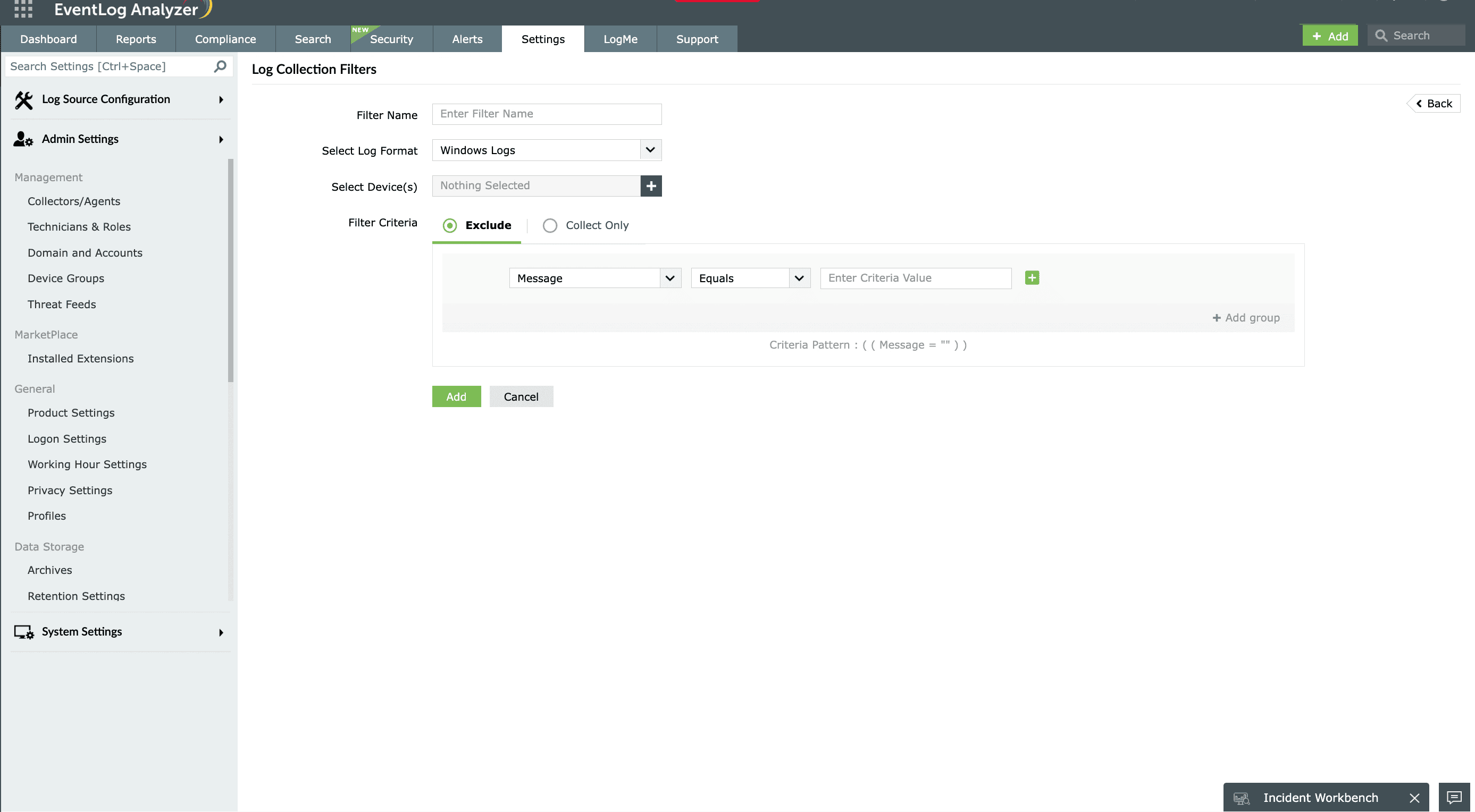
System log monitoring
Monitor critical system events, such as unexpected shutdowns and restarts, Active Directory backup errors, hard disk failures, and low disk space, with predefined reports. EventLog Analyzer also sends out notifications in near-real-time upon detection of anomalous system events, such as frequent hard disk failures on critical servers, blue screen of death (BSOD), or unexpected restarts without a clean shutdown (event ID 41). The solution gathers and presents relevant system logs as evidence to investigate critical system errors, such as kernel security check failures.
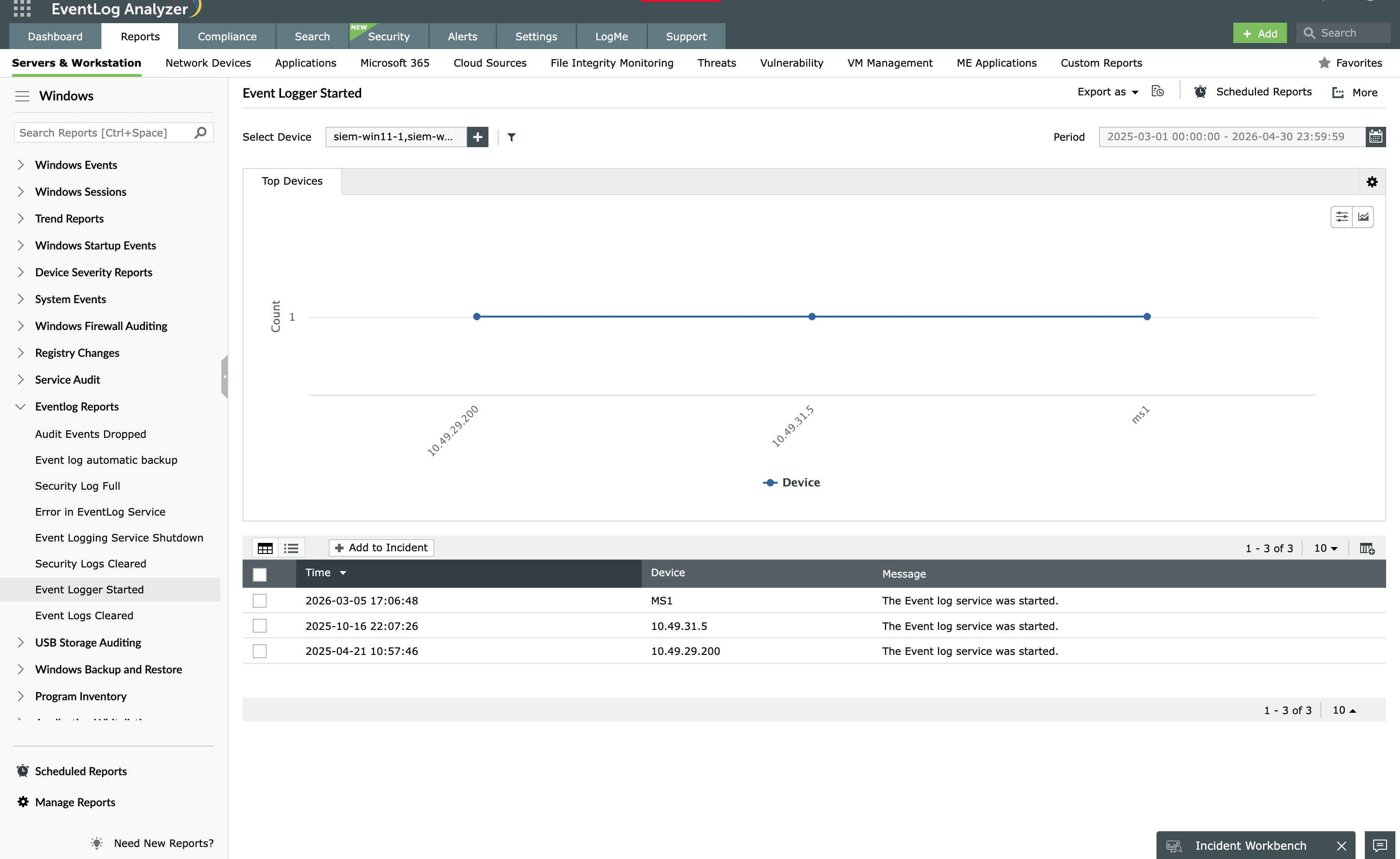
Security event log monitoring
Centrally view and monitor security logs from Windows devices across the network with EventLog Analyzer. This event log monitoring solution comes with out-of-the-box correlation rules, alert profiles, and reports to continuously monitor and analyze critical security events, including:
- Abnormal user logons: Monitor user logons outside business hours, multiple logons from different locations at the same time, an unusual number of logon failures, suspicious user logons to a device, and more.
- User account lockouts: Identify user account lockouts, users locked out due to repeated logon failures, user accounts unlocked using network policy servers, and more.
For Windows to generate these security events, the appropriate audit policies must be enabled either locally or centrally through group policy. EventLog Analyzer works with both basic and advanced audit policy configurations across all supported Windows versions.
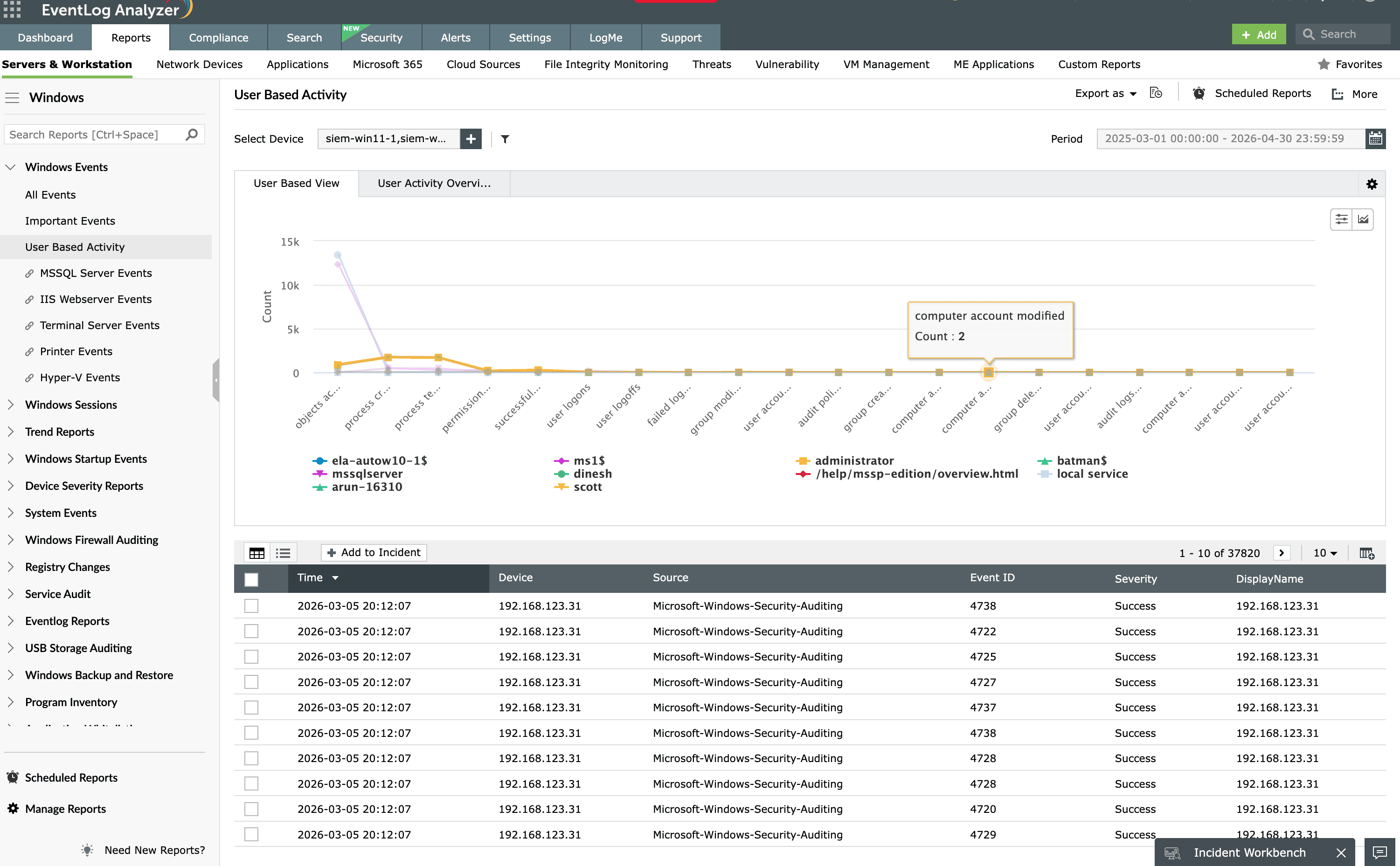
Windows error log monitoring
Windows classifies events into four severity levels such as Information, Warning, Error, and Critical with Error and Critical events requiring the most urgent attention. Filter, view, and check for Windows error logs from Microsoft devices across your infrastructure. Compared to the native tool, the Event Viewer, EventLog Analyzer is easier to use for filtering and analyzing Windows error logs. Get detailed insights on:
- Application crashes
- Backup errors
- BSODs
- Error event trends
- Windows update errors
And more with detailed reports. Set up alerts for errors occurring on critical servers for effective and quick troubleshooting.
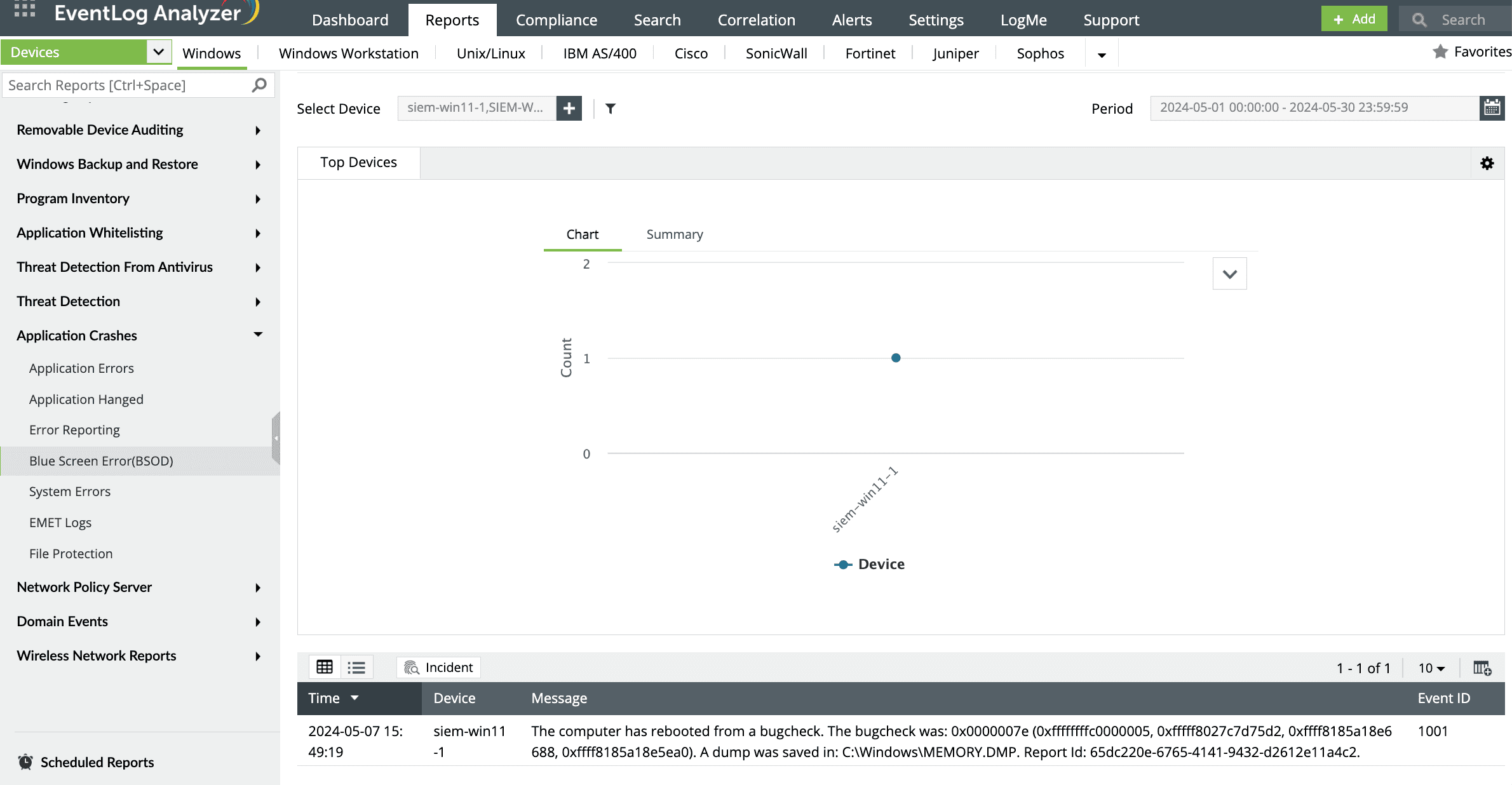
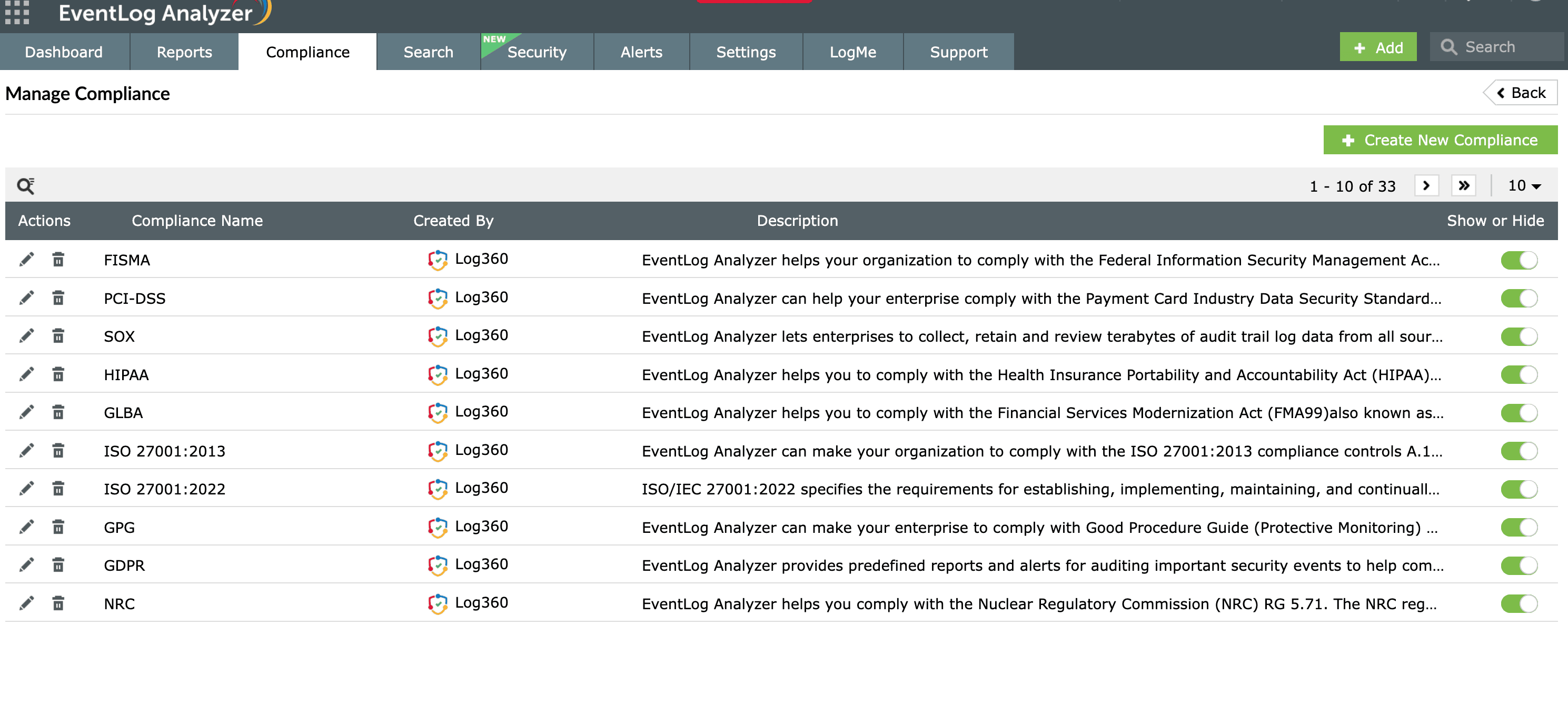
Event log monitoring for compliance
Centralized collection and storage of critical Windows server event log data is crucial to achieve regulatory compliance. EventLog Analyzer facilitates customized and secured log archival with the ability to reload log data back to the database for forensic analysis. Further, this event log monitoring solution helps:
- Generate audit-ready report templates for regulatory mandates such as the PCI DSS, HIPAA, the GDPR, and SOX.
- Continuously assess the risks of Active Directory and provide mitigation plans.
- Send out compliance violation alerts.
Detecting threats through event log correlation
With its advanced correlation engine and predefined rules, EventLog Analyzer detects sophisticated and advanced persistent threats. Correlating Windows system and security logs across different devices, the solution can detect:
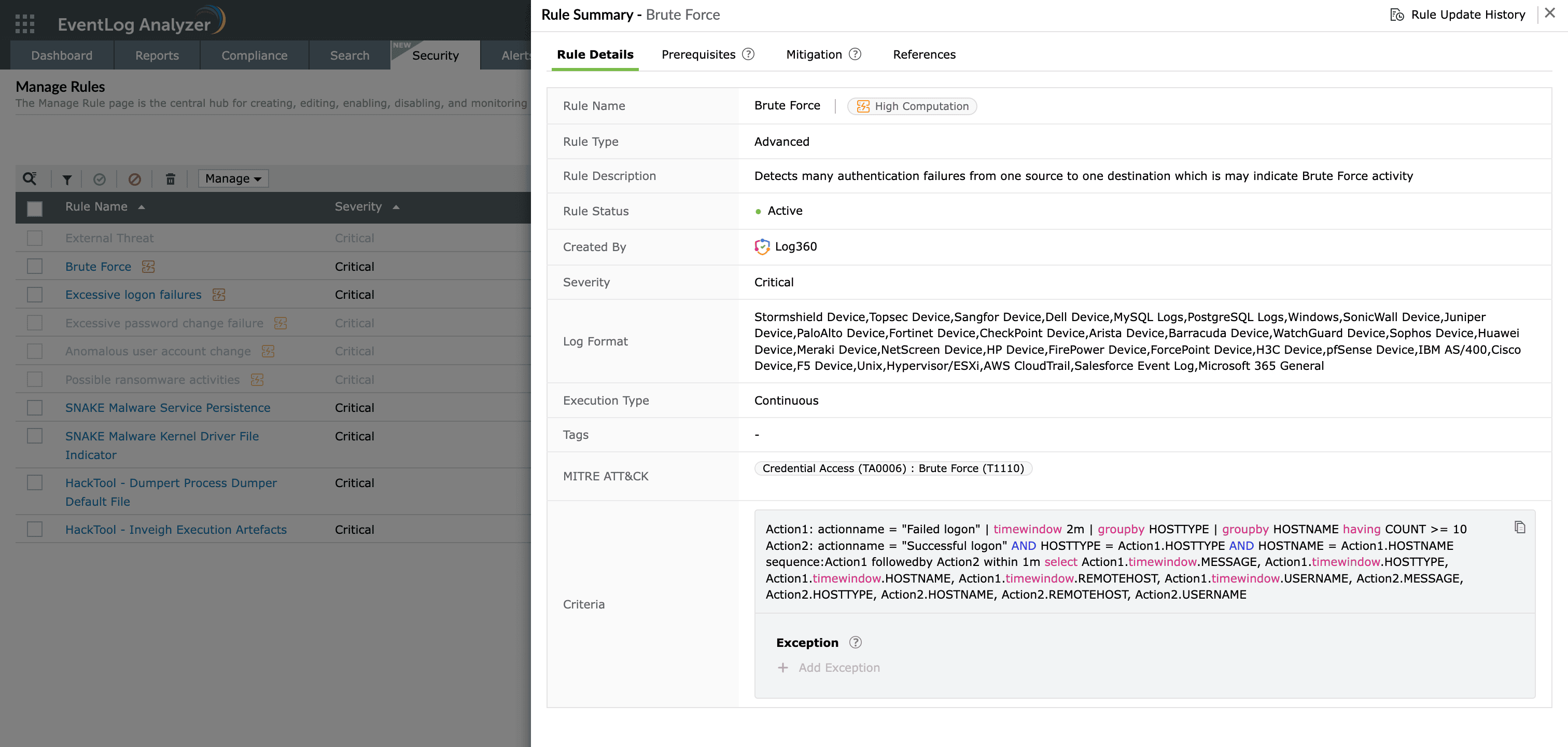
- Brute-force attacks
- Excessive and abnormal logon failures
- Logons from different locations within a short time
- Suspicious software installations on Windows devices
- Process spawning from a suspicious parent
Further, EventLog Analyzer also correlates Windows event logs with network and application logs to detect external intrusions and attacks. The solution's threat hunting and analytics component, the Incident Workbench, brings contextual data together for effective incident analysis.
How to monitor Windows event logs with EventLog Analyzer?
EventLog Analyzer is a powerful yet easy-to-use Windows event log monitoring solution.
This tool:
- Automatically detects Windows devices in the network using a specific IP address or CIDR range.
- Upon configuration, collects, parses, and normalizes event logs in a central location, providing complete visibility and the capability to view all event logs from a single console.
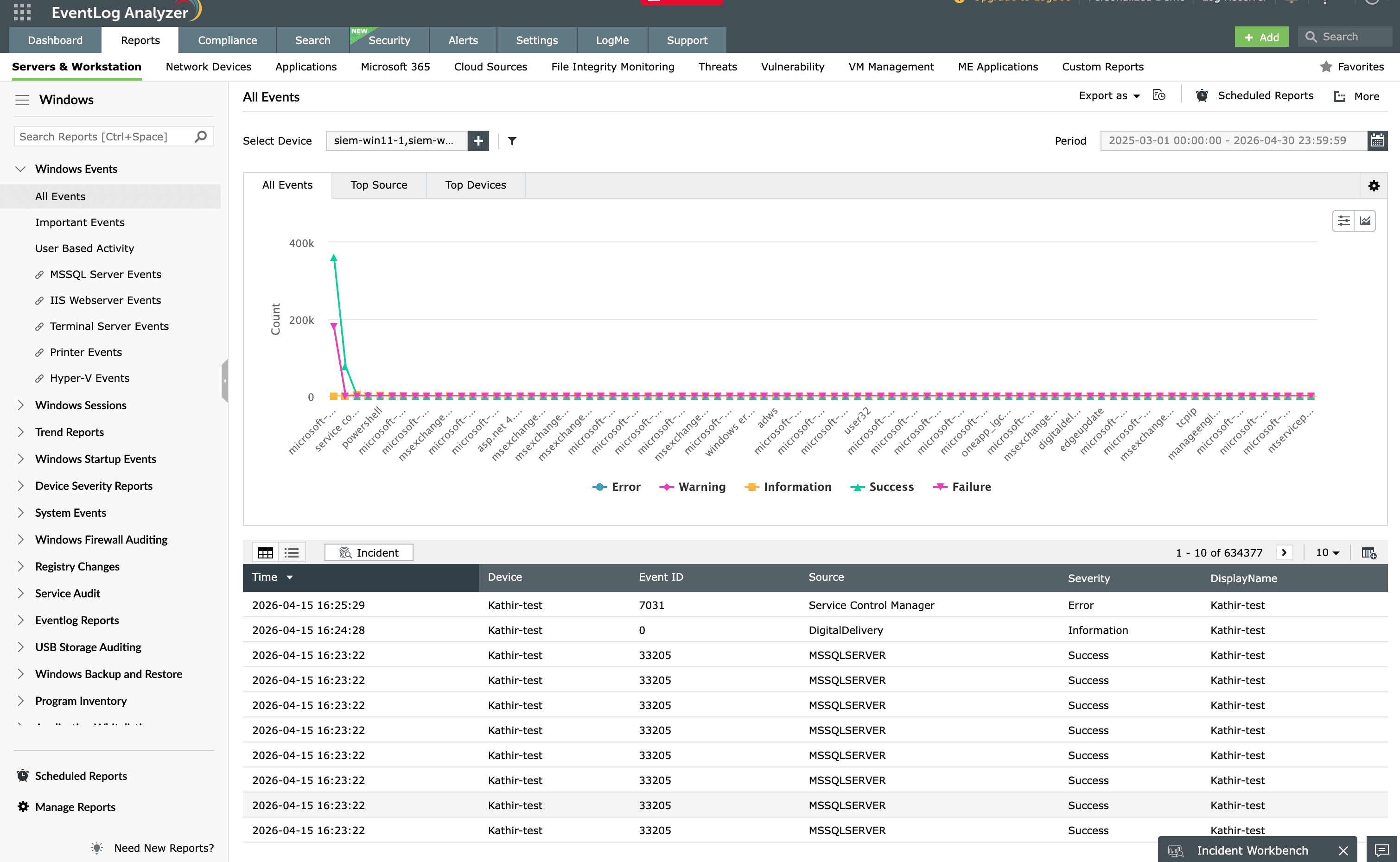
- Provides valuable insights into system and security events with predefined reports. These reports are auto-generated, provide information in the form of an intuitive dashboard, and present details in the form of trend graphs.
- Filters out specific event logs through an intuitive and fast search engine. It also provides simple and advanced search options to narrow down to specific log entries.
- Alerts in near-real-time upon critical events. It comes with over 200 predefined alert criteria exclusively for Windows event log monitoring to detect suspicious user behaviors and system events.
- Retains event logs for custom time periods. It also allows for event log archival in external storage devices and cloud platforms.
Frequently asked questions about Windows event log management
Windows event logs can be collected natively using Event Viewer, PowerShell cmdlets like Get-WinEvent, or Windows Event Forwarding (WEF) for centralization. For enterprise-scale monitoring, a dedicated tool like EventLog Analyzer automatically discovers Windows devices via IP or CIDR range, collects logs through agent-based or agentless methods, and provides real-time alerting, reporting, and archival from a single console.
Evaluate the tool against the sources you need to cover (Windows, Linux, syslog, cloud, applications), method of collection (agent vs agentless), real-time alerting, correlation capabilities, out-of-the-box compliance reports (PCI DSS, HIPAA, SOX, GDPR), archival and forensic retrieval, and reporting flexibility. Also weigh deployment model (on-premises vs cloud), scalability, pricing structure, and vendor support.
Widely used Windows event log monitoring tools include ManageEngine EventLog Analyzer, SolarWinds Security Event Manager, SolarWinds Log Analyzer, Splunk, LogRhythm, Graylog, Datadog, and LogicMonitor. The right choice depends on your environment size, compliance requirements, deployment preference (on-premises or cloud), and whether you need a dedicated log management tool or a full SIEM platform.
Widely used Windows event log monitoring tools include ManageEngine EventLog Analyzer, SolarWinds Security Event Manager, SolarWinds Log Analyzer, Splunk, LogRhythm, Graylog, Datadog, and LogicMonitor. The right choice depends on your environment size, compliance requirements, deployment preference (on-premises or cloud), and whether you need a dedicated log management tool or a full SIEM platform.
Natively, open Event Viewer and use "Connect to Another Computer" with the hostname or IP of the remote machine, or run PowerShell: Get-WinEvent -ComputerName SERVER01 -LogName Security. For large environments, use a centralized tool like EventLog Analyzer, which collects event logs from remote Windows devices through WMI or agents without requiring you to log into each machine individually.
Use Windows Event Forwarding (WEF) with a Windows Event Collector (WEC) server to centralize logs natively, or deploy a log management tool like EventLog Analyzer, which auto-discovers Windows servers via IP or CIDR range and collects logs through agentless (WMI) or agent-based methods. The tool parses, indexes, and consolidates logs from hundreds of servers in a single console for unified search, alerting, correlation, and compliance reporting.