Role-based Access Control (User/User Groups)
The ownership and sharing mechanism in PMP ensures that users get access to authorized passwords only. Access to various operations in PMP is equally important from the standpoint of security. Role-based access control in PMP helps achieve this. Only authorized users will get access to view, edit or manage the permitted 'resources' (the resources assigned to them) based on their roles.
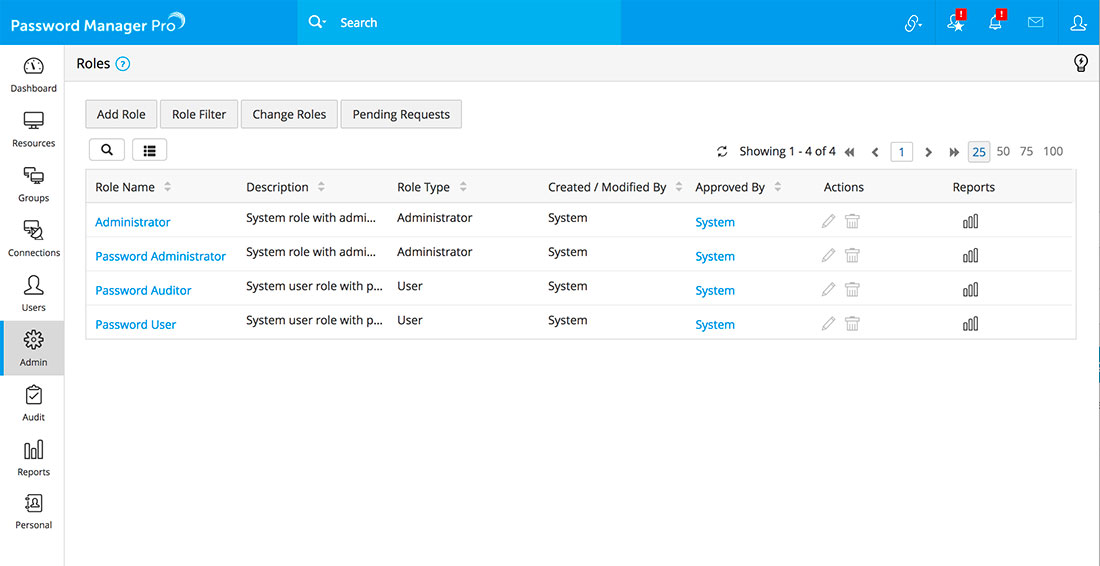
By default, PMP comes with four pre-defined roles:
- Administrators set up, configure and manage the PMP application and can perform all the resource and password related operations. However, they can view only those resources and passwords that were created by them and the ones shared to them by other users
- Password Administrators can perform all resource and password related operations. However, they can view only those resources and passwords that were created by them and the ones shared to them by other users.
- An administrator/Password Administrator can be made as a 'Super Administrator' by other administrators (and not by himself). Super Administrator will have the privilege to manage all the resources added in the system by all.
- Password Users can only view passwords that are shared to them by the Administrators or Password Administrators. They can modify passwords if the sharing permission allows them to do so.
Password Auditors have the same privileges as Password Users and in addition they have access to audit records and reports.

 SSL & SSH Key Management