
Help Document

Advanced Threat Analytics

  1. Please refer to the Incident Workbench Overview page to learn about the feature, and check the Access page to learn how to invoke Incident Workbench from different dashboards of Log360 Cloud.
  2. To access Advanced Threat Analytics data, you can click on any of the following fields that uniquely identify the external sources:
  3. Domain analysis:

    • Domain
    • URL Site

    IP Analysis:

    • Remote Device IP
    • Source IP
    • Server IP Address
    • Destination IP
    • NAT Source Address
    • NAT Destination Address
    • Original Client IP
    • IP Address
    • Endpoint IP
    • Private IP
    • Target IP
    • Host IP

Log360 Cloud supports the following vendors for the Advanced Threat Analytics in the Incident Workbench:

Log360 Cloud Threat Analytics

This is the default integration from Log360 Cloud suite, and can be accessed once the add-on is purchased.
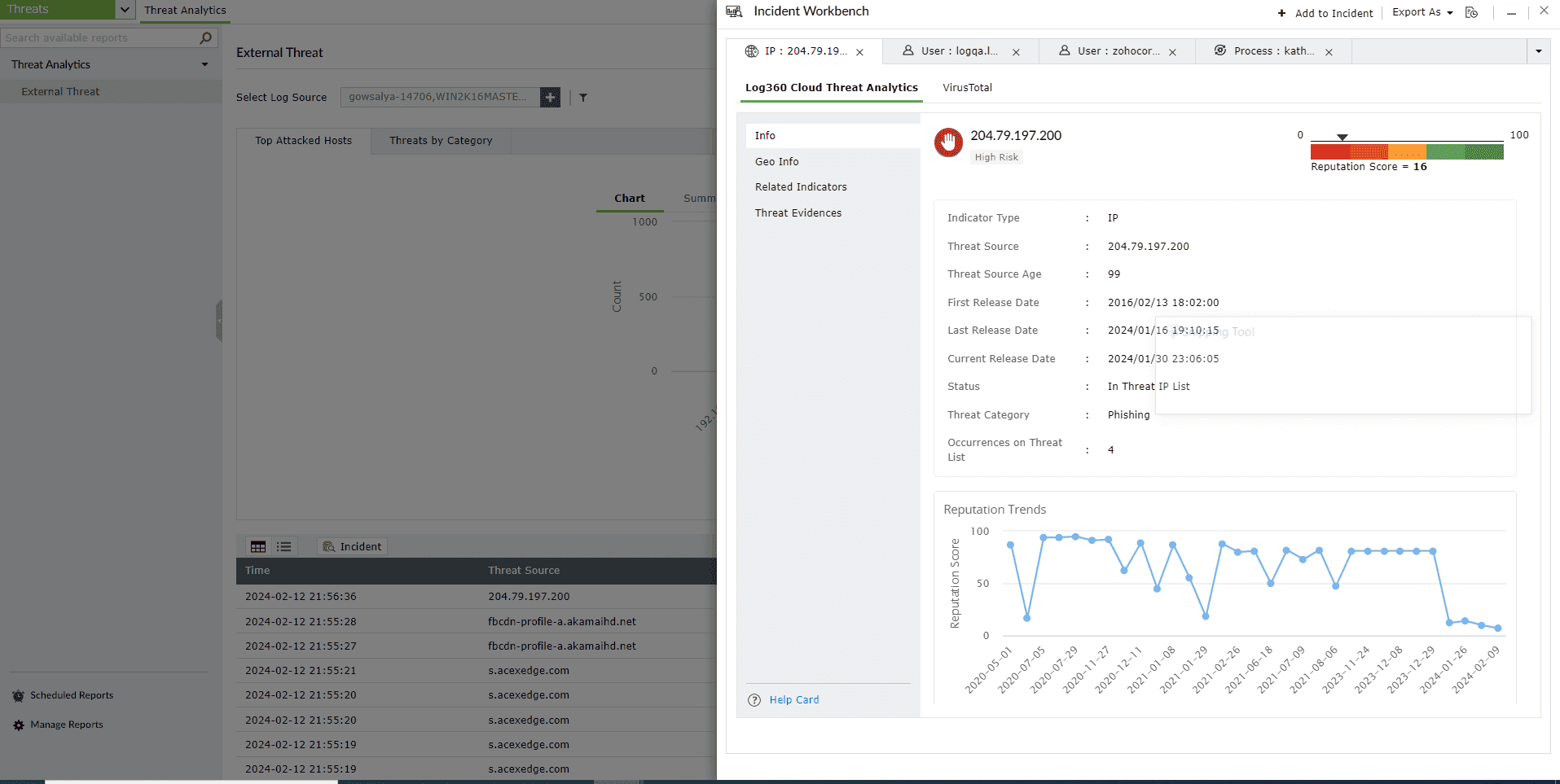
Note: Check out the Advanced Threat Analytics page to learn about the configuration and analysis.

advanced-threat-analytics

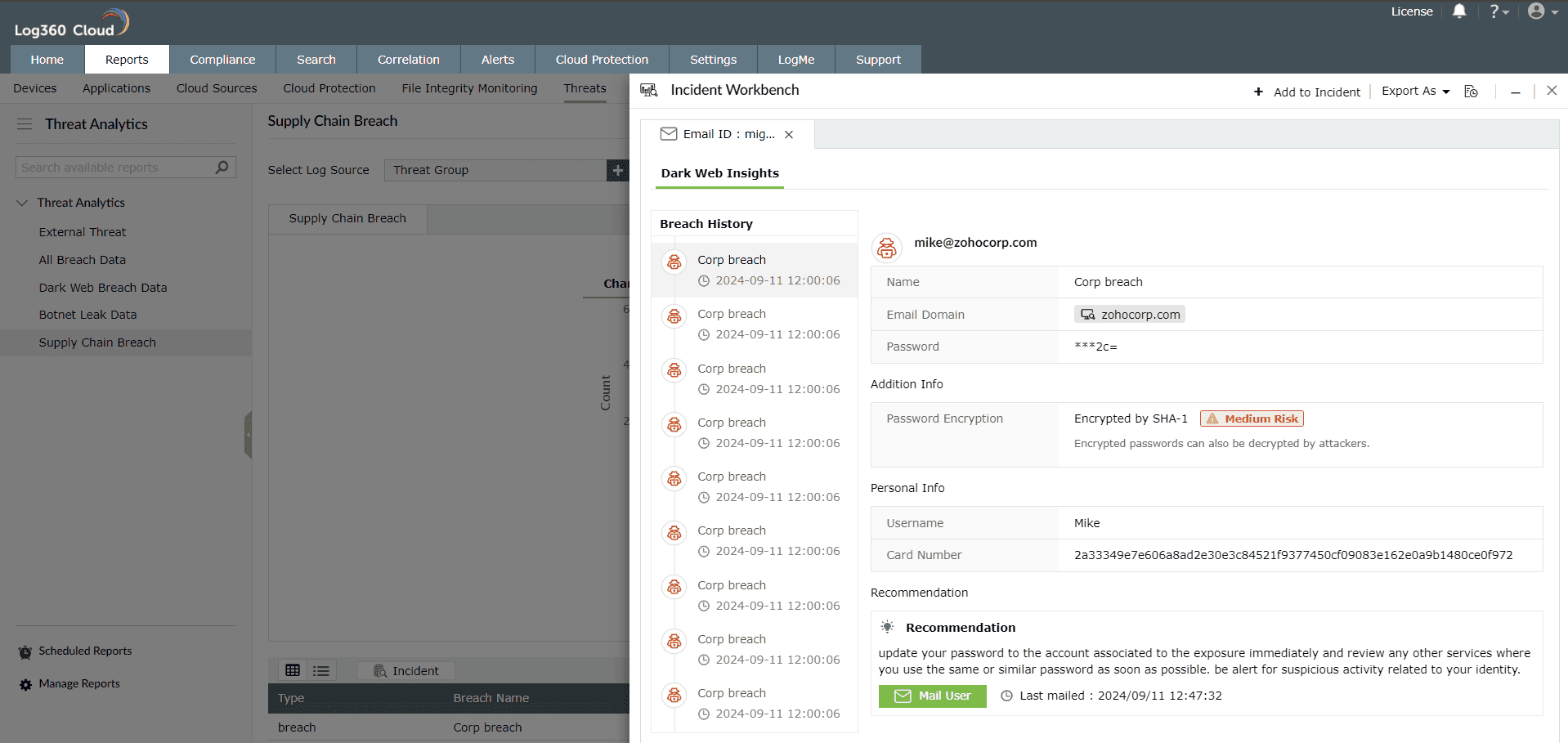
Constella Intelligence

By purchasing the Advanced Threat Analytics module add-on, you gain access to dark web monitoring through our integration with Constella Intelligence. This feature allows you to activate monitoring using your organization's domain. Once enabled, it continuously scans the dark web for any compromised data, including credentials, credit card information, and other sensitive details. If any compromised information is detected, the system promptly sends alerts, helping you take proactive steps to safeguard your organization's security.
log360cloud-threat-analytics

VirusTotal

This is a third-party threat feed integration, and follows the Bring Your Own Key (BYOK) model. If you have purchased VirusTotal access separately or if you own a public API key for free, you can use your the key and get the threat analytics information in Log360 Cloud.
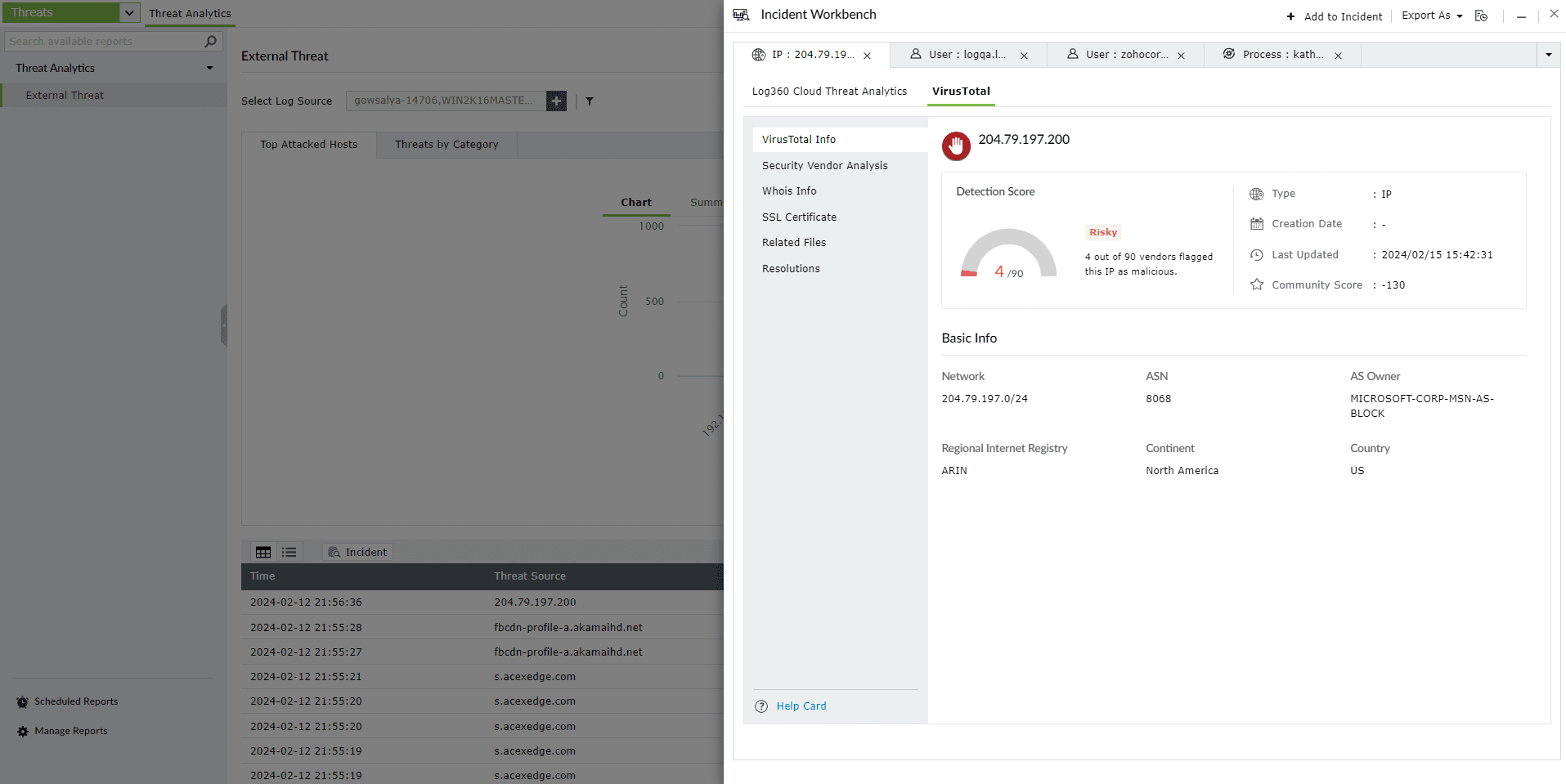
Note: Check out the Advanced Threat Analytics page to learn about the configuration and analysis.

advanced-threat-analytics

Note: Minimize the tab to access the Incident Workbench while you traverse through different pages in Log360 Cloud. As long as you don't close the workbench, the analysis will be available even if you log out of Log360 Cloud and login again. You can also save it to an existing incident or create a new one.