- Free Edition
- What's New?
- Key Highlights
- Suggested Reading
- All Capabilities
-
Log Management
- Event Log Management
- Syslog Management
- Log Collection
- Agent-less Log Collection
- Agent Based Log collection
- Windows Log Analysis
- Event Log Auditing
- Remote Log Management
- Cloud Log Management
- Security Log Management
- Server Log Management
- Linux Auditing and Reporting
- Auditing Syslog Devices
- Windows Registry Auditing
- Privileged User Activity Auditing
-
Application Log Management
- Application Log Monitoring
- Web Server Auditing
- Database Activity Monitoring
- Database Auditing
- IIS Log Analyzer
- Apache Log Analyzer
- SQL Database Auditing
- VMware Log Analyzer
- Hyper V Event Log Auditing
- MySQL Log Analyzer
- DHCP Server Auditing
- Oracle Database Auditing
- SQL Database Auditing
- IIS FTP Log Analyzer
- IIS Web Log Analyzer
- IIS Viewer
- IIS Log Parser
- Apache Log Viewer
- Apache Log Parser
- Oracle Database Auditing
-
IT Compliance Auditing
- ISO 27001 Compliance
- HIPAA Compliance
- PCI DSS Compliance
- SOX Compliance
- GDPR Compliance
- FISMA Compliance Audit
- GLBA Compliance Audit
- CCPA Compliance Audit
- Cyber Essentials Compliance Audit
- GPG Compliance Audit
- ISLP Compliance Audit
- FERPA Compliance Audit
- NERC Compliance Audit Reports
- PDPA Compliance Audit reports
- CMMC Compliance Audit
- Reports for New Regulatory Compliance
- Customizing Compliance Reports
-
Security Monitoring
- Threat Intelligence
- STIX/TAXII Feed Processor
- Threat Whitelisting
- Real-Time Event Correlation
- Log Forensics
- Incident Management System
- Automated Incident Response
- Linux File Integrity Monitoring
- Detecting Threats in Windows
- External Threat Mitigation
- Malwarebytes Threat Reports
- FireEye Threat Intelligence
- Application Log Management
- Security Information and Event Management (SIEM)
- Real-Time Event Alerts
- Privileged User Activity Auditing
-
Network Device Monitoring
- Network Device Monitoring
- Router Log Auditing
- Switch Log Monitoring
- Firewall Log Analyzer
- Cisco Logs Analyzer
- VPN Log Analyzer
- IDS/IPS Log Monitoring
- Solaris Device Auditing
- Monitoring User Activity in Routers
- Monitoring Router Traffic
- Arista Switch Log Monitoring
- Firewall Traffic Monitoring
- Windows Firewall Auditing
- SonicWall Log Analyzer
- H3C Firewall Auditing
- Barracuda Device Auditing
- Palo Alto Networks Firewall Auditing
- Juniper Device Auditing
- Fortinet Device Auditing
- pfSense Firewall Log Analyzer
- NetScreen Log Analysis
- WatchGuard Traffic Monitoring
- Check Point Device Auditing
- Sophos Log Monitoring
- Huawei Device Monitoring
- HP Log Analysis
- F5 Logs Monitoring
- Fortinet Log Analyzer
- Endpoint Log Management
- System and User Monitoring Reports
-
Log Management
- Product Resources
- Related Products
- Log360 (On-Premise | Cloud) Comprehensive SIEM and UEBA
- ADManager Plus Active Directory Management & Reporting
- ADAudit Plus Real-time Active Directory Auditing and UBA
- ADSelfService Plus Identity security with MFA, SSO, and SSPR
- DataSecurity Plus File server auditing & data discovery
- Exchange Reporter Plus Exchange Server Auditing & Reporting
- M365 Manager Plus Microsoft 365 Management & Reporting Tool
- RecoveryManager Plus Enterprise backup and recovery tool
- SharePoint Manager Plus SharePoint Reporting and Auditing
- AD360 Integrated Identity & Access Management
- AD Free Tools Active Directory FREE Tools
EventLog Analyzer is a syslog auditing tool that automatically collects and analyzes syslog server data from every network device such as routers, switches, firewalls, Unix/Linux servers, and turns it into audit reports you can act on. Instead of manually tracking each device, you get a central console, 130+ predefined reports, and real-time alerts on the activity that matters.
From switches to routers, almost every network device generates syslogs, and auditing them is how you identify security loopholes, tighten policies, improve network performance, and reduce downtime. A properly configured syslog auditing tool is the fastest way to become aware of a problem, a sudden spike in event volume or severity is often the first sign of an incident. Two cases where that early warning pays off:
- Security auditing: A network contains many devices no one should be trying to access on an average day. If a firewall that's normally logged in to twice per audit cycle suddenly sees daily login attempts, successful or otherwise, it bears investigation.
- Application monitoring: Syslogs reveal more than whether an application is running. They surface applications repeatedly trying to access a locked file, attempted database writes throwing errors, and more.
Proactive syslog monitoring and troubleshooting reduces trouble tickets, because you catch and resolve issues in the early stages of an incident.
Why audit syslogs with EventLog Analyzer
EventLog Analyzer takes the stress out of network device auditing by automatically collecting and analyzing syslog data from all network devices and generating audit reports for each one. Its audit reports are predefined and customizable, schedulable for automated delivery, available in multiple formats, and easy to comprehend. You can keep tabs on critical events across your network by creating alerts that notify you in real time via SMS or email.
Beyond audit reports and real-time alerts, EventLog Analyzer securely archives all syslog data for further use. When a security incident occurs, the log search feature lets you drill down into specific incidents to backtrack the attack vector — forensic investigation that helps mitigate threats and proactively defend against further issues.
Key capabilities for syslog auditing include:
- A centralized and customizable dashboard.
- Predefined and customizable audit and compliance reports.
- Tracking of critical events associated with account management, privileged user accounts, the network file system, and user logon and logoff activities.
- Log archiving that is secure, encrypted, and flexible.
- Real-time alerts for all critical events, sent via email or SMS.
- Advanced log search options for performing log forensics.
Syslog auditing capabilities
- Syslog monitoring
EventLog Analyzer functions as a central repository for syslogs from multiple sources. It features several components including a syslog listener, a database, and a log parser.
Learn more - Syslog management
EventLog Analyzer functions like a syslog daemon or a syslog server, and collects syslog messages by listening to the syslog port of the devices that have been added for monitoring. It then analyzes the collected logs and provides insights on network activities in concise reports.
Learn more - Syslog reporting
EventLog Analyzer provides a wide collection of predefined reports for syslogs from Unix and Linux devices. These can be used to secure Unix and Linux devices against insider threats and external breach attempts.
Learn more - Syslog forwarding
EventLog Analyzer's syslog forwarder is designed to receive syslogs and send the data to a third-party server or SIEM application.
Learn more
Supported syslog devices and audit reports
EventLog Analyzer supports syslog data from all network devices, including Unix/Linux machines, VMware, IBM AS/400 and iSeries machines, and computers running macOS. It offers more than 130 reports for these devices, classified as follows.
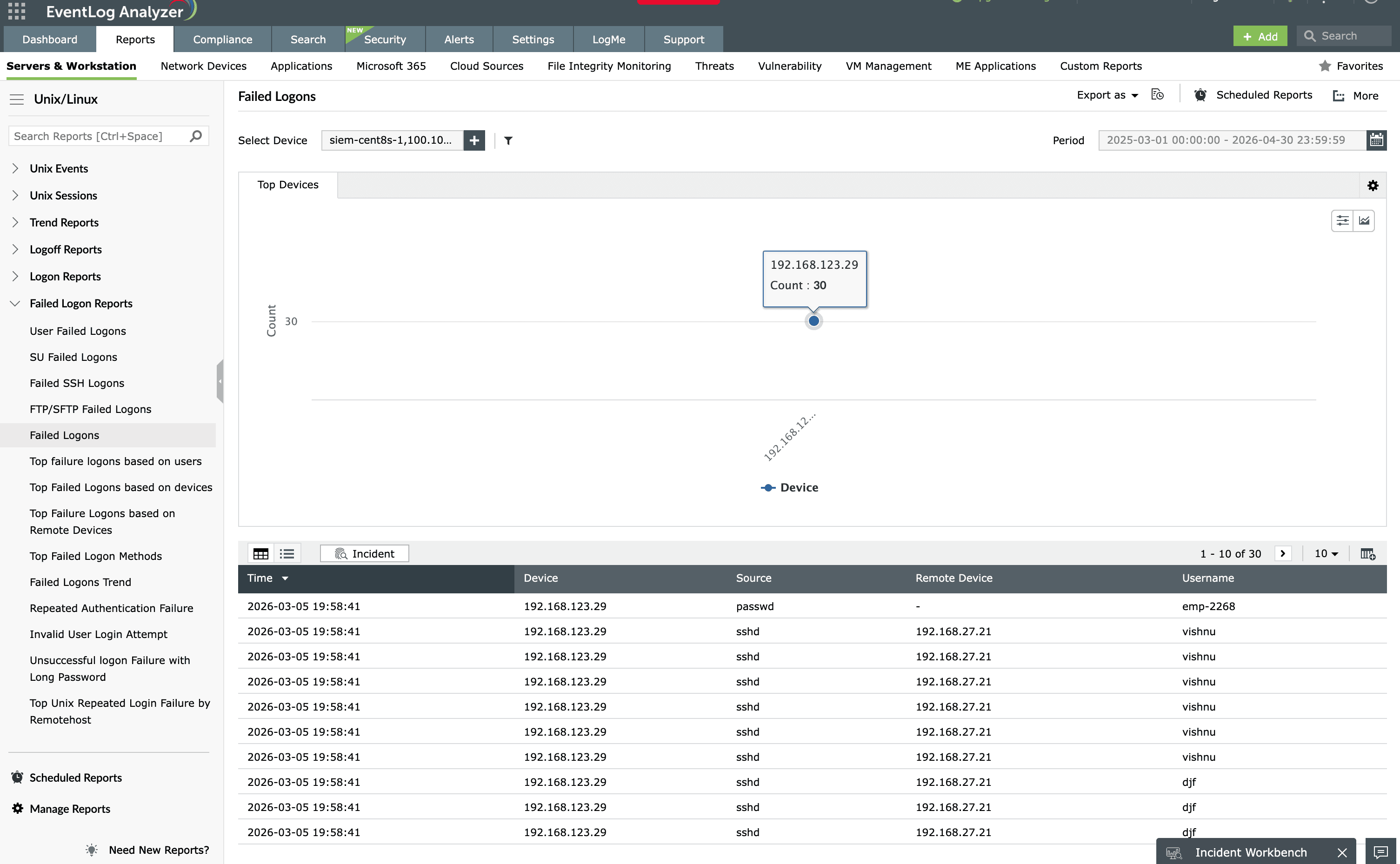
Logon and logoff reports
Monitor all user logon attempts and identify trends for successful or failed logons. See which users logged on and what logon method they used, including SSH, SU, FTP, and logons via remote devices.
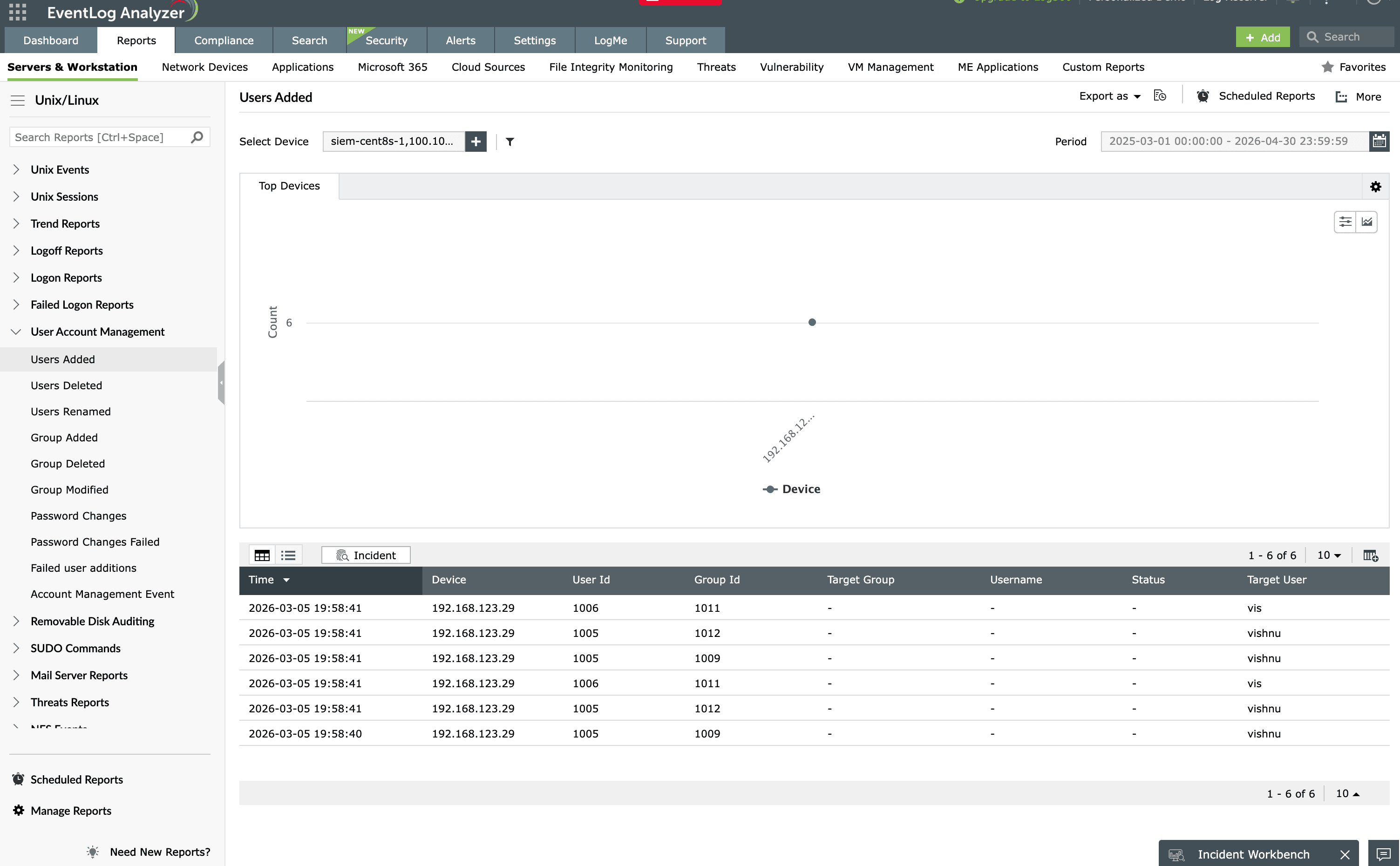
User account management reports
Review all user-based information to keep track of new, deleted, disabled, and renamed users and accounts, as well as password modifications and changes to user privilege levels. Keep tabs on critical objects and their activities to quickly detect security threats.
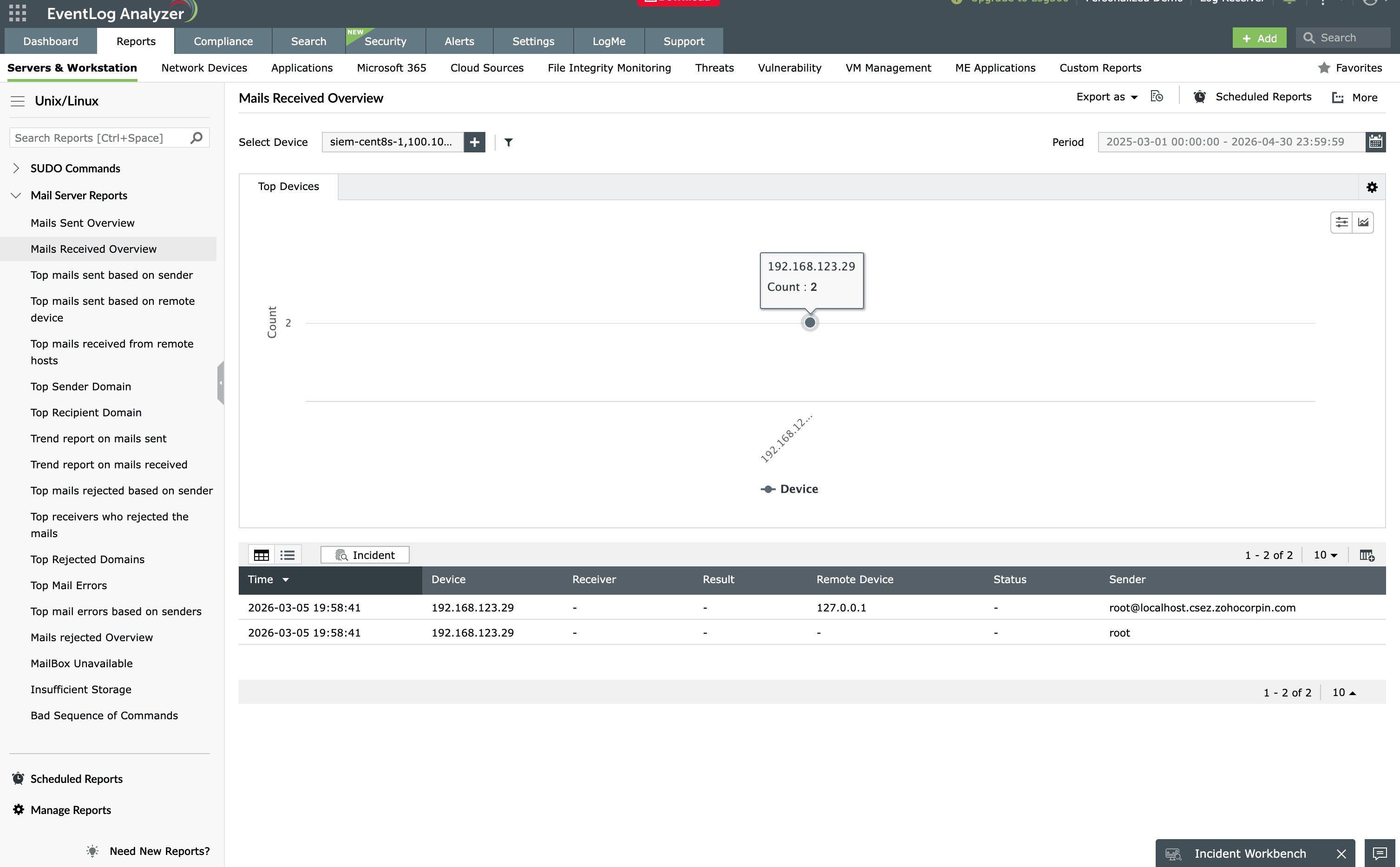
Unix mail server reports
View all information pertaining to a Unix mail server, such as received, sent, and rejected emails based on sender and remote device. Audit the top recipients and senders for your mail server, email errors, failed deliveries, bad email addresses, and storage capacity.
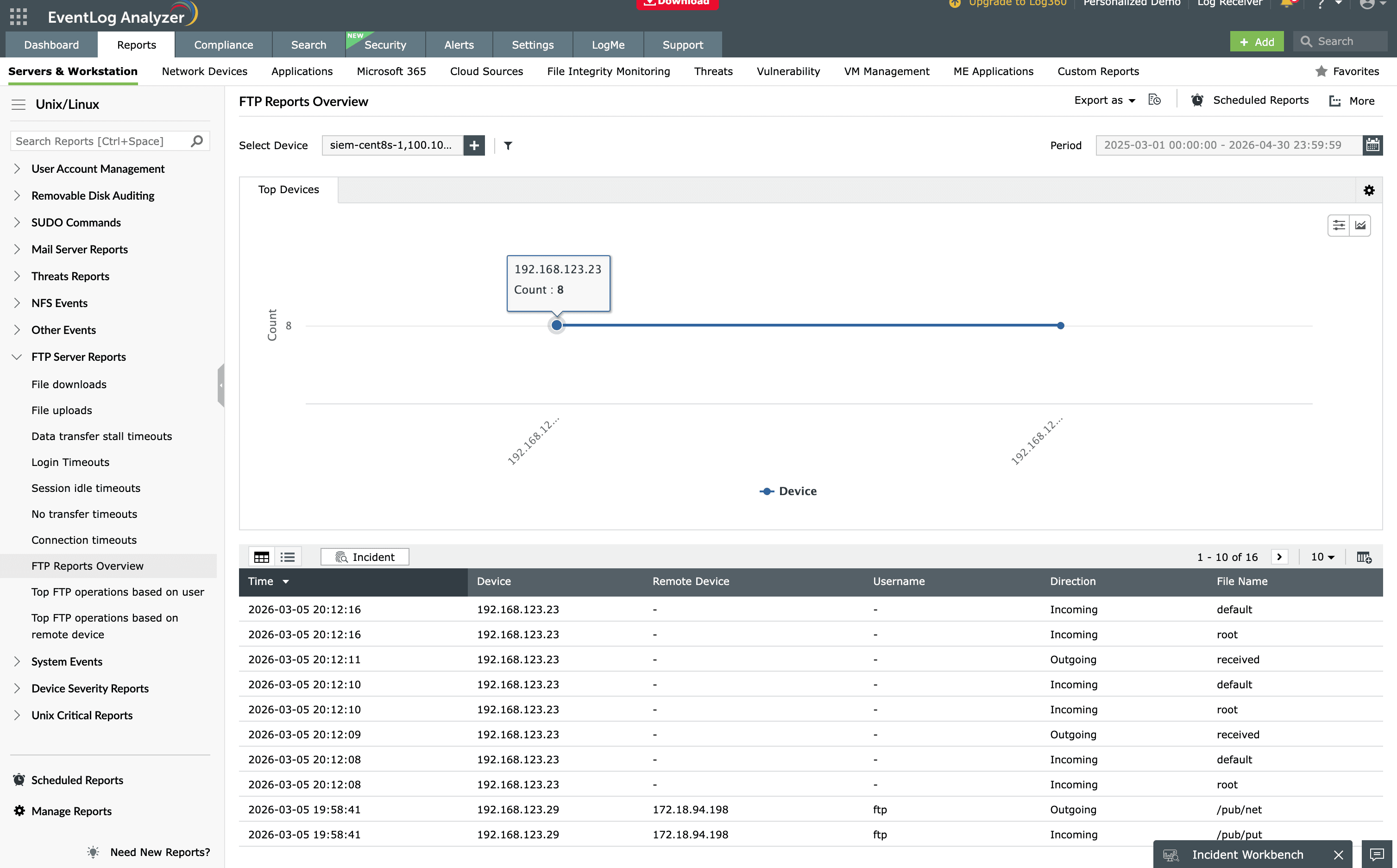
Unix FTP server reports
See everything happening in your File Transfer Protocol (FTP) server with an FTP activity overview and information about uploaded and downloaded files, logins, connections, idle sessions, no-transfer timeouts, and FTP operations based on user and remote device.
Unix threat reports
Keep an eye on all the attacks your network is exposed to and develop proactive measures by digging into these threat reports. Use them to identify reverse lookup errors, bad device configuration errors, bad ISP errors, and denial of service attacks.
VMware server reports
Obtain information on guest logins on VMs, created and deleted VMs, critical changes in VMs, and an overview of VM events.
Severity, critical, and system reports
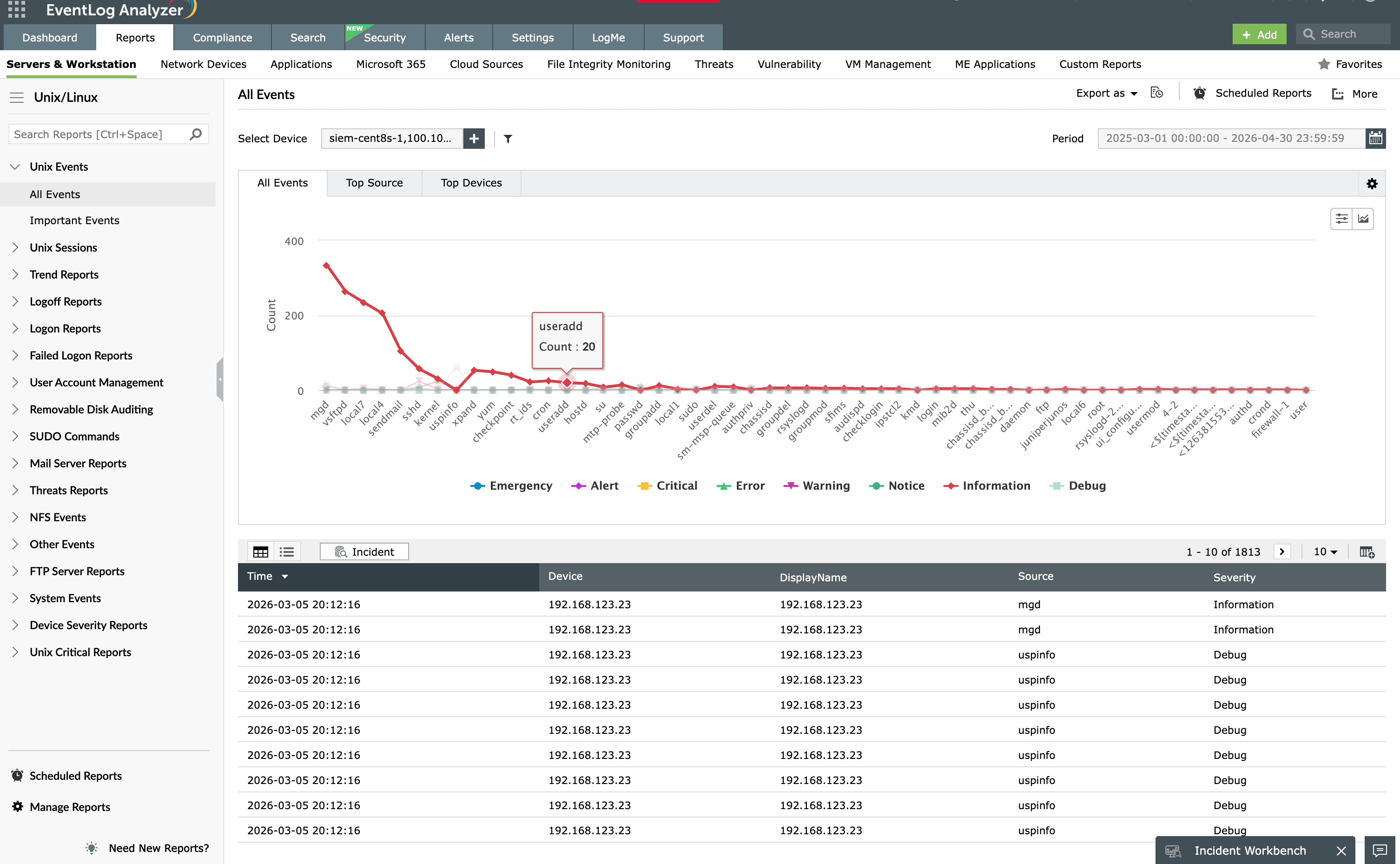
- Severity reports: Track events based on their severity such as emergency, alert, critical, error, warning, notice, information, and debug.
- Critical reports: Review all critical activities based on event, device, and remote device, with information on trends and overall activity.
- System reports: View information on syslog services, disk-space capacity, yum updates, system shutdowns, ASP storage capacity, hardware errors, and system time updates.
Other Unix reports
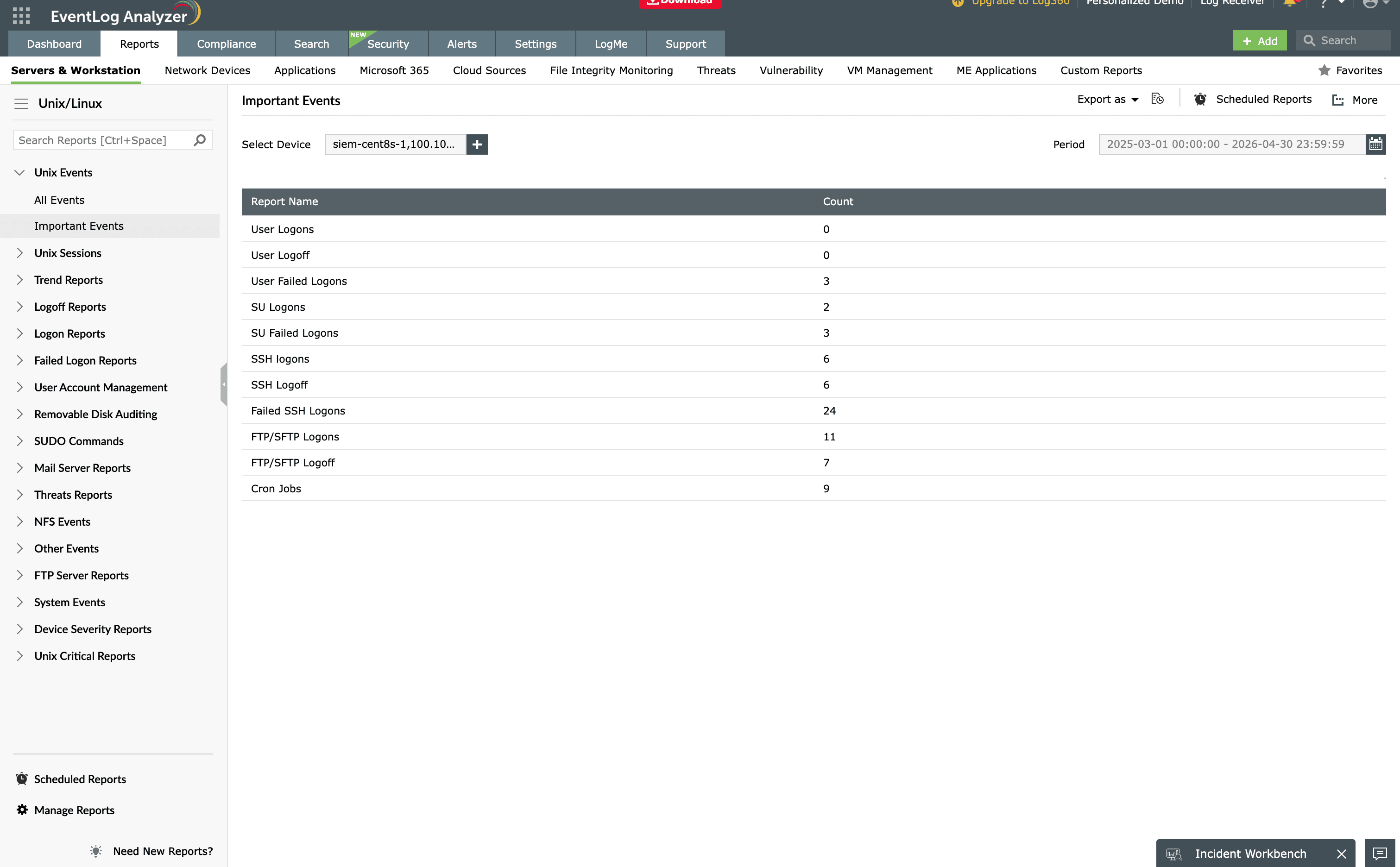
Additional predefined reports cover various aspects of Unix machines. Commonly used ones include:
- Successful, denied, and refused NFS mounts based on users.
- Successful and failed SUDO commands.
- Removable USB connections.
- Cron job changes.
- Deactivated services.
- Connected and disconnected sessions.
- Unprotected protocol versions.
- Device name and address mismatch errors.
Other features
SIEM
EventLog Analyzer offers log management, file integrity monitoring, and real-time event correlation capabilities in a single console that help meeting SIEM needs, combat security attacks, and prevent data breaches.
Windows event log monitoring
Analyze event log data to detect security events such as file/folder changes, registry changes, and more. Study DDoS, Flood, Syn, and Spoof attacks in detail with predefined reports.
Application log analysis
Analyze application log from IIS and Apache web servers, Oracle & MS SQL databases, DHCP Windows and Linux applications and more. Mitigate application security attacks with reports & real-time alerts.
Active Directory log monitoring
Monitor all types of log data from Active Directory infrastructure. Track failure incidents in real-time and build custom reports to monitor specific Active Directory events of your interest.
Privileged user monitoring
Monitor and track privileged user activities to meet PUMA requirements. Get out-of-the-box reports on critical activities such as logon failures, reason for logon failure, and more.
Log forensic analysis
Perform in-depth forensic analysis to backtrack attacks and identify the root cause of incidents. Save search queries as alert profile to mitigate future threats.
Frequently asked questions about syslog auditing
What is syslog auditing?
Syslog auditing is the systematic review of syslog data generated by network devices such as routers, switches, firewalls, and Unix/Linux servers. It helps identify network security loopholes, tighten security policies, increase network performance, and reduce system downtime.
What is the difference between syslog and Windows event logs?
Syslog is the standard logging protocol used by routers, switches, firewalls, and Unix/Linux systems, which send messages to a central syslog server. Windows event logs are generated and stored locally by Windows systems in a different format. EventLog Analyzer audits both syslog and windows event log from a single console.
How do you audit syslogs from network devices?
Point your devices at a central syslog server, then analyze the collected messages against predefined audit reports. EventLog Analyzer collects syslog by listening on the syslog port of each monitored device, then generates audit reports covering logons, account changes, threats, and system activity automatically.
Which devices can EventLog Analyzer audit syslogs from?
All network devices that generate syslog, including routers, switches, firewalls, Unix/Linux machines, VMware, IBM AS/400 and iSeries machines, and computers running macOS.
How many syslog audit reports does EventLog Analyzer include?
EventLog Analyzer covers more than 130 reports such as logon and logoff activity, user account management, Unix mail and FTP servers, Unix threats, VMware servers, and event severity, critical, and system reports.
How do you audit syslog severity levels?
Severity reports track events by their assigned level such as emergency, alert, critical, error, warning, notice, information, and debug, so you can prioritize the events that need immediate attention and filter noise.
Do syslog audit reports help with compliance?
Yes. EventLog Analyzer generates predefined and customizable audit and compliance reports from collected syslog data, and archives all syslog securely for the retention periods audits require.