

- Free Edition
- Quick Links
- Active Directory Auditing
- Active Directory auditor
- Active Directory monitoring
- Account lockout analyzer
- Login monitoring software
- Active Directory change notifier
- User logon audit reports
- AD logon logoff tracker
- User logon failure auditing
- Login history tracking tool
- AD change auditor
- Insider threat detection software
- Permissions change auditing
- Entra ID reporting
- Privileged user monitoring
- User behavior analytics tool
- Active Directory security monitoring
- Group Policy auditing tool
- GPO change auditor
- Entra ID auditing
- Audit user account management
- OU change auditor
- Audit group membership changes
- Active Directory auditing and reporting tool
- GPO reporting tool
- Remote desktop monitoring software
- PowerShell logging and auditing
- Azure password protection auditing
- Azure sign-in risk detection
- File Server Auditing
- Windows Server Auditing
- Employee Tracking
- Workstations Auditing
- Compliance Auditing
- Other features
- SIEM Integration
- Windows DNS - Schema Auditing
- Windows security event log monitoring
- SIEM audit solution
- Schedule Active Directory change reports
- Reports from Archived Data
- Aggregated summary reports
- AD new/old attribute changes
- Audit trail
- Audit Active Directory LAPS
- Scheduled Reports & Alerts
- Account lockout examiner
- Industry
- Documents
- Success Stories
- Related Products
- Log360 (On-Premise | Cloud) Comprehensive SIEM and UEBA
- ADManager Plus Active Directory Management & Reporting
- EventLog Analyzer Real-time Log Analysis & Reporting
- ADSelfService Plus Identity security with MFA, SSO, and SSPR
- DataSecurity Plus File server auditing & data discovery
- Exchange Reporter Plus Exchange Server Auditing & Reporting
- M365 Manager Plus Microsoft 365 Management & Reporting Tool
- RecoveryManager Plus Enterprise backup and recovery tool
- SharePoint Manager Plus SharePoint Reporting and Auditing
- AD360 Integrated Identity & Access Management
- AD Free Tools Active Directory FREE Tools
Windows Event ID 4771 - Kerberos pre-authentication failed
Introduction
The first time a user enters their domain username and password into their workstation, the workstation contacts a local domain controller (DC) and requests a ticket-granting ticket (TGT). If the username and password are valid and the user account passes status and restriction checks, then the DC grants a TGT and logs event ID 4768 (authentication ticket granted).
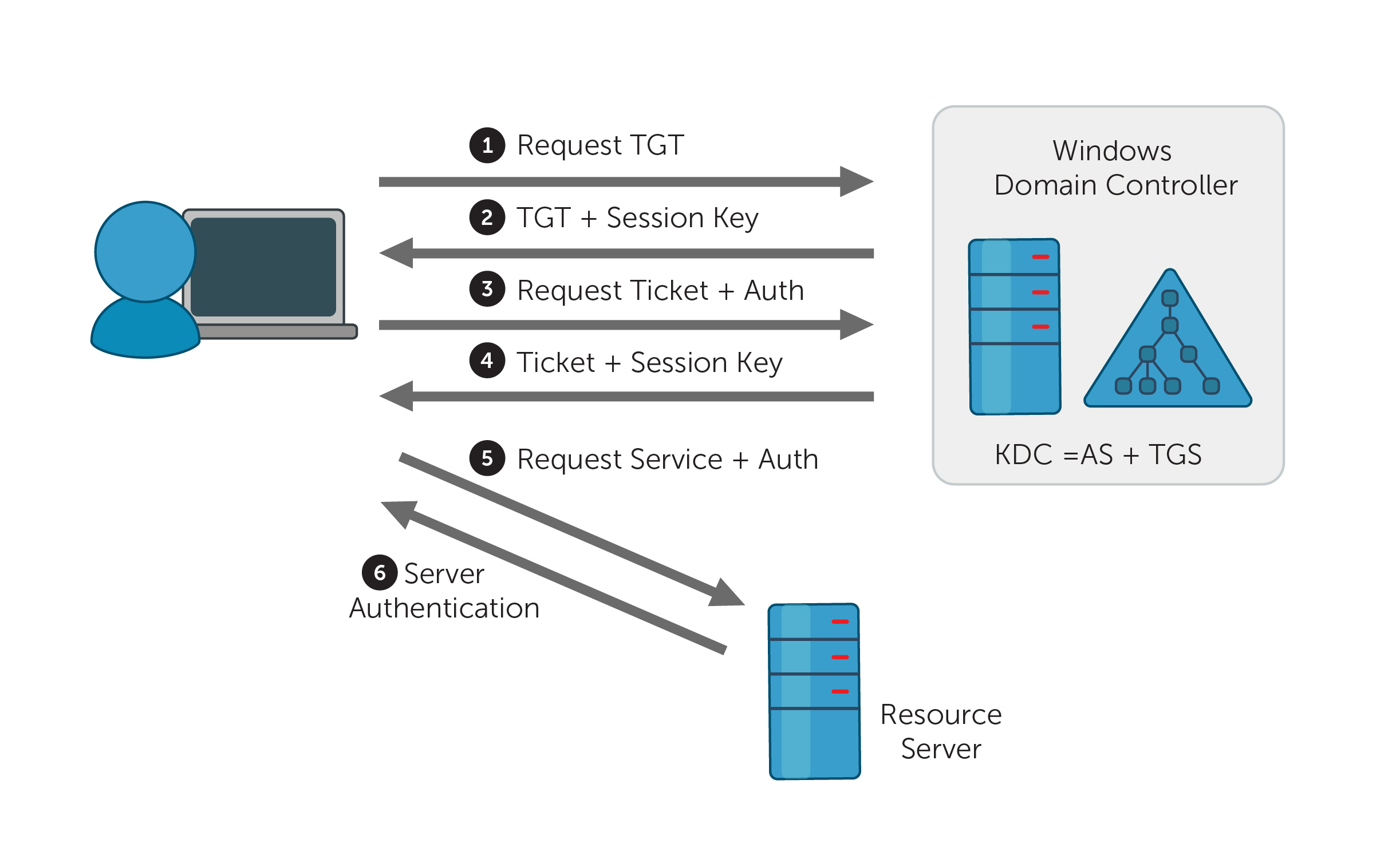
Windows records event ID 4771 (F) if the ticket request (Step 1 of Figure 1) failed; this event is only recorded on DCs. If the problem arose during pre-authentication (either steps 2, 3, or 4 of Figure 1), Windows records event 4768 instead.
Description of the event fields
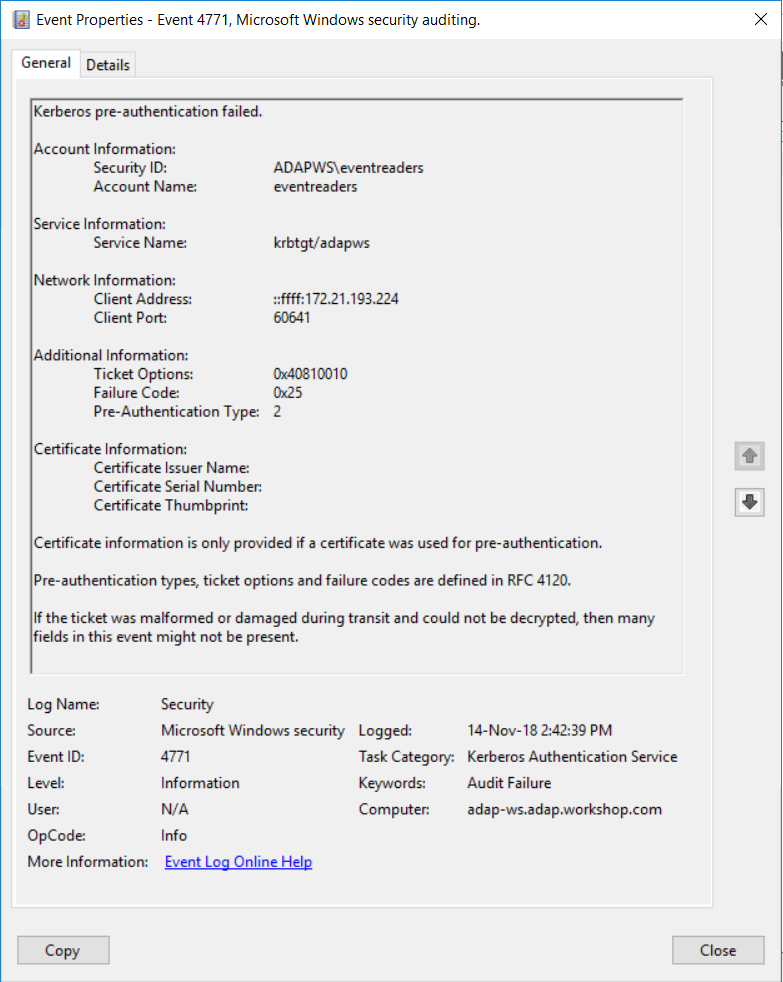
Failed Kerberos pre-authentication event properties.
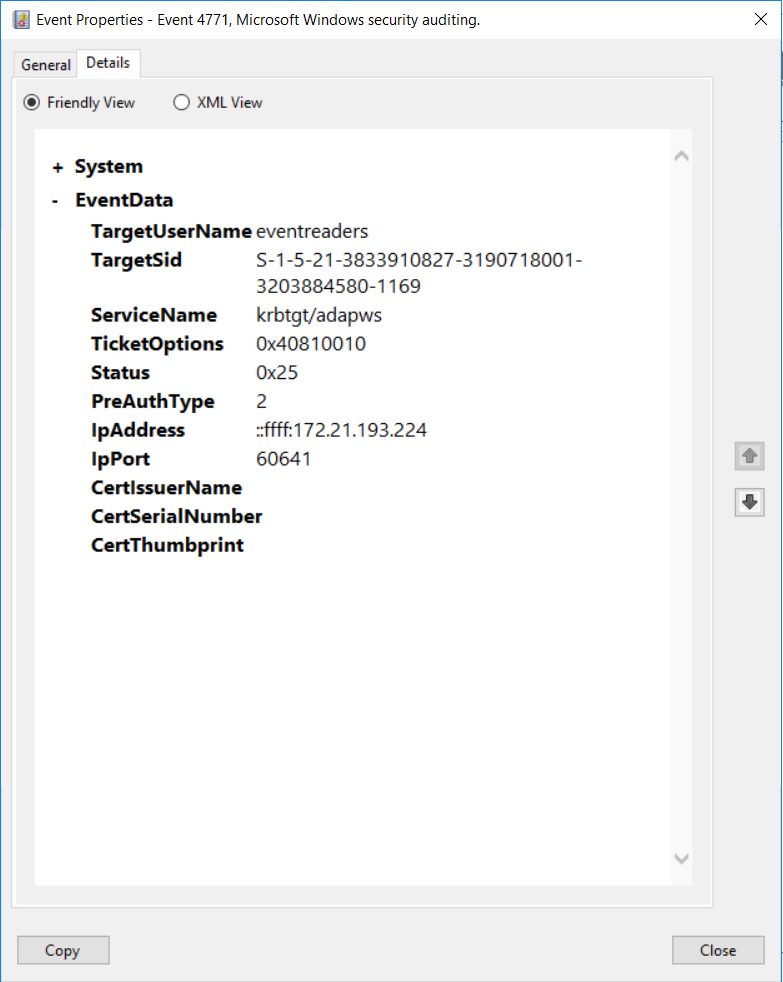
Details of a failed Kerberos pre-authentication
- Security ID: SID of account object for which a TGT was requested.
- Account Name: The name of the account for which a TGT was requested.
- Service Name: The name of the service in a Kerberos realm that a TGT request was sent to.
- Client Address: The IP address of the computer from which a TGT request was received.
- Client Port: The source port number of a client network connection. For local host connections, the port number is 0.
- Ticket Options: This is a set of different ticket flags displayed in hexadecimal format. The ticket flags are listed in the following table:
This information is only filled for logons with a Smart Card. It is always empty for event ID 4771.
- Certificate Issuer Name: Name of the certification authority that issued the Smart Card certificate.
- Certificate Serial Number: Smart Card certificate’s serial number.
- Certificate Thumbprint: Smart Card certificate’s thumbprint.
Reasons to monitor event ID 4771
- Monitor the Client Address field in event ID 4771 to track logon attempts that are not from your internal IP range.
- Monitor event ID 4771 for accounts that have a Security ID that corresponds to high-value accounts, including administrators, built-in local administrators, domain administrators, and service accounts.
- If a username is only to be used on an allowed list of IP addresses, you can monitor the Client Address field and trigger an alert whenever a logon attempt is made with a username that is not part of the white list.
- If you have a list of accounts that are allowed to log on directly to domain controllers (rather than via network logon or Remote Desktop Connection), then you should monitor when Client Address is equal to “::1” to identify violations and possible malicious intent.
- Monitor Subject\Account Name for names that don’t comply with your company's naming conventions.
- Monitor this event for accounts with a Security ID that corresponds to accounts that should never be used, including non-active, disabled, and guest accounts.
- Monitor this event to identify the use of an account outside of work hours and detect anomalies or potential malicious actions.
24/7, real-time monitoring
Although you can attach a task to the security log and ask Windows to send you an email, you are limited to simply getting an email whenever event ID 4771 is generated. Windows also lacks the ability to apply more granular filters that are required to meet security recommendations.
For example, Windows can send you an email every time event ID 4771 is generated, but it will not be able to only notify you when high-value accounts have generated the event ID, or if a Kerberos pre-authentication failure came from an unauthorized endpoint. Getting specific alerts reduces the chance of you missing out on critical notifications amongst a heap of false-positive alerts.
With a tool like ADAudit Plus, not only can you apply granular filters to focus on real threats, you can get notified in real time via SMS, too.
User and entity behavior analytics (UEBA).
Leverage advanced statistical analysis and machine learning techniques to detect anomalous behavior within your network.
Compliance-ready reports.
Meet various compliance standards, such as SOX, HIPAA, PCI, FISMA, GLBA, and the GDPR with out-of-the-box compliance reports.