Support
 
Phone Get Quote
 
Support
 
US: +1 888 720 9500
US: +1 888 791 1189
Intl: +1 925 924 9500
Aus: +1 800 631 268
UK: 0800 028 6590
CN: +86 400 660 8680

Direct Inward Dialing: +1 408 916 9892


NTLM auditing

Monitor NTLM (New Technology LAN Manager) authentication activity across your domain with instant visibility, actionable alerts, and detailed audit reports with ADAudit Plus.

Enable NTLM auditing and strengthen authentication security

Gain visibility into NTLM authentication attempts

Track NTLM authentication attempts across your domain. Identify both successful and failed logons, and analyze result codes to detect issues like incorrect passwords, locked accounts, or expired credentials.

Detect suspicious NTLM usage

Monitor NTLM logons that occur after business hours or involve expired or disabled accounts. Spot repeated authentication failures to catch brute-force, pash-the-hash attacks, or password spraying attempts early.

Set up real-time alerts and scheduled reports

Get notified instantly via email or SMS when NTLM authentication anomalies occur. Automate detailed reports to track patterns and trigger custom scripts that respond to suspicious activity.

Report on NTLM traffic for compliance

Maintain audit-ready NTLM logs with complete authentication context. Use built-in reports to analyze legacy protocol usage and meet compliance requirements for HIPAA, SOX, PCI DSS, and GDPR.

Detect and prevent NTLM misuse with ADAudit Plus

  • Track NTLM logins
  • Spot failed NTLM attempts
  • Detect NTLM-based attacks
  • Enable real-time alerts
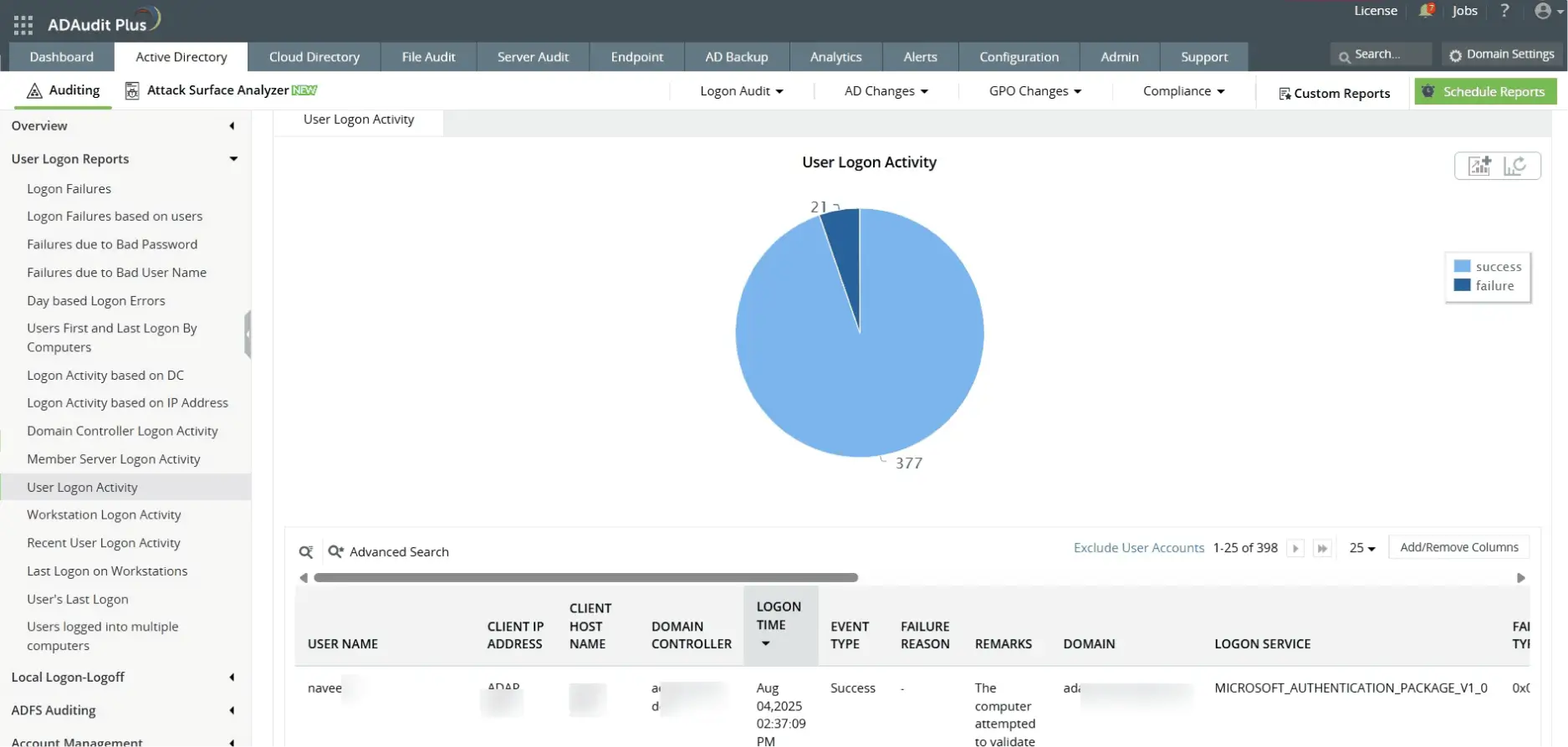
  • Track successful NTLM logins


    Monitor all successful NTLM authentication attempts across users, systems, and timeframes for increased visibility and auditing.

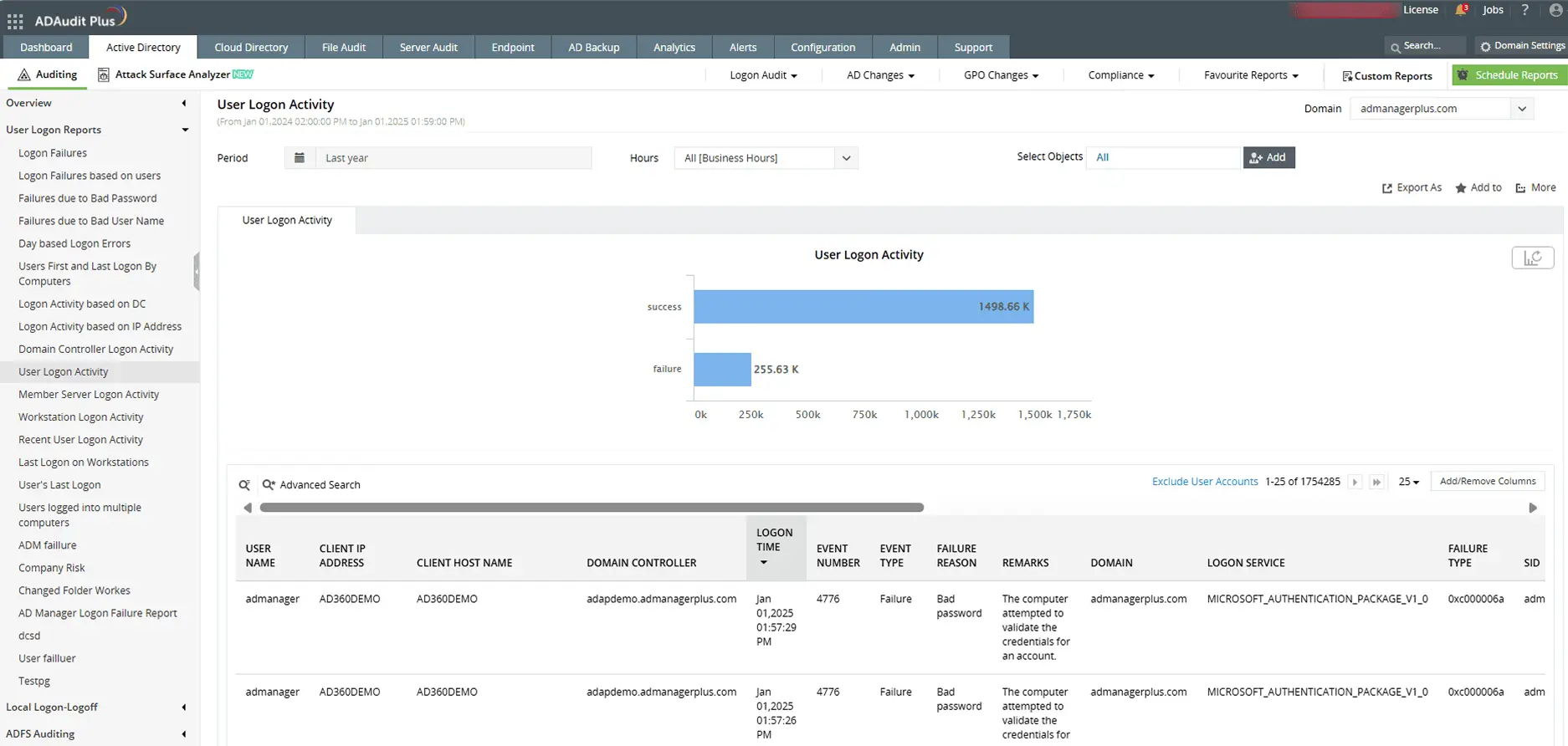
  • Detect failed NTLM authentication attempts


    Identify failed NTLM logons with details on usernames, result codes, and source machines to uncover threats.

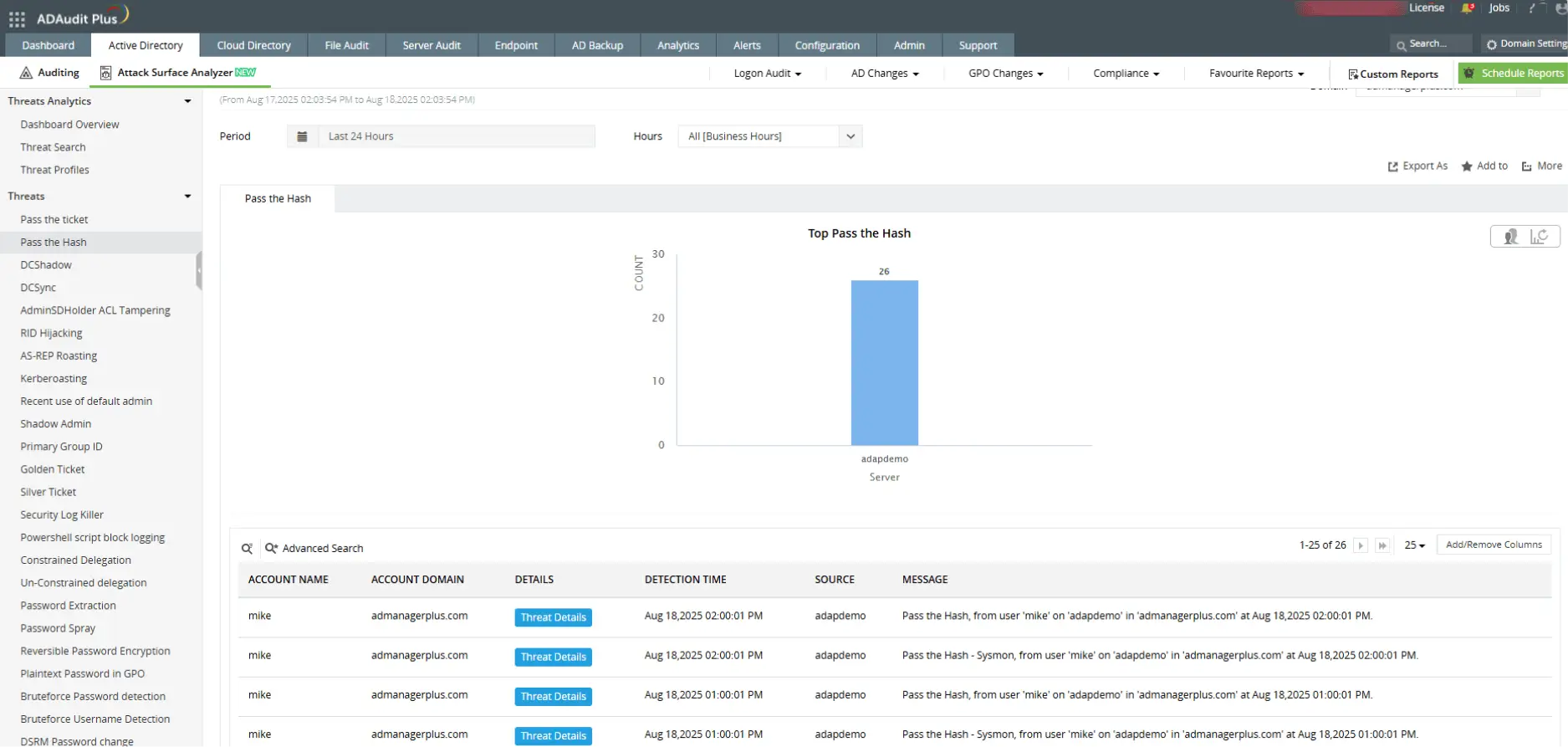
  • NTLM-based attack detection


    Identify NTLM-based pass-the-hash attacks with detailed authentication insights.

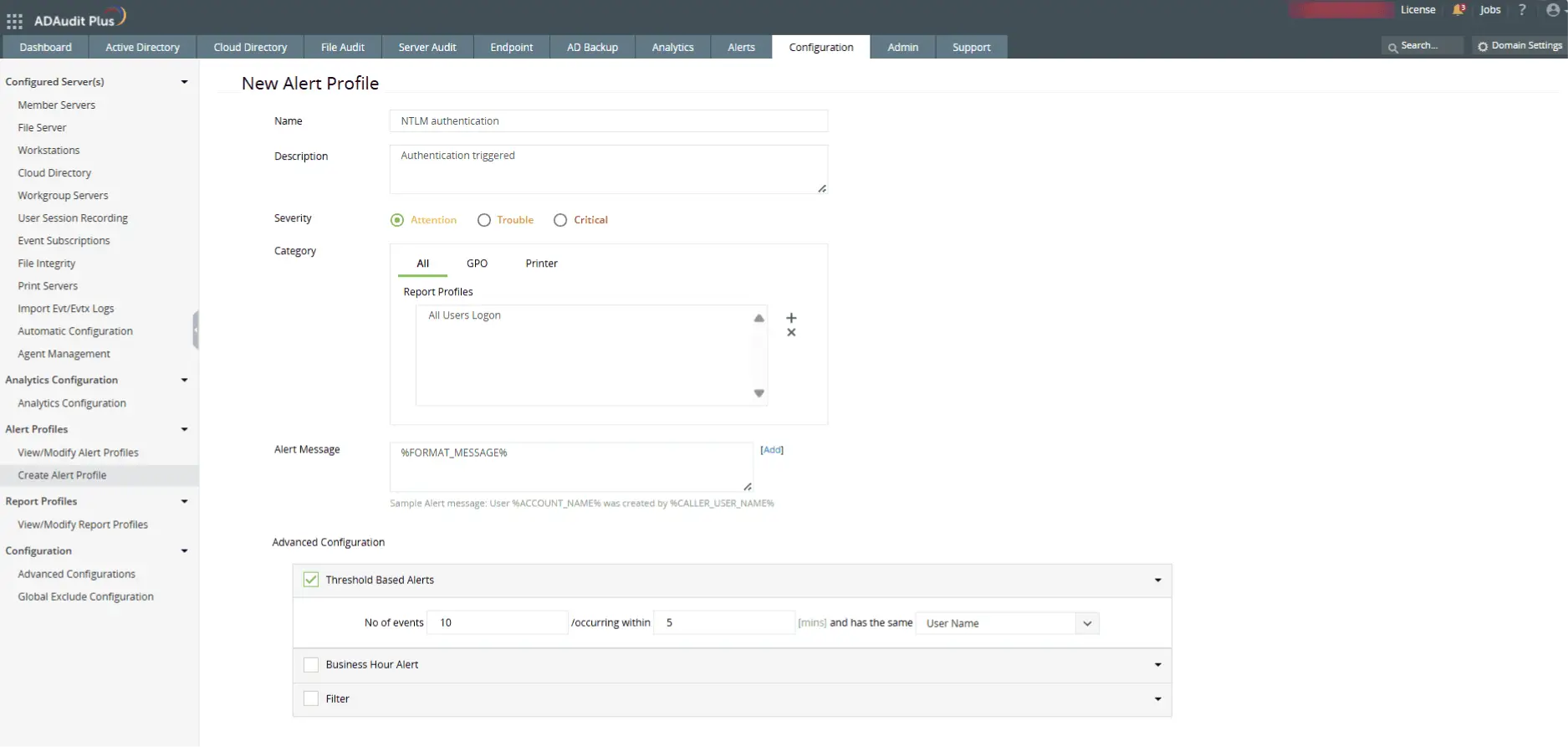
  • Set-up real-time alerts


    Set threshold-based NTLM alerts via email, SMS, and trigger counter scripts automatically.

Frequently asked questions

NTLM (NT LAN Manager) is a legacy Windows authentication protocol used to validate credentials during user logons. It relies on challenge-response mechanisms and is still used in environments where Kerberos cannot function, such as with local account authentication or across untrusted domains.

Did you know?

CVE-2025-21311, an NTLMv1 privilege escalation flaw discovered in January 2025, has a critical CVSS score of 9.8, signifying severe remote exploit risk.

Auditing NTLM authentication helps identify the use of outdated and potentially vulnerable protocols in your network. It enables security teams to detect brute-force attempts, password spraying, and misconfigured systems still relying on NTLM instead of more secure options like Kerberos.

Event ID 4776 is generated whenever NTLM is used to validate a user’s credentials.

  • A result code of 0x0 indicates a successful authentication.
  • Other result codes reveal specific issues:
    • C0000064 – User does not exist
    • C000006A – Incorrect password
    • C0000234 – Account locked out
    • C0000072 – Account disabled
    • C0000071 – Password expired
    • C0000224 – Password must be changed at next logon

Analyzing these codes allows you to detect failed NTLM logons and suspicious authentication activity.

Kerberos is the default authentication protocol in Active Directory and uses encrypted tickets for mutual authentication between users and services. This ticket-based model enhances security by preventing credential replay attacks and enabling stronger encryption.

NTLM, in contrast, uses a challenge-response method and lacks mutual authentication, making it more vulnerable to threats like pass-the-hash attacks. While NTLM may still appear in fallback or legacy scenarios, Kerberos is the more secure and recommended choice for modern Windows environments.

Yes, both protocols can exist simultaneously in a Windows domain. NTLM is often used as a fallback when Kerberos cannot be used due to misconfigurations, legacy systems, or cross-forest scenarios without trust.


Other solutions offered by ADAudit Plus

Active directoryFile serverWindows serverWorkstation
Active Directory auditor

Get reports and alerts on changes to AD objects including users, groups, OUs, GPOs, and more instantly.

 
Account lockout tool

Detect and diagnose AD account lockouts faster by identifying their root cause.

 
Login monitoring

Monitor, track, and report on both successful and failed login attempts in real time.

 
Azure AD auditing

Monitor and track all Azure Active Directory sign-ins and events across cloud or hybrid environments.

 
GPO change auditing

Audit and report on what GPO setting was changed with before and after values—all in real time.

 
Privileged user monitoring

Monitor and report on critical actions made by administrators or privileged accounts and groups.

 
File server auditing

Audit all file accesses across Windows file servers, failover clusters, NetApp, and EMC environments.

 
File permissions auditing

Audit all file and folder permission changes. Know who made those changes, when, and from where.

File integrity monitoring

Monitor and alert on unwarranted file accesses or modifications with real-time change auditing.

 
File change monitoring

Gain instant visibility into all modifications and failed access attempts made to your critical files.

Compliance requirements

Generate out-of-the-box compliance reports for regulations such as HIPAA, PCI DSS, GDPR, and more.

 
Forensic analysis

Investigate security incidents faster with actionable and accurate audit data.

Windows server auditing

Audit and monitor all user actions across the Windows server environment in real time.

 
Removable device auditing

Monitor usage of removable storage devices, such as USBs, and report on their file activities.

 
Printer monitoring

Monitor printer usage to find out who printed what critical files over the Windows network.

 
ADFS auditing

Monitor and report on both successful and failed ADFS authentication attempts in real time.

 
Audit process tracking

Track critical process creation and termination events with details on who initiated it and when.

 
File integrity monitoring

Monitor and alert on unwarranted file accesses or modifications with real-time change auditing.

 
Workstation auditing

Audit, alert, and report on critical user activities across workstations in real time.

 
Logon and logoff monitoring

Monitor and track all users' logon and logoff activities to spot anomalous user sessions.

 
File integrity monitoring

Ensure file integrity by keeping track of changes made to the system, program files, and more.

 
User login history monitoring

Track, record, and maintain an audit trail of all users' login history details.

 
Audit process tracking

Track critical process creation and termination events with details on who initiated it and when.

 
Employee time tracking software

Measure your employees' productivity by keeping track of their idle time and actual work hours.