How to upgrade to the new Security Analytics from the old ASAM
To move from the older ASAM module to the new ML-based Security Analytics feature, follow these simple steps:
Note: These steps apply only to existing users on build 12.8.611 and above.
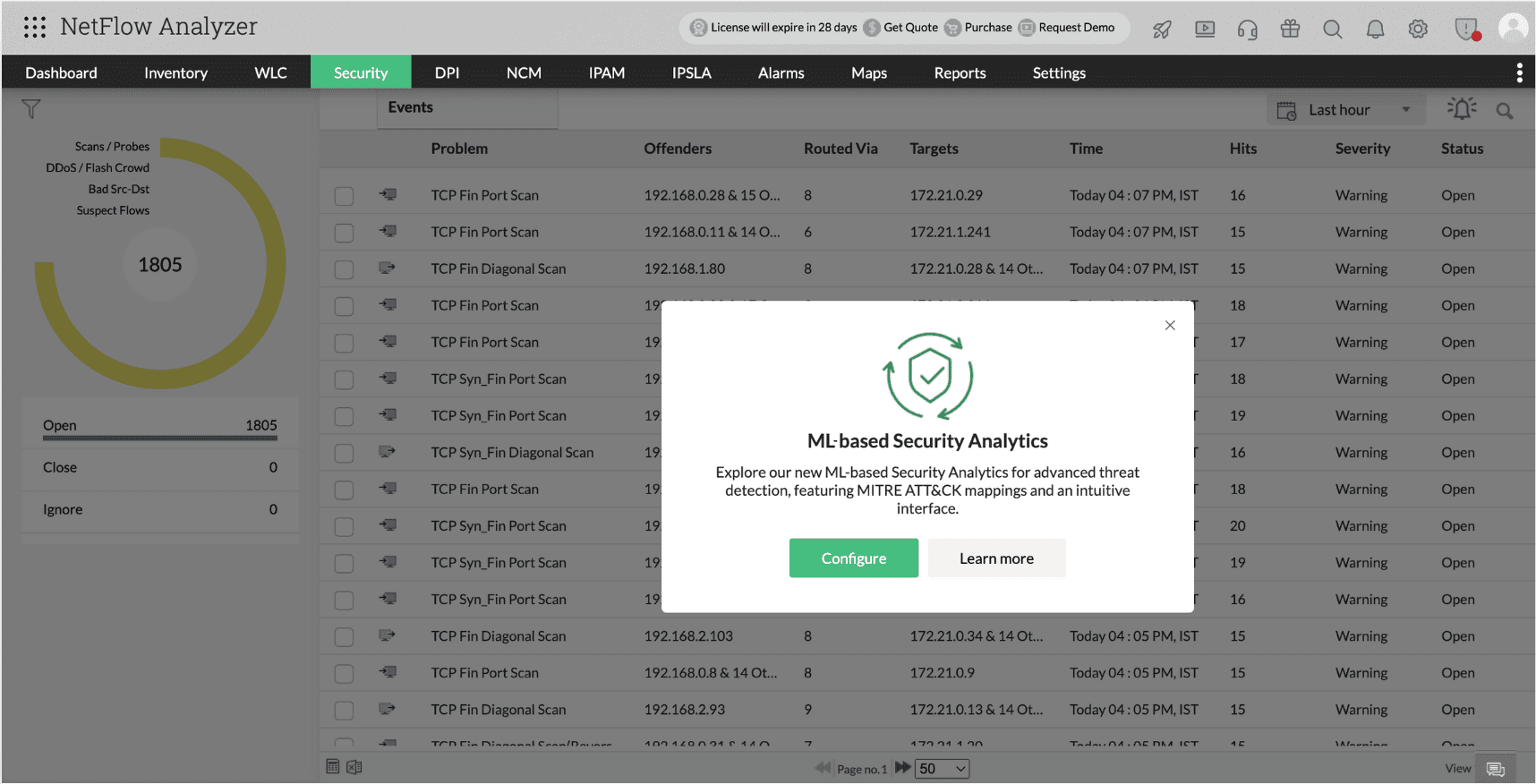
- Go to Settings > NetFlow > Security Analytics. You’ll see a prompt asking you to upgrade to the new feature. Click "Configure" on the pop-up to start the upgrade process.
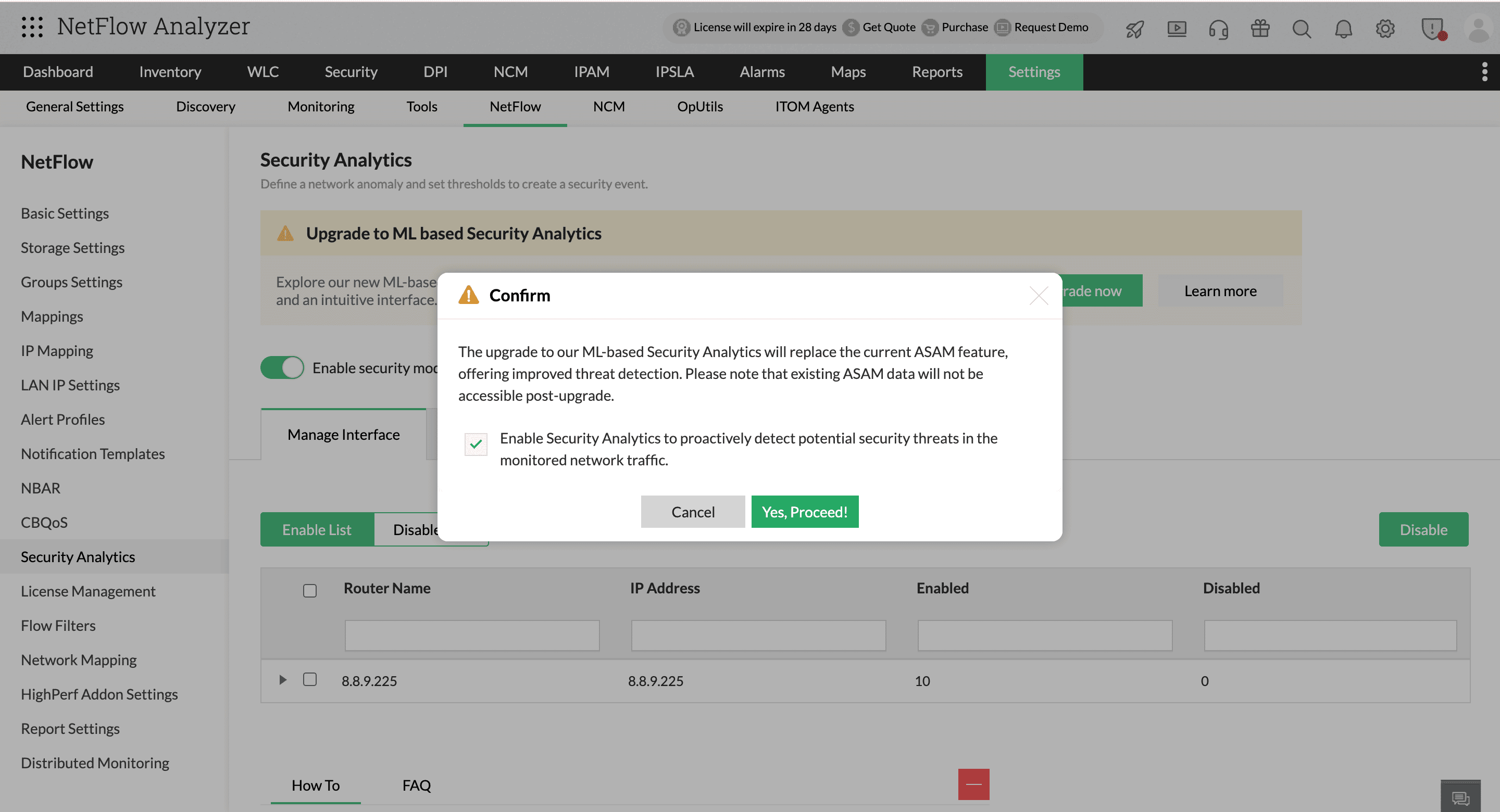
- A warning will appear letting you know that all existing ASAM security data will be permanently deleted and cannot be recovered. When you're ready, click "Yes, proceed!" to continue
- After the upgrade, the new Security Analytics feature will be enabled. To finish the setup, follow these three steps:
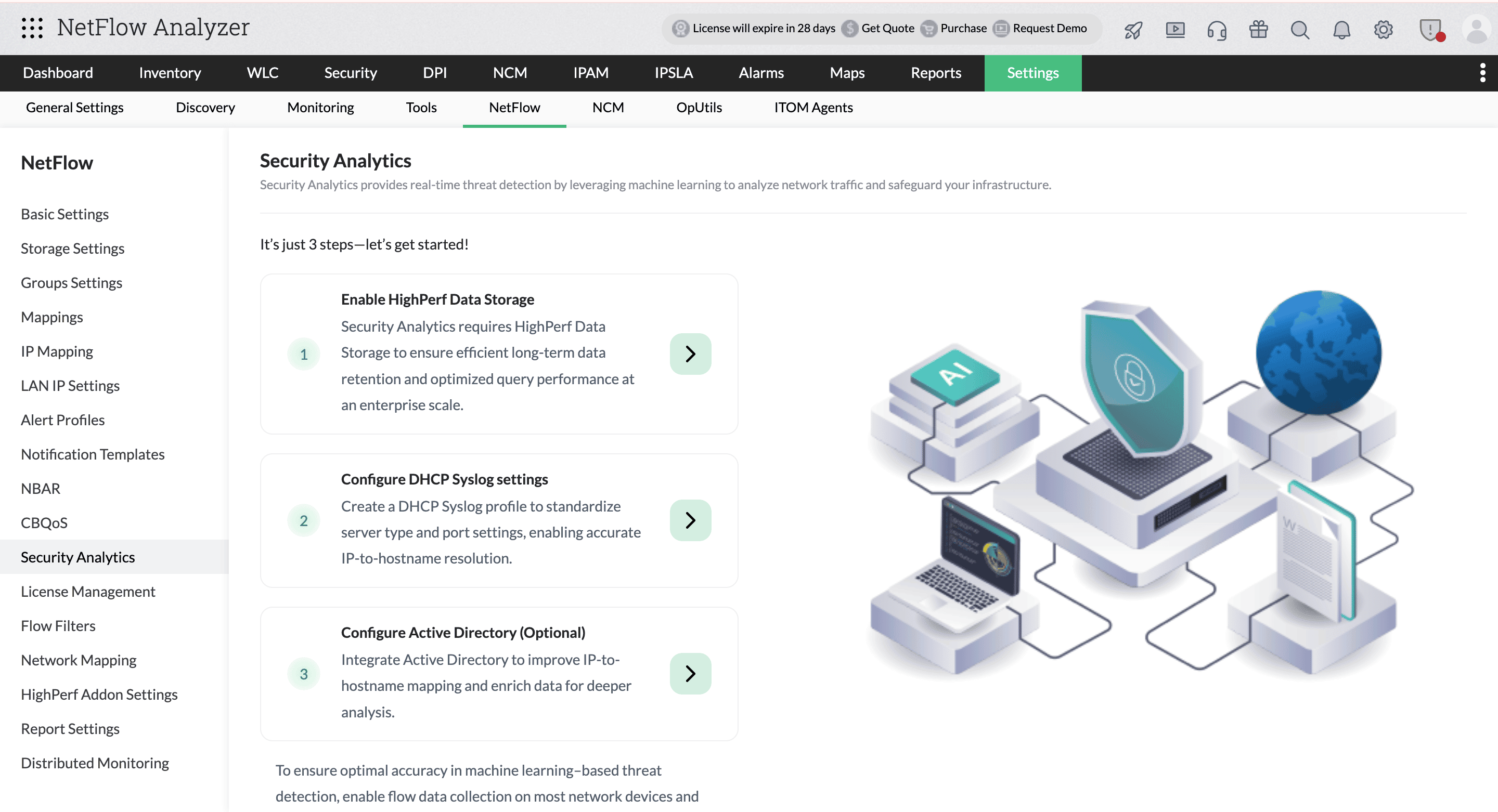
- Enable HighPerf Data Storage (Mandatory)
HighPerf Data Storage is required for Security Analytics to work efficiently. It ensures faster access to large volumes of data, low latencies, and supports real-time analysis by handling heavy data loads smoothly. Click here to enable HighPerf Data Storage. - Configure DHCP Syslog (Mandatory)
DHCP Syslog is needed to map IP addresses to hostnames of the devices in your network. It logs IP assignments from your DHCP server, making it easier to trace devices on the network and troubleshoot issues. Click here to configure DHCP Syslog. - Configure Active Directory (Optional)
Active Directory (AD) is used to map IP addresses to hostnames of the devices in your network. It helps identify systems more easily. Click here to configure AD.
- Enable HighPerf Data Storage (Mandatory)
- Once all the steps are done, click on Activate Security Analytics, and choose your preferred retention period.
The system will automatically begin discovering assets and learning behavioral patterns using the flow-based rule engine.
Note: Upgrading to the new Security Analytics will erase your previous ASAM data permanently. You cannot revert to the old version after the upgrade.