

- Free Edition
- Quick Links
- MFA
- Self-Service Password Management
- Single Sign-On
- Password Synchronizer
- Password Policy Enforcer
- Employee Self-Service
- Reporting and auditing
- Integrations
- Related Products
- ADManager Plus Active Directory Management & Reporting
- ADAudit Plus Real-time Active Directory Auditing and UBA
- Exchange Reporter Plus Exchange Server Auditing & Reporting
- EventLog Analyzer Real-time Log Analysis & Reporting
- M365 Manager Plus Microsoft 365 Management & Reporting Tool
- DataSecurity Plus File server auditing & data discovery
- RecoveryManager Plus Enterprise backup and recovery tool
- SharePoint Manager Plus SharePoint Reporting and Auditing
- AD360 Integrated Identity & Access Management
- Log360 (On-Premise | Cloud) Comprehensive SIEM and UEBA
- AD Free Tools Active Directory FREE Tools
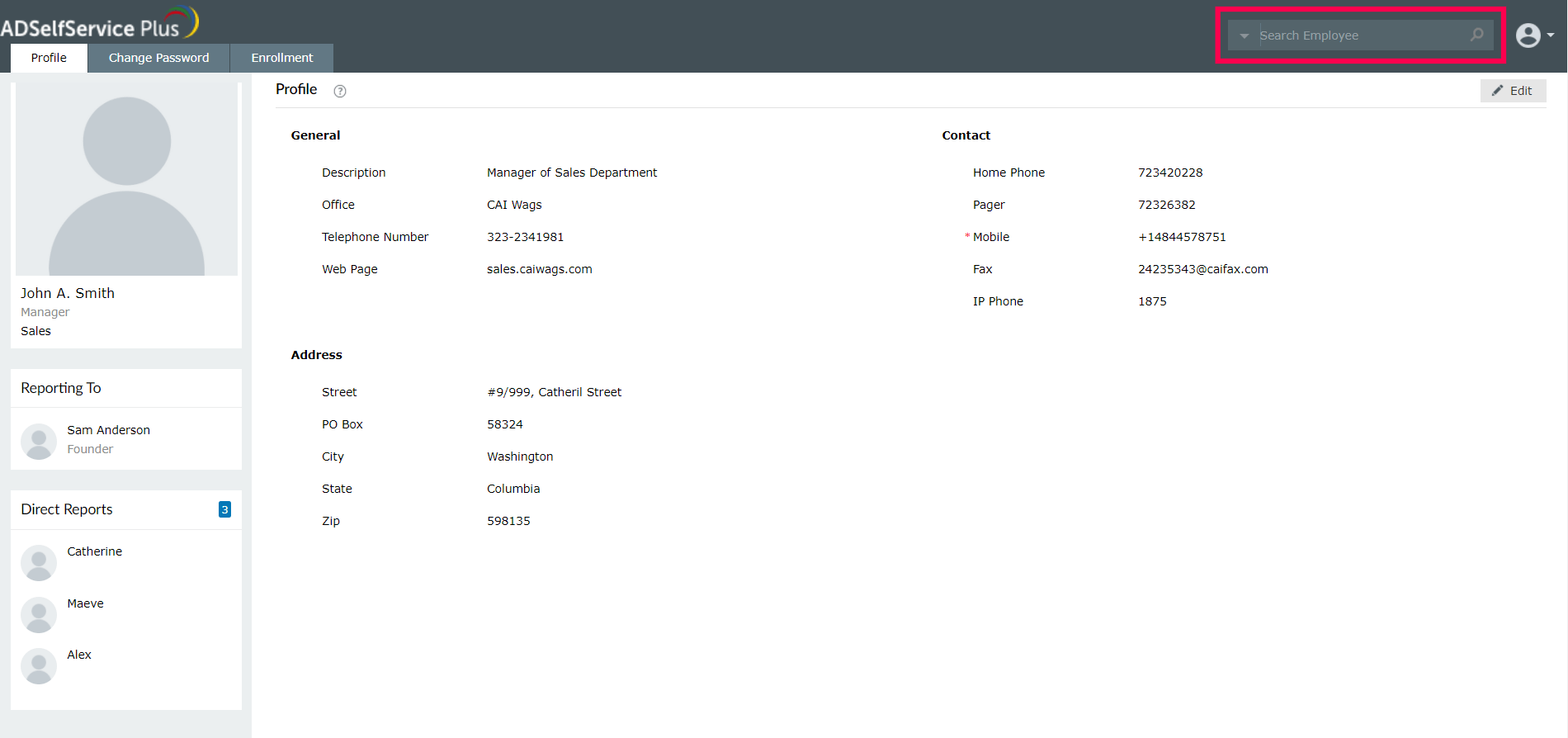
ADSelfService Plus is a self-service password management, MFA, and SSO solution that provides a smart corporate directory search, more popularly known in the industry as an employee search or people finder. This AD search tool even presents you with several filter-based common search key options, i.e., employee search by email address, to widen your company directory search in various domains. Four different search options—contains, starts with, ends with, and equals—make employee search as easy as it gets! End users can access this corporate directory search through the employee self-service portal (situated at the top-right corner).
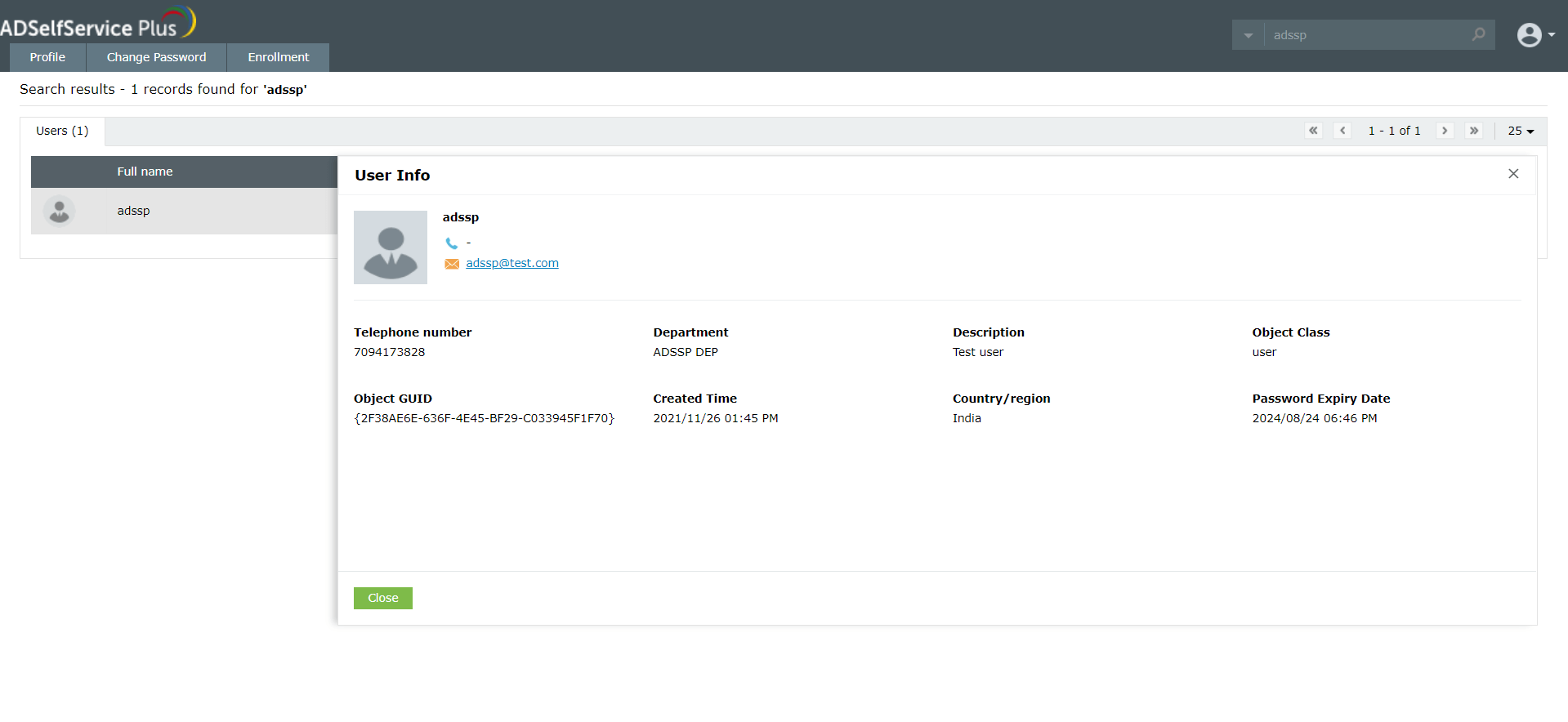
That's not all! With this employee lookup software, IT administrators and help desk agents can view information such as Object GUID, Object Class, and Object Created Time. That means no more typing in long search queries in Windows AD to find this information!
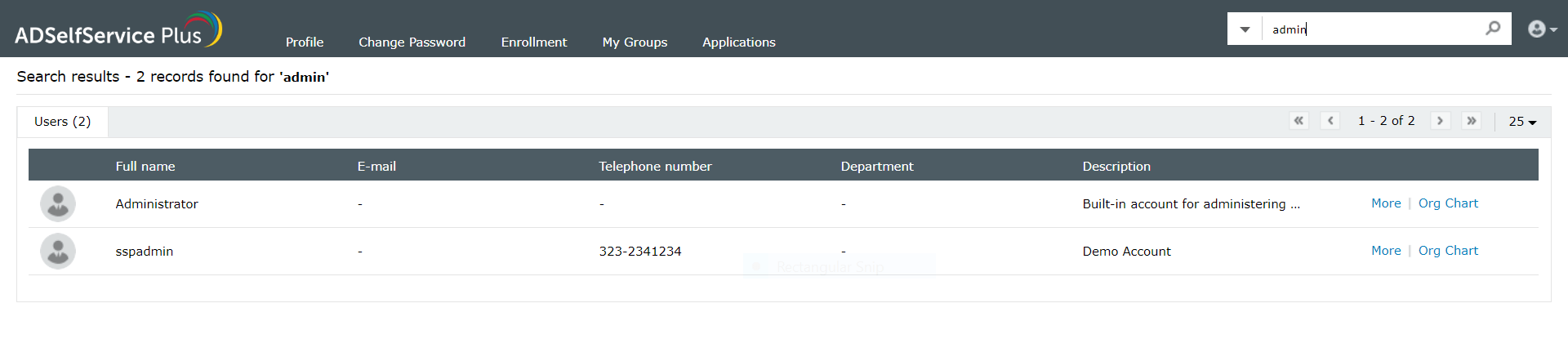
Like the self-update feature, this search utility requires no enrollment.
How end users benefit from this AD search tool
- Quickly search the AD employee directory.
- Search for users, contacts, and groups.
- Customize the search criteria using various advanced search filters such as phone number, email address, and display name.
- Allow users to update their latest information through the directory self-update feature to ensure information is correct.
- Enable users to view important and complete contact details including photo, hierarchy, full name, email ID, address, department, mobile, office, residential phone number, and more.
Features exclusive to IT administrators in this corporate directory search engine
- Filter the employee search engine based on domain or OU.
- Customize the display columns on end-users' search results.
- Search user information across multiple domains.
- View Object GUID, Object Class, Created Time, and more.
Organization chart
ADSelfService Plus offers a free organizational flow chart, with which users can view their position in the organizational hierarchy. Besides displaying users' positions in the organization tree, this feature also sheds light on various details related to their accounts.
Key features of user organizational structure
- Users can view the employee relations flowchart.
- Find employee ID numbers.
Password self-service
Free Active Directory users from attending lengthy help desk calls by allowing them to self-service their password resets/ account unlock tasks. Hassle-free password change for Active Directory users with ADSelfService Plus ‘Change Password’ console.
One identity with Single sign-on
Get seamless one-click access to 100+ cloud applications. With enterprise single sign-on, users can access all their cloud applications with their Active Directory credentials. Thanks to ADSelfService Plus!
Password/Account Expiry Notification
Intimate Active Directory users of their impending password/account expiry by mailing them these password/account expiry notifications.
Password Synchronizer
Synchronize Windows Active Directory user password/account changes across multiple systems, automatically, including Office 365, G Suite, IBM iSeries and more.
Password Policy Enforcer
Ensure strong user passwords that resist various hacking threats with ADSelfService Plus by enforcing Active Directory users to adhere to compliant passwords via displaying password complexity requirements.
Directory Self-Update & Corporate Search
Portal that lets Active Directory users update their latest information and a quick search facility to scout for information about peers by using search keys, like contact number, of the personality being searched.








