- Free Edition
- Quick Links
- Exchange Mailbox Reports
- Mailbox Size Reports
- Mailbox Properties Reports
- Mailbox Status Reports
- Mailbox Permission Reports
- Mailbox Content Reports
- Mailbox Logon by Users
- Inactive Mailboxes Reports
- Mailbox Enabled Users
- Office 365 Mailbox Reports
- Room Mailbox Reports
- Shared Mailbox Reports
- Exchange Mailbox Permissions
- Shared Mailbox Permissions
- Calendar Permission Reports
- Export Mailbox Permissions Reports
- Export Mailbox Size Reports
- Export Exchange Mailbox Reports
- Export Public Folder Lists
- Exchange Server Monitoring
- Client Access Server Health
- Exchange Server Monitoring Tool
- Exchange Server Monitoring Reports
- Exchange Service Health Monitoring
- DAG Monitoring Reports
- Connectivity Monitoring Reports
- Mail Flow Health Monitoring
- Exchange Database Monitoring
- Storage Monitoring Reports
- Email Queue Monitoring
- Replication Health Monitoring
- Exchange Audit Reports
- Exchange Server Auditing
- Exchange Server Auditing and Alerting
- Exchange Server Compliance Reporting
- Exchange Audit and Compliance Tool
- Exchange Admin Audit Logging
- Non-Owner Mailbox
Logon Reports - Mailbox Permission Changes Reports
- Mailbox Property Changes Reports
- Exchange Database Changes Reports
- Server Configuration Changes Reports
- Exchange Mailbox Audit Logging
- Exchange Traffic Reports
- Exchange Office 365 Reports
- Other Reports
- Mailbox Content Search
- Skype for Business server reporting
- Outlook Web Access Reports
- ActiveSync Reports
- Mailbox and Public Store Reports
- Distribution Lists Report
- Server Storage Tracking Reports
- Public Folder Reports
- Public Folder Content Report
- Email Non-Delivery Reports
- Retention Policy Reports
- Email Non Delivery Reports
- Exchange Migration
- Resources
- Related Products
- ADManager Plus Active Directory Management & Reporting
- ADAudit Plus Hybrid AD, cloud, and file auditing and security
- ADSelfService Plus Identity security with MFA, SSO, and SSPR
- EventLog Analyzer Real-time Log Analysis & Reporting
- M365 Manager Plus Microsoft 365 Management & Reporting Tool
- SharePoint Manager Plus SharePoint Reporting and Auditing
- DataSecurity Plus File server auditing & data discovery
- RecoveryManager Plus Enterprise backup and recovery tool
- AD360 Integrated Identity & Access Management
- Log360 Comprehensive SIEM and UEBA
- AD Free Tool Active Directory Free Tool
Mailboxes are part of an Exchange environment, and as an Exchange administrator, you need to get in-depth information about mailboxes, their traffic, size, and other properties. Exchange Reporter Plus offers comprehensive Exchange mailbox content reports that help administrators keep an eye out for any email-bound threats and thereby function as a complete mailbox monitoring tool. These Exchange mailbox reports are available for both on-premises Exchange Server and Exchange Online.
The mailbox content reports can be generated, filtered, and monitored based on:
- Folder message count and size in each folder.
- Keywords in the subject and body of emails.
- Attachment name, extension, and size of emails.
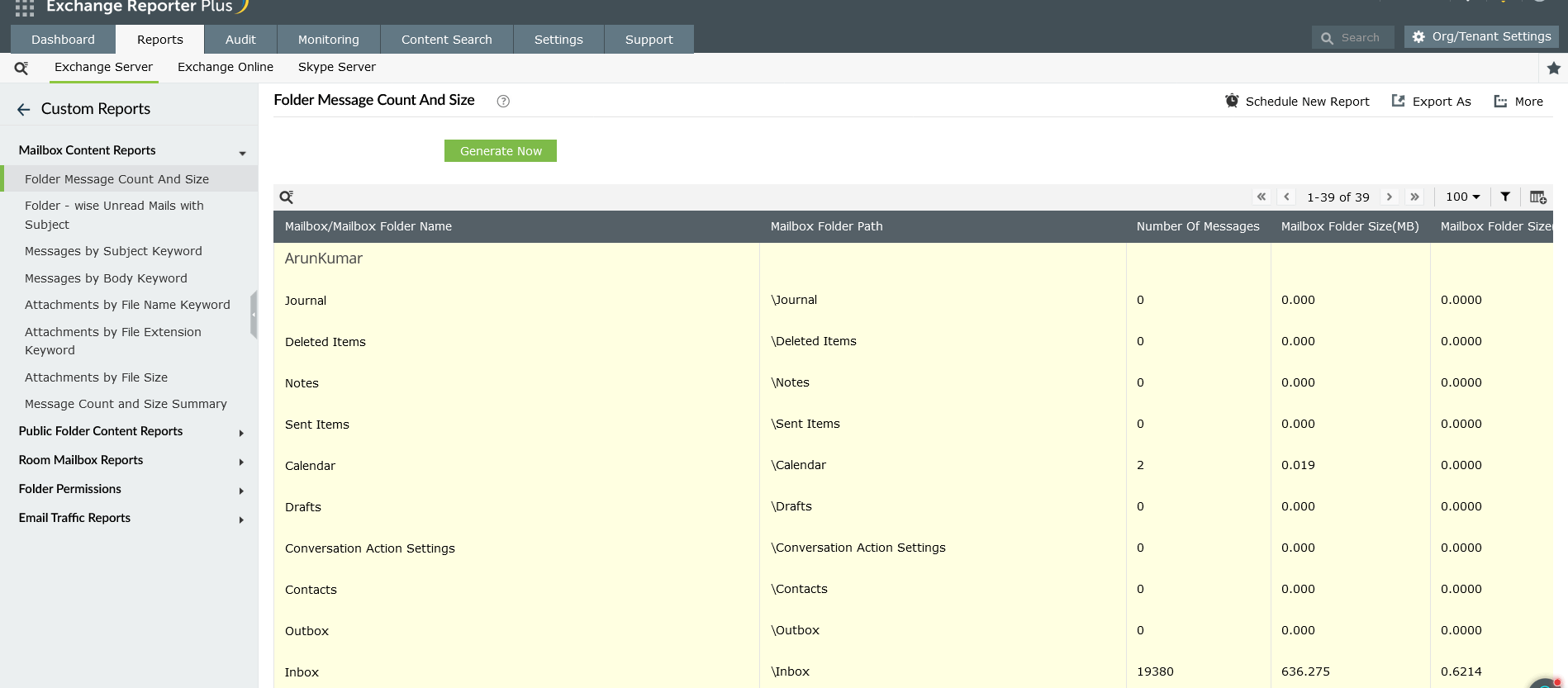
Folder Message Count and Size
Find the number of messages and the used space in every Exchange and Microsoft 365 mailbox in your organization one mailbox at a time using this Exchange mailbox report. With this quick overview into mailbox folders, including the path of each folder, further troubleshooting in the Exchange environment becomes effortless.
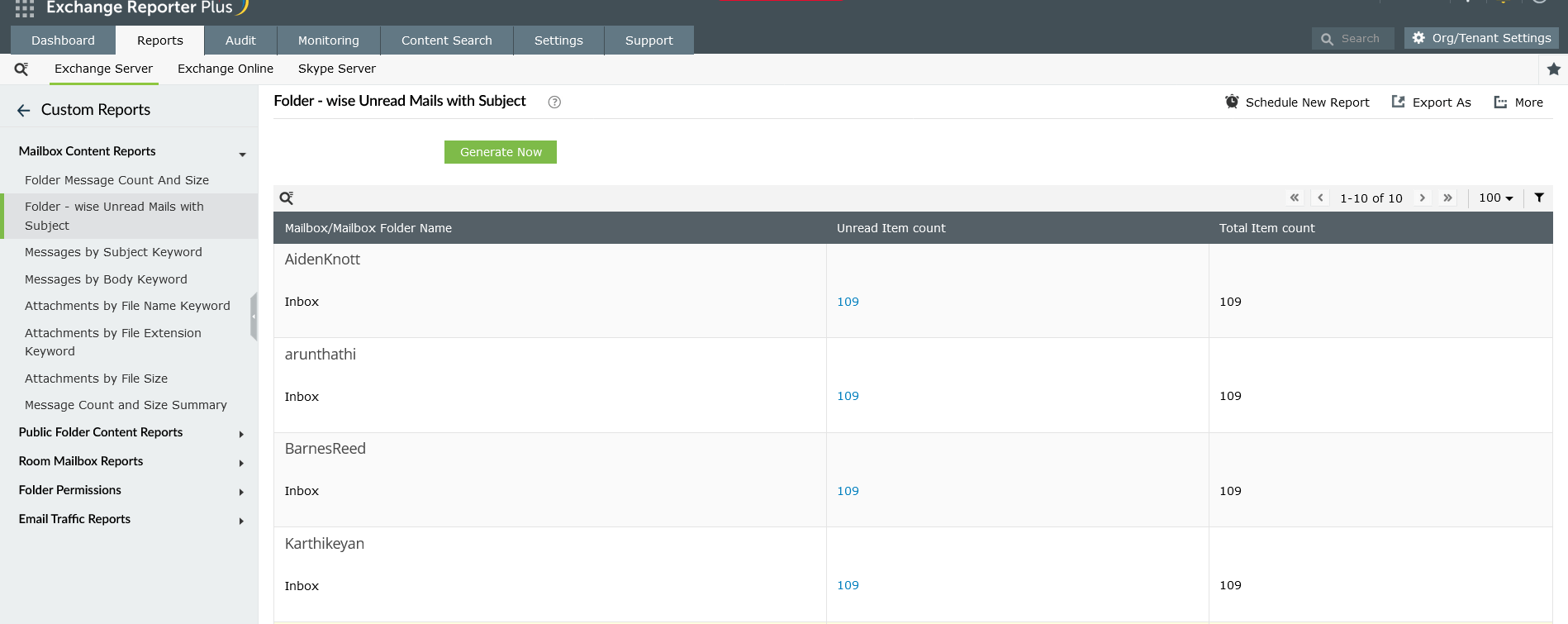
Folder-wise Unread Mails with Subject
Check the number of unread emails in each mailbox in your organization and view the subjects of those messages using this Exchange content report. You can view the name of the mailbox or mailbox folder, the number of unread emails, and the total number of emails that the Exchange mailbox contains.
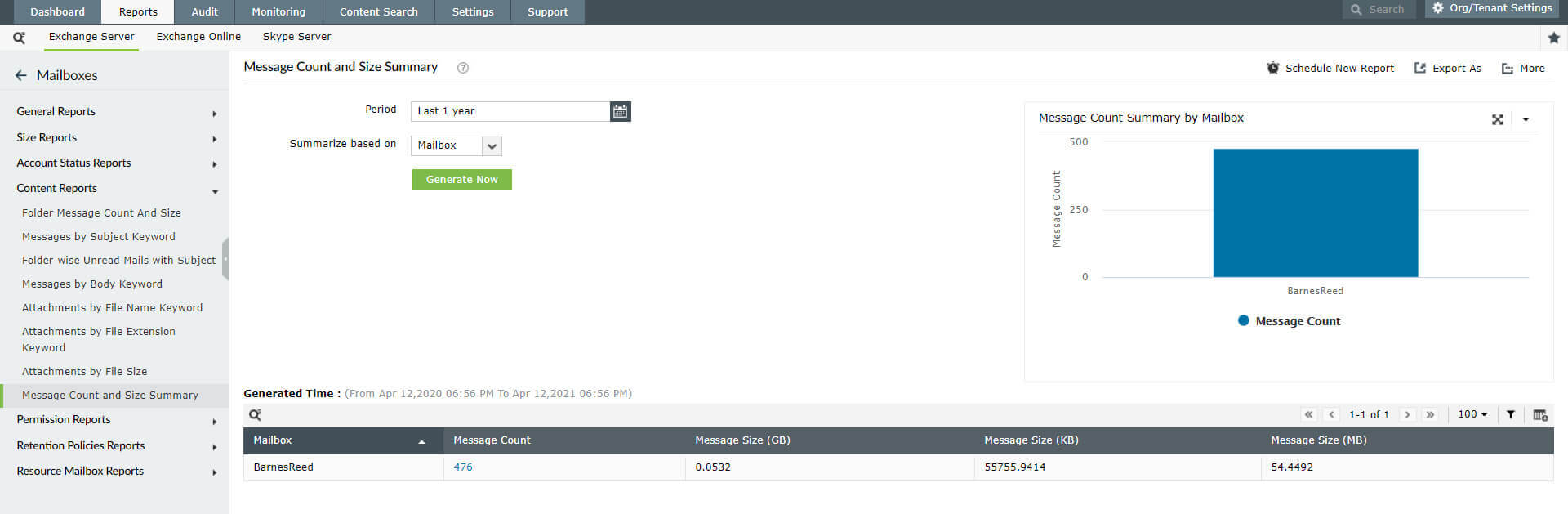
Message Count and Size Summary:
View a summary of the size and count of current and backdated messages based not only on mailboxes, but also servers, databases, months, and years with this Exchange email content report. This report includes details on historical messages from up to a year ago.
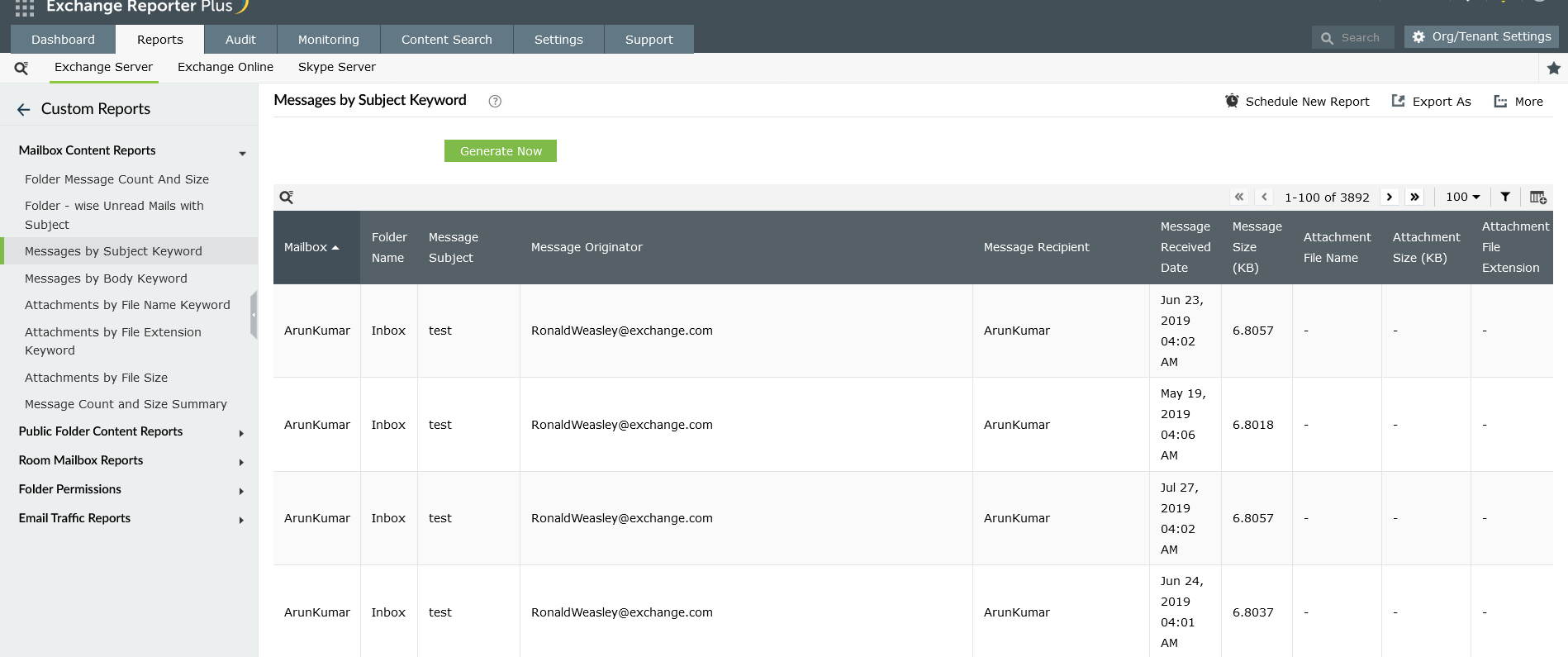
Messages by Subject Keyword:
Check messages in your organization based on a particular keyword in their subject lines using this Exchange mailbox report. Isolating spam emails cane be easy, because they have similar themes or keywords such as "lottery" or "marketing." By identifying these messages, you can keep them from inflicting any damage to your organization's Exchange infrastructure.
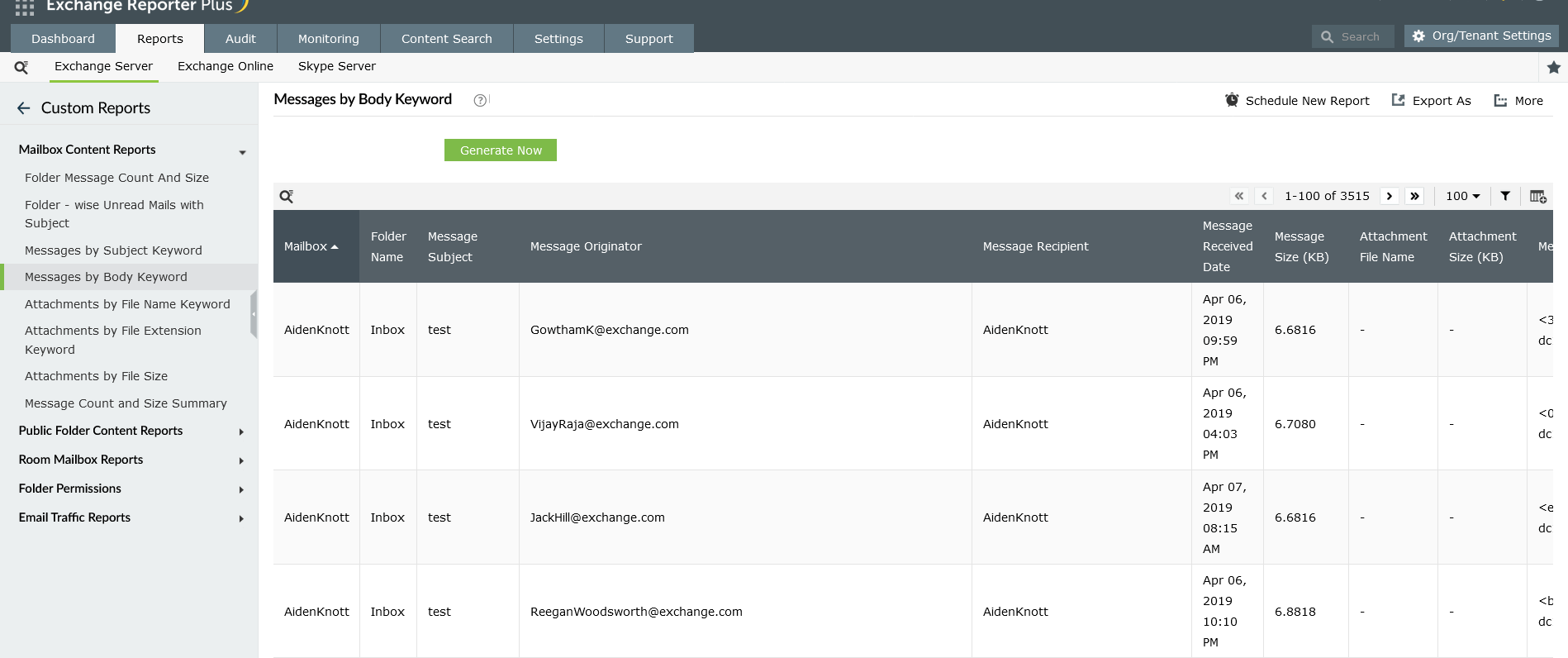
Messages by Body Keyword:
Find all the messages in your organization that have a particular keyword in the email body with this Exchange mailbox content report. Use this report to take spam-fighting a level deeper and keep your mailboxes clean.
Report on and audit Exchange Online using Exchange Reporter Plus.
Monitoring email attachments
Email communication was a lot safer when emails were confined to texts. Gone are those days, and now, emails have become digital freight carriers, supporting attachments of various kinds. With this great advantage came great risks—malicious attachments can easily find their way on to your computer and disrupt your entire network.
To take email security to the next level, Exchange Reporter Plus also tracks attachments that come with every email with its content reporting feature.
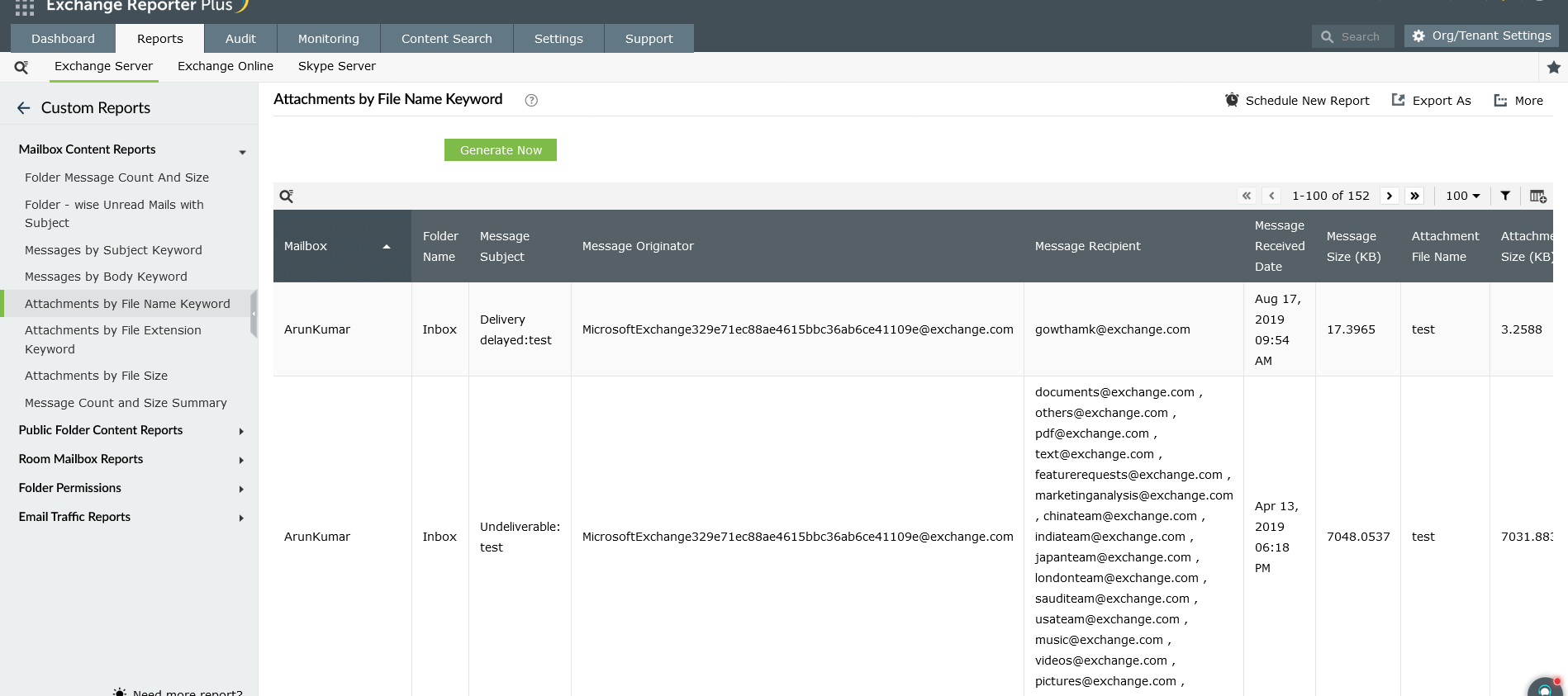
Attachments by File Name Keyword:
View all the messages in your organization that have a specific attachment name using this Exchange mailbox report. By knowing the name of the malicious files, you can take necessary steps to ward off email-bound threats.
Attachments by File Extension Keyword:
File extensions are obvious indicators to track while performing activities such as securing the Exchange Server and optimizing mailbox space.
Use this Exchange mailbox report to:
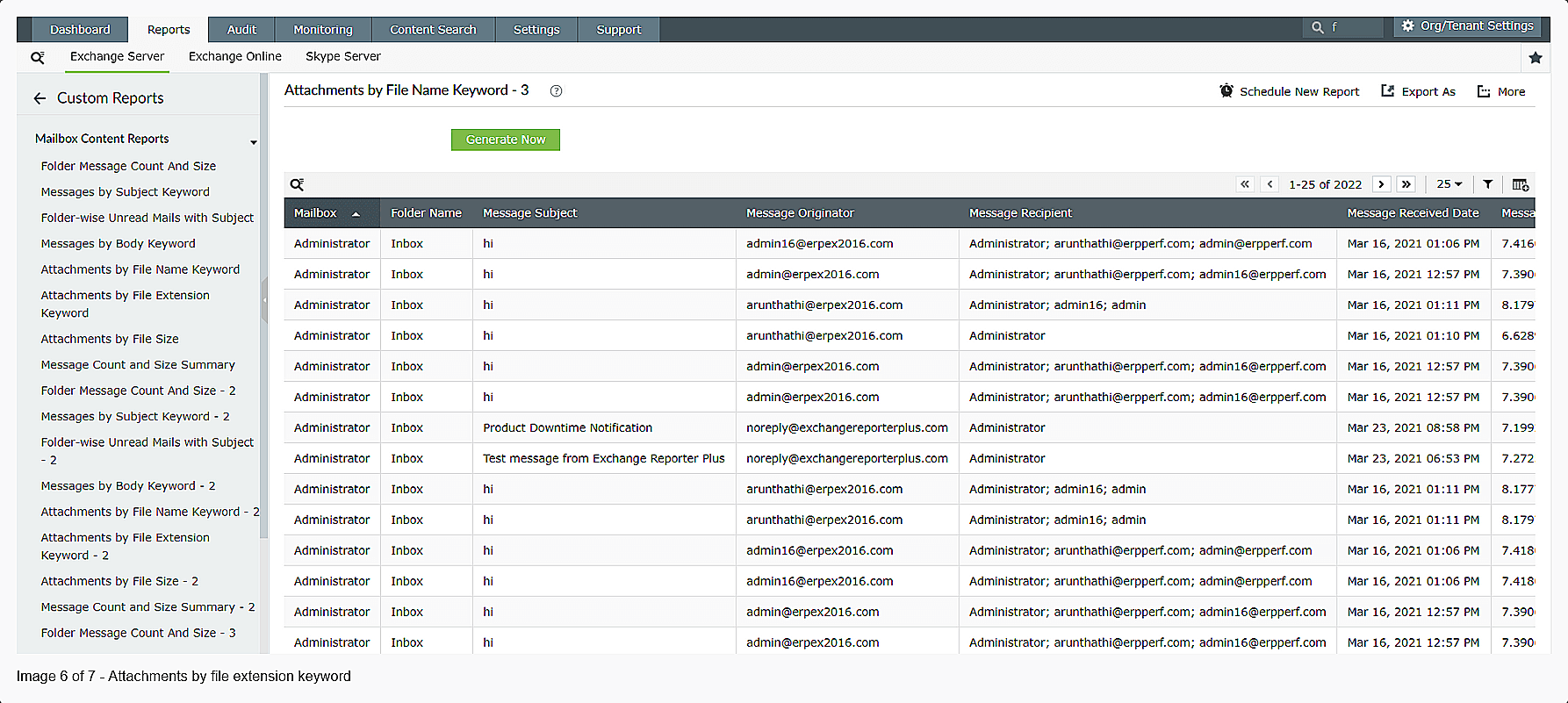
- Sort mailbox content based on the attachment file format.
- Isolate installation files that are possible carriers of malicious software (EXE files).
- Find media files that take up a lot of space in the mailbox server (MP3 and AVI files).
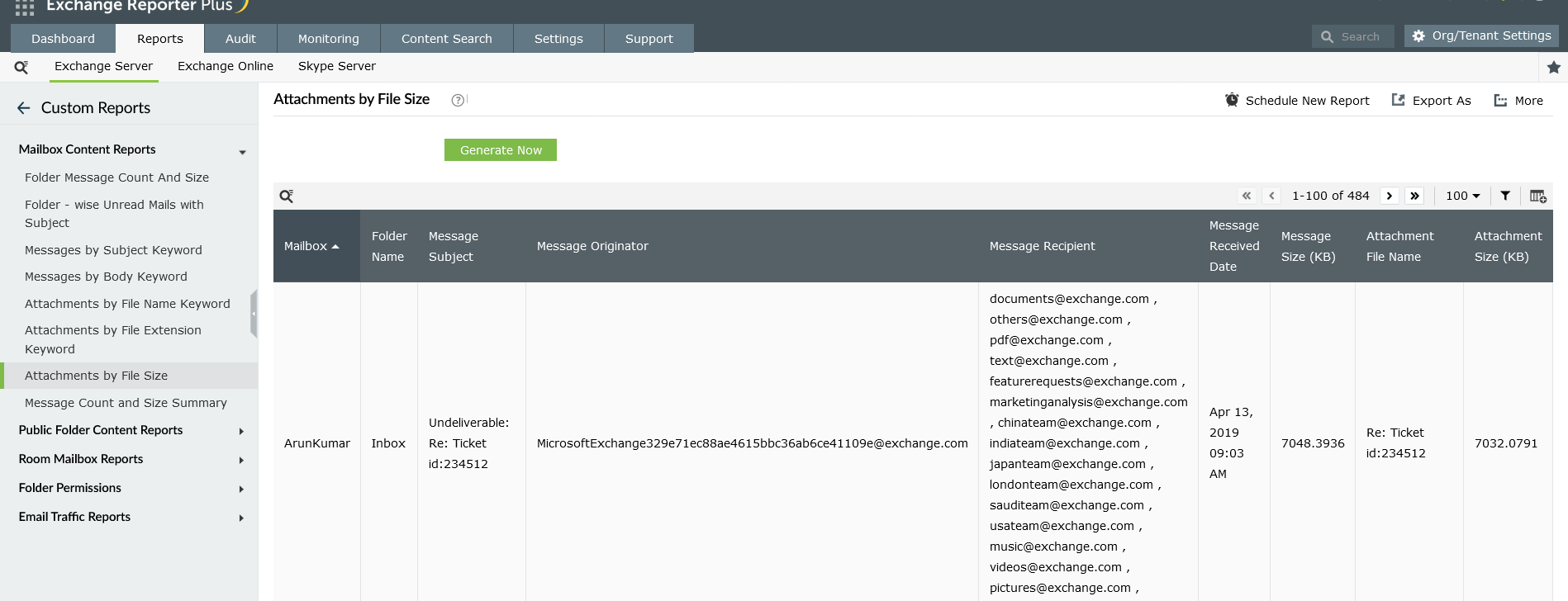
Attachments by File Size:
Get detailed statistics on attachments in messages by filtering them based on their size. With this Exchange mailbox report, you can easily pinpoint files that are consuming too much space in your Exchange Server and Exchange Online environments.
Why track mailbox content
The pandemic has forced many organizations to depend more on online communication, especially emails. This has also inadvertently caused a rise in cyberattacks.
- According to CyberTalk.org's report, 83% of organizations have faced phishing attacks in 2021.
- In addition, one in 99 emails is a phishing attack, and 25% of such emails end up in Exchange inboxes.
- Email attachments are not as harmless as they might seem. They are increasingly used as transport for cyberattacks by bad actors.
- Virus outbreaks make it imperative that you keep an eye out for anything suspicious in your mailboxes.
As a comprehensive Exchange reporting and monitoring solution, Exchange Reporter Plus offers the Exchange Mailbox Properties report and the Exchange Mailbox Traffic report along with mailbox content reports. Tracking malicious messages to limit the damage caused can be done with a single mouse click. These reports can be generated for Exchange Server versions 2003, 2007, 2010, 2013, 2016, and 2019 and can even be exported to CSV, XLS, PDF, or HTML formats.
Some other benefits of Exchange Reporter Plus, an Exchange reporting tool