Amazon Web Services Monitoring
- Amazon Web Services (AWS) - Overview
- Supported Services
- Creating a new Amazon Monitor, Settings and Demo
- Monitored Parameters
- Supported Regions
- Troubleshooting
Amazon Web Services (AWS) - Overview
Amazon Web Services (AWS) is a comprehensive cloud computing platform from Amazon. AWS offers an array of cloud computing services to build on from data centers spread across availability zones in regions across the world. However, you would still need proper AWS monitoring software to be able to monitor and understand what is going on when you deploy and consume such a wide-ranging set of services.
From your infrastructure and applications to your end-user experience, Applications Manager's AWS monitoring provides robust monitoring of several core Amazon Web Services under your Amazon account. With all-in-one AWS cloud monitoring tools like Applications Manager in place, users can obtain a single pane view over various AWS services like:
Supported Services
Creating a new Amazon monitor
Prerequisites for setting up Amazon performance monitoring:Click here.
Using the REST API to add a new Amazon monitor:Click here.
- Click on New Monitor.
- Select Amazon under the Cloud Apps category.
- Specify a Display Name for the monitor.
- Choose the Account Type: AWS Global (default), AWS China, or AWS GovCloud, depending on the regions you want to monitor.
Choose the required Authentication Type for the monitor.
- IAM User Access Keys (Recommended)
- Enter the Access Key ID and Secret Access Key to authenticate the monitor.
- IAM Role-Based Access
- Create an AWS IAM Role to be used in Applications Manager and enter the IAM Role ARN.
- Use the External ID and AWS Account ID available on the monitor page to configure the IAM Role.
Note:
- Configuring External ID is mandatory and is recommended by AWS to prevent confused deputy attacks.
- A new External ID will be generated each time the page is refreshed.
- IAM User Access Keys (Recommended)
- Select the Amazon Services you want to monitor from the drop-down list.
- Based on the chosen Account Type, select applicable regions from the Global Regions, China Regions, or Gov Cloud Regions dropdown.*
- Specify Discovery Filter Regex (comma-separated values) to control what gets discovered. Learn more.
- Under Child Discovery, choose one of the following:*
- Do not discover: Adds only the parent monitor; no discovery of resources.
- Discover and unmanage: Discovers child monitors but keeps them unmanaged.
- Discover and monitor child monitors: Discovers and starts monitoring all resources.
If Advanced Settings is enabled, configure the following:*
- Action on Deleted Resources:
- Continue Alerting: Keeps deleted monitors in the console and continues alerting.
- Stop Alerting: Stops alerting but retains deleted monitors.
- Unmanage Resource: Unmanages deleted resources and stops polling.
- Delete Resource: Permanently deletes monitors removed from the AWS console.
Note: EC2 instances will only be deleted/unmanaged after deletion in the AWS console.- Stop discovery: Prevents further discovery under selected services.
- Action on Deleted Resources:
- Set the Discovery Interval in minutes (for discovering new resources).
- Set the Polling Interval in minutes (for performance data collection). Learn more.
- If you're adding the monitor from a Central server, select a Probe server.
- Optionally, choose a Monitor Group to associate the Amazon monitor with (you can select multiple).
- Click Add Monitor(s) to complete the setup.
Amazon Monitor Setup - Demo
Watch the demo below to understand how to add and configure an Amazon monitor in Applications Manager:
Note:
- To connect to cloud services and access external data, ensure that your internet connection is active. If your environment requires a proxy server to access external websites, configure the necessary proxy settings under the Settings tab.
- Refer here to view the list of hostnames used for Amazon monitoring in Applications Manager.
- Parameters marked with an asterisk * are available in Applications Manager version 15180 and later.
Amazon Data Collection Settings
You can configure data collection settings for your Amazon monitor by going to the Settings tab, selecting Performance Polling under Discovery, and then selecting the Cloud tab.
Note: In build versions prior to 174200, this tab was named Amazon instead of Cloud.
Here are the settings that you can customize for AWS performance monitoring in Applications Manager:
You can set the Unique Identifier for EC2 instances to be either the instance ID or an Instance name/Tag name.
Caution: Once set, changing the Unique Identifier will result in the existing monitors being deleted. In the AWS Console, if a new instance is launched with the same name as an already terminated instance, it will be merged with the existing monitor in Applications Manager. While merging, existing unmanaged EC2 instances will be automatically changed to "Managed" status from Applications Manager version 16360.- Enabling the Collect S3 Storage Statistics via CloudWatch API option allows you to fetch S3 Storage metrics using CloudWatch APIs.
Note: The option Tag name will be retained as is for Applications Manager versions up to v16350. It will be renamed to Instance name from Applications Manager version 16360 onwards.
For Applications Manager versions upto 15170:
| Option | Description |
|---|---|
| Alert for Terminated EC2 Instance | Option to receive notification when an EC2 instance is stopped. |
| Remove terminated EC2 Instances & Lambda Functions | Option to completely remove terminated EC2 Instances and Lambda functions from the Applications Manager console in the next poll. |
| Remove deleted DynamoDB tables | Option to completely remove deleted DynamoDB tables from the Applications Manager console in the next poll. |
| Remove deleted Elastic Load Balancers | Option to completely remove terminated Elastic Beanstalk Environments from the Applications Manager console in the next poll if the environment is terminated. |
| Remove inactive ECS clusters | Option to completely remove terminated/deleted ECS clusters from the Applications Manager console in the next poll if the cluster is terminated/deleted. |
For Applications Manager versions 15180 onwards:
| Option | Description |
|---|---|
| Enable Auto Scaling alerts for EC2 instances | Option to receive alerts whenever an EC2 Instance is created/deleted. Note: The auto scaling check will be performed during Amazon Monitor discovery. |
| Set health severity as | Option to set Amazon CloudWatch monitor's health severity as Critical or Warning whenever a new EC2 Instance is created or deleted. |
| Raise autoscaling alerts when EC2 instances are | Option to configure when an alert has to be received (When an EC2 Instance is created/deleted/both) |
Monitored Parameters
Amazon accounts are monitored based on the parameters or the attributes listed below. These attributes provide detailed information about the functioning of the Amazon account. You can also configure thresholds for the numerical attributes based on these details and get notified when the thresholds are violated.
Go to the Monitors Category View by clicking the Monitors tab. Click on the Amazon monitor under the Cloud Apps Table. The Amazon bulk configuration view is displayed, distributed into three tabs:
- Availability tab displays the Availability history for the past 24 hours or 30 days.
- Performance tab displays the Health Status and events for the past 24 hours or 30 days, along with key performance indicators of the Amazon account such as Total EC2 Instances running and Total RDS Instances, along with heat charts for these attributes.
- List view tab enables you to perform bulk admin configurations and displays all the Amazon instances along with an overall idea of their availability and health status.
Note:
- Each Amazon monitor instance is considered a basic monitor and consumes one monitor count in the license.
- Each service instance (except S3, SNS, and Billing information) running in your Amazon monitor is considered a basic monitor in the license.
For more information, refer here.
Overview
| Parameter | Description |
|---|---|
| AI & ML RESOURCES | |
| Number of Bedrock Resources (Regional) | The total number of Bedrock Resources discovered under the Amazon monitor in the last poll. |
| Number of Bedrock Agents | The total number of Bedrock Agents discovered under the Amazon monitor in the last poll. |
| ANALYTICS RESOURCES | |
| Number of Data Firehose Delivery Streams | The total number of Data Firehose Delivery Streams discovered under the Amazon monitor in the last poll. |
| Number of Glue Crawlers | The total number of Glue Crawlers discovered under the Amazon monitor in the last poll. |
| Number of Glue Jobs | The total number of Glue Jobs discovered under the Amazon monitor in the last poll. |
| Number of Kinesis Data Streams | The total number of Kinesis Data Streams discovered under the Amazon monitor in the last poll. |
| Number of Provisioned MSK Clusters | The total number of Provisioned MSK Clusters discovered under the Amazon monitor in the last poll. |
| Number of Redshift Clusters | The total number of Redshift clusters discovered under the Amazon monitor in the last poll. |
| COMPUTE RESOURCES | |
| Number of Application Load Balancers | The total number of Application Load Balancers discovered under the Amazon monitor in the last poll. |
| Number of EC2 Auto Scaling Groups | The total number of EC2 Auto Scaling Groups discovered under the Amazon monitor in the last poll. |
| Number of EC2 Instances | The total number of EC2 Instances discovered under Amazon Monitor in the last poll. |
| Number of Elastic Beanstalk Environments | The total number of Elastic Beanstalk Environments discovered under the Amazon monitor in the last poll. |
| Number of Gateway Load Balancers | The total number of Gateway Load Balancers discovered under the Amazon monitor in the last poll. |
| Number of Lambda Functions | The total number of Lambda Functions discovered under the Amazon monitor in the last poll. |
| Number of Lightsail Instances | The total number of Lightsail Instances discovered under the Amazon monitor in the last poll. |
| Number of Lightsail Load Balancers | The total number of Lightsail Load Balancers discovered under the Amazon monitor in the last poll. |
| Number of Network Load Balancers | The total number of Network Load Balancers discovered under the Amazon monitor in the last poll. |
| Number of WorkSpaces | The total number of WorkSpaces discovered under the Amazon monitor in the last poll. |
| CONTAINER RESOURCES | |
| Number of ECR Private Repositories | The total number of ECR Private Repositories discovered under the Amazon monitor in the last poll. |
| Number of ECS Clusters | The total number of ECS Clusters discovered under the Amazon monitor in the last poll. |
| Number of EKS Clusters | The total number of EKS Clusters discovered under the Amazon monitor in the last poll. |
| DATABASE RESOURCES | |
| Number of DocumentDB Clusters | The total number of DocumentDB Clusters discovered under the Amazon monitor in the last poll. |
| Number of DocumentDB Global Clusters | The total number of DocumentDB Global Clusters discovered under the Amazon monitor in the last poll. |
| Number of DocumentDB Instances | The total number of DocumentDB Instances discovered under the Amazon monitor in the last poll. |
| Number of DynamoDB Tables | The total number of DynamoDB Tables discovered under the Amazon monitor in the last poll. |
| Number of ElastiCache Redis Nodes | The total number of ElastiCache Redis Nodes discovered under the Amazon monitor in the last poll. |
| Number of Lightsail Databases | The total number of Lightsail Databases discovered under the Amazon monitor in the last poll. |
| Number of Neptune Clusters | The total number of Neptune Clusters discovered under the Amazon monitor in the last poll. |
| Number of Neptune Instances | The total number of Neptune Instances discovered under the Amazon monitor in the last poll. |
| Number of RDS Instances | The total number of RDS Instances discovered under the Amazon monitor in the last poll. |
| Number of RDS Proxies | The total number of RDS Proxies discovered under the Amazon monitor in the last poll. |
| INTEGRATION RESOURCES | |
| Number of ActiveMQ Brokers | The total number of ActiveMQ Brokers discovered under the Amazon monitor in the last poll. |
| Number of RabbitMQ Brokers | The total number of RabbitMQ Brokers discovered under the Amazon monitor in the last poll. |
| Number of SES Resources (Regional) | The total number of SES Resources discovered under the Amazon monitor in the last poll. |
| Number of SNS Topics | The total number of SNS Topics discovered under the Amazon monitor in the last poll. |
| Number of SQS Queues | The total number of SQS Queues discovered under the Amazon monitor in the last poll. |
| Number of Step Function State Machines | The total number of Step Function State Machines discovered under the Amazon monitor in the last poll. |
| MANAGEMENT RESOURCES | |
| Number of Health Event Categories | The total number of Health Event Categories discovered under the Amazon monitor in the last poll. |
| Number of SSM Resources (Regional) | The total number of SSM Resources discovered under the Amazon monitor in the last poll. |
| Number of Trusted Advisor Categories | The total number of Trusted Advisor Categories discovered under the Amazon monitor in the last poll. |
| MIGRATION & TRANSFER RESOURCES | |
| Number of DMS Replication Instances | The total number of DMS Replication Instances discovered under Amazon Monitor in the last poll. |
| Number of DMS Replication Tasks | The total number of DMS Replication Tasks discovered under the Amazon monitor in the last poll. |
| Number of File Transfer Family Servers | The total number of File Transfer Family servers discovered under the Amazon monitor in the last poll. |
| NETWORK RESOURCES | |
| Number of API Gateway HTTP APIs | The total number of API Gateway HTTP APIs discovered under the Amazon monitor in the last poll. |
| Number of API Gateway REST APIs | The total number of API Gateway REST APIs discovered under the Amazon monitor in the last poll. |
| Number of API Gateway WebSocket APIs | The total number of API Gateway WebSocket APIs discovered under the Amazon monitor in the last poll. |
| Number of Client VPN Endpoints | The total number of Client VPN Endpoints discovered under the Amazon monitor in the last poll. |
| Number of CloudFront Distributions | The total number of CloudFront Distributions discovered under the Amazon monitor in the last poll. |
| Number of Direct Connect Resources | The total number of Direct Connect Resources discovered under the Amazon monitor in the last poll. |
| Number of Direct Connect Virtual Interfaces | The total number of Direct Connect Virtual Interfaces discovered under the Amazon monitor in the last poll. |
| Number of NAT Gateways | The total number of NAT Gateways discovered under the Amazon monitor in the last poll. |
| Number of PrivateLink Endpoints | The total number of PrivateLink Endpoints discovered under the Amazon monitor in the last poll. |
| Number of PrivateLink Endpoint Services | The total number of PrivateLink Endpoint Services discovered under the Amazon monitor in the last poll. |
| Number of Elastic IP Resources (Regional) | The total number of Elastic IP Resources discovered under the Amazon monitor in the last poll. |
| Number of Route 53 Health Checks | The total number of Route 53 Health Checks discovered under the Amazon monitor in the last poll. |
| Number of Route 53 Resolver Endpoints | The total number of Route 53 Resolver Endpoints discovered under the Amazon monitor in the last poll. |
| Number of Site-to-Site VPN Connections | The total number of Site-to-Site VPN Connections discovered under the Amazon monitor in the last poll. |
| Number of Transit Gateways | The total number of Transit Gateways discovered under the Amazon monitor in the last poll. |
| Number of VPC Lattice Services | The total number of VPC Lattice Services discovered under the Amazon monitor in the last poll. |
| Number of VPC Resources | The total number of VPC Resources discovered under the Amazon monitor in the last poll. |
| SECURITY RESOURCES | |
| Number of ACM Certificates | The total number of ACM Certificates discovered under the Amazon monitor in the last poll. |
| Number of CloudHSM Clusters | The total number of CloudHSM Clusters discovered under the Amazon monitor in the last poll. |
| Number of Key Management Service Keys | The total number of Key Management Service Keys discovered under the Amazon monitor in the last poll. |
| Number of Network Firewalls | The total number of Network Firewalls discovered under the Amazon monitor in the last poll. |
| Number of Secrets Manager Secrets | The total number of Secrets Manager Secrets discovered under the Amazon monitor in the last poll. |
| Number of Web Application Firewalls | The total number of Web Application Firewalls discovered under the Amazon monitor in the last poll. |
| STORAGE RESOURCES | |
| Number of Backup Resources (Regional) | The total number of Backup Resources discovered under the Amazon monitor in the last poll. |
| Number of Backup Vaults | The total number of Backup Vaults discovered under the Amazon monitor in the last poll. |
| Number of DRS Resources (Regional) | The total number of DRS Resources discovered under the Amazon monitor in the last poll. |
| Number of DRS Source Servers | The total number of DRS Source Servers discovered under the Amazon monitor in the last poll. |
| Number of DRS Recovery Instances | The total number of DRS Recovery Instances discovered under the Amazon monitor in the last poll. |
| Number of EBS Resources (Regional) | The total number of EBS Resources discovered under the Amazon monitor in the last poll. |
| Number of EBS Volumes in use | The total number of EBS Volumes discovered under the Amazon monitor in the last poll. |
| Number of Elastic File Systems | The total number of Elastic File Systems discovered under the Amazon monitor in the last poll. |
| Number of FSx File Caches | The total number of FSx File Caches discovered under the Amazon monitor in the last poll. |
| Number of FSx File Systems | The total number of FSx File Systems discovered under the Amazon monitor in the last poll. |
| Number of S3 Buckets | The total number of S3 Buckets discovered under the Amazon monitor in the last poll. |
| Number of Storage Gateways | The total number of Storage Gateways discovered under the Amazon monitor in the last poll. |
| Number of Storage Gateway File Shares | The total number of Storage Gateway File Shares discovered under the Amazon monitor in the last poll. |
| Number of Storage Gateway Volumes | The total number of Storage Gateway Volumes discovered under the Amazon monitor in the last poll. |
Analytics
The following is the list of services that are shown in the 'Analytics' tab:
- Data Firehose Delivery Streams
- Glue Crawlers
- Glue Jobs
- Kinesis Data Streams
- MSK Clusters
- Redshift Clusters
Data Firehose Delivery Streams
This table provides details about the Data Firehose Delivery Streams present in the Amazon account. Learn more about Amazon Data Firehose Monitoring
| Parameter | Description |
|---|---|
| Data Firehose Delivery Streams | |
| Delivery Stream Name | The unique identifier of the Data Firehose delivery stream. |
| Region | The AWS region in which the delivery stream is configured. |
| Delivery Stream Type | The type of the delivery stream. |
| Stream Destination | The target destination platform selected to store or index data emitted by this stream. |
| Delivery Stream Status | The current operational status of the delivery stream. |
Glue Crawlers
This table provides details about the Glue Crawlers present in the Amazon account. Learn more about AWS Glue Crawler Monitoring
| Parameter | Description |
|---|---|
| Glue Crawlers | |
| Crawler Name | The unique identifier of the Glue crawler. |
| Region | The AWS region in which the Glue crawler is configured. |
| Database Name | The name of the database the crawler is associated with. |
| Last Crawl Status | The status of the crawler's most recent crawl execution. |
| Crawler State | The current operational state of the crawler. |
Glue Jobs
This table provides details about the Glue Jobs present in the Amazon account. Learn more about AWS Glue Job Monitoring
| Parameter | Description |
|---|---|
| Glue Jobs | |
| Job Name | The unique identifier of the Glue job. |
| Region | The AWS region in which the Glue job is configured. |
| Job Type | The type of job run by AWS Glue. |
| Glue Version | The version of AWS Glue used to execute the job. |
| Worker Type | The type of predefined worker allocated when the job is running. |
| Number of Workers | The number of workers allocated when the job is running. |
Kinesis Data Streams
This table provides details about the Kinesis Data Streams present in the Amazon account. Learn more about Amazon Kinesis Data Streams Monitoring
| Parameter | Description |
|---|---|
| Kinesis Data Streams | |
| Stream Name | The unique identifier of the Kinesis data stream. |
| Region | The AWS region in which the data stream is configured. |
| Stream Capacity Mode | The capacity mode of the data stream. |
| Number of Open Shards | The number of open shards in the data stream at the time of polling. |
| Number of Consumers | The number of enhanced fan-out consumers registered with the stream. |
| Stream Status | The current status of the data stream. |
Provisioned MSK Clusters
This table provides details about the MSK Clusters present in the Amazon account. Learn more about Amazon MSK Cluster Monitoring
| Parameter | Description |
|---|---|
| Provisioned MSK Clusters | |
| Cluster Name | The unique identifier of the Amazon MSK cluster. |
| Cluster Type | The type of the MSK cluster. |
| Broker Type | The instance type of the broker nodes in the cluster. |
| Metadata Mode | The metadata mode of the MSK cluster. |
| Broker Size | The storage size of each broker in the cluster (in GiB). |
| Number of Brokers | The number of broker nodes in the cluster. |
| Cluster State | The current operational state of the MSK cluster. |
Redshift Clusters
This table provides details about the Redshift Clusters present in the Amazon account. Learn more about Amazon Redshift Monitoring
| Parameter | Description |
|---|---|
| Redshift Clusters | |
| Cluster Name | The unique identifier of the Amazon Redshift Cluster. |
| Region | The AWS region in which the Redshift cluster is configured. To know the list of regions supported, refer here. |
| Cluster Version | The version ID of the Amazon Redshift engine that is running on the cluster. |
| Number of Nodes | The total number of compute nodes in the cluster. |
| Cluster Status | Displays the current operational state of the cluster. |
Compute
The following is the list of services that are shown in the 'Compute' tab:
- Application Load Balancers
- EC2 Auto Scaling Groups
- EC2 Instances
- Elastic Beanstalk Environments
- Gateway Load Balancers
- Lambda
- Lightsail Instances
- Lightsail Load Balancers
- Network Load Balancers
- WorkSpaces
Application Load Balancers
This table provides details about the Application Load Balancers present in the Amazon account. Learn more about Application Load Balancers Monitoring
| Parameter | Description |
|---|---|
| Application Load Balancers | |
| Name | The name of the Application Load Balancer |
| Region | The AWS region in which the load balancer is configured. To know the list of regions supported, refer here. |
| State | The state of the load balancer - active | provisioning | active_impaired | failed. |
| Availability zones | The Availability Zones for the load balancer. |
| VPC ID | The ID of the VPC for the load balancer. |
| Creation time | The date and time the load balancer was created. |
EC2 Auto Scaling Groups
This table provides details about the EC2 Auto Scaling Groups present in the Amazon account. Learn more about Amazon EC2 Auto Scaling Monitoring
| Parameter | Description |
|---|---|
| EC2 Auto Scaling Groups | |
| Auto Scaling Group Name | The name of the EC2 Auto Scaling Group. |
| Region | The region where this EC2 Auto Scaling Group is running. To know the list of regions supported, refer here. |
| Desired Instances | The desired instance capacity configured in the Auto Scaling group. |
| Total Instances | The average number of instances in the Auto Scaling group at the time of polling. |
| Launch Template | The launch template associated with the Auto Scaling group. |
| Launch Template Version | The version of the launch template used by the Auto Scaling group. |
EC2 Instances
This table provides details about the EC2 instances present in the Amazon account. Learn more about EC2 Monitoring
| Parameter | Description |
|---|---|
| EC2 Instances | |
| Name | The name of the EC2 instance |
| Region | The region where this EC2 instance is running. To know the list of regions supported, refer here. |
| State | The current state of the instance. The values include running, stopped, shutdown, and terminated |
| Platform | The OS on which the instance is running |
| Monitoring | Indicates whether monitoring is enabled for the instance. |
| Public DNS Name | The DNS name associated with the instance. |
| Availability | The availability status of the EC2 instance. |
| System Log | Displays the system log of the instance. |
You can perform the following admin actions on the EC2 instances:
- Delete: Delete the EC2 instance from Applications Manager.
- Assign Platform: Assign platforms such as Windows, Mac OS, etc. to instances.
- Start Instances: Option to start the EC2 instance from Applications Manager.
- Stop Instances: Option to stop EC2 instances from Applications Manager.
- Reboot Instances: Option to reboot the EC2 instances from within Applications Manager.
Elastic Beanstalk Environments
This table provides details about the Elastic Beanstalk environments present in the Amazon account. Learn more about Elastic Beanstalk Environments
| Parameter | Description |
|---|---|
| Elastic Beanstalk Environments | |
| Environment Name | Name of the Elastic Beanstalk environment. |
| Region | The region where the Elastic Beanstalk environment is running. To know the list of regions supported, refer here. |
| Tier Name | Name of the tier. Indicates whether it is a WebServer or a Worker environment. |
| Environment Status | Status of the environment. (Ready, Launching, Updating, Terminating, or Terminated) |
| Environment Health Status | Shows the health status of the environment. (OK, Info, Unknown, No data, Warning, Degraded, or Severe) |
Gateway Load Balancers
This table provides details about the Gateway Load Balancers present in the Amazon account. Learn more about Gateway Load Balancers.
| Parameter | Description |
|---|---|
| Gateway Load Balancers | |
| Name | Name of the balancer. |
| Region | The AWS region in which the gateway load balancer is configured. To know the list of regions supported, refer here. |
| State | The state of the balancer. |
| Availability Zones | The Availability Zones for the load balancer. |
| VPC ID | The ID of the VPC where the load balancer is deployed. |
| Creation Time | The date and time the load balancer was created. |
Lambda
This table provides details about the Lambda functions present in the Amazon account. Learn more about Lambda functions
| Parameter | Description |
|---|---|
| Lambda Functions | |
| Function | Name of the Lambda function. |
| Region | The region where this Lambda function is running. To know the list of regions supported, refer here. |
| Version | Version of the Lambda function. |
| Runtime | The runtime environment for the Lambda function. |
| Deployed Code Size (MB) | The size of the deployment package of the function (in MB). |
| Timeout (s) | The amount of time that Lambda allows a function to run before stopping it (in seconds). |
| Last Modified Time | Date and time at which the function was last modified. |
Lightsail Instances
This table provides details about the Lightsail Instances present in the Amazon account. Learn more about Amazon Lightsail Instance Monitoring
| Parameter | Description |
|---|---|
| Lightsail Instances | |
| Instance Name | The unique identifier of the Lightsail instance. |
| Region | The AWS region in which the Lightsail instance is configured. |
| Blueprint Name | The blueprint used to create the instance. |
| vCPUs | The number of virtual CPUs allocated to the instance. |
| RAM Size (GB) | The amount of RAM allocated to the instance (in GB). |
| Instance State | The current status of the instance. |
Lightsail Load Balancers
This table provides details about the Lightsail Load Balancers present in the Amazon account. Learn more about Amazon Lightsail Load Balancer Monitoring
| Parameter | Description |
|---|---|
| Lightsail Load Balancers | |
| Load Balancer Name | The unique identifier of the Lightsail load balancer. |
| Region | The AWS region in which the Lightsail load balancer is configured. |
| DNS Name | The DNS name of the load balancer. |
| Instance Port | The port on the instance where the load balancer is listening. |
| Number of Healthy Hosts | The number of healthy target instances registered with the load balancer. |
| Number of Unhealthy Hosts | The number of unhealthy target instances registered with the load balancer. |
| Load Balancer State | The current operational state of the Lightsail load balancer. |
Network Load Balancers
This table provides details about the Network Load Balancers present in the Amazon account. Learn more about Network Load Balancers Monitoring
| Parameter | Description |
|---|---|
| Network Load Balancers | |
| Name | The name of the Network Load Balancer |
| Region | The AWS region in which the load balancer is configured. To know the list of regions supported, refer here. |
| State | The state of the load balancer - active | provisioning | active_impaired | failed. |
| Availability zones | The Availability Zones for the load balancer. |
| VPC ID | The ID of the VPC for the load balancer. |
| Creation time | The date and time the load balancer was created. |
WorkSpaces
This table provides details about the WorkSpaces present in the Amazon account. Learn more about Amazon WorkSpaces Monitoring
| Parameter | Description |
|---|---|
| WorkSpaces | |
| Workspace Name | The unique identifier of the WorkSpace. |
| Region | The AWS region in which the WorkSpace is configured. |
| Running Mode | The running mode of the WorkSpace. |
| Compute Type | The compute type (bundle) of the WorkSpace. |
| State | The current state of the WorkSpace. |
Containers
The following is the list of services that are shown in the Containers tab:
ECS Clusters
This tab provides details about the ECS clusters present in the Amazon account. Learn more about ECS clusters
| Parameter | Description |
|---|---|
| ECS Clusters | |
| ClusterName | Name of the ECS cluster. |
| Region Code | The region where the Elastic Container Registry is running. To know the list of regions supported, refer here. |
| Status | The status of the Cluster. (ACTIVE, PROVISIONING, DEPROVISIONING, FAILED, INACTIVE) |
| Registered Container Instances | The number of container instances registered to the cluster. |
| Active Services | The number of active services running in the cluster. |
| Running Tasks | The number of tasks that are in RUNNING state. |
EKS Clusters
This tab provides details about the EKS clusters present in the Amazon account. Learn more about EKS clusters
| Parameter | Description |
|---|---|
| EKS Clusters | |
| ClusterName | Name of the EKS cluster. |
| Region Code | The region where the Elastic Cluster Registry is running. To know the list of regions supported, refer here. |
| Cluster Status | The status of the cluster. (CREATING, ACTIVE, DELETING, FAILED, UPDATING) |
Elastic Container Registry
This tab provides details about the Elastic Container Registry present in the Amazon account. Learn more about Elastic Container Registry.
| Parameter | Description |
|---|---|
| Elastic Container Registry | |
| Repository Name | Name of the Elastic Container Registry. |
| Region | The AWS region in which the cluster is configured. To know the list of regions supported, refer here. |
| Repository URI | The unique identifier for a specific repository. |
| Scan On Push | Indicates if image scanning is enabled on push. |
| Image Tag Mutability | Specifies whether image tags are mutable. |
| Creation Time | The time when the repository was created. |
Database
The following is the list of services that are shown in the 'Database' tab:
- DocumentDB Clusters
- DocumentDB Global Clusters
- DocumentDB Instances
- DynamoDB Account Limits
- DynamoDB Tables
- ElastiCache Redis Nodes
- Lightsail Databases
- Neptune Clusters
- Neptune Instances
- RDS Instances
- RDS Proxies
DocumentDB Clusters
This table provides details about the DocumentDB Clusters present in the Amazon account. Learn more about Amazon DocumentDB Cluster Monitoring
| Parameter | Description |
|---|---|
| DocumentDB Clusters | |
| Cluster ID | The unique identifier of the DocumentDB cluster. |
| Region | The AWS region in which the DocumentDB cluster is configured. |
| DB Engine Name | The name of the database engine. |
| Engine Version | The version of the database engine. |
| Engine Uptime (min(s)) | The total uptime of the database engine at the time of polling (in minutes). |
| Cluster Status | The current status of the DocumentDB cluster. |
DocumentDB Global Clusters
This table provides details about the DocumentDB Global Clusters present in the Amazon account. Learn more about Amazon DocumentDB Global Cluster Monitoring
| Parameter | Description |
|---|---|
| DocumentDB Global Clusters | |
| Global Cluster ID | The unique identifier of the DocumentDB global cluster. |
| Region | The AWS region in which the DocumentDB global cluster is configured. |
| DB Engine Name | The name of the database engine. |
| Engine Version | The version of the database engine. |
| Cluster Status | The current status of the DocumentDB global cluster. |
DocumentDB Instances
This table provides details about the DocumentDB Instances present in the Amazon account. Learn more about Amazon DocumentDB Instance Monitoring
| Parameter | Description |
|---|---|
| DocumentDB Instances | |
| Instance ID | The unique identifier of the DocumentDB instance. |
| Region | The AWS region in which the DocumentDB instance is configured. |
| DB Engine Name | The name of the database engine. |
| Engine Version | The version of the database engine. |
| Engine Uptime (min(s)) | The total uptime of the database engine at the time of polling (in minutes). |
| Instance Class | The compute and memory capacity class of the DocumentDB instance. |
| Instance Status | The current status of the DocumentDB instance. |
DynamoDB Account Limits
| Parameter | Description |
|---|---|
| DynamoDB Account Limits | |
| Region | The ID of the AWS region where the current DynamoDB account resides. |
| Region Name | Name of the region in which the DynamoDB account is located. |
| Read Limit | Region-wise maximum read capacity unit limit. |
| Provisioned Read | Number of provisioned read capacity units. |
| Write Limit | Region-wise maximum write capacity unit limit. |
| Provisioned Write | Number of provisioned write capacity units. |
| Table Read Limit | Table-wise maximum read capacity units that can be provisioned. |
| Table Write Limit | Table-wise maximum write capacity units that can be provisioned. |
Note: These metrics are mapped to performance polling. Ensure performance polling is enabled to collect and display these values.
DynamoDB Tables
In this table, you can gather data for performance metrics of your Amazon DynamoDB, such as its latency, request throughput,t and throttling errors. Optimize resource usage and improve application performance of your Amazon DynamoDB database. Learn more about DynamoDB monitoring
| Parameter | Description |
|---|---|
| DynamoDB Tables | |
| Name | Name of the DynamoDB table. |
| Region | Name of the AWS region where the current DynamoDB table resides. To know the list of regions supported, refer here. |
| Total Provisioned Read CU | Total number of provisioned read capacity units for a table. |
| Total Provisioned Write CU | Total number of provisioned write capacity units for a table. |
| Storage Size (GB) | Total size of the specified table (in GB). |
| Table Status | Current status of the table. |
| Creation date | The date and time at which the table was created. |
Note: DynamoDB Account Limits can be monitored only when DynamoDB is chosen for discovery. Also, data collection can be performed only for the selected regions.
ElastiCache Redis Nodes
This table provides details about the ElastiCache Redis Nodes present in the Amazon account. Learn more about Amazon ElastiCache Redis Monitoring
| Parameter | Description |
|---|---|
| ElastiCache Redis Nodes | |
| Node Name | The name of the ElastiCache Redis cache node. |
| Region | The AWS region in which the ElastiCache Redis node is configured. |
| Node Type | The instance type of the ElastiCache Redis cache node. |
| Engine Version | The version of the Redis engine running on the cache node. |
| Cache Status | The current status of the ElastiCache Redis cluster node. |
Lightsail Databases
This table provides details about the Lightsail Databases present in the Amazon account. Learn more about Amazon Lightsail Database Monitoring
| Parameter | Description |
|---|---|
| Lightsail Databases | |
| Database Name | The unique identifier of the Lightsail managed database. |
| Region | The AWS region in which the Lightsail database is configured. |
| Database Engine | The database engine software. |
| Engine Version | The version of the database engine. |
| Number of CPUs | The number of virtual CPUs allocated to the database instance. |
| RAM Size (GB) | The amount of RAM allocated to the database instance (in GB). |
| Database State | The current operational state of the Lightsail managed database. |
Neptune Clusters
This table provides details about the Neptune Clusters present in the Amazon account. Learn more about Amazon Neptune Cluster Monitoring
| Parameter | Description |
|---|---|
| Neptune Clusters | |
| Cluster Name | The unique identifier of the Neptune cluster. |
| DB Engine Name | The name of the database engine for the Neptune cluster. |
| Engine Version | The version of the Neptune engine running on the cluster. |
| Number of Instances | The number of instances in the Neptune cluster. |
| Cluster Status | The current status of the Neptune cluster. |
Neptune Instances
This table provides details about the Neptune Instances present in the Amazon account. Learn more about Amazon Neptune Instance Monitoring
| Parameter | Description |
|---|---|
| Neptune Instances | |
| Instance ID | The unique identifier of the Neptune instance. |
| DB Engine Name | The name of the database engine for the Neptune instance. |
| Engine Version | The version of the Neptune engine running on the instance. |
| Instance Class | The compute and memory capacity class of the Neptune instance. |
| Instance State | The current operational state of the Neptune instance. |
RDS Instances
This tab provides details about the RDS Instances present in the Amazon account. Learn more about RDS Instances
| Parameter | Description |
|---|---|
| RDS Instances | |
| Instance ID | The unique identifier of the instance. |
| Region | The region in which the RDS instance is running. To know the list of regions supported, refer here. |
| State | The current state of this instance. The possible values for this field are available, creating, failed, rebooting, etc. |
| DB Engine Name | The name of the database engine associated with this instance |
| Allocated Storage (GiB) | The storage space allocated to this instance (in GiB). |
| Aurora Cluster Name | The name of the Aurora DB cluster. |
| Cluster Instance Role | The role that is associated with the Aurora DB instance. |
| Cluster Group status | The current state of this DB cluster group. |
RDS Proxies
This table provides details about the RDS Proxies present in the Amazon account. Learn more about Amazon RDS Proxy Monitoring
| Parameter | Description |
|---|---|
| RDS Proxies | |
| Proxy Name | The unique identifier of the RDS Proxy. |
| Region | The AWS region in which the RDS Proxy is configured. |
| VPC ID | The identifier of the VPC associated with the proxy. |
| Engine Family | The types of open connections that the proxy can initiate. |
| Status | The current operational state of the proxy. |
Integration
The following is the list of services that are shown in the Integration tab:
ActiveMQ Brokers
In this tab, you can monitor all the available ActiveMQ brokers present in the Amazon account. Learn more about ActiveMQ Broker monitoring
| Parameter | Description |
|---|---|
| ActiveMQ Brokers | |
| Broker Name | The name of the ActiveMQ broker. Single-instance brokers end with -1; high-availability brokers use -1 and -2 for redundancy. |
| Region | The region of the broker. |
| Broker Instance Type | The broker's instance type. |
| Public Accessibility | Indicates whether applications outside the VPC hosting the broker's subnets can establish connections. |
| Deployment Mode | Specifies the redundancy setup of the broker. |
| Storage Type | The type of storage used by the ActiveMQ broker, such as EBS or EFS. Determines the data persistence method. |
| Broker State | The state of the broker. |
RabbitMQ Brokers
In this tab, you can monitor all the available RabbitMQ brokers present in the Amazon account. Learn more about RabbitMQ Broker monitoring
| Parameter | Description |
|---|---|
| RabbitMQ Brokers | |
| Broker Name | The name of the RabbitMQ broker. |
| Region | The region of the broker. |
| Broker Instance Type | The broker's instance type. |
| Public Accessibility | Indicates whether applications outside the VPC hosting the broker's subnets can establish connections. |
| Deployment Mode | Specifies the redundancy setup of the broker. |
| Storage Type | The type of storage used by the RabbitMQ broker, such as EBS or EFS. |
| Broker State | The state of the broker. |
Simple Email Service Resources (Regional)
In this tab, you can monitor all the available Simple Email Service Resources (Regional) in the Amazon account. Learn more about Simple Email Service monitoring
| Parameter | Description |
|---|---|
| Simple Email Service Resources (Regional) | |
| Name | The name of the Simple Email Service resource. |
| Emails Sent in the Last 24 hrs | The number of emails sent from your SES account over the past 24 hours. This value is updated periodically and may be subject to slight delays, so real-time accuracy is not guaranteed. |
| Maximum Emails in 24 hours | The maximum number of emails that the user is allowed to send in a 24-hour interval. |
| Maximum Emails Send Rate (emails/s) | The maximum number of emails that Amazon SES can accept from the user account per second. |
Step Function State Machines
In this tab, you can monitor all the available Step Function State Machines present in the Amazon account. Learn more about Step Function monitoring
| Parameter | Description |
|---|---|
| Step Function State Machines | |
| State Machine Name | Name of the State Machine. |
| Region | The region of the State Machine. |
| Type | The type of state machine. |
| Status | The current status of the state machine. |
SQS Queues
In this tab, you can monitor all the available queues that are running within the SQS service. Learn more about SQS service monitoring
| Parameter | Description |
|---|---|
| SQS Queues | |
| Queue Name | Name of the queue. |
| Region | Shows the region where the queue was created. To know the list of regions supported, refer here. |
| Queue Type | Type of the queue. (Standard/FIFO) |
| Arrival Rate (messages/min) | The rate at which messages arrive in the queue per minute. |
| Completion Rate (messages/min) | The rate at which messages are processed and deleted from the queue per minute. |
| Created Time | Displays the time when the queue was first created. |
Migration & Transfer
The following is the list of services that are shown in the Migration & Transfer tab:
- File Transfer Family Servers
- DMS Replication Instances
- DMS Replication Tasks
- Elastic Disaster Recovery
- DRS Recovery Instances
- DRS Source Servers
File Transfer Family Servers
This tab provides details about the File Transfer Family servers present in the Amazon account. Learn more about File Transfer Family monitoring
| Parameter | Description |
|---|---|
| File Transfer Family Servers | |
| Server ID | The unique system-assigned identifier for the server. |
| Region | The location of the file transfer family. |
| Domain | The domain of the storage system that is used for file servers. |
| Endpoint Type | The type of endpoint that is connected to the server. Possible Values: PUBLIC | VPC | VPC_ENDPOINT |
| No. of Users | The number of users currently configured on the server. |
| State | The state of the File Transfer Family server. |
DMS Replication Instances
This tab provides details about the DMS Replication Instances present in the Amazon account. Learn more about DMS Replication Instance monitoring
| Parameter | Description |
|---|---|
| DMS Replication Instances | |
| Instance ID | The unique identifier for the replication instance. |
| Region | The location of the replication instance. |
| Instance Class | The compute and memory capacity of the replication instance, as determined by the specified replication instance class. |
| VPC | The ID of the VPC. |
| Availability Zone | The availability zone of the instance. |
| Public Accessibility | Indicates the accessibility state of the replication instance. |
| Instance State | The status of the replication instance. |
DMS Replication Tasks
This tab provides details about the DMS Replication Tasks present in the Amazon account. Learn more about DMS Replication Task monitoring
| Parameter | Description |
|---|---|
| DMS Replication Tasks | |
| Task ID | The unique identifier for the replication task. |
| Region | The location of the replication task. |
| Type | Indicates the type of migration for the task. |
| Migration Progress(%) | The percentage of completion for the full load migration task (in %). |
| Instance ID | The unique identifier of the replication instance. |
| Task State | The status of the replication task. |
Elastic Disaster Recovery
This tab provides details about the Elastic Disaster Recovery resources present in the Amazon account. Learn more about AWS Elastic Disaster Recovery Monitoring
| Parameter | Description |
|---|---|
| Elastic Disaster Recovery | |
| Active Source Servers | The number of source servers actively replicating data. |
| Protected Source Servers | The number of source servers in a protected state. |
| Source Servers | The total number of source servers being replicated. |
DRS Recovery Instances
This tab provides details about the DRS Recovery Instances present in the Amazon account. Learn more about AWS Elastic Disaster Recovery Monitoring
| Parameter | Description |
|---|---|
| DRS Recovery Instances | |
| Name | The name of the DRS recovery instance. |
| Region | The AWS region in which the DRS recovery instance is configured. |
| Hostname | The hostname of the recovery instance. |
| Source Server ID | The unique identifier of the DRS source server associated with this recovery instance. |
| Replicating From | The availability zone from which data is being replicated. |
| Replicating To | The availability zone to which data is being replicated. |
| Data Replication State | The current state of data replication for the recovery instance. |
DRS Source Servers
This tab provides details about the DRS Source Servers present in the Amazon account. Learn more about AWS Elastic Disaster Recovery Monitoring
| Parameter | Description |
|---|---|
| DRS Source Servers | |
| Name | The name of the DRS source server. |
| Region | The AWS region in which the DRS source server is configured. |
| Hostname | The hostname of the source server. |
| Replicating From | The availability zone from which data is being replicated. |
| Replicating To | The availability zone to which data is being replicated. |
| Data Replication State | The current state of data replication for the source server. |
Network
The following is the list of services that are shown in the 'Network' tab:
- API Gateway HTTP APIs
- API Gateway REST APIs
- API Gateway WebSocket APIs
- Client VPN Endpoints
- CloudFront Distributions
- Direct Connect Resources
- Direct Connect - Virtual Interfaces
- NAT Gateways
- Private Link Endpoint Services
- Private Link Endpoints
- Elastic IP Resources (Regional)
- Route 53 Health Checks
- Route 53 Resolver Endpoints
- Site-to-Site VPN Connections
- Transit Gateways
- VPC Lattice Services
API Gateway HTTP APIs
This tab provides details about the API Gateway HTTP APIs present in the Amazon account. Learn more about API Gateway HTTP API Monitoring.
| Parameter | Description |
|---|---|
| API Gateway HTTP APIs | |
| HTTP API Name | The name of the HTTP API. |
| Region | The region of the API Gateway HTTP API. |
| API Endpoint | The URL used to interact with the HTTP API resource. |
| Request Rate (requests/min) | The total number of API requests served per minute by the API resource between the poll intervals. |
| Overall Latency (ms) | The average time between when a client sends a request and receives a response between the poll intervals. |
API Gateway REST APIs
This tab provides details about the API Gateway REST APIs present in the Amazon account. Learn more about API Gateway REST API Monitoring.
| Parameter | Description |
|---|---|
| API Gateway REST APIs | |
| REST API Name | The name of the REST API. |
| Region | The region of the API Gateway REST API. |
| Endpoint Configuration Type | The deployment mode of the REST API resource. |
| API Key Source | The key source of the REST API. |
| Request Rate (requests/min) | The total number of API requests served per minute by the API resource between the poll intervals. |
| Overall Latency (ms) | The average time between when a client sends a request and receives a response between the poll intervals. |
API Gateway WebSocket APIs
This tab provides details about the API Gateway WebSocket APIs present in the Amazon account. Learn more about API Gateway WebSocket API Monitoring.
| Parameter | Description |
|---|---|
| API Gateway WebSocket APIs | |
| WebSocket API Name | The name of the WebSocket API. |
| Region | The region of the API Gateway WebSocket API. |
| API Endpoint | The URL used to interact with the WebSocket API resource. |
| Connect Request Rate (messages/min) | The total number of messages sent per minute to the $connect route integration between the poll intervals. |
| Message Rate (messages/min) | The total number of messages sent per minute to the WebSocket API, either from or to the client, between the poll intervals. |
Client VPN Endpoints
This tab provides details about the available Client VPN Endpoints in the Amazon account.
| Parameter | Description |
|---|---|
| Client VPN Endpoints | |
| Name | The name of the Client VPN endpoint. |
| Region | The AWS region in which the Client VPN endpoint is configured. |
| Client VPN Endpoint ID | The unique identifier of the Client VPN endpoint. |
| VPC ID | The ID of the VPC associated with the Client VPN endpoint. |
| Client CIDR Block | The IPv4 address range from which VPN clients receive an IP address. |
| State | The current state of the Client VPN endpoint. |
CloudFront Distributions
This tab provides details about the CloudFront Distributions present in the Amazon account. Learn more about CloudFront Distribution Monitoring.
| Parameter | Description |
|---|---|
| CloudFront Distributions | |
| Distribution ID | The distribution ID of the CloudFront distribution. |
| Region | The region of the CloudFront Distribution. |
| Status | The status of the CloudFront distribution. |
| State | The current state of the CloudFront. Possible values: Enabled/ Disabled. |
Direct Connect Resources
This tab provides details about the Direct Connect present in the Amazon account. Learn more about Direct Connect Monitoring.
| Parameter | Description |
|---|---|
| Direct Connect Resources | |
| Connection Name | The name of the Direct Connect connection. |
| Region | The region of the connection. |
| Location | The location of the Direct Connect connection. |
| Bandwidth | The bandwidth of the Direct Connect connection. |
| Connection State | The state of the Direct Connect connection. |
Direct Connect - Virtual Interfaces
In this tab, you can monitor all the Direct Connect - Virtual Interfaces present in the Amazon account. Learn more about Direct Connect - Virtual Interface Monitoring
| Parameter | Description |
|---|---|
| Direct Connect - Virtual Interfaces | |
| Name | The name of the Virtual Interface. |
| Region | The region of the Virtual Interface. |
| Virtual Interface ID | The unique ID of the Virtual Interface. |
| Virtual Interface Type | Type of the Virtual Interface. Possible values: private, public, transit. |
| Connection ID | The ID of the Direct Connect connection |
| State | The current state of the virtual interface. Possible values: confirming, verifying, pending, available, down, deleting, deleted, rejected, unknown. |
NAT Gateways
This tab provides details about the NAT Gateways present in the Amazon account. Learn more about NAT Gateway Monitoring.
| Parameter | Description |
|---|---|
| NAT Gateways | |
| NatGateway ID | The ID of the NAT Gateway. |
| Region | The region of the NAT Gateway. |
| Name | The name of the NAT Gateway. |
| Connectivity Type | The mode of connection of the NAT Gateway. |
| VPC ID | The unique identifier of the NAT Gateway. |
| Status | The status of the NAT Gateway. |
PrivateLink Endpoint Services
This tab provides details about the PrivateLink Endpoint Services present in the Amazon account. Learn more about PrivateLink Endpoint Service Monitoring.
| Parameter | Description |
|---|---|
| PrivateLink Endpoint Services | |
| PrivateLink Endpoint Service | The ID of the PrivateLink Endpoint Service. |
| Region | The region of the PrivateLink Endpoint Service. |
| Service Type | The type of service for the PrivateLink Endpoint. |
| PrivateLink Endpoint Service Name | The name of the PrivateLink Endpoint Service. |
| Acceptance Required | Indicates whether acceptance is required or not for the PrivateLink Endpoint Service. Possible values: Yes/ No |
PrivateLink Endpoints
This tab provides details about the PrivateLink Endpoints present in the Amazon account. Learn more about PrivateLink Endpoint Monitoring.
| Parameter | Description |
|---|---|
| PrivateLink Endpoints | |
| PrivateLink Endpoint | The ID of the PrivateLink Endpoint. |
| Region | The region of the PrivateLink Endpoint. |
| VPC Endpoint Type | The type of endpoint. |
| VPC ID | The unique identifier of the PrivateLink Endpoint. |
| State | The state of the PrivateLink Endpoint. Possible values: PendingAcceptance, Pending, Available, Deleting, Deleted, Rejected, Failed, Expired, Partial. |
Elastic IP Resources (Regional)
In this tab, you can monitor all the Region-wise Elastic IPs present in the Amazon account. Learn more about Elastic IP monitoring
| Parameter | Description |
|---|---|
| Elastic IP Resources (Regional) | |
| Name | The name of the Elastic IP. |
| Region | The region of the Elastic IP. |
| Total Elastic IPs | The total number of Elastic IPs created in this region at the time of polling. |
| Attached Elastic IPs | The total number of Elastic IPs attached to the resource in this region at the time of polling. |
| Unattached Elastic IPs | The total number of Elastic IPs unattached to the resource in this region at the time of polling. |
Route 53 Health Checks
This tab provides details about the Route 53 Health Checks present in the Amazon account. Learn more about Route 53 Health Check Monitoring.
| Parameter | Description |
|---|---|
| Route 53 Health Checks | |
| Health Check ID | The ID of the Route 53 Health Check. |
| Region | The region of the Route 53 Health Check. |
| Health Check Type | The type of Health Check. |
| Fully Qualified Domain Name | The domain name used to specify the endpoint that Route 53 checks for health. |
| Health Check Port | The port number of the Route 53 Health check. |
| Health Check State | The status of the Route 53 Health check. Possible values: Enabled/Disabled. |
| Overall Health Check Status | The overall status of the Route 53 Health check. Possible values: Healthy/Unhealthy. |
Route 53 Resolver Endpoints
In this tab, you can monitor all the available endpoints present in the Amazon account. Learn more about Route 53 Resolver Endpoint Monitoring
| Parameter | Description |
|---|---|
| Route 53 Resolver Endpoints | |
| Endpoint Name | Name of the endpoint. |
| Region | The region of the endpoint. |
| Endpoint ID | The ID of the Resolver endpoint. |
| Endpoint Direction | Indicates whether the Resolver endpoint allows inbound or outbound DNS queries. Possible values: INBOUND, OUTBOUND, INBOUND_DELEGATION. |
| Host VPC ID | The ID of the VPC in which the Resolver endpoint is created. |
| IP Address Count | The number of IP addresses that the Resolver endpoint can use for DNS queries. |
| Overall Resolver Endpoint Status | A code that specifies the current status of the Resolver endpoint. Possible values: CREATING | OPERATIONAL | UPDATING | AUTO_RECOVERING | ACTION_NEEDED | DELETING. |
Site-to-Site VPN Connections
This tab provides details about the Site-to-Site VPN Connections present in the Amazon account. Learn more about Site to Site VPN Connection Monitoring.
| Parameter | Description |
|---|---|
| Site-to-Site VPN Connections | |
| VPN Connection Name | Name of the Site-to-Site VPN Connection. |
| Region | The region of the Site-to-Site VPN Connection. |
| Site-to-Site VPN Connection ID | The unique ID of the Site-to-Site VPN Connection. |
| Type | The type of the Site-to-Site VPN Connection. |
| Category | Category to which the VPN Connection belongs. |
| VPN Connection State | The state of the Site-to-Site VPN Connection. Possible values: Pending, Available, Deleting, Deleted |
Transit Gateways
This tab provides details about the Transit Gateways present in the Amazon account. Learn more about Transit Gateway Monitoring.
| Parameter | Description |
|---|---|
| Transit Gateways | |
| Name | Name of the Transit Gateway. |
| Region | The region of the Transit Gateway. |
| Transit Gateway ID | The unique ID of the Transit Gateway. |
| State | The state of the Transit Gateway. Possible values: PendingAcceptance, Pending, Available, Modifying, Deleting, Deleted, Rejected, Failed. |
VPC Lattice Services
In this tab, you can monitor all the available VPC Lattice services in the Amazon account. Learn more about VPC Lattice Service Monitoring
| Parameter | Description |
|---|---|
| VPC Lattice Services | |
| Service Name | The name of the VPC Lattice service. |
| Region | The region of the service. |
| Service ID | The unique identifier assigned to this VPC Lattice service. |
| Domain Name | The domain name assigned to this VPC Lattice service. |
| Status | The current lifecycle status of the service. Possible values: ACTIVE, CREATING, DELETING, FAILED. |
Storage
The following is the list of services that are shown in the Storage tab:
- EFS
- FSx File Caches
- S3 Buckets
- Storage Gateways
- Storage Gateway File Shares
- Storage Gateway Volumes
- EBS Resources (Regional)
- FSx File Systems
Backup Resources (Regional)
This tab provides details about the AWS Backup resources present in the Amazon account.
| Parameter | Description |
|---|---|
| Backup Resources (Regional) | |
| Name | The name of the AWS Backup resource. |
| Region | The AWS region in which the Backup resource is configured. |
| Backup Job Failure Rate(%) | The percentage of backup jobs that have failed in this region. |
| Restore Job Failure Rate(%) | The percentage of restore jobs that have failed in this region. |
| Copy Job Failure Rate(%) | The percentage of copy jobs that have failed in this region. |
Backup Vaults
This tab provides details about the AWS Backup vaults present in the Amazon account.
| Parameter | Description |
|---|---|
| Backup Vaults | |
| Vault Name | The name of the backup vault. |
| Region | The AWS region in which the backup vault is configured. |
| Failed Backup Jobs | The number of backup jobs that have failed in this vault. |
| Number of Recovery Points | The total number of recovery points stored in this vault. |
| Vault Lock Enabled | Indicates whether Vault Lock is enabled for this backup vault. |
Elastic Disaster Recovery (DRS) Resources (Regional)
This tab provides details about the Elastic Disaster Recovery resources present in the Amazon account.
| Parameter | Description |
|---|---|
| Elastic Disaster Recovery (DRS) Resources (Regional) | |
| Name | The name of the DRS resource. |
| Region | The AWS region in which the DRS resource is configured. |
| Source Servers | The total number of source servers configured in this region. |
| Active Source Servers | The number of source servers that are actively replicating data. |
| Protected Source Servers | The number of source servers that are fully protected and ready for recovery. |
Elastic File Systems
This table provides details about the Elastic File Systems present in the Amazon account. Learn more about EFS Monitoring
| Parameter | Description |
|---|---|
| Elastic File Systems | |
| File System ID | The ID of the file system. |
| Region | The region of the Elastic File System. |
| Name | The name of the file system. |
| File System State | The current state of the file system. |
| Number of Mount Targets | Total number of mount targets present in the file system. |
FSx File Caches
This table provides details about the FSx File Cache present in the Amazon account. Learn more about FSx File Cache Monitoring
| Parameter | Description |
|---|---|
| FSx File Caches | |
| File Cache ID | The ID of the FSx File Cache. |
| Region | The region of the FSx File Cache. |
| File Cache Type | The type of cache. |
| Mount Name | The name used when mounting the cache. |
| Data Storage Capacity(GiB) | The data storage capacity of the cache (in GiB). |
| DNS Name | The Domain Name System (DNS) name for the cache. |
| Lifecycle State | The lifecycle status of the cache. Possible Values: AVAILABLE/ CREATING/ DELETING/ UPDATING/ FAILED. |
S3 Buckets
This tab provides details about the S3 buckets present in the Amazon account.
| Parameter | Description |
|---|---|
| S3 Buckets Storage Statistics | |
| Bucket Name | The unique name of the S3 bucket. |
| Bucket Size(MB) | The size of the S3 bucket in megabytes. |
| Bucket Location | The geographical region where Amazon has stored this bucket. To know the list of regions supported, refer here. |
| Creation Time | The time when the bucket was created. |
| Virtual Folders | The number of folders present in this S3 bucket. |
| Number of Objects | The number of objects stored in this S3 bucket. |
| S3 Buckets Request Statistics | |
| Bucket Name | The unique name of the S3 bucket. |
| Total Requests | The total number of HTTP requests made to the bucket. |
| Requests/min | Number of requests made per minute to the bucket. |
| Get Requests | The number of HTTP GET requests made for objects in the bucket. |
| Put Requests | The number of HTTP PUT requests made for objects in the bucket. |
| First Byte Latency | The per-request time (in milliseconds) from the complete request being received by the bucket to when the response starts to be returned. |
| Total Request Latency | The elapsed per-request time (in milliseconds) from the first byte received to the last byte sent to the bucket. This includes the time taken to receive the request body and send the response body, which is not included in First Byte Latency. |
| Bytes Downloaded | The number of bytes downloaded (in MB) for requests made to the bucket, where the response includes a body. |
| Bytes Uploaded | The number of bytes uploaded (in MB) that contain a request body, made to the bucket. |
| Client Errors | The number of HTTP 4xx client error status code requests made to the bucket. |
| Server Errors | The number of HTTP 5xx server error status code requests made to the bucket. |
You can perform the following admin actions on the S3 buckets from within Applications Manager.
- Disable: Disables the monitoring of S3 bucket.
- Enable: Enables the monitoring of S3 bucket.
- Delete: Deletes the S3 bucket from Applications Manager console. Please note that the required S3 bucket instance should first be deleted from your AWS account before performing this action. Otherwise, Applications Manager will rediscover that S3 bucket and start monitoring again.
You can also view comparison reports based on attributes such as bucket size, virtual folders, and number of objects
Note: 'Virtual Folder' metric is not supported upon using CloudWatch API to fetch Storage metrics.
Storage Gateways
This table provides details about the Storage Gateways present in the Amazon account. Learn more about Storage Gateways Monitoring
| Parameter | Description |
|---|---|
| Storage Gateways | |
| Gateway Name | The name of the storage gateway. |
| Region | The region of the storage gateway. |
| Gateway Type | The type of the gateway. Possible Values: FILE_S3, VOLUME, STORED, CACHED. |
| Gateway Capacity | Specifies the size of the gateway's metadata cache. Possible Values: Small, Medium, Large. |
| Host Environment | The type of hardware or software platform on which the gateway is running. Possible Values: VMWARE, HYPER-V, EC2, KVM, OTHER, SNOWBALL. |
| EC2 Instance ID | The ID of the Amazon EC2 instance that was used to launch the gateway. |
| Gateway State | The current operational state of the gateway. Possible Values: RUNNING, OFFLINE, ONLINE, SHUTDOWN. |
Storage Gateway File Shares
This table provides details about the Storage Gateway File Shares present in the Amazon account. Learn more about Storage Gateway File Shares Monitoring
| Parameter | Description |
|---|---|
| Storage Gateway File Shares | |
| File Share ID | The unique ID of the file share. |
| Region | The region of the file share. |
| File Share Name | The name of the file share. |
| File Share Type | The type of file share. |
| Default Storage Class | Specifies the default storage class for objects uploaded to the S3 bucket by the S3 File Gateway. Possible Values: S3_STANDARD, S3_INTELLIGENT_TIERING, S3_STANDARD_IA, S3_ONEZONE_IA. |
| File Share State | The status of the file share. Possible Values: CREATING, UPDATING, AVAILABLE, DELETING. |
Storage Gateway Volumes
This table provides details about the Storage Gateway Volumes present in the Amazon account. Learn more about Storage Gateway Volumes Monitoring
| Parameter | Description |
|---|---|
| Storage Gateway Volumes | |
| Volume ID | The unique ID of the volume. |
| Region | The region of the volume. |
| Attachment Status | Indicates the current attachment state of a volume to a gateway. Possible Values: ATTACHED, DETACHED. |
| Used Volume(GB) | The amount of data currently stored on the volume (in GB). |
| Available Volume(GB) | Specifies the default storage class for objects uploaded to the S3 bucket by the S3 File Gateway. Possible Values: S3_STANDARD, S3_INTELLIGENT_TIERING, S3_STANDARD_IA, S3_ONEZONE_IA. |
| Volume State | The current state of the volume. |
EBS Resources (Regional)
This tab provides details about the EBS Resources present in the Amazon account. Learn more about Amazon Elastic Block Store (EBS) Monitoring
| Parameter | Description |
|---|---|
| EBS Resources (Regional) | |
| Name | The name of the EBS resource. |
| Region | The AWS region in which the EBS resources are configured. |
| Available Volumes | The total number of EBS volumes in the available state in this region. |
| Number of Volumes | The total number of EBS volumes in this region. |
| Error Snapshots | The total number of EBS snapshots in an error state in this region. |
| Number of Snapshots | The total number of EBS snapshots in this region. |
FSx File Systems
This table provides details about the FSx File Systems present in the Amazon account. Learn more about Amazon FSx File System Monitoring
| Parameter | Description |
|---|---|
| FSx File Systems | |
| File System Name | The name of the FSx file system. |
| Region | The AWS region in which the FSx file system is configured. |
| File System Type | The type of the FSx file system. |
| Storage Capacity(GB) | The total storage capacity of the file system at the time of polling (in GB). |
| File System State | The current lifecycle state of the file system. |
Security
The following is the list of services that are shown in the Security tab:
- Certificates
- CloudHSM Clusters
- Key Management Service Keys
- Network Firewalls
- Secrets Manager Secrets
- Web Application Firewalls
Certificates
This table provides details about the AWS Certificate Manager (ACM) certificates present in the Amazon account. Learn more about Amazon Certificate Manager Monitoring
| Parameter | Description |
|---|---|
| Certificates | |
| Domain Name | The domain name for which the certificate was issued. |
| Region | The AWS region in which the certificate is configured. |
| Certificate Type | The method used to issue the certificate. |
| Days Until Expiry(day(s)) | The number of days remaining until the certificate expires at the time of polling. |
| Certificate Usage | Indicates whether the certificate is currently in use by an AWS service. |
| Certificate Status | The current status of the certificate. |
CloudHSM Clusters
This table provides details about the CloudHSM Clusters present in the Amazon account. Learn more about CloudHSM Clusters Monitoring
| Parameter | Description |
|---|---|
| CloudHSM Clusters | |
| Cluster ID | The ID of the CloudHSM cluster. |
| Region | The region of the CloudHSM cluster. |
| HSM Type | The type of HSM that the cluster contains. |
| Number of HSMs | The total number of HSMs created in the cluster. |
| Mode | The mode of the cluster. Possible Values: FIPS, NON_FIPS. |
| Cluster State | The state of the cluster. |
Key Management Service
This table provides details about the Key Management Services present in the Amazon account. Learn more about Key Management Service Monitoring
| Parameter | Description |
|---|---|
| Key Management Service | |
| Key Name | The name of the key. |
| Region | The region of the key. |
| Key ID | The unique identifier for the KMS key. |
| Origin | The source of the key material for the KMS key. Possible values: AWS_KMS, EXTERNAL, AWS_CLOUDHSM, EXTERNAL_KEY_STORE. |
| Key Spec | Defines the type of key material in the KMS key. |
| Key Usage | The cryptographic operations for which you can use the KMS key. |
| Days Until Key Material Expiration(day(s)) | The number of days remaining until the imported key material in a KMS key expires at the time of polling (in days). |
| Key State | The current status of the KMS key. |
Network Firewalls
In this tab, you can monitor all the Network Firewalls present in the Amazon account. Learn more about Network Firewall monitoring
| Parameter | Description |
|---|---|
| Network Firewalls | |
| Firewall Name | Name of the firewall. |
| Region | The region of the firewall. |
| VPC ID | The unique identifier of the VPC where the firewall is in use. |
| Configuration Sync State | The configuration sync state for the firewall. This summarizes the Config settings in the SyncStates for this firewall status object. Possible values: PENDING, IN_SYNC, CAPACITY_CONSTRAINED. |
| Firewall Status | The readiness of the configured firewall to handle network traffic across all of the Availability Zones where you have it configured. This setting is READY only when the ConfigurationSyncStateSummary value is IN_SYNC and the Attachment Status values for all of the configured subnets are READY. Possible values: PROVISIONING, DELETING, READY. |
Secrets Manager
This table provides details about the Secrets Managers present in the Amazon account. Learn more about Secrets Manager Monitoring
| Parameter | Description |
|---|---|
| Secrets Manager | |
| Secret Name | The name of the secret. |
| Region | The region of the secret. |
| Description | The description of the secret. |
| Rotation Lambda Function | The ARN of the Lambda function that Secrets Manager invokes to rotate the secret. |
| Rotation | Specifies whether automatic rotation is turned on for this secret. |
| Last Accessed Date | The date that the secret was last accessed in the region. |
Web Application Firewalls (ACLs)
This table provides details about the Web Application Firewalls present in the Amazon account. Learn more about Web Application Firewalls (ACLs) Monitoring
| Parameter | Description |
|---|---|
| Web Application Firewalls (ACLs) | |
| Name | The name of the Web Application Firewall. |
| Region | The region of the Web Application Firewall. |
| ACL ID | The unique identifier for the web ACL. |
| Default Action | The action to perform if none of the rules in the WebACL match. |
| Capacity(WCU(s)) | The web ACL capacity units currently being used by this web ACL (in WCUs). |
| Description | A description of the web ACL that helps with identification. |
AI & ML
The following is the list of services that are shown in the 'AI & ML' tab:
Bedrock
This table provides details about the Bedrock resources present in the Amazon account. Learn more about Amazon Bedrock Monitoring
| Parameter | Description |
|---|---|
| Bedrock Resources (Regional) | |
| Name | The name of the Bedrock resource. |
| Region | The AWS region in which the Bedrock resources are configured. |
| Failed Agent Deployments | The number of Bedrock Agent deployments that have failed. |
| Number of Agents | The total number of Bedrock Agents configured in the account. |
| Total Knowledge Bases | The total number of knowledge bases configured in the account. |
| Total Guardrail Profiles | The total number of guardrail profiles configured in the account. |
Bedrock Agents
This table provides details about the Bedrock Agents present in the Amazon region. Learn more about Amazon Bedrock Agents Monitoring
| Parameter | Description |
|---|---|
| Bedrock Agents | |
| Agent Name | The name of the Bedrock Agent. |
| Region | The AWS region in which the Bedrock Agent is configured. |
| Description | The user description details configured for the agent. |
| Agent Version | The current active version of the Bedrock Agent at the time of polling. |
| Foundation Model (LLM) | The large language model configured as the core reasoning engine for the agent. |
| Lifecycle State | The operational availability status of the Bedrock Agent at the time of polling. |
Management
The following is the list of services that are shown in the 'Management' tab:
Health Event Categories
This table provides details about the Health Events present in the Amazon account. Learn more about AWS Health Events Monitoring
| Parameter | Description |
|---|---|
| Health Event Categories | |
| Event Category | The category of the health event. |
| Open Events | The total number of currently open events at the time of polling. |
| Closed Events | The total number of closed events between the poll intervals. |
| Upcoming Events | The total number of upcoming scheduled events at the time of polling. |
| Total Events | The total number of events across all statuses at the time of polling. |
SSM Resources (Regional)
This table provides details about the SSM Resources present in the Amazon account. Learn more about AWS Systems Manager Monitoring
| Parameter | Description |
|---|---|
| SSM Resources (Regional) | |
| Name | The name of the AWS Systems Manager resource. |
| Region | The AWS region in which the Systems Manager resource is configured. |
| Failed Commands | The number of failed commands in the Systems Manager resource at the time of polling. |
| Succeeded Commands | The number of completed commands in the Systems Manager resource at the time of polling. |
| Managed Instances | The number of instances managed by the Systems Manager resource. |
Trusted Advisor Categories
This table provides details about the Trusted Advisor checks present in the Amazon account. Learn more about AWS Trusted Advisor Monitoring
| Parameter | Description |
|---|---|
| Trusted Advisor Categories | |
| Category | The name of the Trusted Advisor category. |
| Action Recommended Checks | The total number of checks with action recommended status at the time of polling. |
| Investigation Recommended Checks | The total number of checks with investigation recommended status at the time of polling. |
| No Problem Detected Checks | The total number of checks with no problem detected status at the time of polling. |
| Total Checks | The total number of checks in this category at the time of polling. |
SNS Service
In this tab, you can monitor region- and topic-wise metrics like notification status (delivery and failure), SMS deliveries, message throughput - sent and failed counts, subscription count, and more. Learn more about SNS Service monitoring
| Parameter | Description |
|---|---|
| SNS Service | |
| Total Messages Published | The total number of messages published throughout all the AWS-supported regions. |
| Total Notifications Delivered | The total number of messages delivered throughout all the AWS-supported regions. |
| Total Notifications Failed | The total number of messages that failed throughout all the AWS-supported regions. |
| Total Published Size | The total size of messages published throughout all the AWS-supported regions (in KB). |
| Notifications Delivered | The percentage of total delivered notifications (in %). |
| Notifications Failed | The percentage of total failed notifications (in %). |
| SMS Month-To-Date charges | The total charges accrued since the start of the current calendar month for sending SMS messages in AWS-supported regions (in USD). |
Billing
| Parameters | Description |
|---|---|
| Total Expenditure And Forecast | |
| Month-to-Date Expenditure | The total expenditure in the current month for an AWS account (in USD). |
| Current Month Forecast | The cost forecast for the current month (in USD). |
| Services And Tax | |
| Month-to-Date Services Cost | The total cost in USD incurred by all the services [Excluding tax] (in USD). |
| Month-to-Date Tax | The total cost in USD by tax (in USD). |
| Month-to-Date Top Services by Spend | |
| Month-to-Date Costs | The Month-to-Date Spend by Service graph shows the top services that you use most and the proportion of your costs that that service contributed to [excluding forecasting and *tax*] (in USD). |
| Month-to-Date Spend by Service | |
| AWS Service | The AWS services that you use. |
| Costs | The cost incurred for the month to date by the services (in USD). |
Note: The Billing data will be available only for AWS Global accounts. The polling interval for the AWS Billing Statistics can be changed by going to the Settings tab, clicking PerformancePolling under Discovery and Data Collection, and navigating to the Optimize Data Collection tab. Choose Amazon for the Monitor Type & AWS Billing Dashboards for the MetricName, and change the Default Polling Status. Default and preferred time interval is 24 hours).
VPC
The VPC tab in the AWS console provides a hierarchical view of your network infrastructure in Amazon Web Services, covering Regions, VPCs, Subnets, and ENIs.
It includes summary metrics and an interactive sunburst chart that helps you visualize resource distribution and drill down from regions to individual network components. This enables quick analysis of network structure, identification of imbalances, and efficient navigation across your Amazon VPC resources.
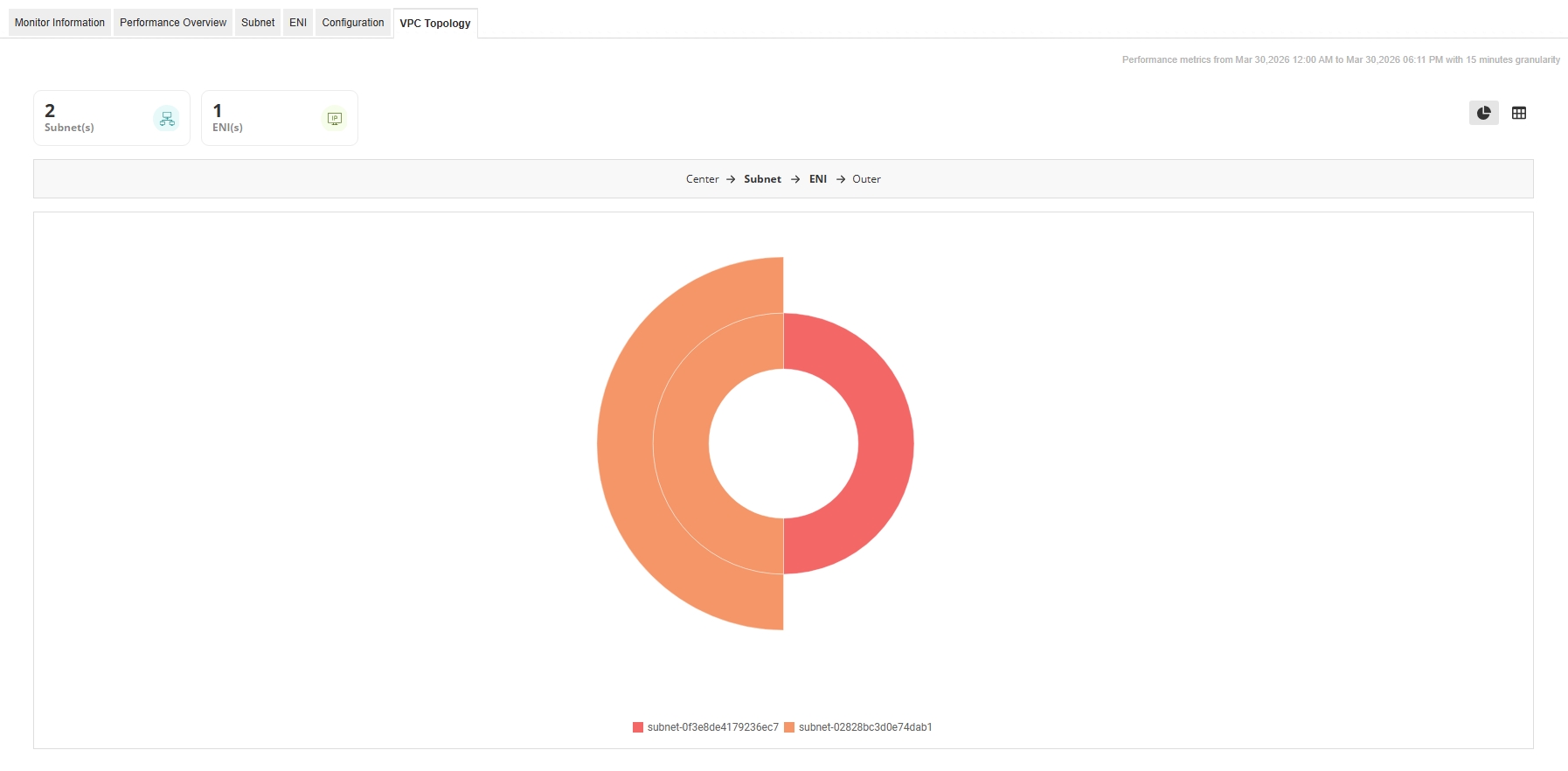
Supported Regions
You can collect metrics, visualize resource usage, and alert on operational behavior for all supported services across your AWS cloud environment for the following regions:
AWS Global Regions
| Region Name | Region Code |
|---|---|
| The following regions are supported in Applications Manager v13600 | |
| Asia Pacific (Mumbai) | ap-south-1 |
| Asia Pacific (Seoul) | ap-northeast-2 |
| Asia Pacific (Singapore) | ap-southeast-1 |
| Asia Pacific (Sydney) | ap-southeast-2 |
| Asia Pacific (Tokyo) | ap-northeast-1 |
| Canada (Central) | ca-central-1 |
| EU (Frankfurt) | eu-central-1 |
| EU (Ireland) | eu-west-1 |
| EU (London) | eu-west-2 |
| EU (Paris) | eu-west-3 |
| EU (Stockholm) | eu-north-1 |
| South America (Sao Paulo) | sa-east-1 |
| US East (N.Virginia) | us-east-1 |
| US East (Ohio) | us-east-2 |
| US West (N.California) | us-west-1 |
| US West (Oregon) | us-west-2 |
| The following regions are supported in Applications Manager v14780 | |
| Africa (Cape Town) | af-south-1 |
| Asia Pacific (Hong Kong) | ap-east-1 |
| Asia Pacific (Osaka-Local) | ap-northeast-3 |
| Europe (Milan) | eu-south-1 |
| Middle East (Bahrain) | me-south-1 |
| The following region is supported in Applications Manager v16010 | |
| Asia Pacific (Jakarta) | ap-southeast-3 |
| The following regions are supported in Applications Manager v16340 | |
| Asia Pacific (Hyderabad) | ap-south-2 |
| Europe (Spain) | eu-south-2 |
| Europe (Zurich) | eu-central-2 |
| Middle East (UAE) | me-central-1 |
| The following regions are supported in Applications Manager v16700 | |
| Asia Pacific (Melbourne) | ap-southeast-4 |
| Israel (Tel Aviv) | il-central-1 |
| The following regions are supported in Applications Manager v175400 | |
| Asia Pacific (Malaysia) | ap-southeast-5 |
| Asia Pacific (Thailand) | ap-southeast-7 |
| Canada (Calgary) | ca-west-1 |
| Mexico (Central) | mx-central-1 |
| The following regions are supported in Applications Manager v177600 | |
| Asia Pacific (Taipei) | ap-east-2 |
In case you want to monitor AWS in all the above-mentioned regions, choose the All Regions option under Global Regions in the Add/Edit monitor page. By default, this option will be enabled.
Note: Do not specify other regions when the All Regions option is selected. If other regions are chosen along with All regions, only the chosen regions will be considered while adding/updating the monitor.
AWS China Regions
The China regions are isolated from all other AWS (Global) regions and operated by AWS's Chinese partners separately from all other AWS regions. However, the cloud services offered in both AWS China regions are the same as those available in other AWS (Global) regions. From Version 13620, we support monitoring of Amazon Web Services in AWS China regions. Here is a list of regions available in the AWS China account:
| Region Name | Region Code |
|---|---|
| China (Beijing) | cn-north-1 |
| China (Ningxia) | cn-northwest-1 |
The default Account Type when adding a new Amazon monitor is AWS Global. Choose AWS China as the Account Type to monitor services in the AWS China regions.
AWS GovCloud Regions
AWS GovCloud (US) gives government customers and their partners the flexibility to architect secure cloud solutions. This is designed to host sensitive data, regulated workloads, and address the most stringent US government security and compliance requirements. AWS GovCloud regions are operated by employees who are US citizens on US soil, and are accessible only to US entities and root account holders who pass a screening process.
From version 15390 onwards, we support monitoring of Amazon Web Services in AWS GovCloud regions. The following is the list of regions available in the AWS GovCloud account:
| Region Name | Region Code |
|---|---|
| US East (US-Gov-East) | us-gov-east-1 |
| US West (US-Gov-West) | us-gov-west-1 |
The default Account Type when adding a new Amazon monitor is AWS Global. Choose AWS Gov Cloud as the Account Type to monitor services in the AWS GovCloud (US) regions.
Troubleshooting
1. When child monitors are not discovered or when there is no data in AWS and its child monitors.
- Check the list of APIs mentioned in this page and make sure the IAM user has all the required API permissions.
Check the region in which the user has created the resources in AWS and make sure the same region is supported/discovered in Applications Manager. Learn more.
Note: To connect to cloud services and access external data, make sure your internet connection is active. If a proxy server is needed in your environment to reach external websites, configure these proxy settings in the Settings tab. Refer here to know the hosts used for Amazon monitoring in Applications Manager.
2. No data in EC2 Instance in OS level metrics.
Most of the time, this issue occurs due to incorrect configuration in the CloudWatch agent configuration file, which is used to fetch data from EC2 instances.
Applications Manager fetches data from CloudWatch based on the following conditions:
- Namespace: AWS allows any namespace, but only 'CWAgent' is supported in Applications Manager.
- Dimensions: Only 'InstanceId' is supported. If any additional dimensions are configured in the agent configuration file, they will not be supported. The agent must use only the 'InstanceId' dimension.
Ensure that you have followed all the steps as mentioned in this page.
Ensure the JSON content is configured correctly in the agent.
Note: During each data collection for EC2 instance monitors, Applications Manager first attempts to collect Memory metrics (from Windows/Linux instances), followed by Disk metrics.
- For FAQs on adding an Amazon monitor, refer here.
- For information on Amazon monitor licensing, refer here.

