Direct Inward Dialing: +1 408 916 9890
 Free Edition
The Microsoft 365 admin center's Service Health Dashboard shows the Microsoft 365 services’ health statuses. Though there is a separate option to create alerts under the Security & Compliance Center in Microsoft 365, it is not comprehensive. You have an option in the native tool to get email notifications about the health of services and endpoints, but you can’t customize those emails.
With M365 Manager Plus by your side, you will never be in the dark about Microsoft 365 service outages and incidents. This Microsoft 365 auditing, alerting, and monitoring tool tracks the health and performance of all the services and endpoints 24/7 and sends out immediate email notifications to the admin once a service outage, incident, or advisory is detected. You can also customize the notifications as required.
M365 Manager Plus allows you to create monitoring schedules that run automatically at set intervals and send notifications to all stakeholders. You can download monitoring reports in any of the four formats—HTML, CSV, XLSX, and PDF—or print them. To grab a quick glance, you have the graphical dashboard on the home screen. To create a monitoring schedule in M365 Manager Plus:
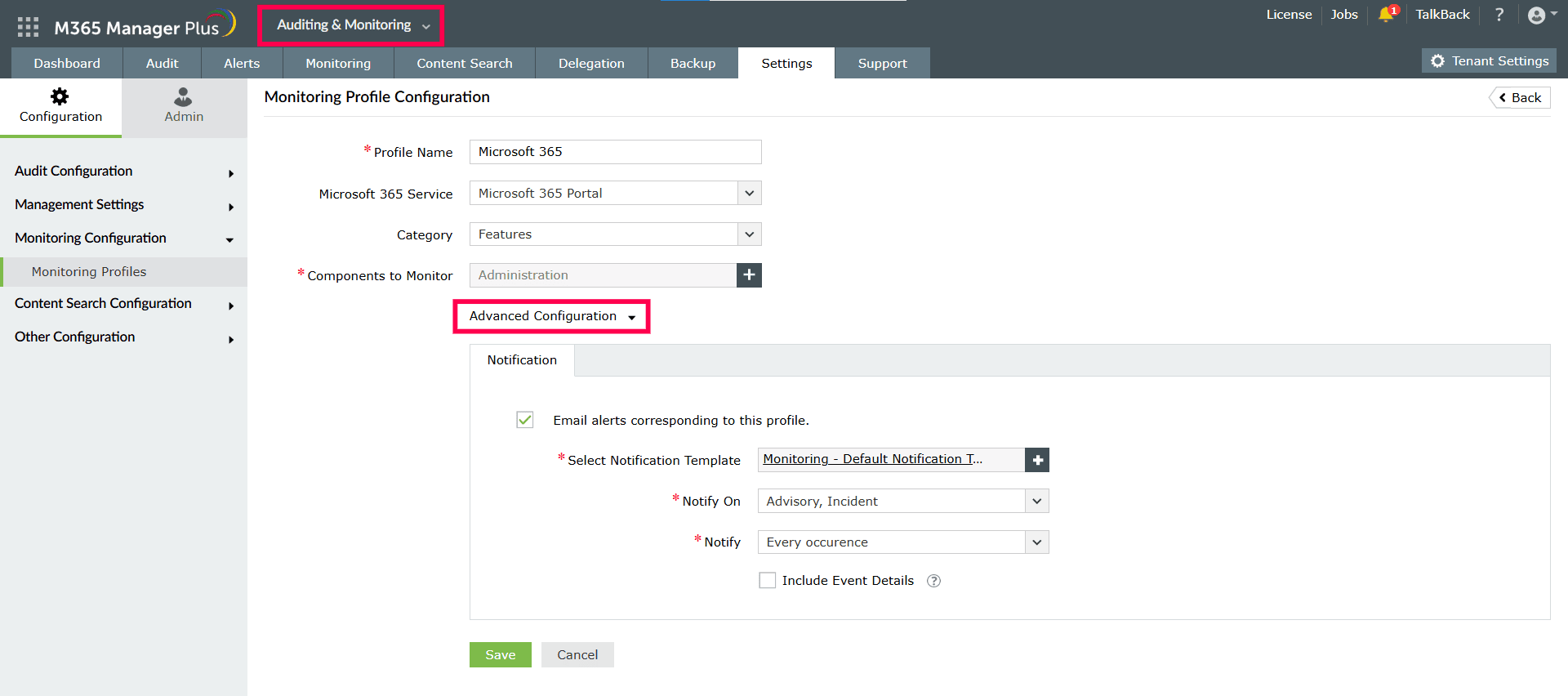
To learn more about M365 Manager Plus' monitoring feature, click here.
Know who accessed, which file, and when with built-in reports on OneDrive for Business.
Download a free trial now! Request demo
