- Knowledge base
- Active Directory management
- Active Directory reports
- Active Directoy integrations
- Active Directory automation
- Active Directory delegation
- Governance, risk, and compliance
- Microsoft 365 management and reporting
- AD migration
- Access certification
- Identity risk assessment
- Risk exposure management
- FAQs
- Pricing
- Online demo
- Request support
- Get quote
What is ADSI Edit?
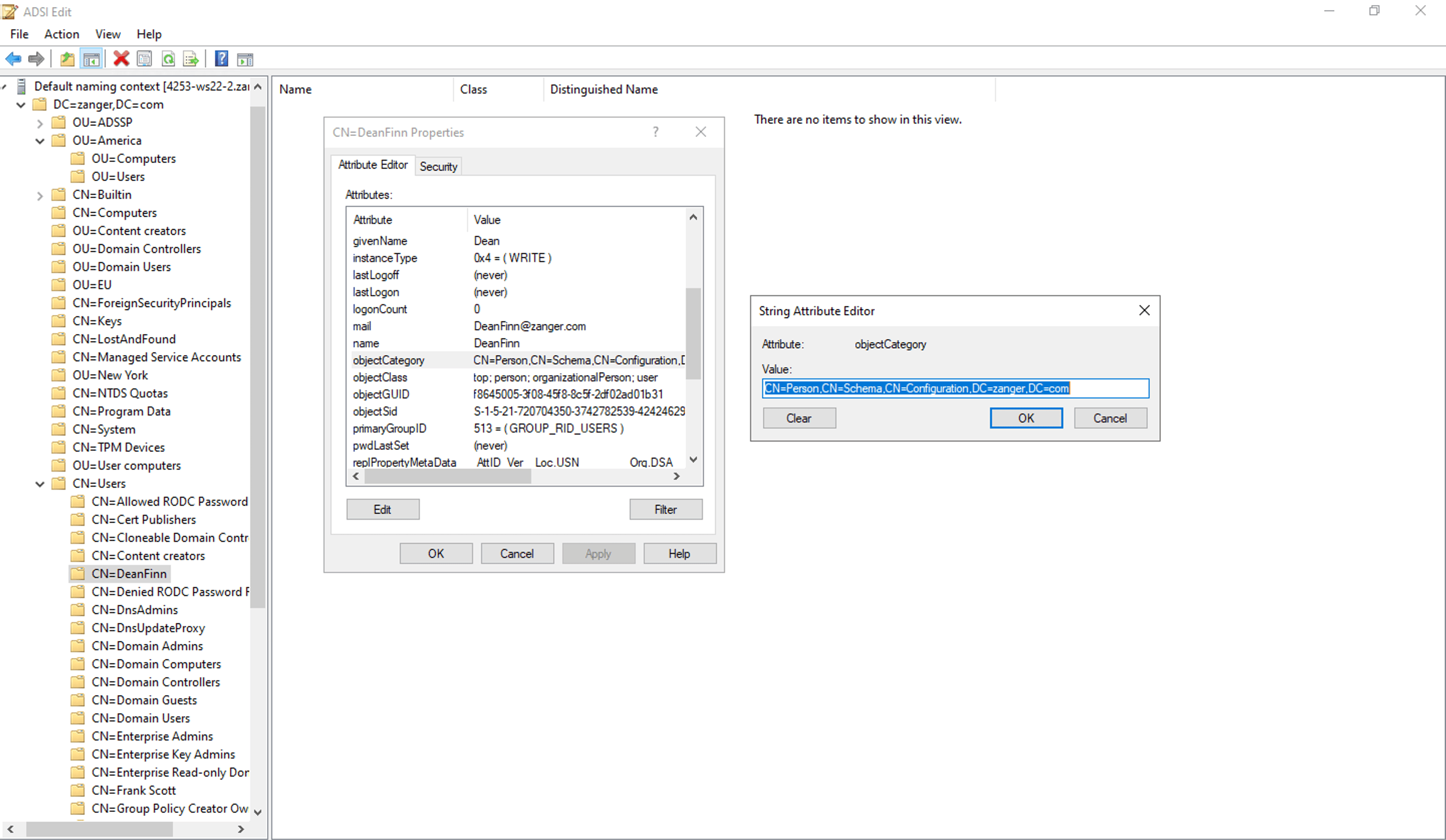
ADSI Edit is a snap-in for the Microsoft Management Console (MMC) that gives Active Directory (AD) administrators direct access to every object and attribute stored in the AD database. The name comes from Active Directory Service Interfaces (ADSI), a COM-based programming interface that Windows uses internally to communicate with directory services like AD, LDAP directories, and WinNT. ADSI Edit is the graphical front-end that exposes this interface to administrators without requiring them to write code.
Unlike Active Directory Users and Computers (ADUC) , which surfaces a curated set of properties, ADSI Edit exposes the raw schema along with every attribute and its value, including those that are not shown in standard consoles.
When you open ADSI Edit, you are looking at the AD database almost exactly as it is stored: attributes with their LDAP display names, object classes, distinguished names (DNs), and raw values. This is useful because it bypasses the filters and restrictions that tools like ADUC or Active Directory Administrative Center (ADAC) apply.
ADSI vs. ADSI Edit: What's the difference?
ADSI is the underlying API, a set of COM interfaces that developers use to read and write AD data. ADSI Edit is the tool built on top of that API, packaged as an MMC snap-in for administrators. The relationship is similar to how ODBC is an interface while SQL Server Management Studio is the tool.
What is ADSI Edit used for?
Administrators typically turn to ADSI Edit when a task cannot be completed through standard tools like ADUC and ADAC. Some common use cases include:
- Viewing or modifying attributes that are hidden in ADUC or ADAC, such as proxyAddresses, msDS-PasswordSettings, and showInAddressBook.
- Editing email aliases and proxy addresses when Exchange or Entra ID sync is involved.
- Browsing the schema and configuration naming contexts.
- Performing AD metadata cleanup such as removing orphaned domain controller (DC) objects after a failed DC promotion.
- Removing orphaned Exchange Server objects from the Configuration Partition after decommissioning.
- Recovering or browsing deleted objects from the Deleted Objects container.
How to access ADSI Edit
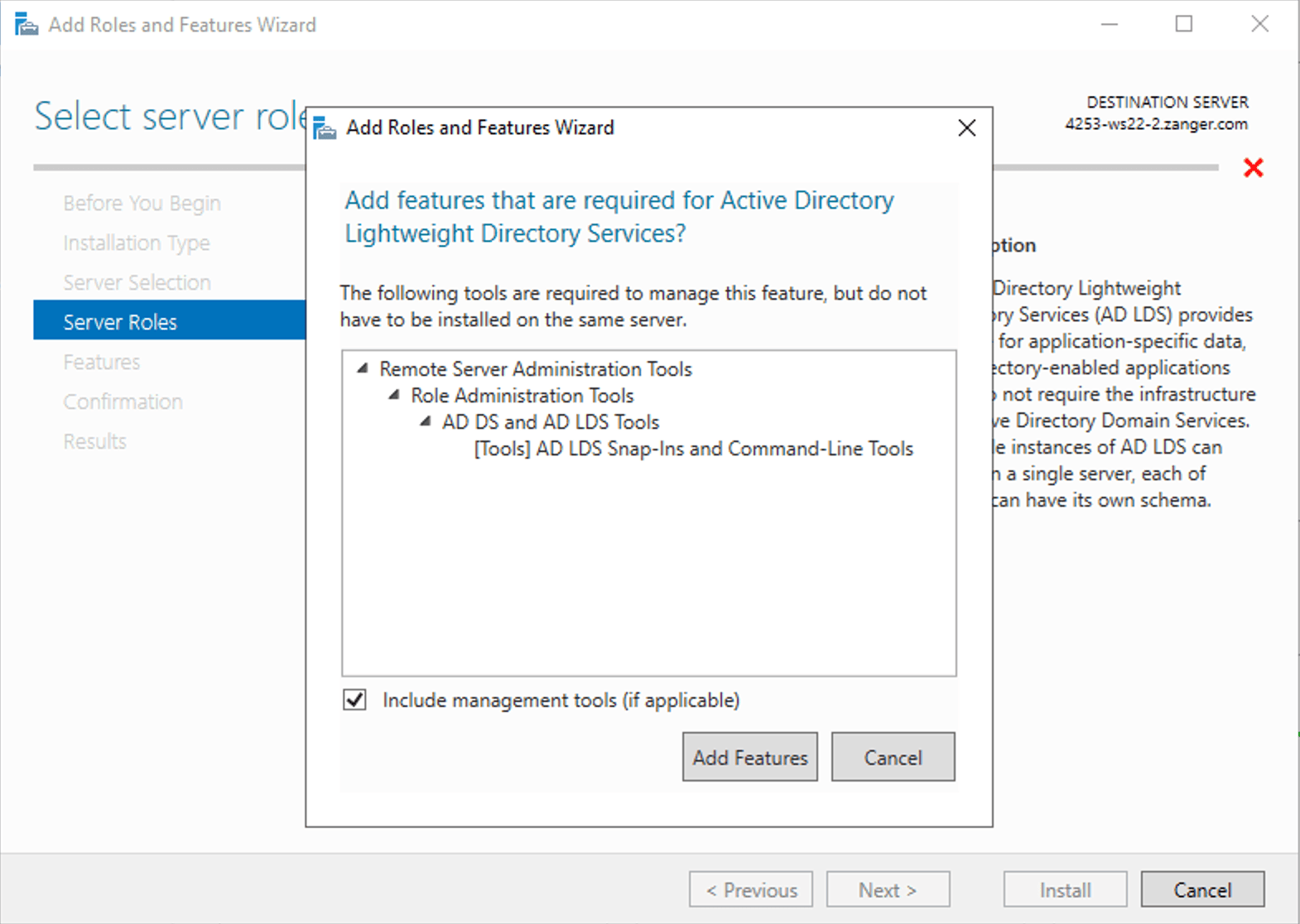
On Windows Server, ADSI Edit is available as part of Remote Server Administration Tools (RSAT) and is installed automatically when you add the Active Directory Domain Services Tools role. However, on client machines, it must be enabled manually.
To open ADSI Edit on any machine where it is already installed:
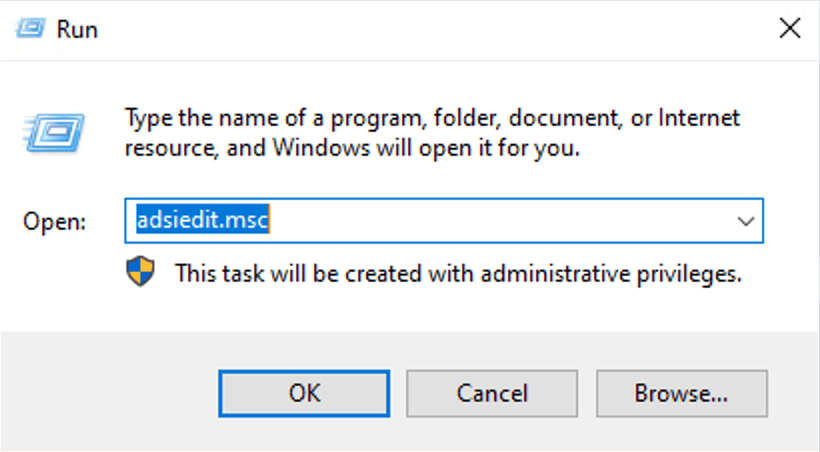
- Press Win + R.
- Type adsiedit.msc and press Enter.
Alternatively, you can also find it in Server Manager > Tools > ADSI Edit on Windows Server.
How to install ADSI Edit on Windows 10 and Windows 11
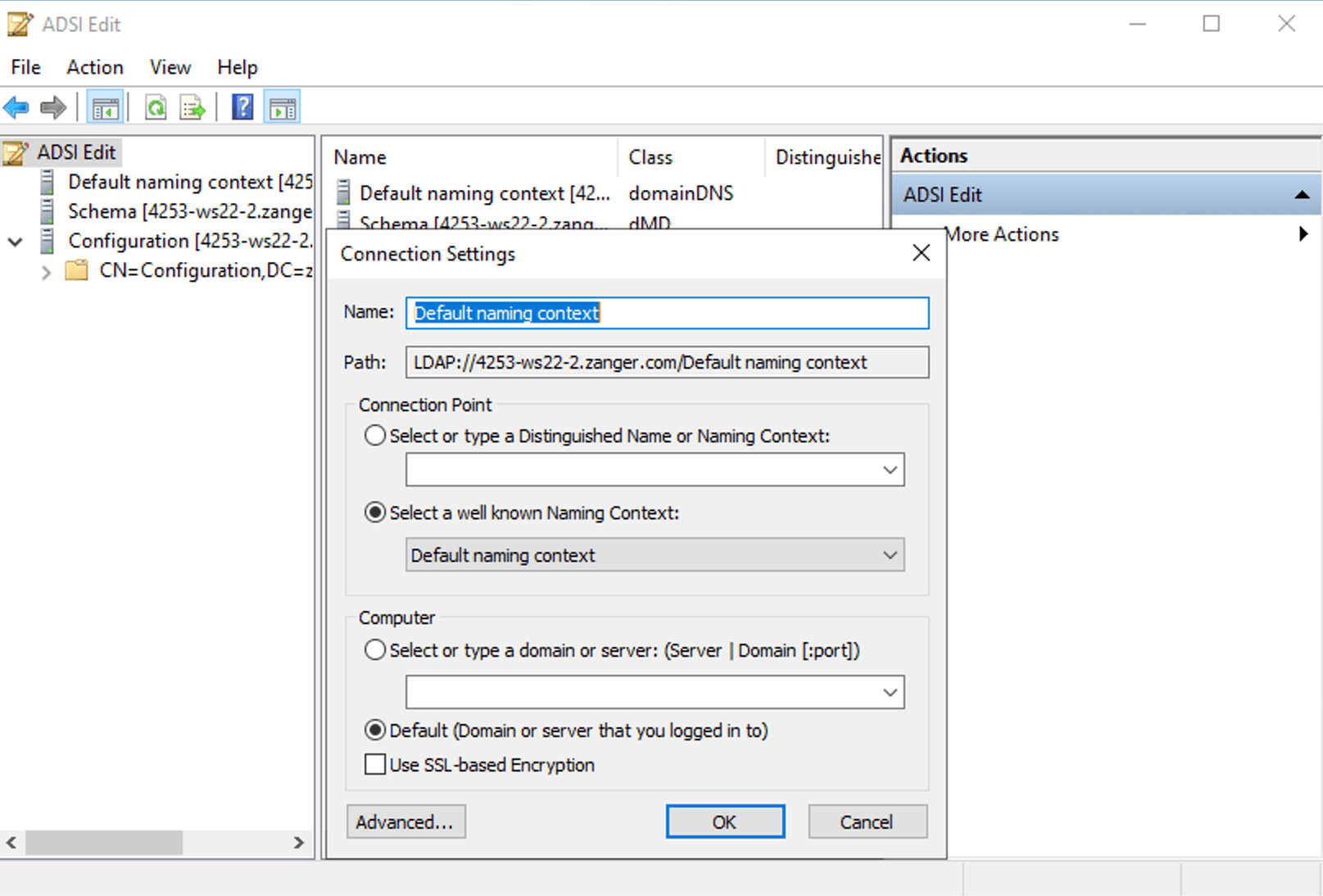
How to connect ADSI Edit to a different domain
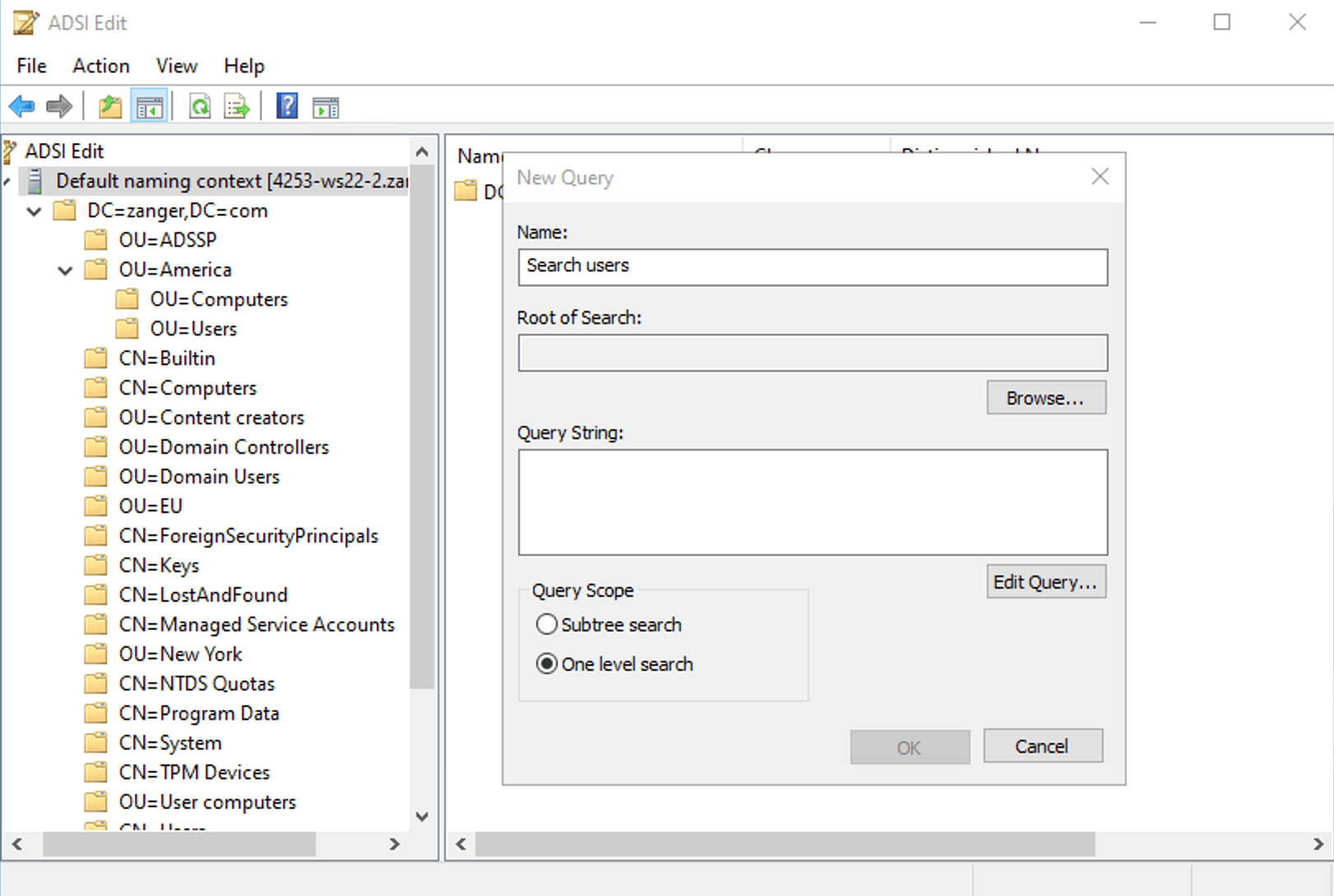
How to use ADSI Edit
How to use ADSI Edit with PowerShell
Limitations of ADSI Edit
ADSI Edit is a powerful tool, but it can cause serious problems including authentication failures, broken replication, and in extreme cases, database corruption that requires authoritative restore from backup. The risks stem from how the tool works:
- Changes are written immediately to AD and replicated across DCs and reverting a change requires manually editing the attribute or restoring it from a backup.
- ADSI Edit accepts any value you type for any attribute. Entering a malformed LDAP DN or the wrong data type for an attribute silently corrupts the value.
- ADSI Edit does not log who changed what and when. The only way to track changes is through Windows Security event logs, but only if AD auditing is enabled.
- Modifying the Schema Naming Context can affect every object in the forest.
- Any user with Domain Admin rights can use ADSI Edit, and you cannot grant access only for specific attributes without custom ACL configuration.
Troubleshooting common errors
- Error: There is no editor registered to handle this attribute type
This error appears when you try to edit a constructed or system-only attribute that ADSI Edit does not have a registered editor for. These attributes are read-only or managed by the AD system itself and you cannot manage them using ADSI Edit.
- Attribute Editor tab missing in ADUC
The Attribute Editor tab in ADUC only appears when Advanced Features is enabled. To enable this, navigate to View and enable Advanced Features. If the tab is still missing, verify if the RSAT installation is complete and try again.
- ADSI Edit will not connect to a domain
Verify if the machine running ADSI Edit can reach the DC over LDAP port 389 or LDAPS 636.
ADSI Edit best practices
ADSI Edit gives you direct write access to every attribute in the Active Directory database with no safety net. The following practices reduce the risk of unintended changes and make your work in the tool auditable and reversible where possible.
- Before changing any attribute, read its current value and note it in a change log, a ticket, or even a text file.
- If you are about to modify an attribute you have not worked with before, find a test user or a disabled account in a non-critical OU and apply the change there first. Verify the result is what you expected before applying it to the actual target.
- Connect only to the naming context you need for the task. If you are editing a user attribute, connect to the Default naming context and not to the Schema or Configuration partitions. This reduces the risk of accidentally navigating into and modifying a partition that can affect the entire forest.
- Never modify the Schema naming context unless you are certain you want to modify it and are doing it correctly. You can deactivate a custom attribute class, but you cannot delete it from the schema. Modifications to built-in schema objects can break replication across the forest. Treat the Schema partition as read-only in normal operations.
- Any change made in ADSI Edit is written to AD under the identity of the account running the MMC console. Using a named administrative account ensures that if the change causes a problem, the audit trail points to a specific person and action.
Managing AD without the risk of manual edits
ADSI Edit is the right tool for low-level diagnostic and remediation tasks such as browsing raw attributes, cleaning up orphaned objects, or fixing a specific naming context that cannot be reached any other way. However, as a day-to-day AD administration tool, it comes with a lot of challenges. Most AD attribute changes that admins perform using ADSI Edit can be securely performed through ADManager Plus , an AD management and reporting tool. It offers:
- Bulk attribute modification: Modify attributes across hundreds of users at once using templates and CSV imports.
- Role-based delegation: Grant help desk technicians the ability to modify specific attributes without giving them Domain Admin rights or ADSI Edit access.
- AD reporting: Gain insights on recently created, modified, and deleted objects and export them to meet audit requirements.
- AD cleanup and orphaned object management: Automate the identification and removal of stale accounts, orphaned objects, and inactive computers without manual ADSI Edit navigation.
FAQ
1. What does ADSI stand for?
ADSI stands for Active Directory Service Interfaces. It is a COM-based API framework that Windows uses to communicate with directory services such as Active Directory, LDAP directories, and the older WinNT provider.
2. Is ADSI Edit the same as adsiedit.msc?
Yes, adsiedit.msc is the MMC snap-in filename that launches the ADSI Edit tool. When you type adsiedit.msc in the Run dialog, you are opening the ADSI Edit console.
3. Can I use ADSI Edit on Windows 10 or Windows 11?
Yes, on Windows 10 and 11, navigate to Settings > Apps > Optional Features, search for RSAT: Active Directory Domain Services and Lightweight Directory Services Tools, and install it. The machine must be domain-joined or able to reach a DC.
4. What is the difference between ADSI Edit and ADUC?
ADUC displays a curated subset of object properties and is designed for everyday AD management. ADSI Edit exposes every attribute in the AD schema with no filtering and is useful for advanced tasks but is quite risky.
5. Can ADSI Edit reset passwords?
No, you cannot reset a user's password through ADSI Edit directly. Password resets require specific API calls over an encrypted channel and the unicodePwd attribute is write-only and requires LDAPS port 636 along with specific permissions.
6. How do I export data from ADSI Edit?
You cannot export data from ADSI Edit. To export AD object data, you can use ldifde, csvde, or PowerShell. These options give you structured output that you can export, audit, or process programmatically.