Why OpUtils is crucial for your network
Missing IP/DNS context
Flow anomalies show you what happened, but without hostname, MAC, or DNS identity, you can’t tell who or which device caused it, slowing down RCA.
Limited DHCP visibility
Conflicts, scope exhaustion, or misallocated IPs remain hidden until they cause outages, because flow data alone can't reveal DHCP health.
No switch-level visibility
Traffic issues can’t be tied back to the exact switch port or endpoint, making device tracing, fault isolation, and physical troubleshooting far slower.
Unseen rogue devices
Unknown MACs can join the network, consume bandwidth, or cause security issues, but remain invisible without real-time discovery and port mapping.
Integrating OpUtils with NetFlow Analyzer lets you gain complete DDI visibility, map devices to switch ports, correlate traffic with IP, DNS, and DHCP, and detect rogue devices - all from a single console for faster, more accurate troubleshooting.
Experience integrated bandwidth and DDI management from a single console
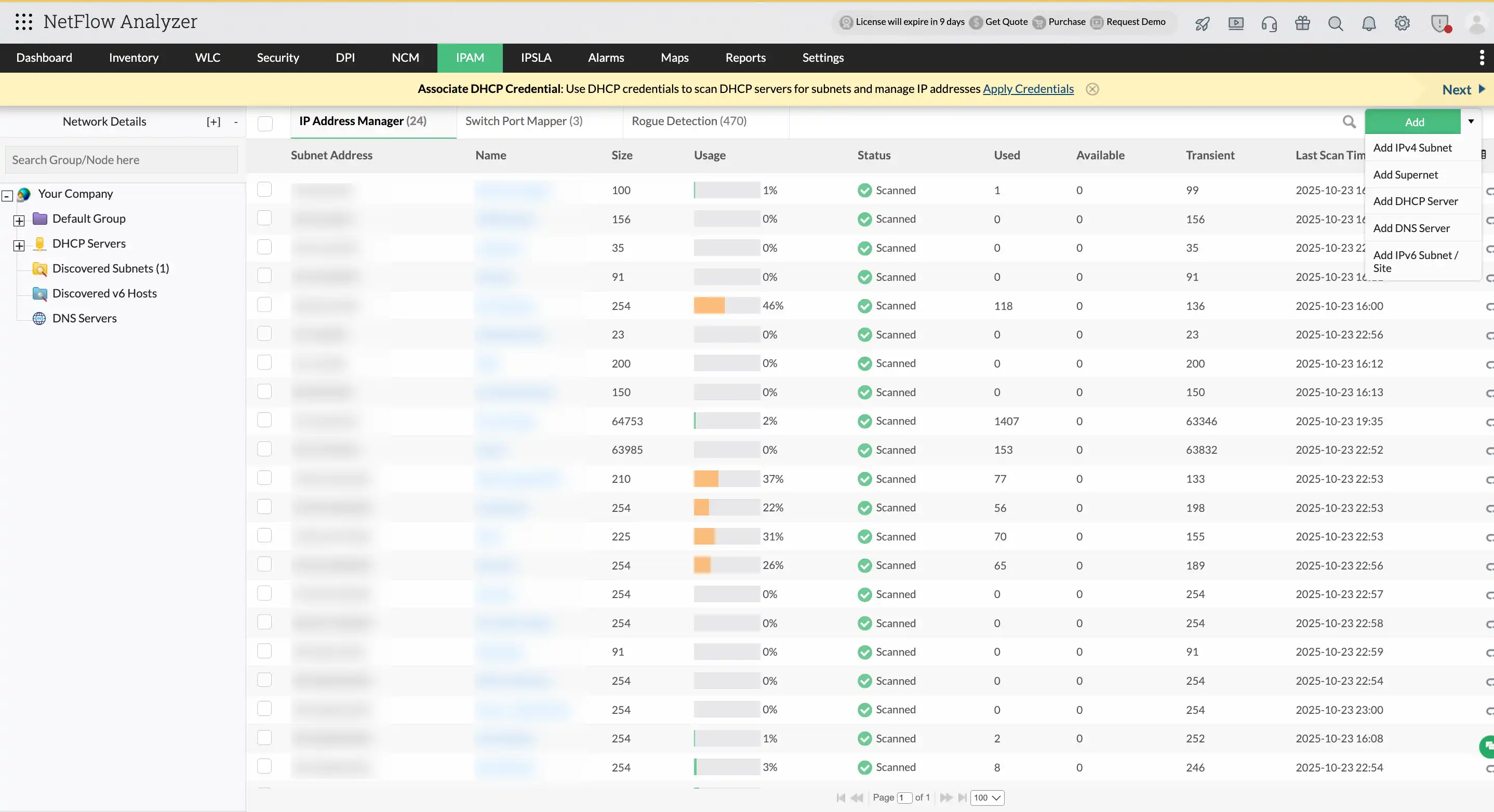
Real-time IP address management
OpUtils’ IP Address Management (IPAM) module within NFA provides complete visibility and control over your IP space:
- Automatically discover all IPs and subnets across your network.
- Monitor IP statuses like used, available, transient, or conflicted in real-time.
- Integrate with DHCP servers to prevent lease exhaustion and conflicts.
- Identify and reclaim unused IP addresses to optimize allocation.
Centralized DHCP and DNS visibility
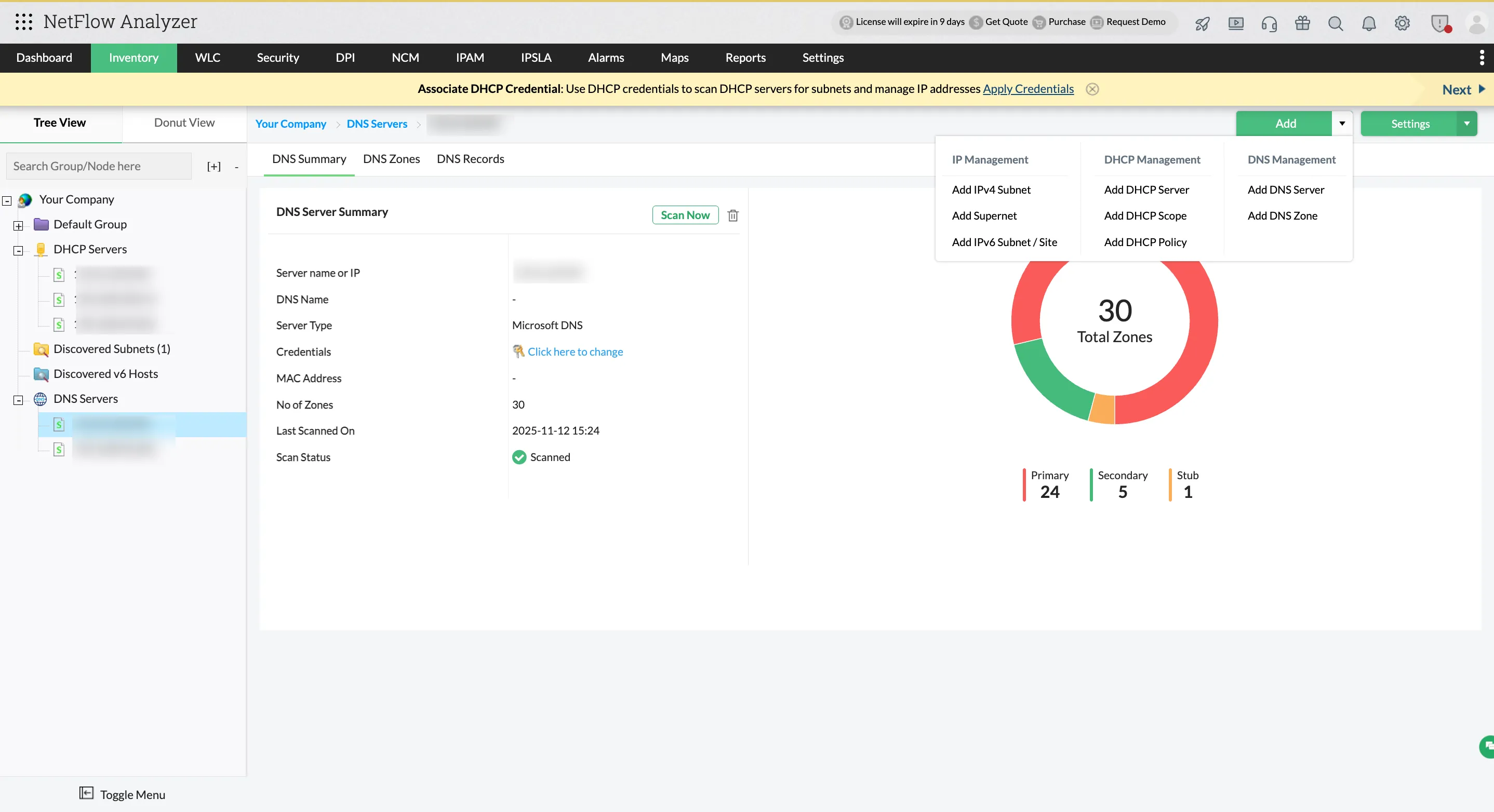
Simplify DDI management by monitoring Microsoft DHCP and DNS servers directly from the NFA console:
- View DHCP scopes, leases, and utilization in real-time.
- Discover DNS zones and records and manage name resolution data centrally.
- Correlate DHCP lease and DNS record details with IP and flow information for faster troubleshooting.
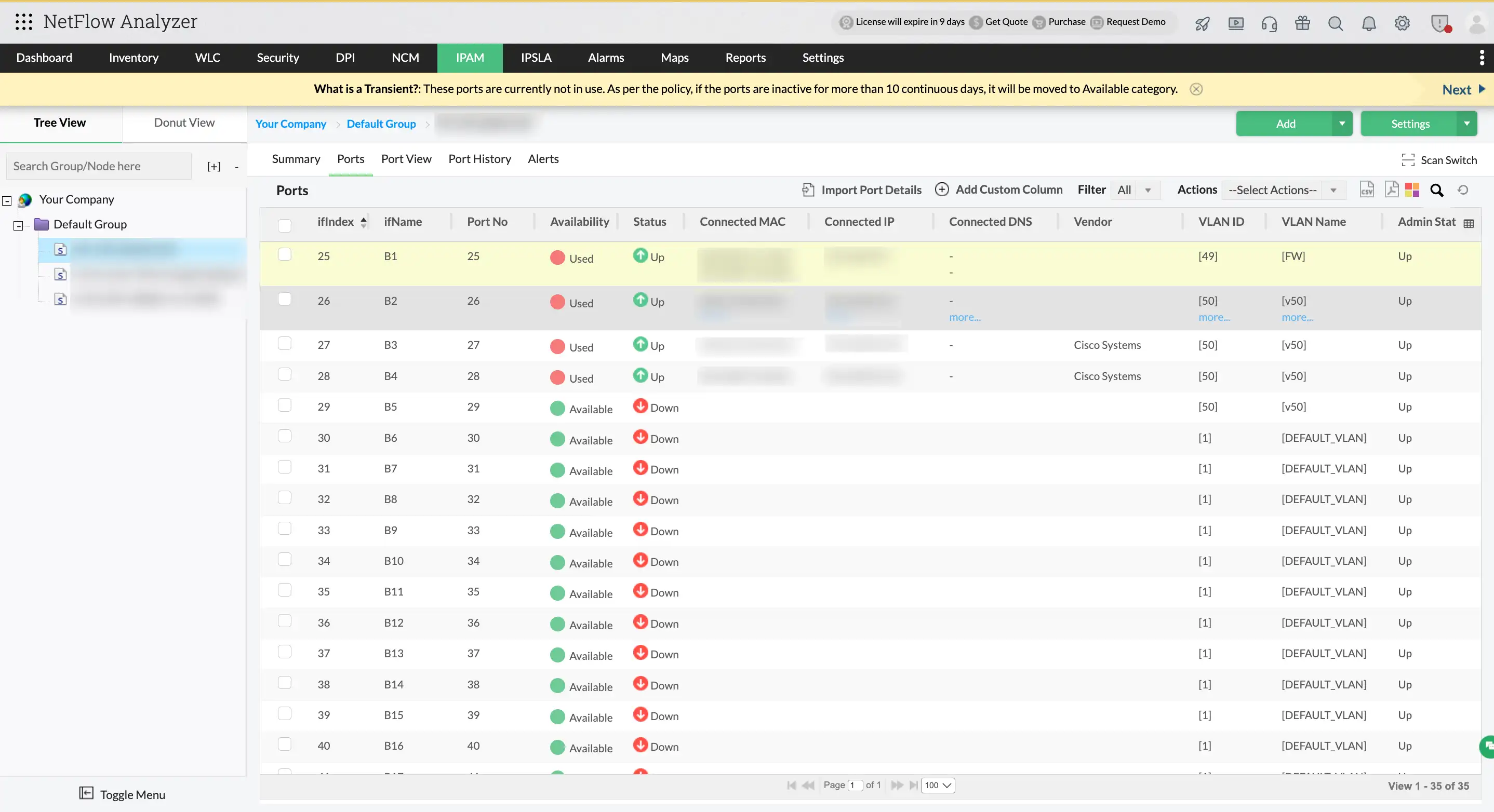
Instant switch port visibility
The Switch Port Mapper module in OpUtils delivers detailed insights into switch-level connectivity right within the NFA console:
- Map IP and MAC addresses to exact switch ports.
- View vendor details, port status, and last scan timestamps.
- Get a real-time inventory of devices across all switch ports.
- Identify inactive, misused, or unauthorized port usage.
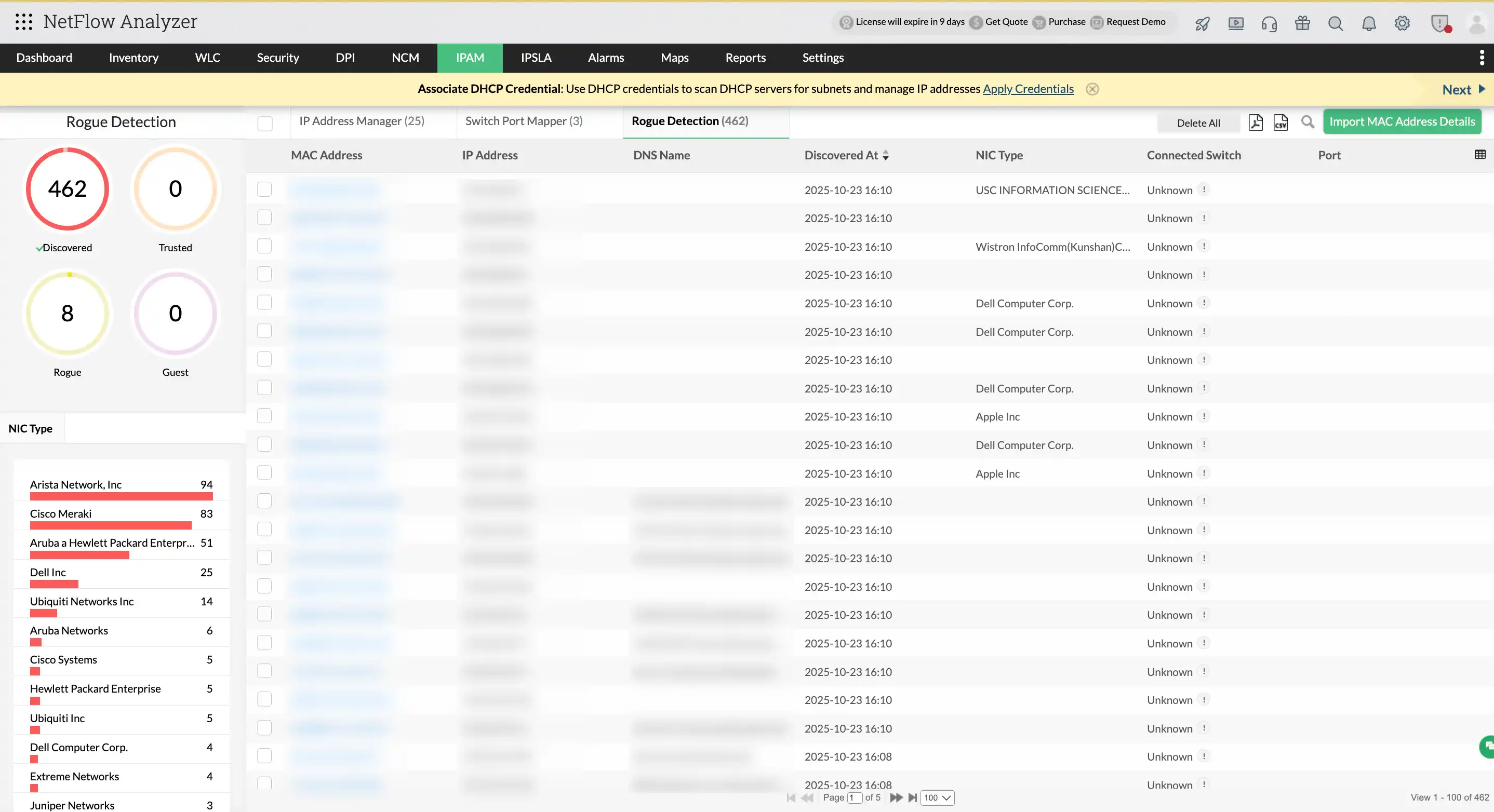
Rogue device detection and instant alerts
Strengthen network security with OpUtils by proactively identifying unauthorized devices within the NetFlow Analyzer's console:
- Scan for unknown or unauthorized MAC and IP addresses.
- Receive real-time alerts when rogue devices are detected.
- Pinpoint the device’s exact switch and port for rapid response.
All-in-one dashboard experience
OpUtils integrates seamlessly into the NetFlow Analyzer console, eliminating the need to switch between tools. With everything in one place, you can:
- Correlate IP status with traffic patterns in a single view.
- Map devices to switch ports while investigating flow anomalies.
- Detect and trace rogue systems during performance diagnostics.
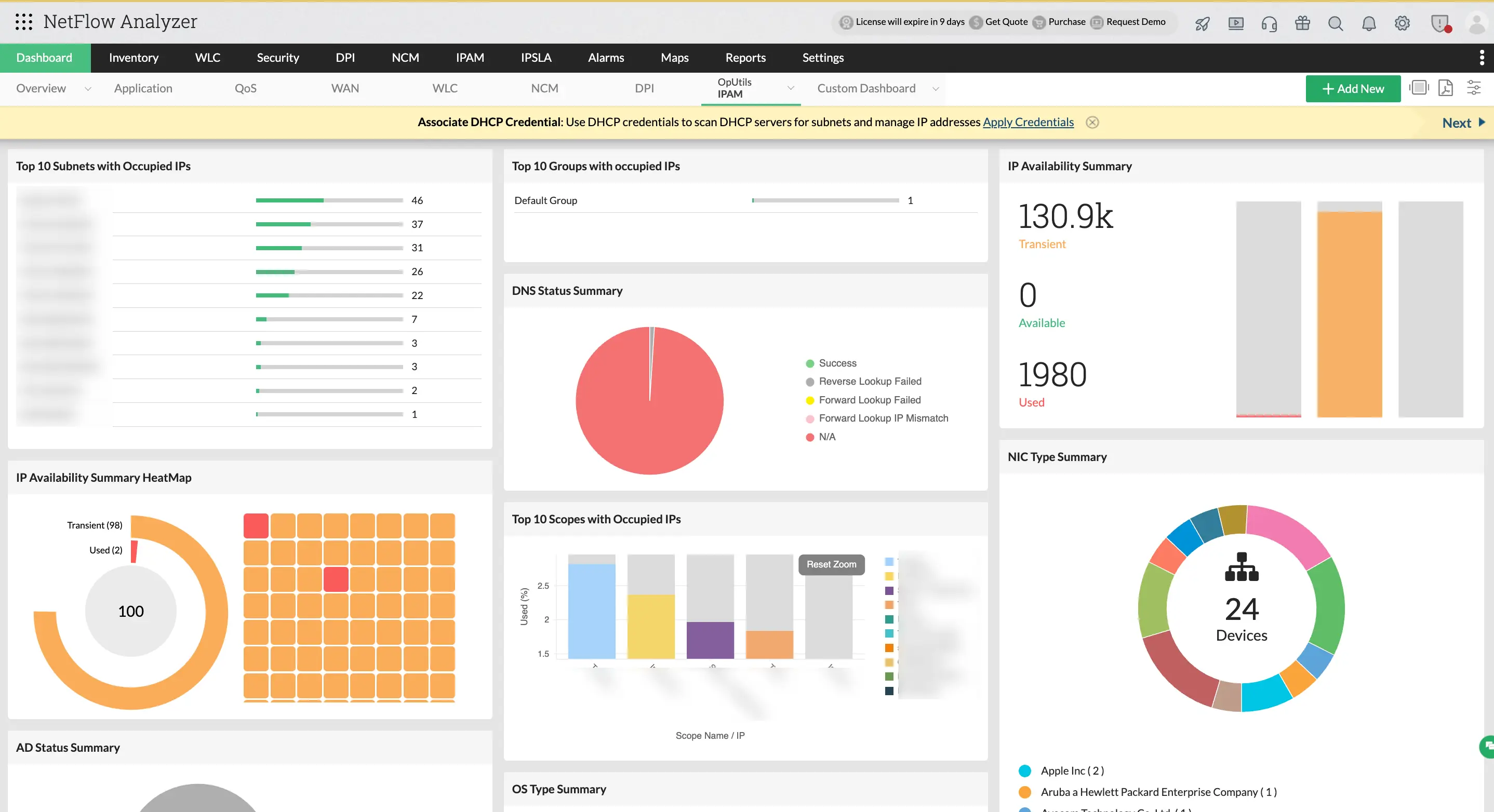
Benefits of using OpUtils inside NetFlow Analyzer
- Comprehensive IP address management (IPAM) with real-time visibility into subnets, usage, and conflicts.
- Centralized DHCP scope, lease, and policy management for optimized IP allocation and proactive conflict prevention.
- Streamlined DNS zone and record management directly from the NetFlow Analyzer console.
- Accelerated troubleshooting with correlated flow, device, and connectivity insights, plus automated IP and subnet scanning.
- Strengthened network security through real-time rogue device detection and instant alerts.
- Access to 30+ built-in network tools for diagnostics, scanning, and address resolution.
- With OpUtils integrated into NetFlow Analyzer, you can extend flow analysis with complete DDI visibility and control from IP tracking to DNS and DHCP management.

Get started with the OpUtils add-on in NetFlow Analyzer
Enable your 30-day trial
Go to Displayed Modules and enable IP Address & Switch Port Management (OpUtils) to activate your trial.
Discover IPs and subnets
Navigate to Settings → Discovery → IP Address Manager → Add IPs/Subnets to begin scanning your network.
Map switch ports
Go to Settings → Discovery → Switch Port Mapper → Add Switch to start mapping devices to switch ports.
Monitor and manage from the OpUtils tab
Once discovered, IP and switch data will appear under the OpUtils tab giving you real-time visibility into address usage, port connectivity, and rogue devices.
Explore advanced tools
Access over 30 built-in utilities for IP scanning, MAC/DNS resolution, SNMP monitoring, and more - all from a single console.
Ready to get started?
OpUtils add-on pricing starts at just $110. Want a custom quote that fits your network needs? Request a personalized quote here.