Pricing  Get Quote


How to reset ADSelfService Plus' default admin password

You might need to reset the password to ADSelfService Plus' default admin account if:

  • You have forgotten the password.
  • You are unable to verify your identity with MFA and do not have backup codes for the account.

In either case, you will need to manually reset the password of the admin account. To do so:
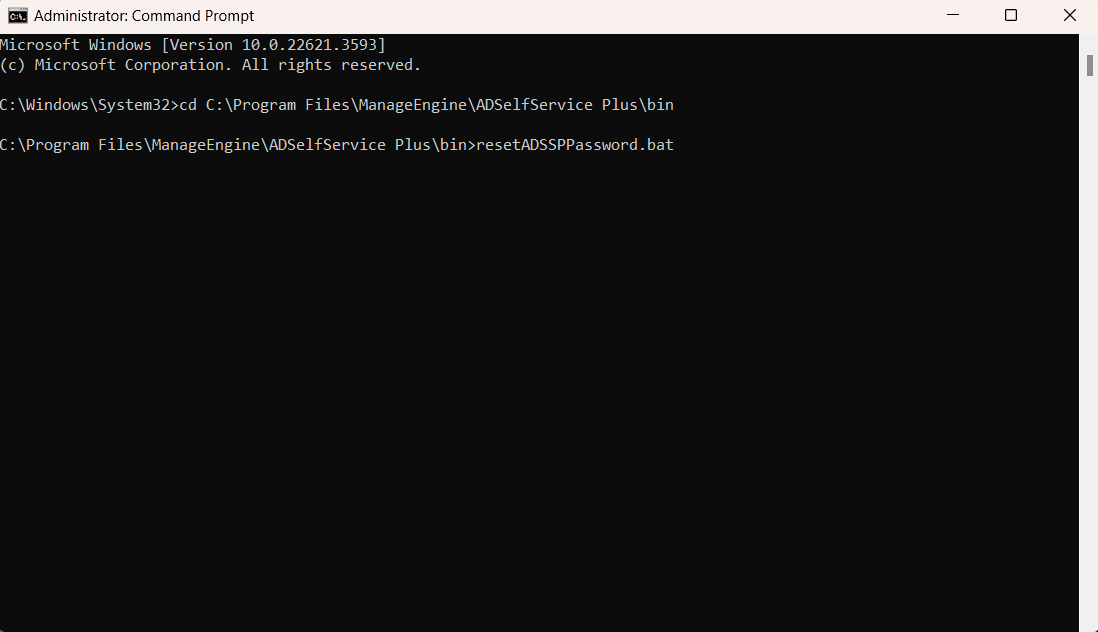
  1. Open the Command Prompt in elevated mode and navigate to the ADSelfService Plus installation directory. The default location is C:\Program Files\ManageEngine\ADSelfService Plus\bin.
  2. Execute the resetADSSPpassword.bat file.

    Primary authentication credentials

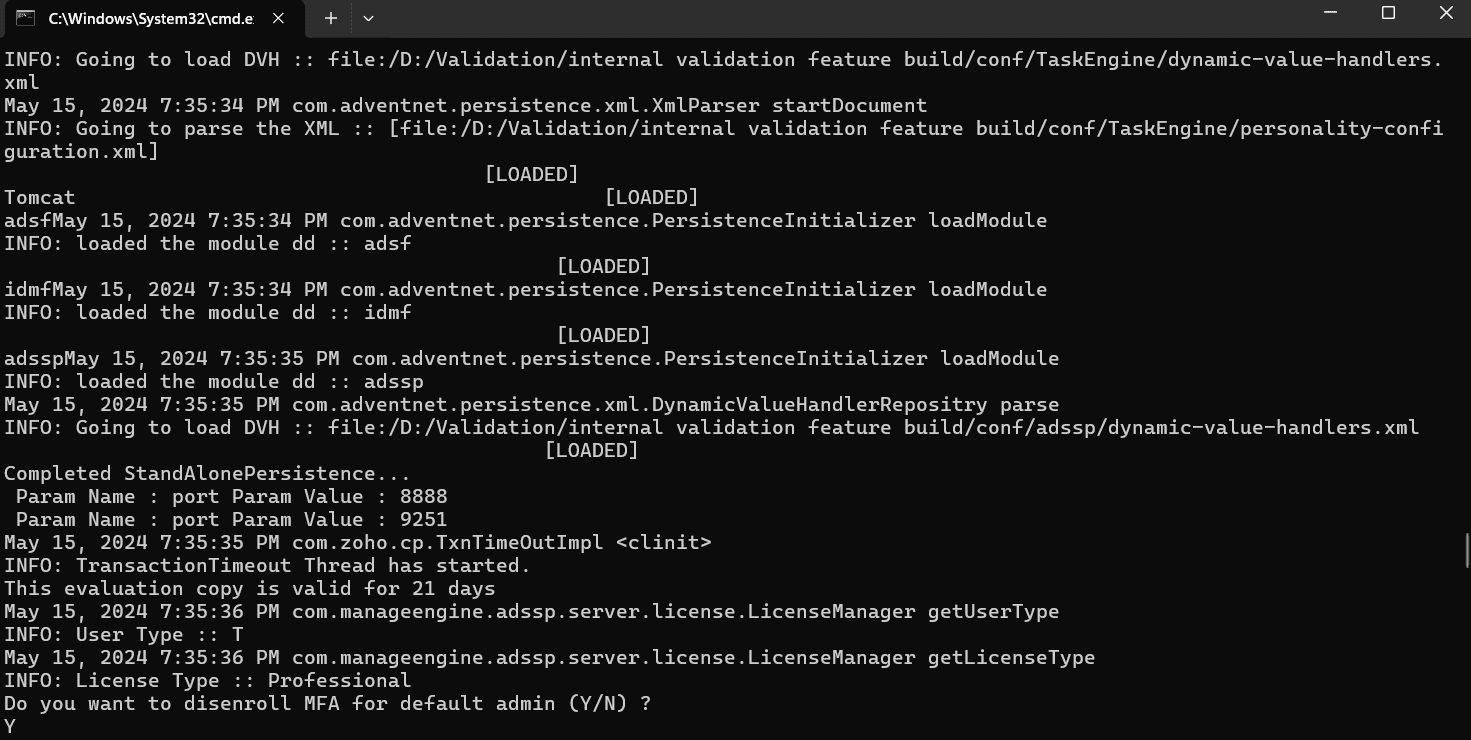
  3. You will be asked if you want to disenroll MFA for the default admin account. Enter Y.

    Primary authentication credentials

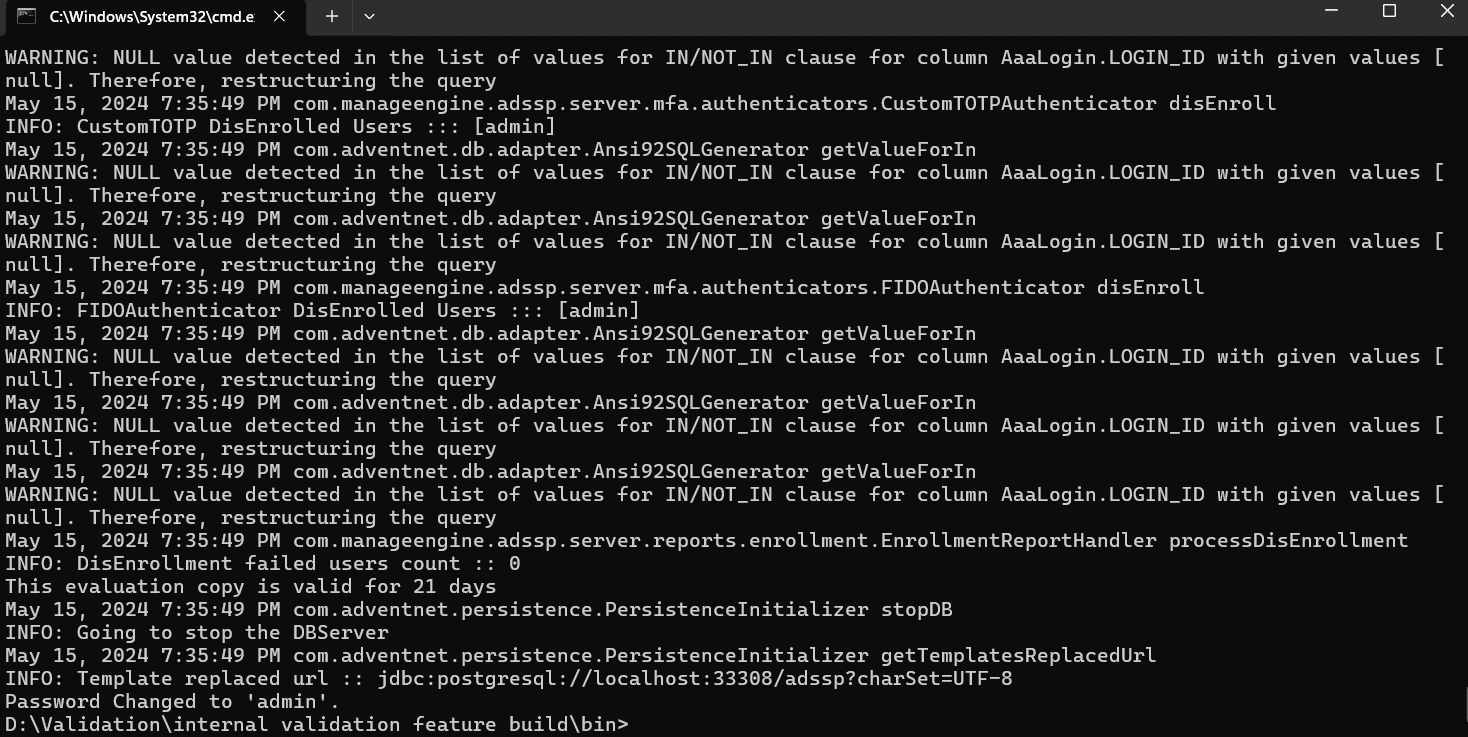
  4. This will reset the login credentials to the default settings (Username: admin, Password: admin).

    Primary authentication credentials

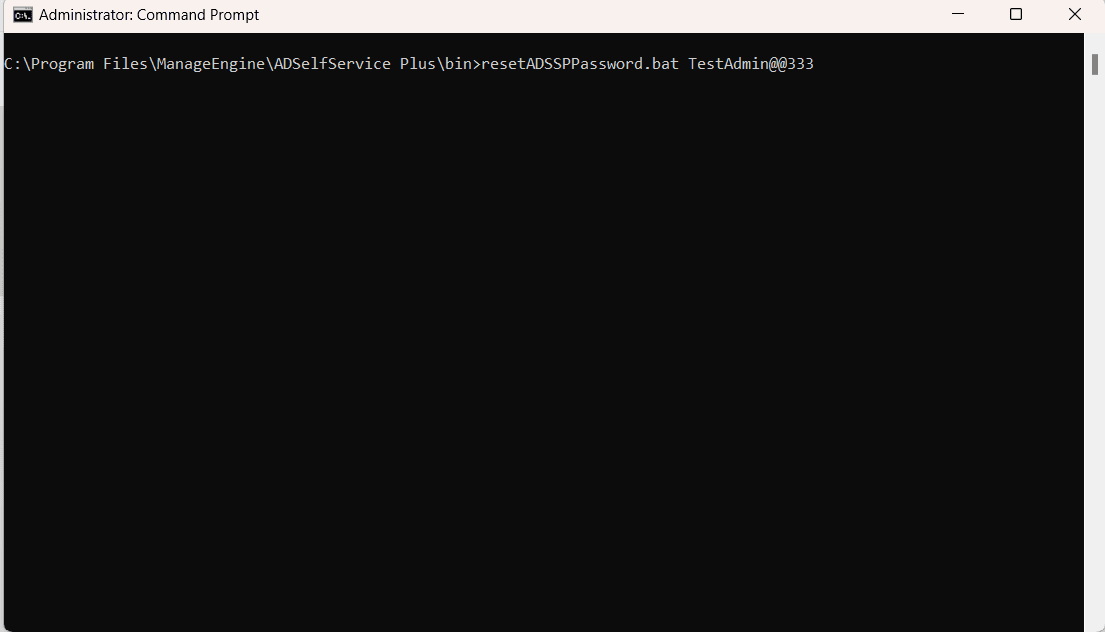
  5. You can also reset the password to a specific value using the resetADSSPpassword.bat file. To do so, open the Command Prompt in elevated mode, navigate to the \bin folder of the ADSelfService Plus installation directory and execute the resetADSSPpassword.bat file with the password as an argument.

    It should be in this format:

    <Installation_Directory>\bin\resetADSSPpassword.bat <new_password>

    Example: In the following screenshot, the password is being changed to TestAdmin@@333.
    Primary authentication credentials

  6. Now, log into ADSelfService Plus with the changed admin credentials and enroll for the required MFA factors.

Note: It is highly recommended to generate backup codes for the default admin account upon enrollment.

Request for Support

Need further assistance? Fill this form, and we'll contact you rightaway.

  • Name
  •  
  • Business Email *
  •  
  • Phone *
  •  
  • Problem Description *
  •  
  • Country
  •  
  • By clicking 'Submit' you agree to processing of personal data according to the Privacy Policy.
Highlights of ADSelfService Plus

Password self-service

Allow Active Directory users to self-service their password resets and account unlock tasks, freeing them from lengthy help desk calls.

One identity with single sign-on

Get seamless one-click access to 100+ cloud applications. With enterprise single sign-on, users can access all their cloud applications using their Active Directory credentials.

Password and account expiry notification

Intimate Active Directory users of their impending password and account expiry via email and SMS notifications.

Password synchronization

Synchronize Windows Active Directory user passwords and account changes across multiple systems automatically, including Microsoft 365, Google Workspace, IBM iSeries, and more.

Password policy enforcer

Strong passwords resist various hacking threats. Enforce Active Directory users to adhere to compliant passwords by displaying password complexity requirements.

Directory self-update and corporate directory search

Enable Active Directory users to update their latest information themselves. Quick search features help admins scout for information using search keys like contact numbers.


ADSelfService Plus trusted by

Embark on a journey towards identity security and Zero Trust