
 Free Edition
Traditional passwords aren't enough to secure identities anymore. From the classic brute-force attack, to keyloggers, and phishing, passwords can be stolen through numerous tactics. Multi-factor authentication (MFA) mitigates the risk of credential harvesting, since a cyberattacker would need more than just a password to gain access.
Enforcing MFA for all the endpoints in an IT environment, including local, remote, cloud application, and offline logons ensures holistic protection against identity theft. This leaves no loopholes for a cyberattacker to gain initial access. In addition to enhancing security, MFA is also a key component to achieving regulatory compliance such as GDPR, HIPAA and PCI DSS, Zero Trust, and purchasing cyber insurance premiums.
Remote Authentication Dial-In User Service (RADIUS) is a secure client-server protocol that is used to authenticate and authorize access into a network. It provides centralized authentication services to the servers that remote users use to connect to the network.
RADIUS authentication can also be used as an effective MFA technique. When it is used for MFA, the first step is to enter the username and password. A MFA prompt is triggered, after successful verification, where users must enter their unique RADIUS password.
For added protection, admins can configure RADIUS challenge. After this is enabled, users must provide a one-time verification code or secret key in addition to the RADIUS password.
Let's take a look at some of the benefits of leveraging RADIUS for MFA:
ADSelfService Plus is an identity security solution with MFA, SSO, and self-service password reset capabilities. It helps you secure access to workstations (Windows, Linux, and Mac), servers, RDP, UAC, cloud applications, and more using RADIUS as an MFA option.
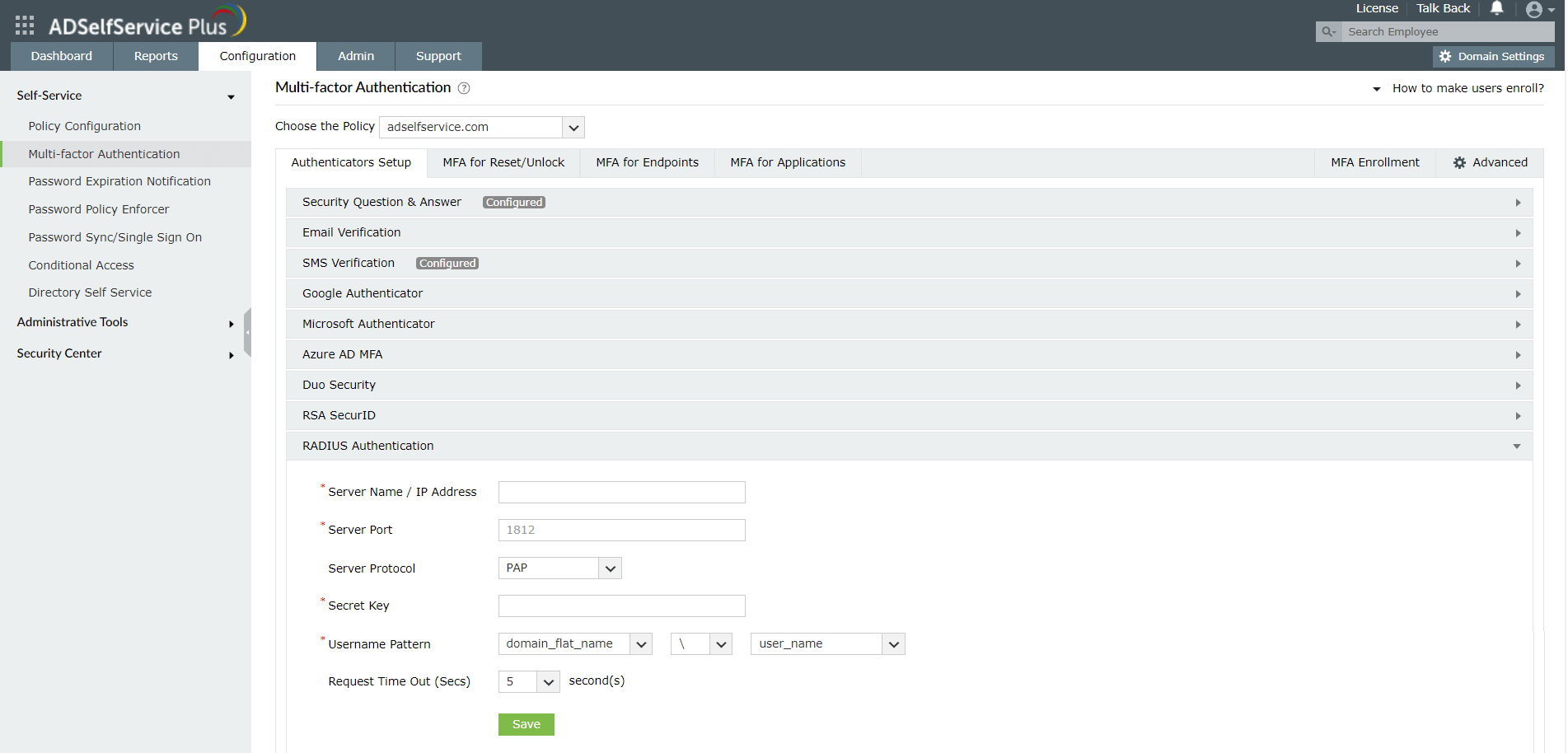
Here are the steps involved:
Need further assistance? Fill this form, and we'll contact you rightaway.
Allow Active Directory users to self-service their password resets and account unlock tasks, freeing them from lengthy help desk calls.
Get seamless one-click access to 100+ cloud applications. With enterprise single sign-on, users can access all their cloud applications using their Active Directory credentials.
Intimate Active Directory users of their impending password and account expiry via email and SMS notifications.
Synchronize Windows Active Directory user passwords and account changes across multiple systems automatically, including Microsoft 365, Google Workspace, IBM iSeries, and more.
Strong passwords resist various hacking threats. Enforce Active Directory users to adhere to compliant passwords by displaying password complexity requirements.
Enable Active Directory users to update their latest information themselves. Quick search features help admins scout for information using search keys like contact numbers.








