- Free Edition
- Quick Links
- Exchange Mailbox Reports
- Mailbox Size Reports
- Mailbox Properties Reports
- Mailbox Status Reports
- Mailbox Permission Reports
- Mailbox Content Reports
- Mailbox Logon by Users
- Inactive Mailboxes Reports
- Mailbox Enabled Users
- Office 365 Mailbox Reports
- Room Mailbox Reports
- Shared Mailbox Reports
- Exchange Mailbox Permissions
- Shared Mailbox Permissions
- Calendar Permission Reports
- Export Mailbox Permissions Reports
- Export Mailbox Size Reports
- Export Exchange Mailbox Reports
- Export Public Folder Lists
- Exchange Server Monitoring
- Client Access Server Health
- Exchange Server Monitoring Tool
- Exchange Server Monitoring Reports
- Exchange Service Health Monitoring
- DAG Monitoring Reports
- Connectivity Monitoring Reports
- Mail Flow Health Monitoring
- Exchange Database Monitoring
- Storage Monitoring Reports
- Email Queue Monitoring
- Replication Health Monitoring
- Exchange Audit Reports
- Exchange Server Auditing
- Exchange Server Auditing and Alerting
- Exchange Server Compliance Reporting
- Exchange Audit and Compliance Tool
- Exchange Admin Audit Logging
- Non-Owner Mailbox
Logon Reports - Mailbox Permission Changes Reports
- Mailbox Property Changes Reports
- Exchange Database Changes Reports
- Server Configuration Changes Reports
- Exchange Mailbox Audit Logging
- Exchange Traffic Reports
- Exchange Office 365 Reports
- Other Reports
- Mailbox Content Search
- Skype for Business server reporting
- Outlook Web Access Reports
- ActiveSync Reports
- Mailbox and Public Store Reports
- Distribution Lists Report
- Server Storage Tracking Reports
- Public Folder Reports
- Public Folder Content Report
- Email Non-Delivery Reports
- Retention Policy Reports
- Email Non Delivery Reports
- Exchange Migration
- Resources
- Related Products
- ADManager Plus Active Directory Management & Reporting
- ADAudit Plus Hybrid AD, cloud, and file auditing and security
- ADSelfService Plus Identity security with MFA, SSO, and SSPR
- EventLog Analyzer Real-time Log Analysis & Reporting
- M365 Manager Plus Microsoft 365 Management & Reporting Tool
- SharePoint Manager Plus SharePoint Reporting and Auditing
- DataSecurity Plus File server auditing & data discovery
- RecoveryManager Plus Enterprise backup and recovery tool
- AD360 Integrated Identity & Access Management
- Log360 Comprehensive SIEM and UEBA
- AD Free Tool Active Directory Free Tool
With the evolution of Microsoft Microsoft 365, ManageEngine Exchange Reporter Plus has integrated Microsoft 365 mailboxes with the Exchange Server. Users can sure access their mailboxes on the go. But as the access window widens, due care must be weighed in to manage Microsoft 365 mailbox activities. Admins, over the years have become adaptable to the evolving technology and have been handling novel tasks quite smartly. Managing Microsoft 365 mailboxes isn’t really a tedious job; however, it requires frequent visits to ensure efficient capacity planning. Exchange Reporter Plus users can now access Microsoft 365 Reports that shows the details of M365 mailboxes. It covers the following:
Mailbox Enabled Users
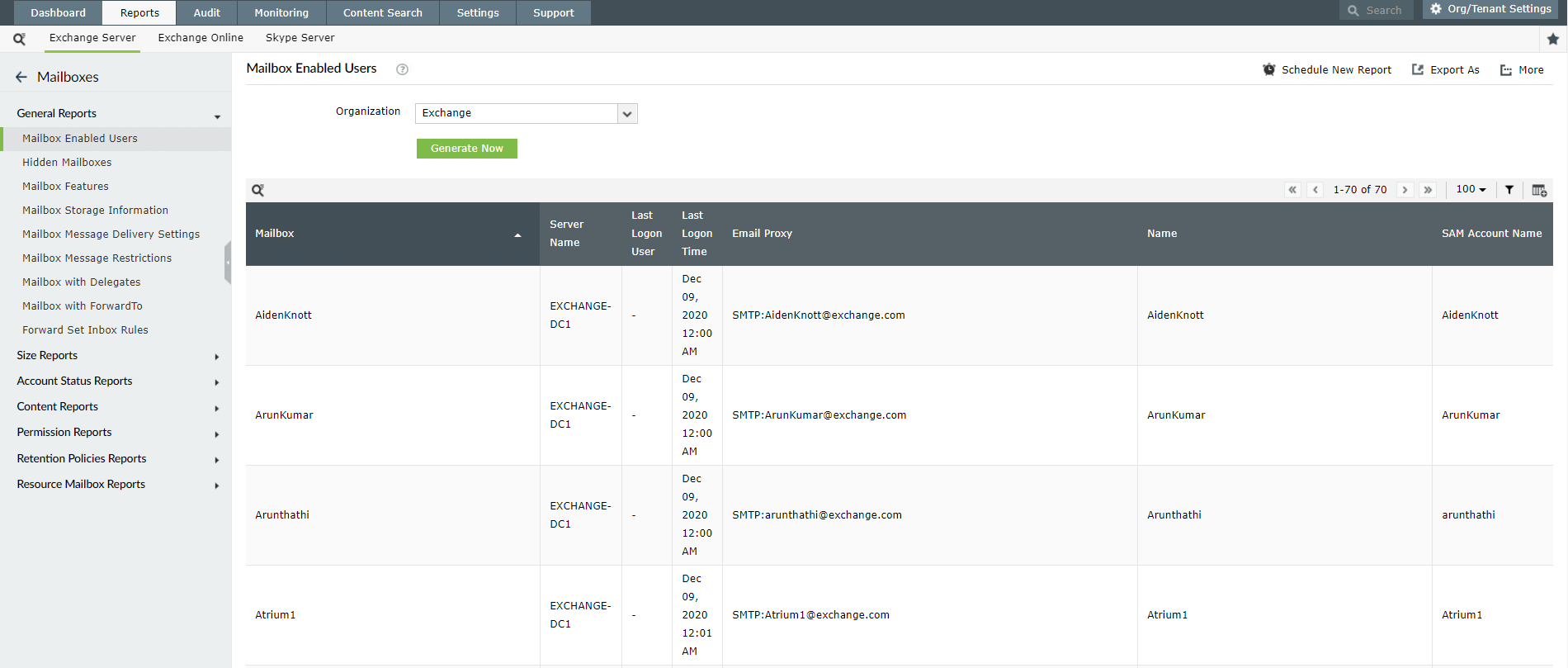
This report lists all Mailbox Enabled Users. The Mailbox Name, Email id and Server information are listed in the report. It essentially gives the information of all the users who bear an Microsoft 365 account.
Report on and audit Exchange Online using Exchange Reporter Plus.
Mailbox Size
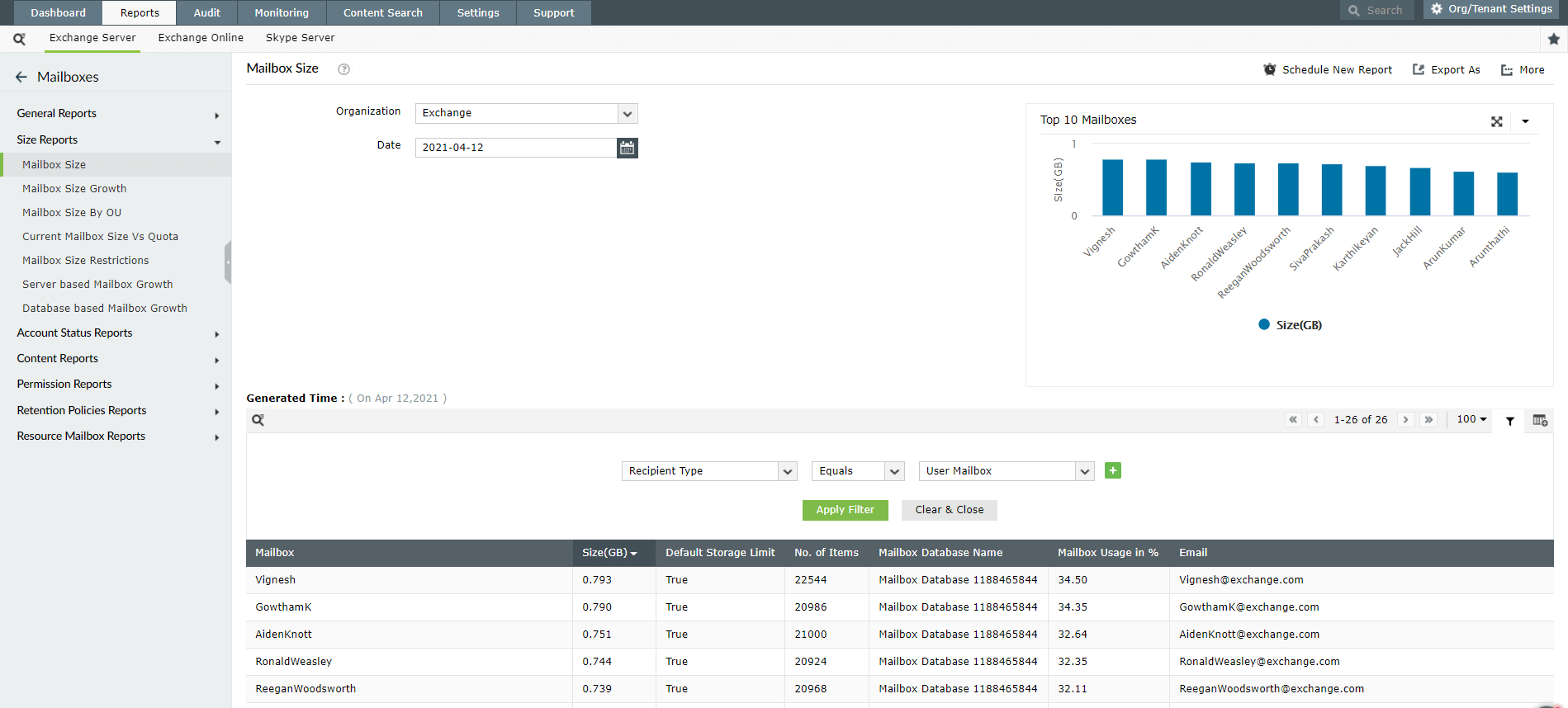
This report returns the current list of all M365 Mailboxes in an Exchange Organization and their respective sizes & count. Mailbox Size is displayed for the current time by default.
The report also offers a statistical data. It sorts the Top 10 Mailboxes by Size and displays the same on a Bar Graph. Furthermore, each of the bars can show mailbox specific information.
Inactive Mailboxes
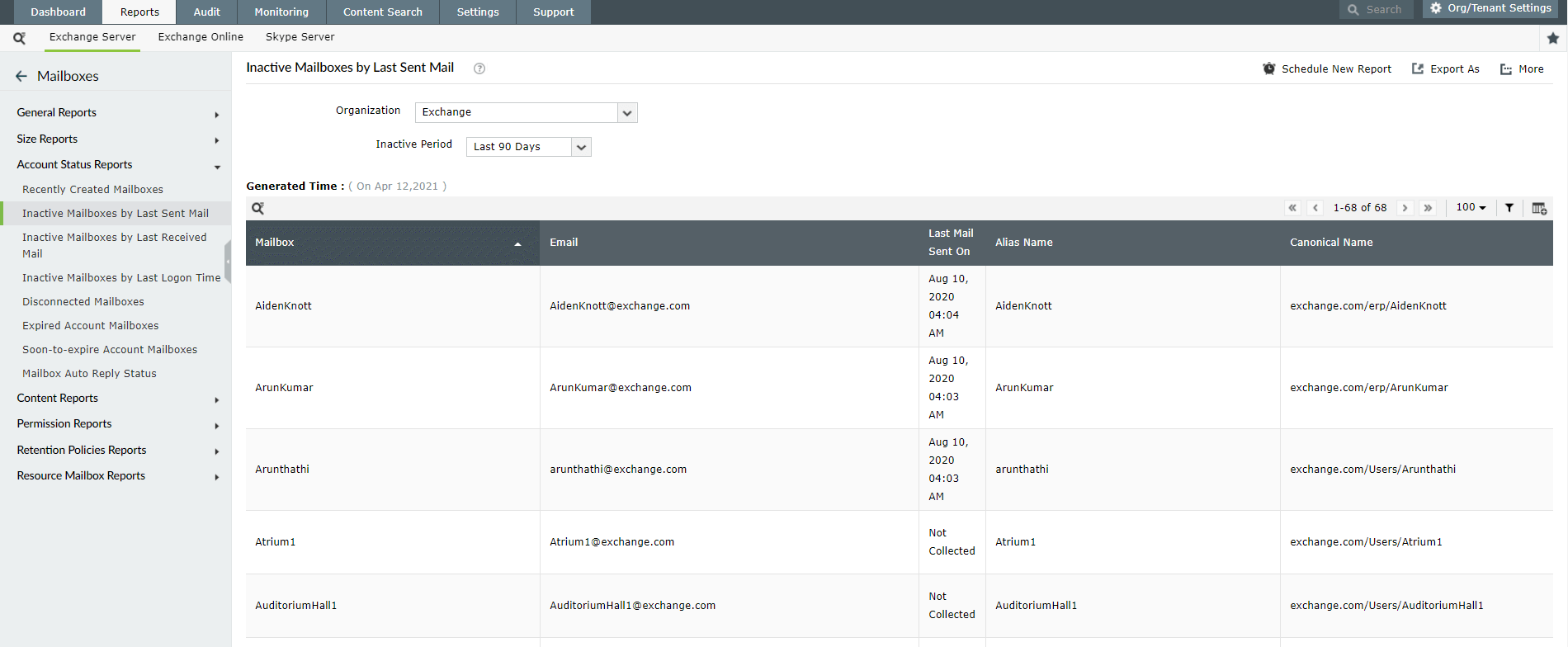
This report lists all the inactive Microsoft 365 mailboxes in the Exchange Server. The report is based on the last logon time of a user. Any Mailbox that hasn’t been logged on within a specified number of days is considered to be inactive by Exchange Reporter Plus. The report features the Mailbox names, the corresponding email id along with the date of last logon.
Archive Mailboxes
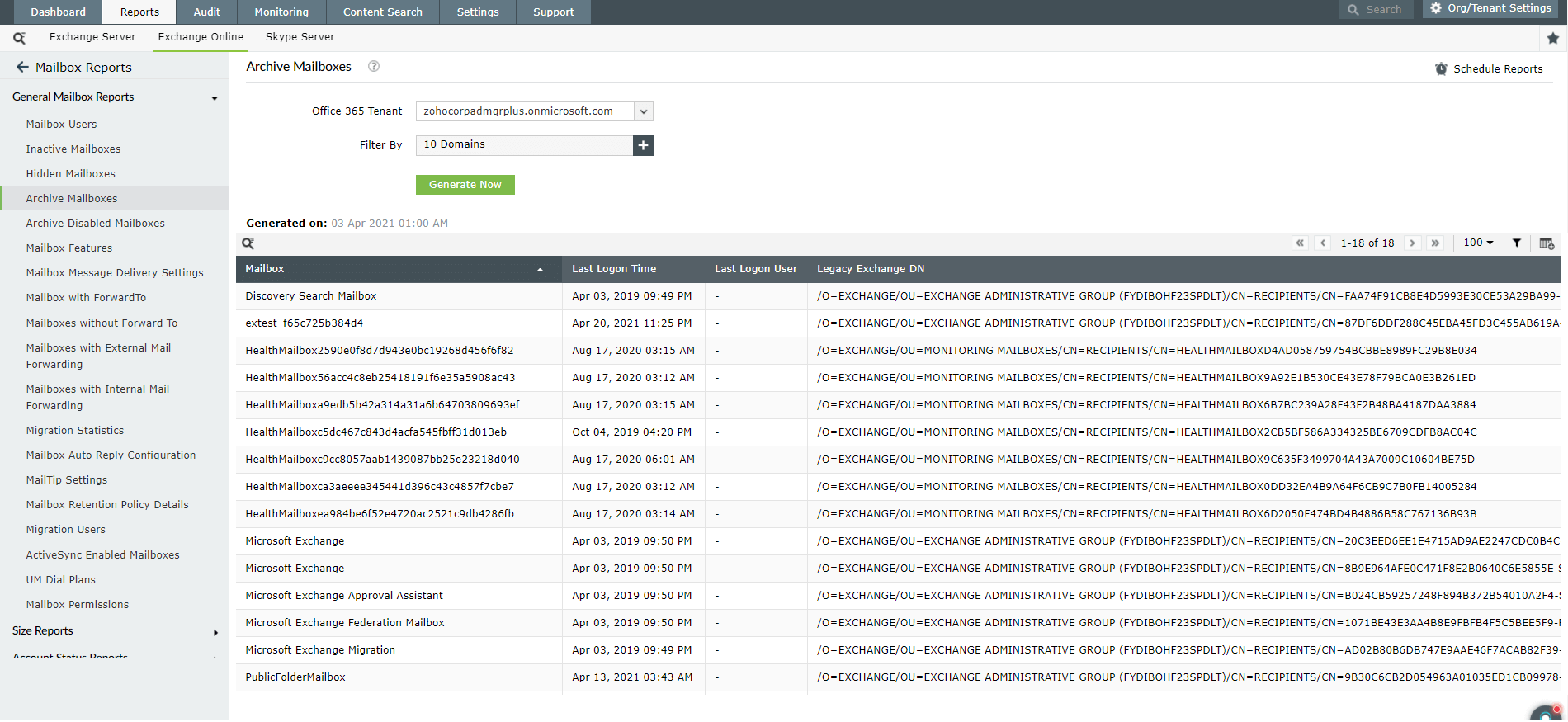
This report lists the names of all the M365 mailboxes that have been archived locally. The report also displays metrics like the size of the archive, the quota assigned to the archive and the archive warning based on quota consumption.
Hidden Mailboxes
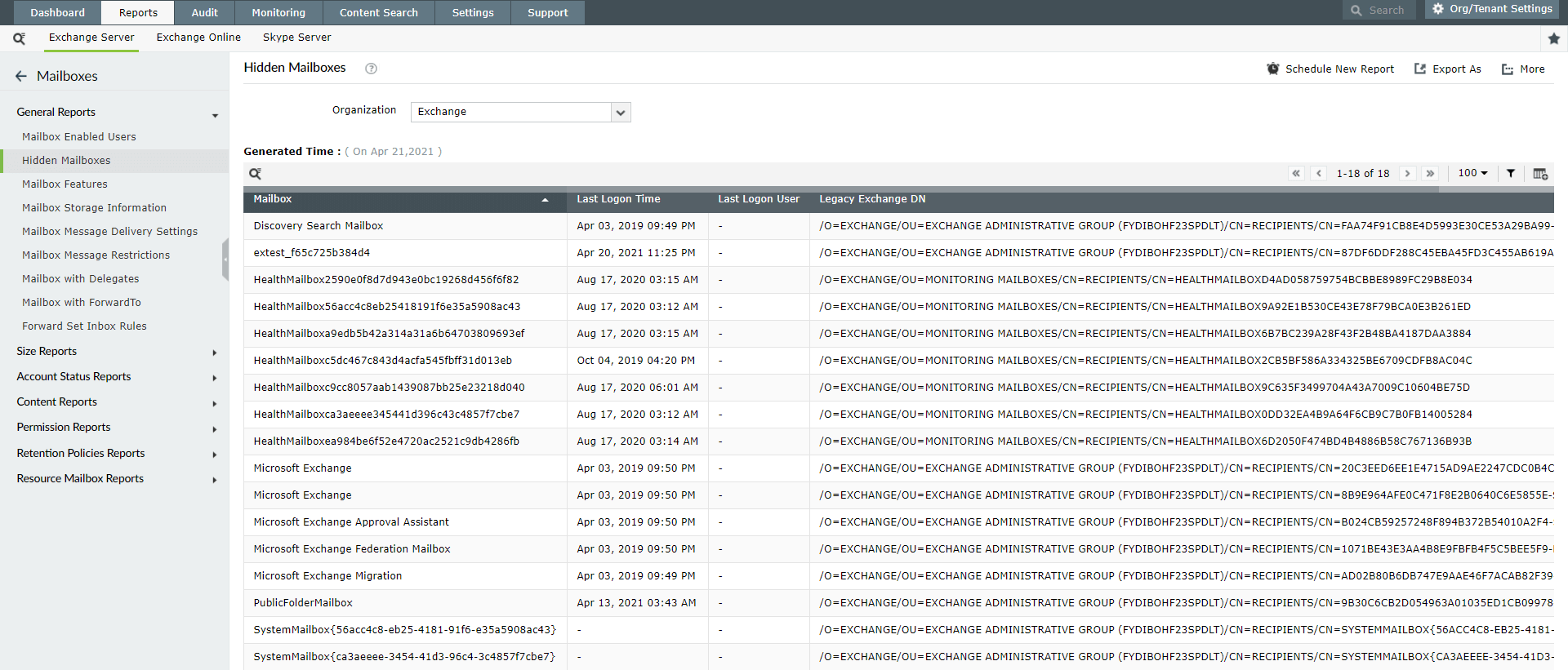
This report displays all the Microsoft 365 mailboxes whose visibility attributes are set to 'hidden'; which means they wouldn't appear on the Exchange address lists. The report interface returns a table that shows the name of the mailbox along with the corresponding email address.
Mailbox with Delegates
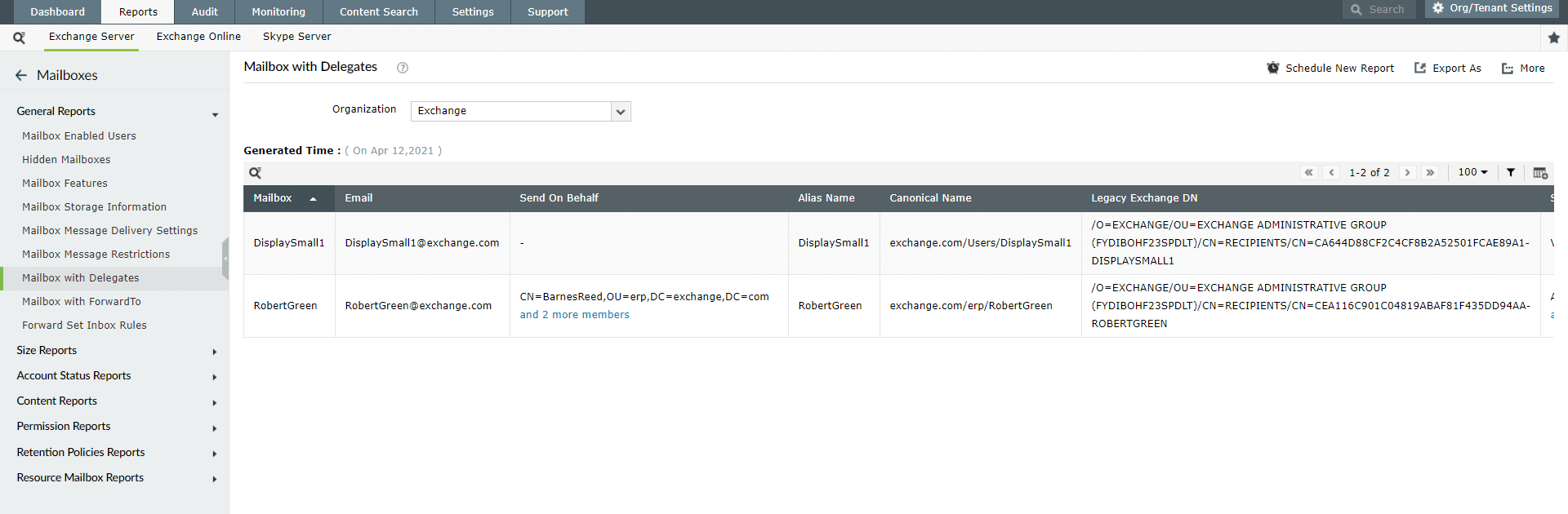
This report identifies all the Microsoft 365 mailboxes that have assigned delegates. It displays the assigned delegate's mailbox name and email address, and the corresponding user who issued the delegation. The reports also allow the user to filter the data based on objects and groups.
Mailbox with Forward To
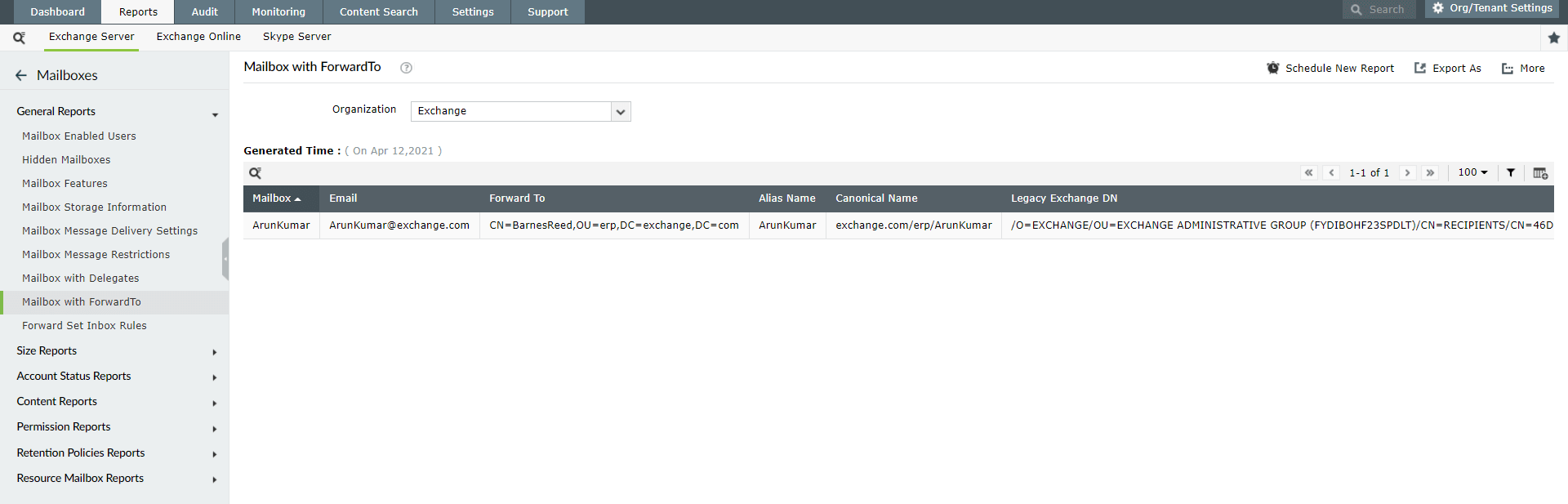
This report identifies all the Microsoft 365 users who have enabled forwarding of emails to other users. It lists down all the Microsoft 365 mailbox names and their email addresses along with the corresponding forwarding destinations.
Microsoft 365 reports come handy for users when they look for general information on online mailboxes like mailbox size or users' last logon time, etc. The reports bring mailbox details to the surface and aid effective mailbox management with little less than few metrics to look up to. Microsoft 365 Mailbox Reports do support all versions of Exchange servers from 2003 through 2013; and even can be exported in csv, xls, pdf or html formats.

Reporting
Monitoring
Report on Exchange and Microsoft 365 mailboxes with this single tool.
Download a free trial now! Request demo