- Free Edition
- Quick Links
- Exchange Mailbox Reports
- Mailbox Size Reports
- Mailbox Properties Reports
- Mailbox Status Reports
- Mailbox Permission Reports
- Mailbox Content Reports
- Mailbox Logon by Users
- Inactive Mailboxes Reports
- Mailbox Enabled Users
- Office 365 Mailbox Reports
- Room Mailbox Reports
- Shared Mailbox Reports
- Exchange Mailbox Permissions
- Shared Mailbox Permissions
- Calendar Permission Reports
- Export Mailbox Permissions Reports
- Export Mailbox Size Reports
- Export Exchange Mailbox Reports
- Export Public Folder Lists
- Exchange Server Monitoring
- Client Access Server Health
- Exchange Server Monitoring Tool
- Exchange Server Monitoring Reports
- Exchange Service Health Monitoring
- DAG Monitoring Reports
- Connectivity Monitoring Reports
- Mail Flow Health Monitoring
- Exchange Database Monitoring
- Storage Monitoring Reports
- Email Queue Monitoring
- Replication Health Monitoring
- Exchange Audit Reports
- Exchange Server Auditing
- Exchange Server Auditing and Alerting
- Exchange Server Compliance Reporting
- Exchange Audit and Compliance Tool
- Exchange Admin Audit Logging
- Non-Owner Mailbox
Logon Reports - Mailbox Permission Changes Reports
- Mailbox Property Changes Reports
- Exchange Database Changes Reports
- Server Configuration Changes Reports
- Exchange Mailbox Audit Logging
- Exchange Traffic Reports
- Exchange Office 365 Reports
- Other Reports
- Mailbox Content Search
- Skype for Business server reporting
- Outlook Web Access Reports
- ActiveSync Reports
- Mailbox and Public Store Reports
- Distribution Lists Report
- Server Storage Tracking Reports
- Public Folder Reports
- Public Folder Content Report
- Email Non-Delivery Reports
- Retention Policy Reports
- Email Non Delivery Reports
- Exchange Migration
- Resources
- Related Products
- ADManager Plus Active Directory Management & Reporting
- ADAudit Plus Hybrid AD, cloud, and file auditing and security
- ADSelfService Plus Identity security with MFA, SSO, and SSPR
- EventLog Analyzer Real-time Log Analysis & Reporting
- M365 Manager Plus Microsoft 365 Management & Reporting Tool
- SharePoint Manager Plus SharePoint Reporting and Auditing
- DataSecurity Plus File server auditing & data discovery
- RecoveryManager Plus Enterprise backup and recovery tool
- AD360 Integrated Identity & Access Management
- Log360 Comprehensive SIEM and UEBA
- AD Free Tool Active Directory Free Tool
Exchange public folders help save server space and operate well within the quota limit by storing files that need to be accessed by all users in your organization in an organization-wide accessible location. This reduces the count of files recurring in every user's Exchange mailbox. Every user in the network has permission to access the public folder, so it's necessary to keep track of the vital statistics that govern the space and performance of the servers that house these public folders.
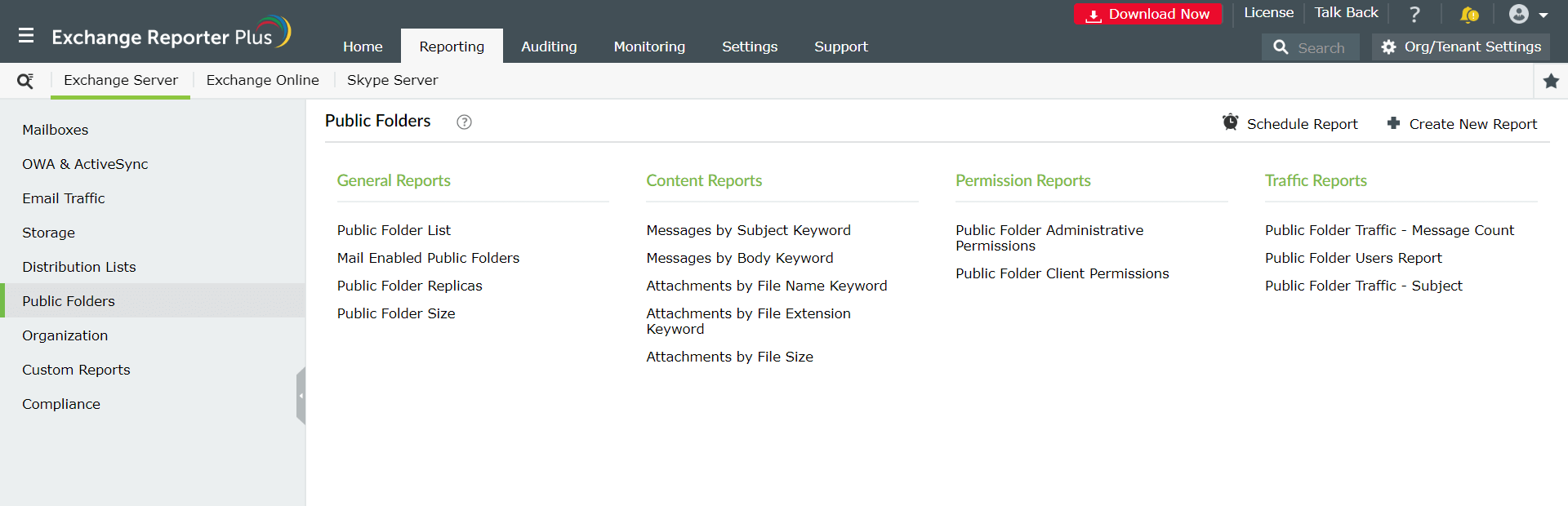
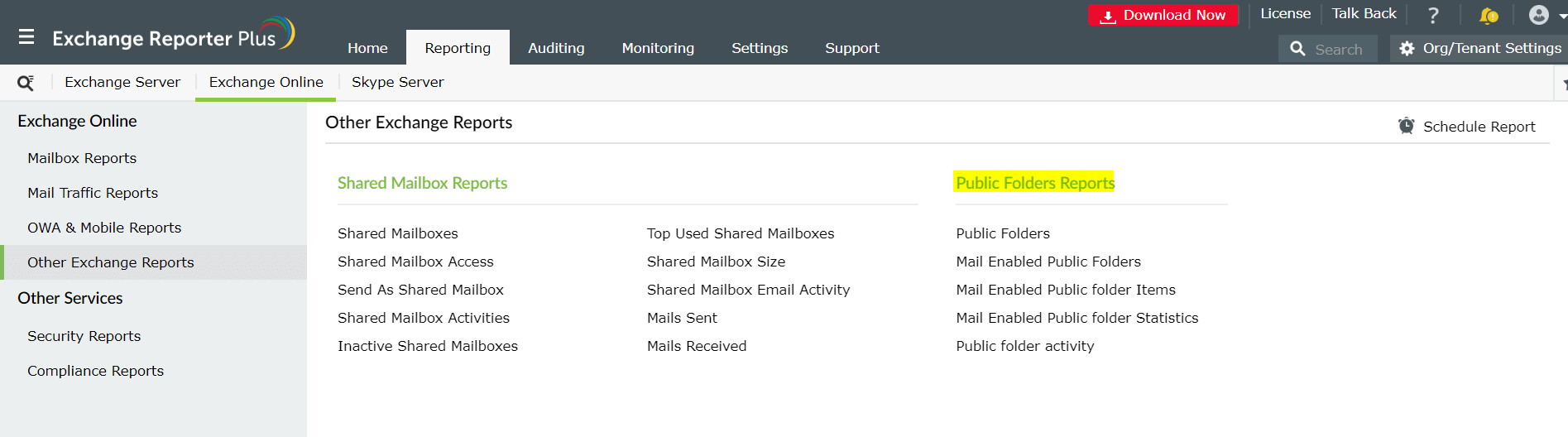
Exchange Reporter Plus equips you with comprehensive Public Folder Reports that provide precise data on vital aspects of public folders and their contents, like public folder hierarchy, administrative permissions, client permissions, and more. Exchange Reporter Plus is a public folder reporting tool for the following Microsoft Exchange platforms: Exchange Server 2003, 2007, 2010, 2013, 2016, 2019, and Exchange Online.
Start your free trial today to explore all the features of Exchange Reporter Plus. You can also get a live demo from our technical specialists.
Exchange Reporter Plus monitors the amount of space the public folders utilize. The list of Exchange Server and Exchange Online Public Folder Reports offered by Exchange Reporter Plus are as follows:
Public Folder List report
This report generates an exhaustive list of the available public folders across the Exchange environment. Not only does this report give the names of public folders across Exchange Servers 2003, 2007, 2010, 2013, 2016 or 2019, but also their detailed path, the type of folder, and the time at which the last modification was performed on the folder. This helps you keep tabs on the number of public folders, and the time when most recent modification was made in the folder.
Mail Enabled Public Folders report
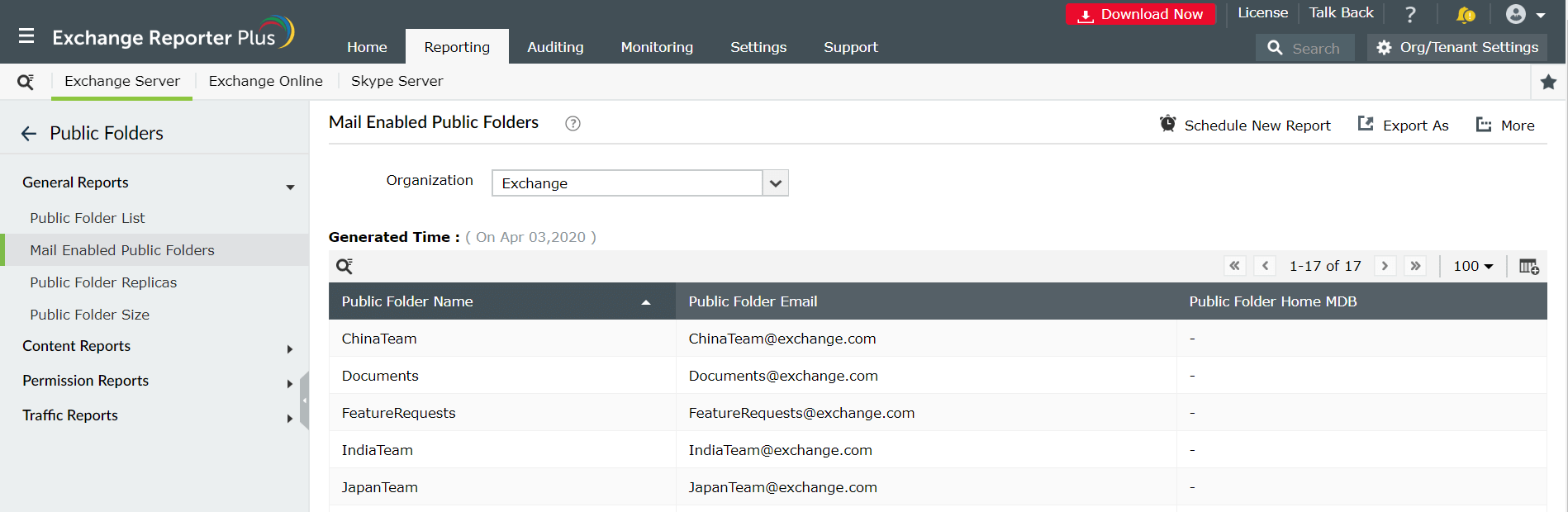
Data can be stored in mail-enabled public folders by sending an email to a specific email alias. This report generates the list of public folders that are mail-enabled. You can gather information on the folder name, the email address of the specific public folder, and the complete path of the public folder home MDB. This report is useful to enlist mail-enabled public folders in the Exchange environment and their email addresses, and also optimize space allocation in different public folders across Exchange Servers and plan their future capacity.
Report on and audit Exchange Online using Exchange Reporter Plus.
Public Folder Replicas report
Replication is an important aspect in easing the access of public folders. This process takes care of creating replicas of public folders in different Exchange servers so users can easily access their public folders from one of the servers, and also help reduce excessive traffic to a single server where all public folders are stationed. This Public Folder Replicas report provides comprehensive information regarding public folder replication with regards to the current public folder name and path/location, the type of folder, the count of the servers where it is replicated, and the server(s) where the public folders are replicated.
Public Folder Size report
The Public Folder Size report provides information about the size of all Microsoft Exchange public folders, information on the public folder path, the number of messages, and the folder type. This report acts as a great Exchange management tool when it comes to space optimization. For example, if one of the folders shows an unusual increase in size, it may be a sign of a large amount of junk mail or rich media file existing in the folder, and you can take the necessary steps to create space for useful data.
Public Folder Administrative Permissions report
Keeping track of public folder permissions is vital for security and compliance in an Exchange environment. View the entire list of administrative permissions for all public folders, including public folder names, the administrators who have access to each folder, their access rights, and whether those rights were inherited. This means you can track the level of control your administrators have over all public folders in your Exchange Servers 2003, 2007, 2010, 2013, 2016, and 2019.
Public Folder Client Permissions report
View all client public folder permissions, including public folder names, their entire lists of client permissions, the users who have access to those folders, and their access rights.
Public Folder Traffic - Message Count
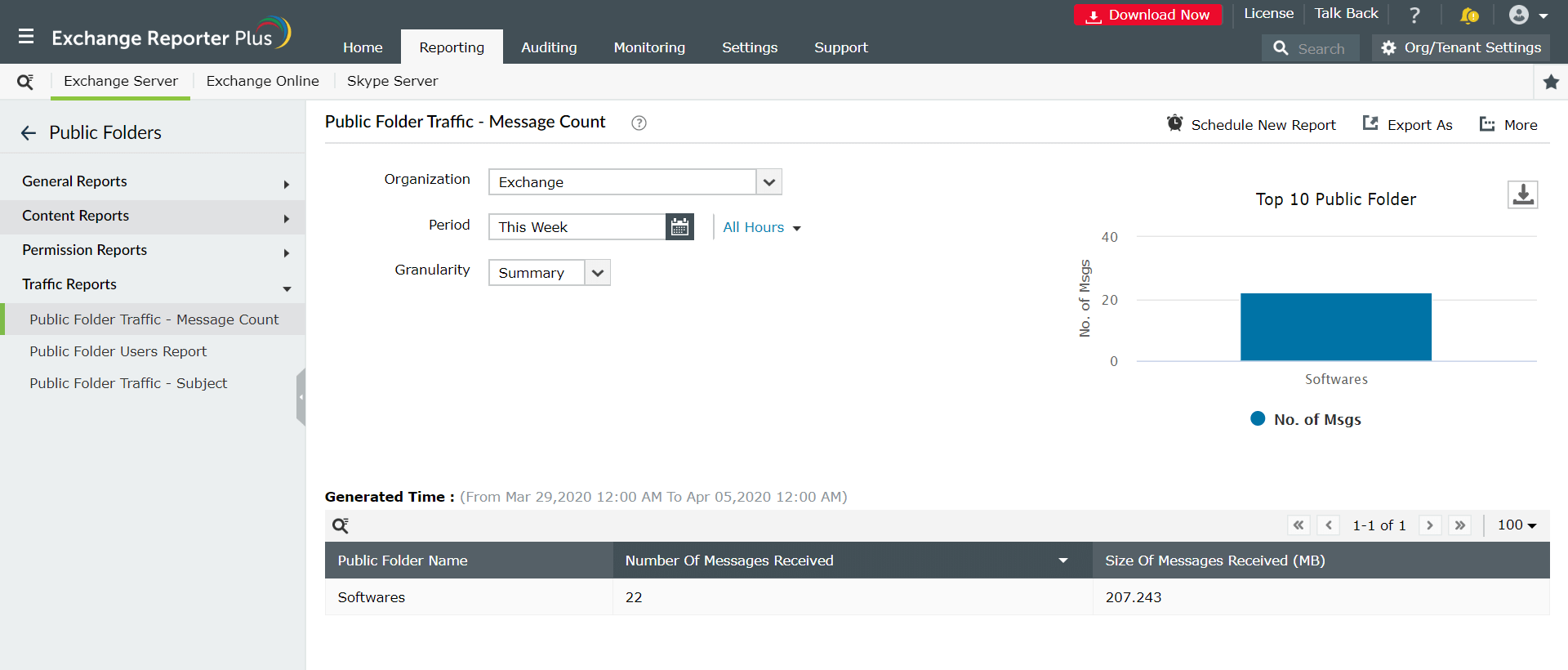
Generates a list of public folders, the number of messages received by each folder, and the size of the messages. Besides making the tracking of message traffic easier, this report also displays graphically the top 10 public folders based on the number of messages received.
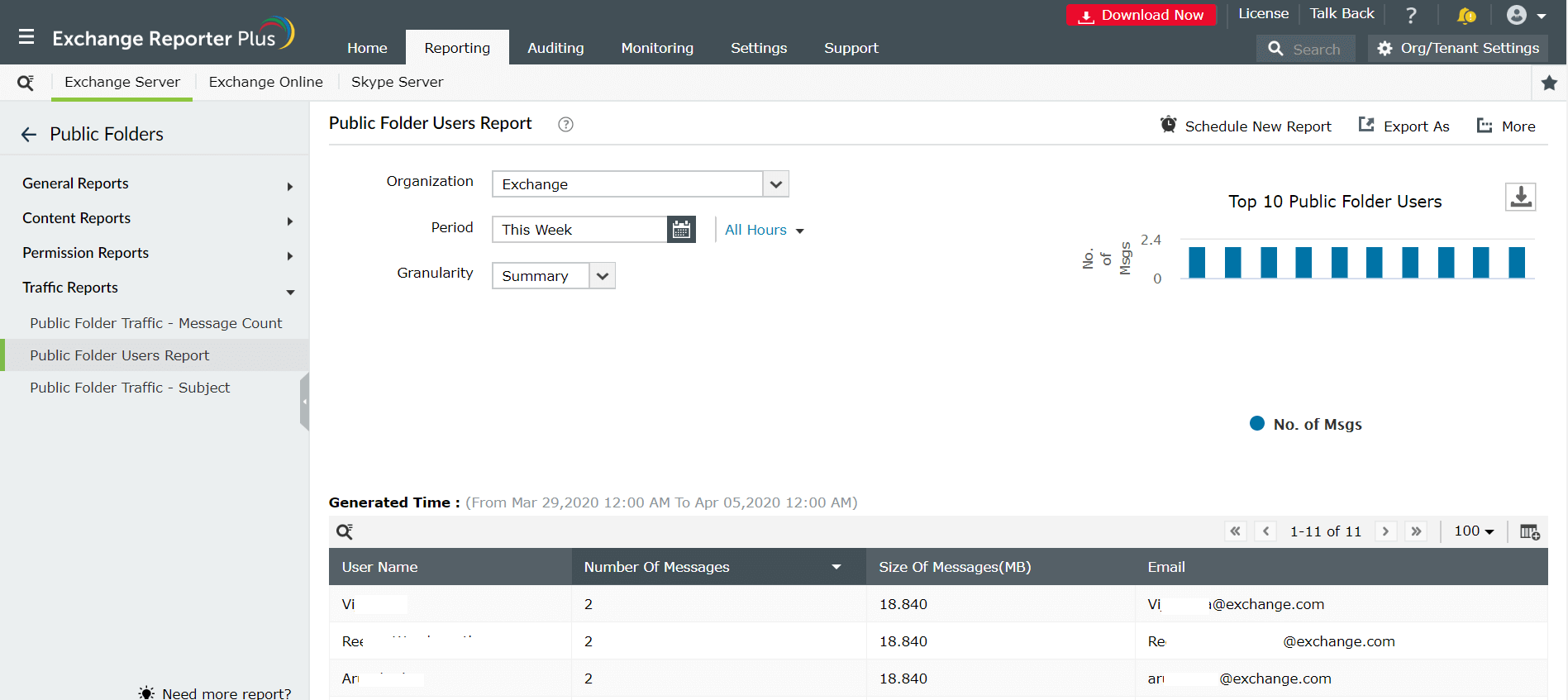
Public Folder Users Report
Shows the top users of public folders in your organization by the number of messages. This report lists the users who have sent messages to public folders, the number of messages sent, and the size of the messages.
Public Folder Traffic - Subject
This report generates information about the names of public folders, the email addresses of senders who sent messages to public folders, the subject of each of these messages, and the dates on which the messages were sent.
Content Reports
This public folder reporting tool gives you insights about the mailbox contents for Exchange Server 2003, 2007, 2010, 2013, 2016, and 2019. Using the reports available under this category, you can filter public folder messages based on subject, body, file name, or file extension keywords, or simply by using the size of the file.
Exchange Reporter Plus's Public Folder Reports are your go-to references for all public folder-related queries. Schedule these reports and have them emailed to you at fixed intervals.