- Free Edition
- Quick Links
- Exchange Mailbox Reports
- Mailbox Size Reports
- Mailbox Properties Reports
- Mailbox Status Reports
- Mailbox Permission Reports
- Mailbox Content Reports
- Mailbox Logon by Users
- Inactive Mailboxes Reports
- Mailbox Enabled Users
- Office 365 Mailbox Reports
- Room Mailbox Reports
- Shared Mailbox Reports
- Exchange Mailbox Permissions
- Shared Mailbox Permissions
- Calendar Permission Reports
- Export Mailbox Permissions Reports
- Export Mailbox Size Reports
- Export Exchange Mailbox Reports
- Export Public Folder Lists
- Exchange Server Monitoring
- Client Access Server Health
- Exchange Server Monitoring Tool
- Exchange Server Monitoring Reports
- Exchange Service Health Monitoring
- DAG Monitoring Reports
- Connectivity Monitoring Reports
- Mail Flow Health Monitoring
- Exchange Database Monitoring
- Storage Monitoring Reports
- Email Queue Monitoring
- Replication Health Monitoring
- Exchange Audit Reports
- Exchange Server Auditing
- Exchange Server Auditing and Alerting
- Exchange Server Compliance Reporting
- Exchange Audit and Compliance Tool
- Exchange Admin Audit Logging
- Non-Owner Mailbox
Logon Reports - Mailbox Permission Changes Reports
- Mailbox Property Changes Reports
- Exchange Database Changes Reports
- Server Configuration Changes Reports
- Exchange Mailbox Audit Logging
- Exchange Traffic Reports
- Exchange Office 365 Reports
- Other Reports
- Mailbox Content Search
- Skype for Business server reporting
- Outlook Web Access Reports
- ActiveSync Reports
- Mailbox and Public Store Reports
- Distribution Lists Report
- Server Storage Tracking Reports
- Public Folder Reports
- Public Folder Content Report
- Email Non-Delivery Reports
- Retention Policy Reports
- Email Non Delivery Reports
- Exchange Migration
- Resources
- Related Products
- ADManager Plus Active Directory Management & Reporting
- ADAudit Plus Hybrid AD, cloud, and file auditing and security
- ADSelfService Plus Identity security with MFA, SSO, and SSPR
- EventLog Analyzer Real-time Log Analysis & Reporting
- M365 Manager Plus Microsoft 365 Management & Reporting Tool
- SharePoint Manager Plus SharePoint Reporting and Auditing
- DataSecurity Plus File server auditing & data discovery
- RecoveryManager Plus Enterprise backup and recovery tool
- AD360 Integrated Identity & Access Management
- Log360 Comprehensive SIEM and UEBA
- AD Free Tool Active Directory Free Tool
Exchange Server environments undergo constant modification due to frequent organizational updates. In large organizations, a typical week might record thousands of updates. Tracking each update manually is impossible for admins and technicians. This is why you need a tool that can automatically track and monitor Exchange activities.
Exchange Reporter Plus, a reporting, monitoring, and change auditing tool, enables you to monitor Exchange Server health, audit your Exchange event logs, and get real-time alerts about the critical changes made in your organization. This monitoring tool provides a broad overview of activities performed on Microsoft Exchange Server 2003, 2007, 2010, 2013, 2016, and 2019. It covers monitoring across the five key components of Exchange: Exchange servers, database availability groups (DAGs), databases, storage, and emails. Get started on your 60-day free trial now.
Get reports on Skype for Business Server.
Exchange Reporter Plus enables you to proactively monitor the following Exchange Server components:
Mailbox servers
Exchange storage
DAG monitoring
Client access
Databases
Email monitoring
This Exchange monitoring tool houses dashboards that consolidate and display all the alerts triggered under these five major categories:
Apart from the aforementioned report categories, Exchange Reporter Plus also provides an overview of alerts about your organization's email queues, servers, databases, and Exchange objects. The dashboards display alerts for your organization, including its DAGs, servers, and databases, and provide the health status of critical servers at the organizational level. You can also view the top 10 servers that utilize the most CPU and memory, currently mounted databases, DAG replication status, and a summary of all types of queues in your Exchange Server like poison, unreachable, and submission queues.
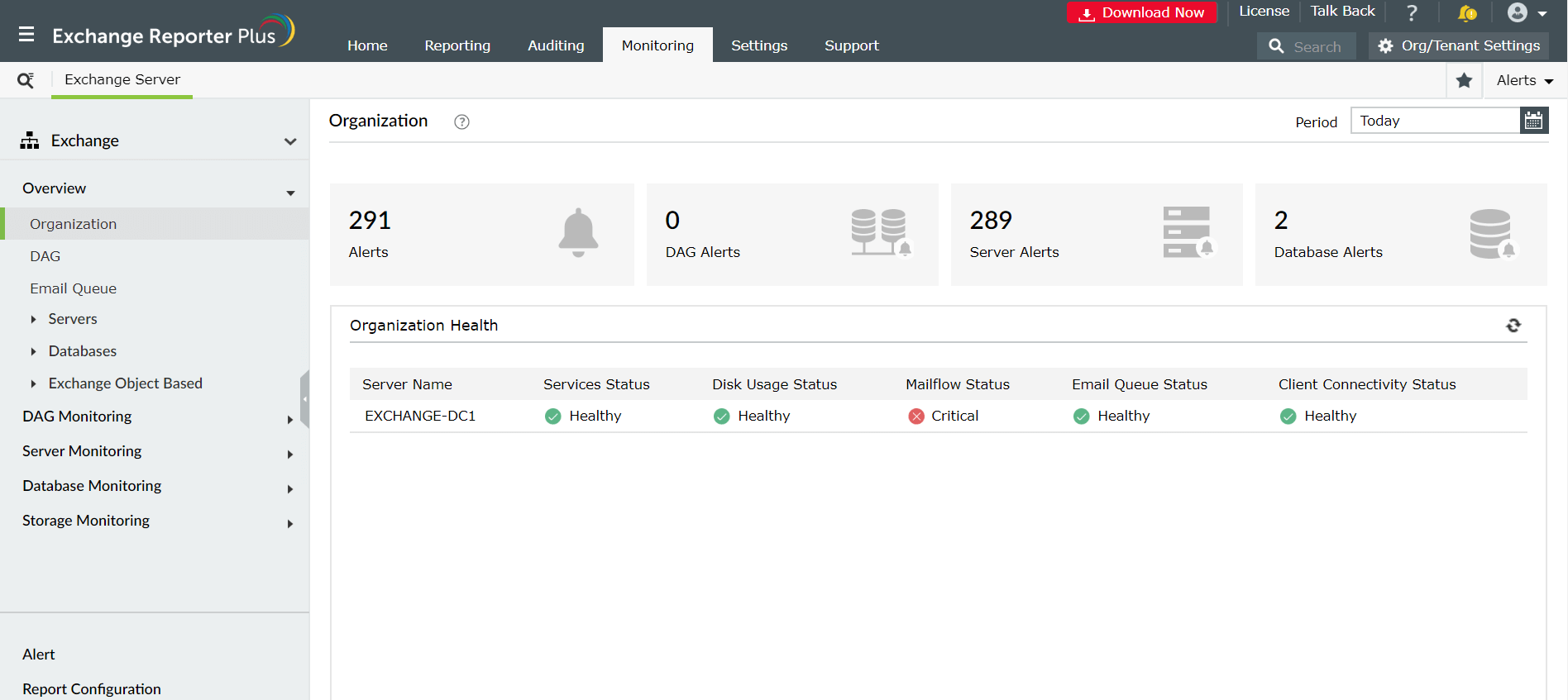
DAG monitoring
This interface enables administrators to fetch vital data about each DAG, such as its replication stats, activation preference, and health. This Exchange Server monitoring tool gives information about DAGs by fetching necessary data using PowerShell commandlets. Learn more.
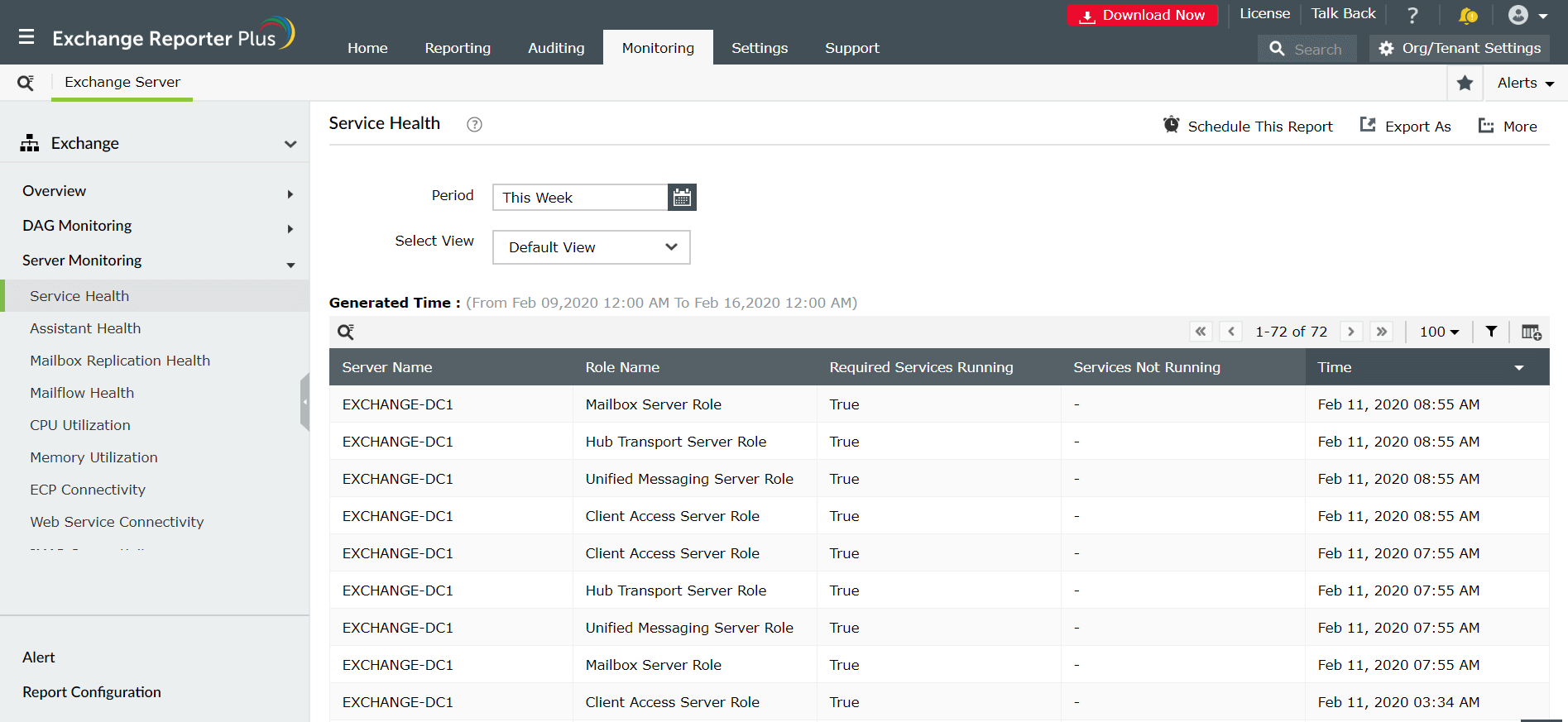
Server monitoring
Exchange Reporter Plus is a comprehensive Exchange Server monitoring tool that covers various facets related to your Exchange organization, such as service health, assistant health, CPU, memory utilization, IMAP, POP, and ActiveSync connectivity. Additionally, these reports give important information related to your Exchange mailbox replication status, displaying the errors found, if any. This is equivalent to the test-mailflow PowerShell commandlet. Learn more.
Database monitoring
Using this monitoring software, you can keep a close watch on database health, search capabilities, backups, and MAPI connectivity. You can also fetch information on the efficiency of database search operations, and other backup-specific information for Exchange Server 2003, 2007, 2010, 2013, 2016, and 2019 environments. Learn more.
Storage monitoring
Monitor the storage size of your Exchange server’s mailboxes, databases, public folders, and more. Plan your data storage using information about the total size of your Exchange server (in GB) and the free space available at any point in time. Learn more.
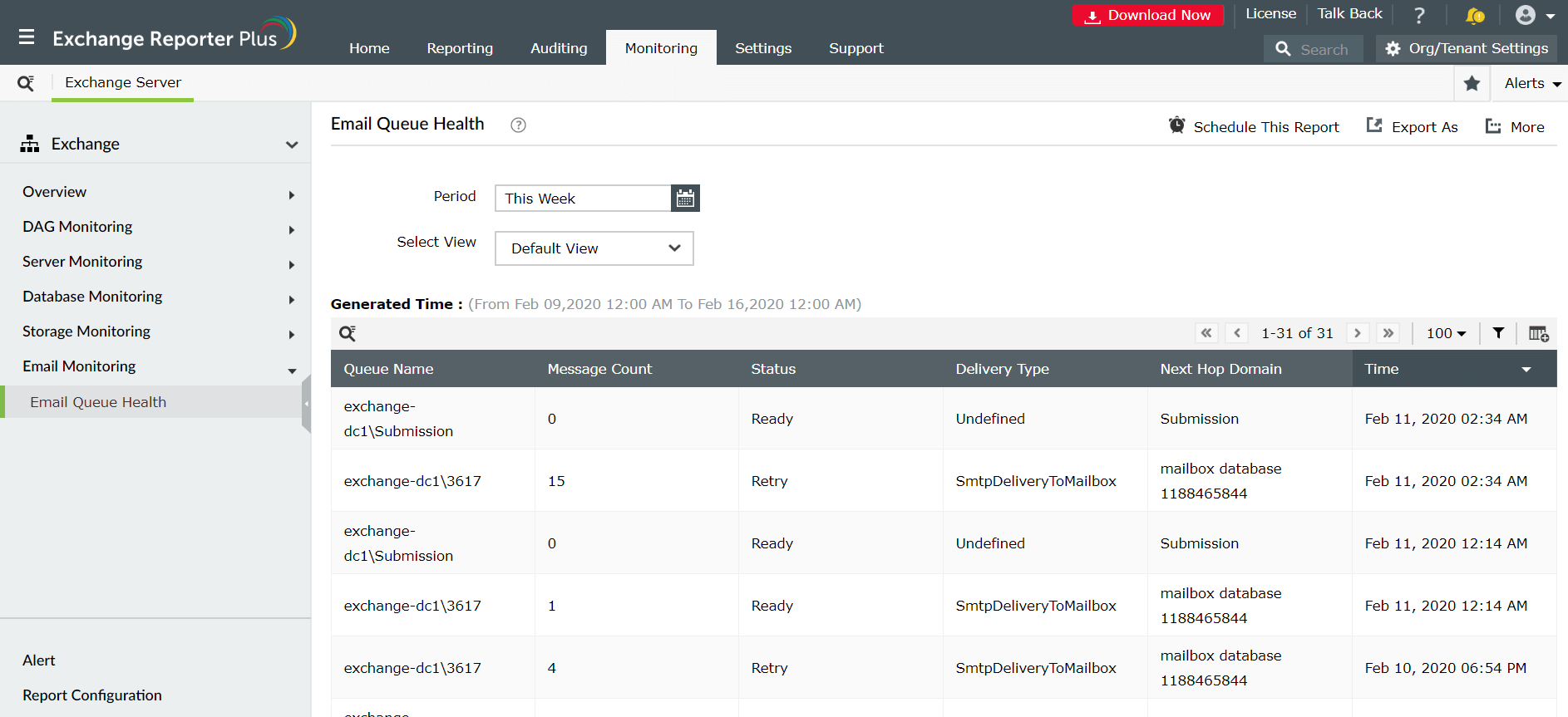
Email monitoring
This server monitoring tool provides an easy, efficient way to monitor the status of emails sent and received by your Exchange server every day. The Email monitoring report helps you keep tabs on the various types of queues, message count under each type, the queue's status, next hop domains, and more.
Monitor Exchange Servers, DAGs, databases, and every other aspect of your Exchange environment.
Download a free trial now! Request demo