In most IT environments, employees are required to remember separate credentials for accounts other than their default Windows Active Directory (AD) account. On top of that, each password is also subject to different password policies and expiration dates. Using separate passwords for different accounts increases the chances of users forgetting passwords and raising password reset tickets. The most effective way of managing multiple passwords is synchronizing them across all connected applications in real time.
Password sync tools help streamline password management by automatically syncing changes across connected accounts. By enabling users to remember just one password for all accounts, these tools reduce the likelihood of forgotten passwords.
Use one password policy for multiple systems.
The attribute that will be used to identify a user has to be identical or mapped across other systems.
A foolproof process to handle password changes if the target system (say, Oracle) is not reachable.
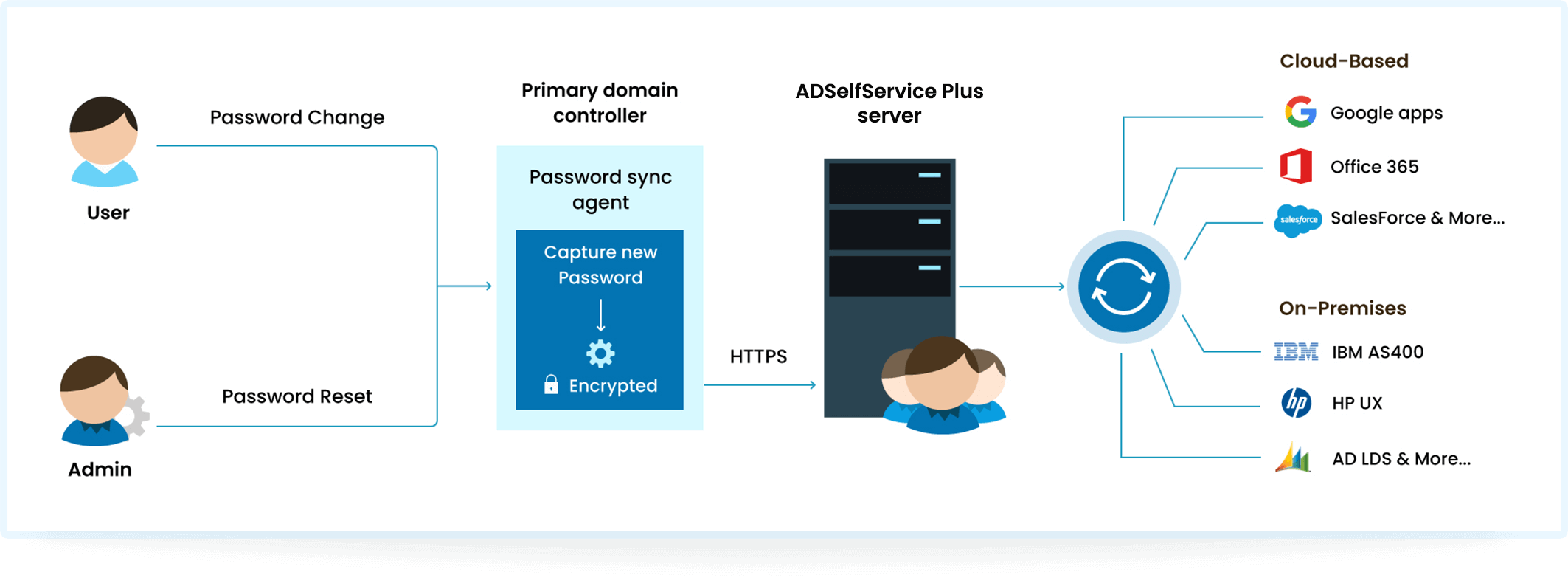
ADSelfService Plus is an identity security solution that provides adaptive MFA, SSO, self-service password management, and supports real-time AD user password synchronization across multiple platforms. This solution instantly replicates Windows AD password and account changes across a range of cloud-based and on-premises applications and delivers a complete self-service identity management solution for your business.
Whenever users reset or change their passwords in AD, the updated password will be instantly synced across all the connected apps and systems without any additional efforts from users or administrators.
Users can reset their AD passwords using ADSelfService Plus without requiring IT assistance.
When a user unlocks their locked-out AD account through ADSelfService Plus, their other accounts in linked systems are also automatically unlocked.
The setup requires minimal information, enabling quick deployment without extensive technical expertise.
ADSelfService Plus helps admins comply with regulations like HIPAA, NIST, PCI DSS, and more.
Password changes in AD are seamlessly synchronized across various cloud applications, ensuring end users apply the same strong password.
With a single password for multiple systems, users and admins face fewer password reset requests, reducing password reset tickets.
Custom AD-based password policies can be enforced from within the application to other business systems like Microsoft 365.
IT admins can authorize or restrict AD password sync operations for certain applications based on users' OU, group, or domain membership.
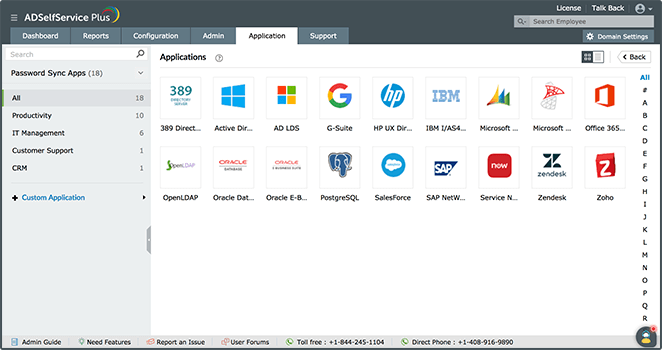
ADSelfService Plus supports Windows Active Directory password synchronization
across the following systems.
Allow users to reset passwords, unlock their accounts, and update their latest personal information without having to involve the IT help desk.
ADSelfService Plus supports 20 strong authenticators factors, including FIDO passkeys and biometrics for secure access to endpoints from a single console.
Provide a seamless user experience by offering one-click access to a wide range of applications. Eliminate password fatigue and empower users to increase their usage of applications.
Password synchronization ensures the same password can be used across systems, while SSO allows a user to log in once and access multiple systems without reentering credentials.
Passwords can be synced in AD using synchronizing tools, like ADSelfService Plus, that update passwords across connected systems whenever a user changes their AD password.
AD synchronization involves replicating user data and permissions across directories, providing consistent information across multiple platforms.
Automated password synchronization is a process that automatically synchronizes user passwords across systems whenever a password is changed without requiring manual intervention.