Direct Inward Dialing: +1 408 916 9393
 Free Edition
| If your build number is | Update to build number | SHA256 checksum hash value |
| 8011 through 8042 |
Download and update to 8043 |
003802839E54C08FF5227F06B9D8BB6E02479E699EAD5B70A1F5BF95397464C8 |

Service pack installation steps: |
|
| Note: If you need to apply more than one service pack, follow the same instructions for each installation. |
| How to update ADManager Plus when high availability (HA) is enabled? |
|
| Note: If you need to apply more than one service pack, follow the same instructions for each installation. |
| How do I update ADManager Plus when Load Balancing is enabled? |
|
| How do I find my build number? |
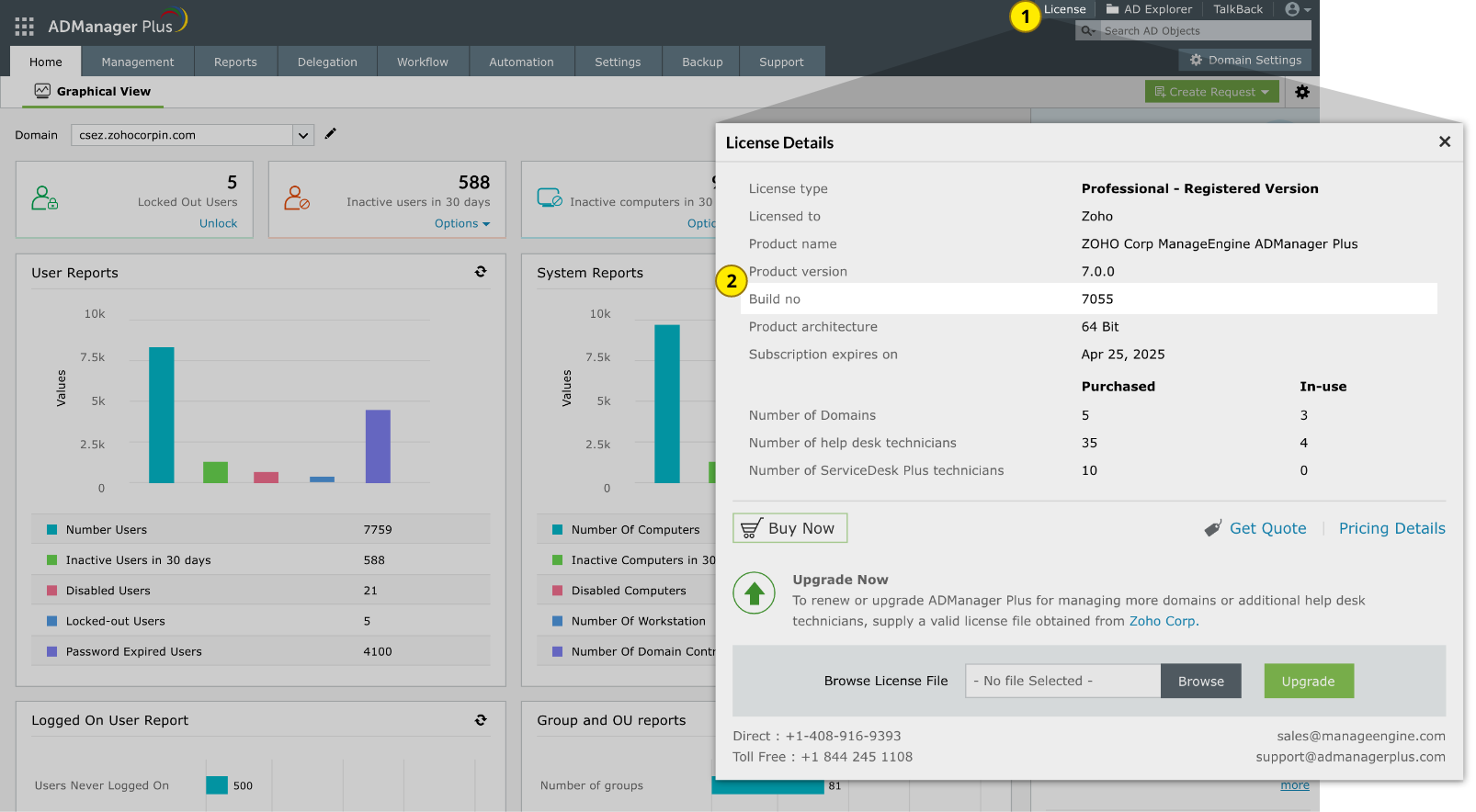
| Log in to the ADManager Plus web client, and click License in the top pane. You will find the build number mentioned below the version number. This is the currently installed build number of ADManager Plus. |
| Need help? |
| You can contact ADManager Plus support at any time for assistance in updating ADManager Plus to the latest version. |