×![]()
×
×![]()
×
×
Send Network Announcements to Users & Computers
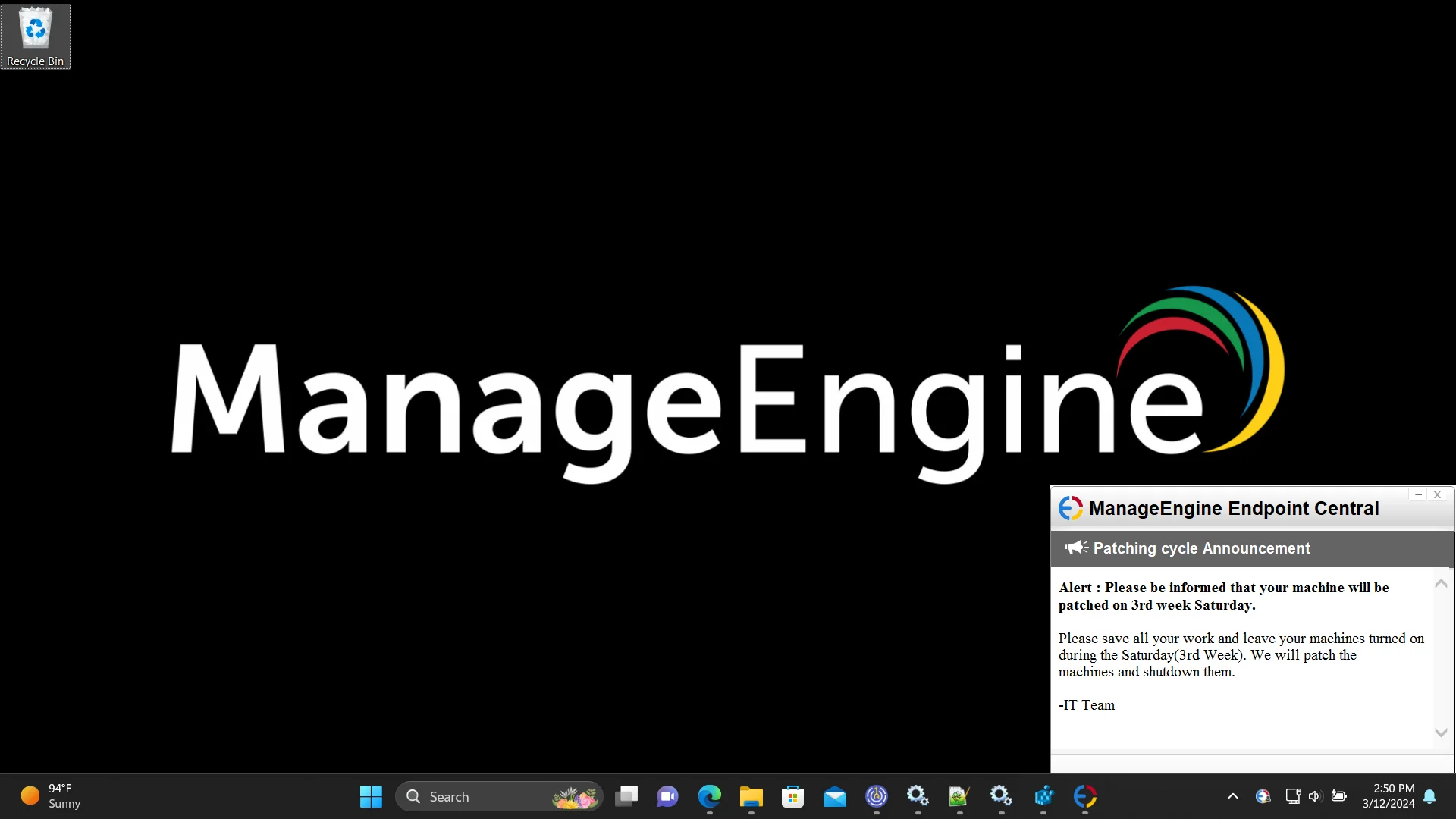
Send out unlimited announcements or alert notifications to all end users and computers, inside or outside your corporate network using Endpoint Central. In just one step, the message is delivered to all selected users. In critical situations where emails aren't reliable, Announcements help display information instantly on all targeted endpoints.
Supported OS: Windows
Schedule an announcement
Hint: Use announcements to notify users about VPN maintenance or critical patch deployments.
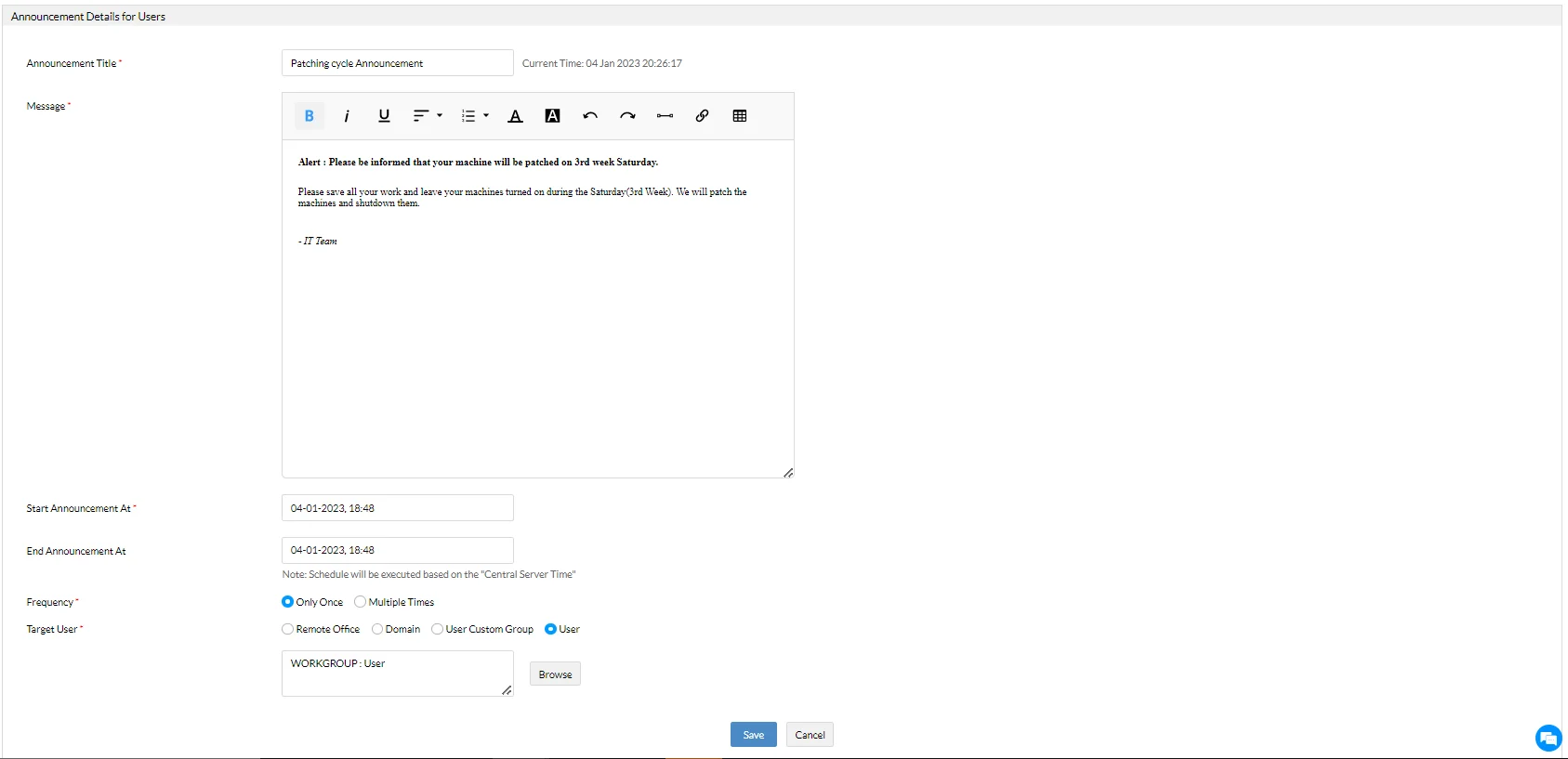
- Navigate to Tools → Announcement → Create Announcement.
- Choose to display the message to specific users or computers.
- Customize a relevant message title and content using rich text options such as tables, links, highlights, and pointers.
- Specify the start and expiry time for the announcement.
- Select whether the message should display once or multiple times within the specified time range.
- Define the target: choose Remote Office, Domain, or Custom Group users or devices.
Note
Note: Announcements are executed based on Central Server time. Dynamic groups cannot be used as targets for announcements.
Modify an announcement
Use the Actions menu (three dots) to perform the following on an existing scheduled announcement:
- Modify: Edit an existing announcement.
- Suspend: Temporarily stop displaying the announcement.
- Resume: Resume a suspended announcement.
- Delete: Permanently remove the announcement.

Announcement reports
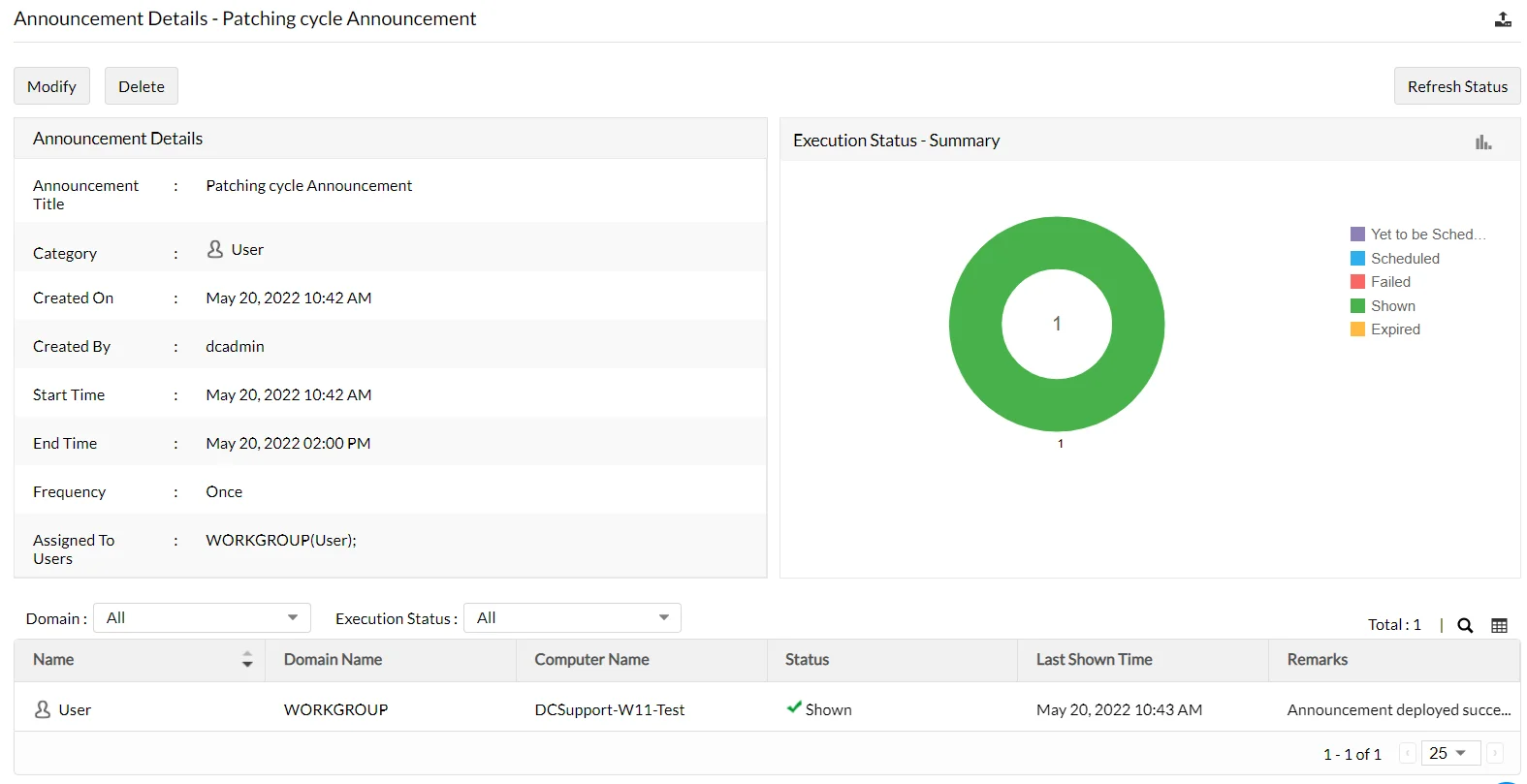
Announcements can be deployed to large numbers of users or computers. It's important to track execution status and delivery.
- Click the announcement title to view detailed reports.
- View a classified summary by status: Yet to Schedule, Scheduled, Failed, Displayed, or Expired.
- See a full list of users or devices targeted.
- Use the filter option to isolate failed executions.