Software Metering
Understanding Software Metering
Endpoint Central's Software Metering capabilities allows you to monitor and gain visibility of the usage of software on the Windows and Mac computers present in your network. With the Software Metering feature, IT administrators can achieve the following:
Derive the usage statistics of software used in computers in your network
List prohibited software applications in your network(Applicable for only Windows)
Detail the usage of software that help you plan your software license renewals and purchases
Arrive at the license compliance status for effectively used software
What are Software Metering Rules
Software Metering rules define the criteria used to track application usage on managed devices. These rules must be configured before usage data can be collected and analyzed.
Below are the key parameters to consider when defining a software metering rule:
Software Name: The Software which you are metering needs to be provided in the Software Name field. Select the software from the list, which lists the inventory of installed software applications. This ensures the rule targets an application already discovered in your environment.
Rule Name: Provide a unique and descriptive name for the software metering rule. This helps in identifying and managing multiple rules efficiently.
File Name: To monitor a software application accurately, you need to provide the application's exact file name along with its file extension. For Windows the file extension should be .exe. For Mac the file extension should be .app
How to identify the File Name for Windows and Mac?
Steps to determine the Software File Name for Windows
- Open the application you want to monitor. For example, if you want to track the usage of Google Chrome, open Google Chrome.
- Open the Task Manager tool and navigate to the Details tab.
- Locate the application you want to monitor by scrolling through the list or by searching the software application using the search bar.
- Under the Name column, you will find the exact file name of the application.
Steps to determine the Software File Name for Mac
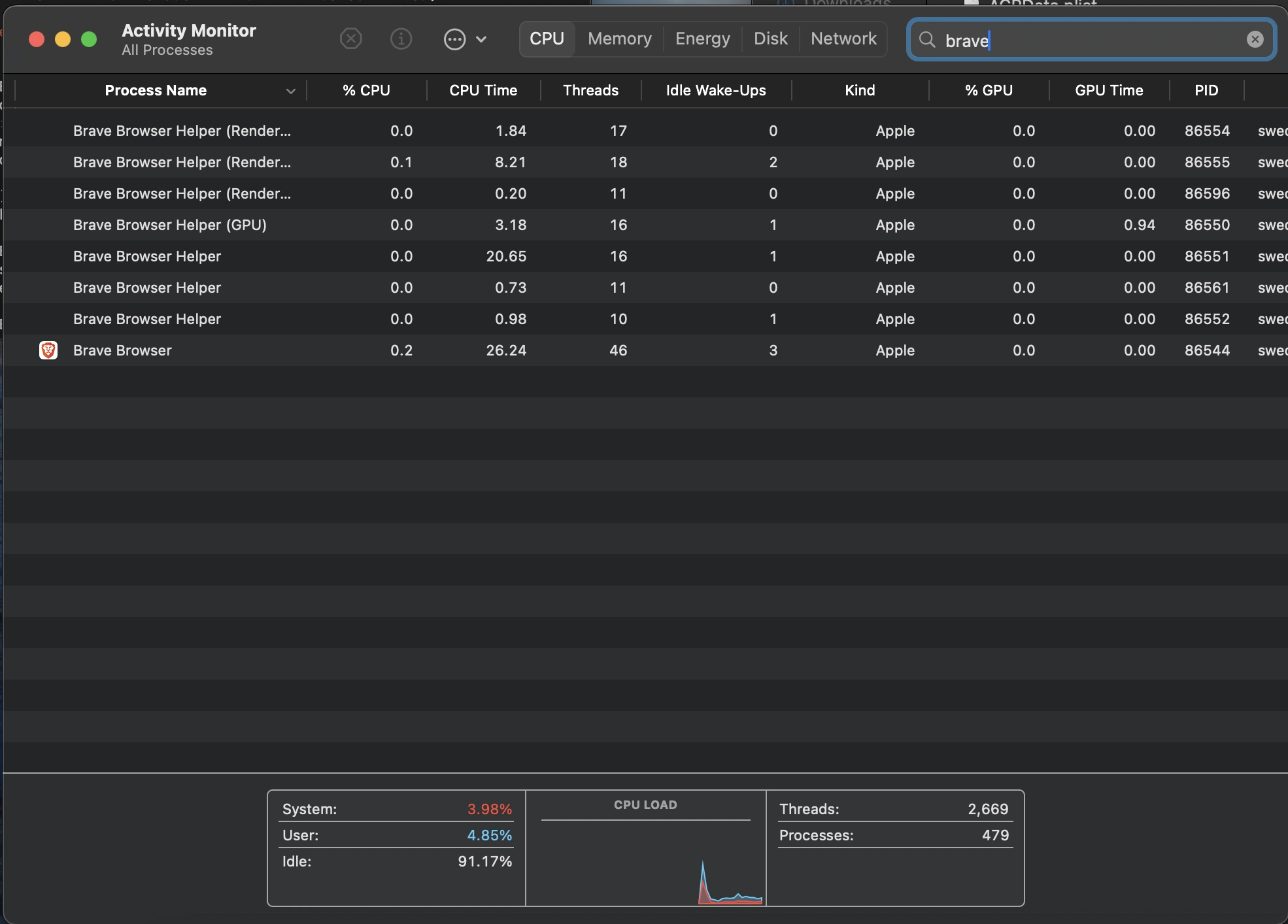
- Open the application you want to monitor. For example, if you want track the usage of Brave Browser, open it from the Applications folder or Dock.
- Open the Activity Monitor by navigating to Applications > Utilities > Activity Monitor. You can open the Activity Monitor by pressing Command+Space to open Spotlight, type Activity Monitor and press Enter.
- Locate the running application from the list shown in the CPU tab by scrolling through the list or by searching the software application using the Search bar in the top-right corner.
- Verify the process name by making sure the process name matches the application you are trying to monitor. Some applications may have helper processes, so ensure you are selecting the main application process.
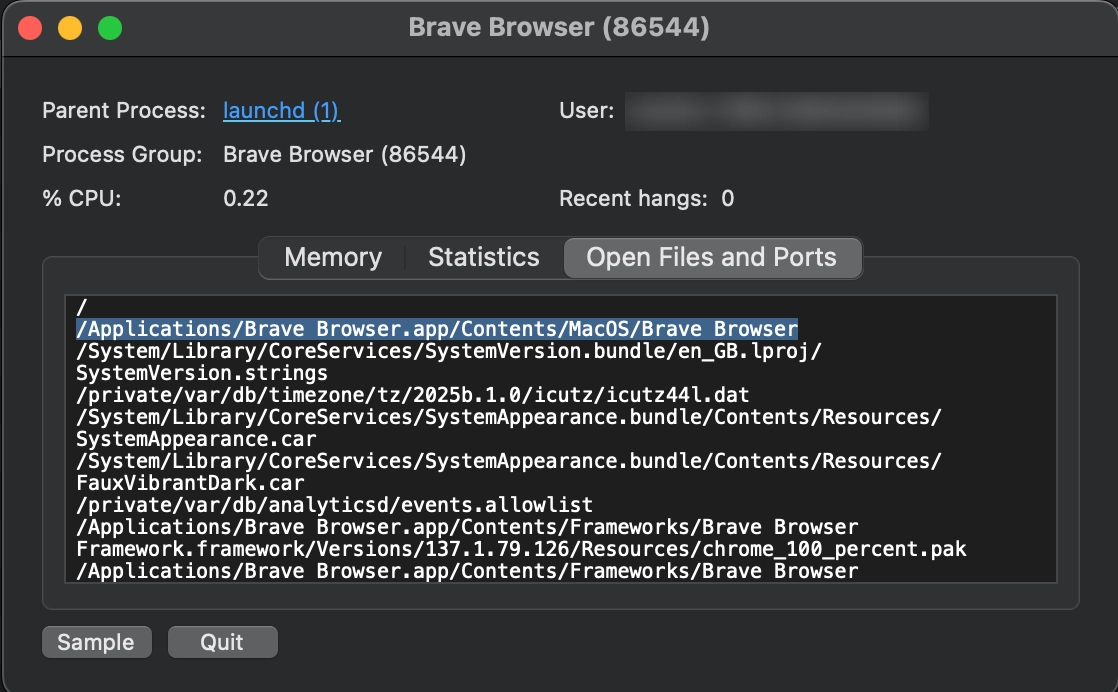
- To get the .app Name, right click the process name and choose Sample Process or Open Files and Ports.Look for the file path of the application to retrieve the file name.
For example, look for a path like: "/Applications/Brave Browser.app/Contents/MacOS/Brave Browser". Note that the file name here is Brave Browser.app - Copy the above file name and provide it in the File Name field. This is the exact file name of the software application that you want to track usage.
How to add Software Metering Rules?
Adding Software Metering Rules for Windows
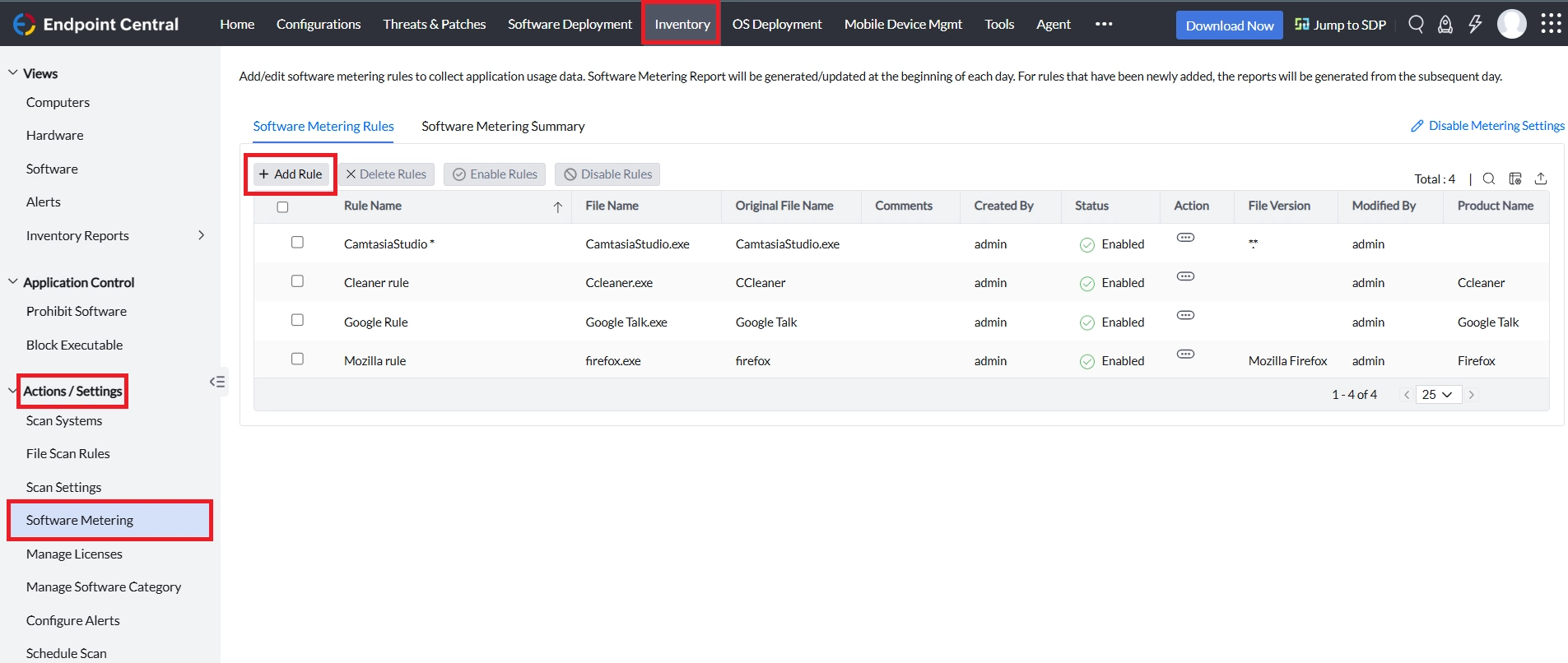
- In the Endpoint Central console, Navigate to Inventory > Actions/Settings > Software Metering > Software Metering Rules > Add Rule
- After clicking on Add Rules, choose the Platform as Windows
- Enter the following fields:
- Software Name
- Rule Name
- File Name(As obtained via Task Manager tool)
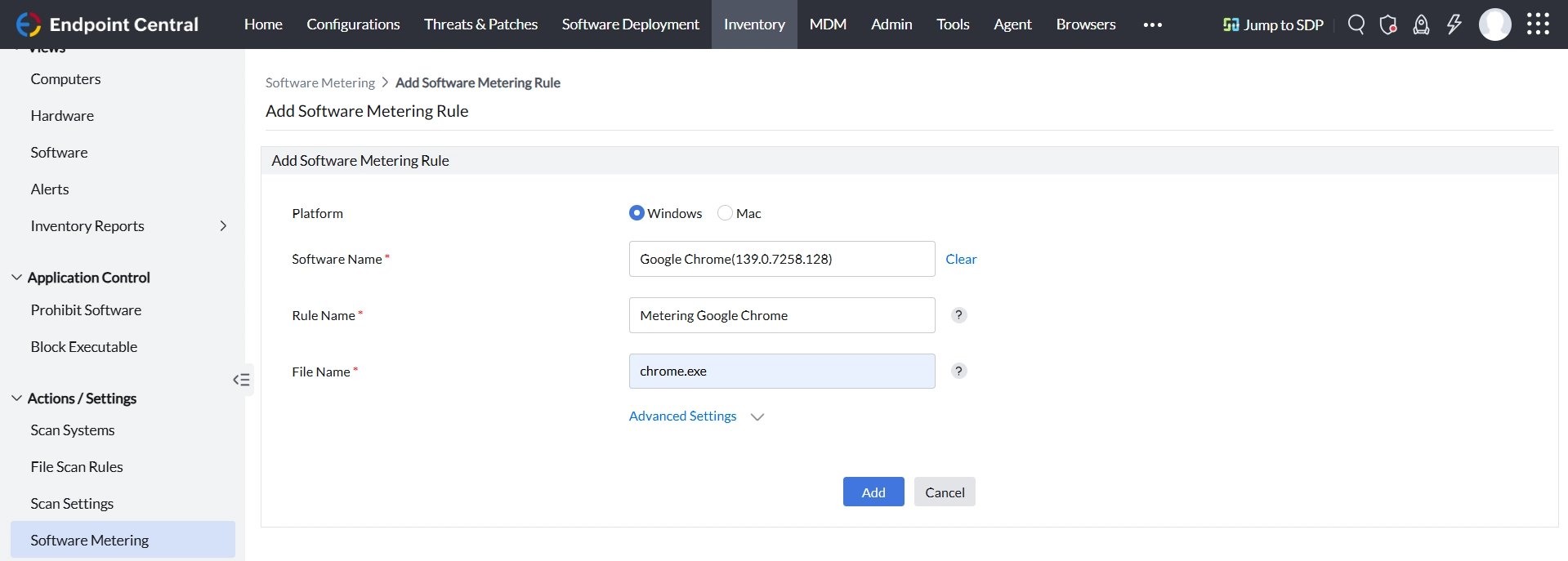
Once added, the rule will begin tracking application usage based on the defined criteria.
Adding Software Metering Rules for Mac
- In the Endpoint Central console, Navigate to Inventory > Actions/Settings > Software Metering > Software Metering Rules > Add Rule
- After clicking on Add Rules, choose the Platform as Mac
- Enter the following fields:
- Software Name
- Rule Name
- File Name (as obtained via Activity Monitor)
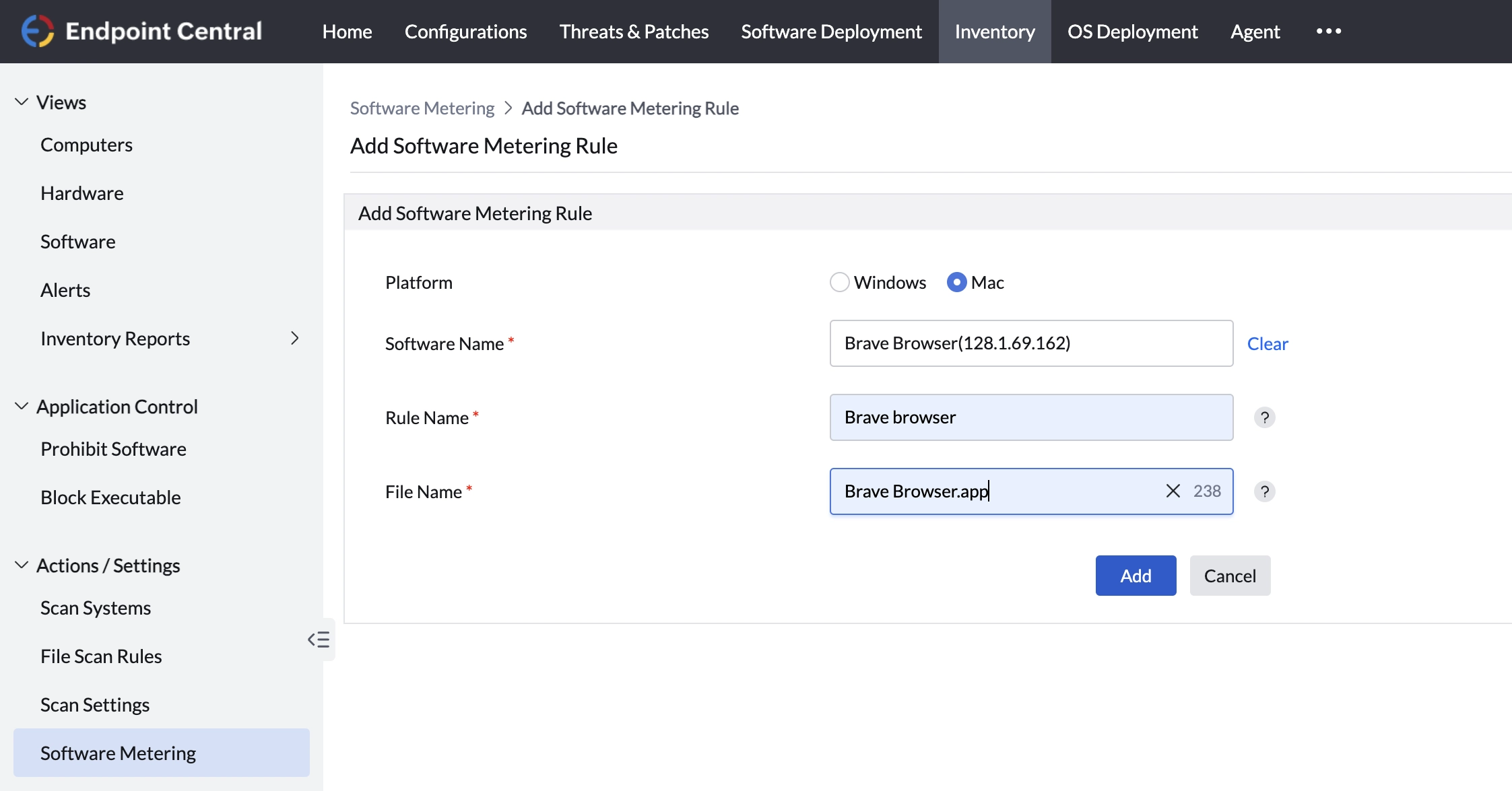
Once added, the rule will begin tracking application usage based on the defined criteria.
How to check Software Metering Summary?
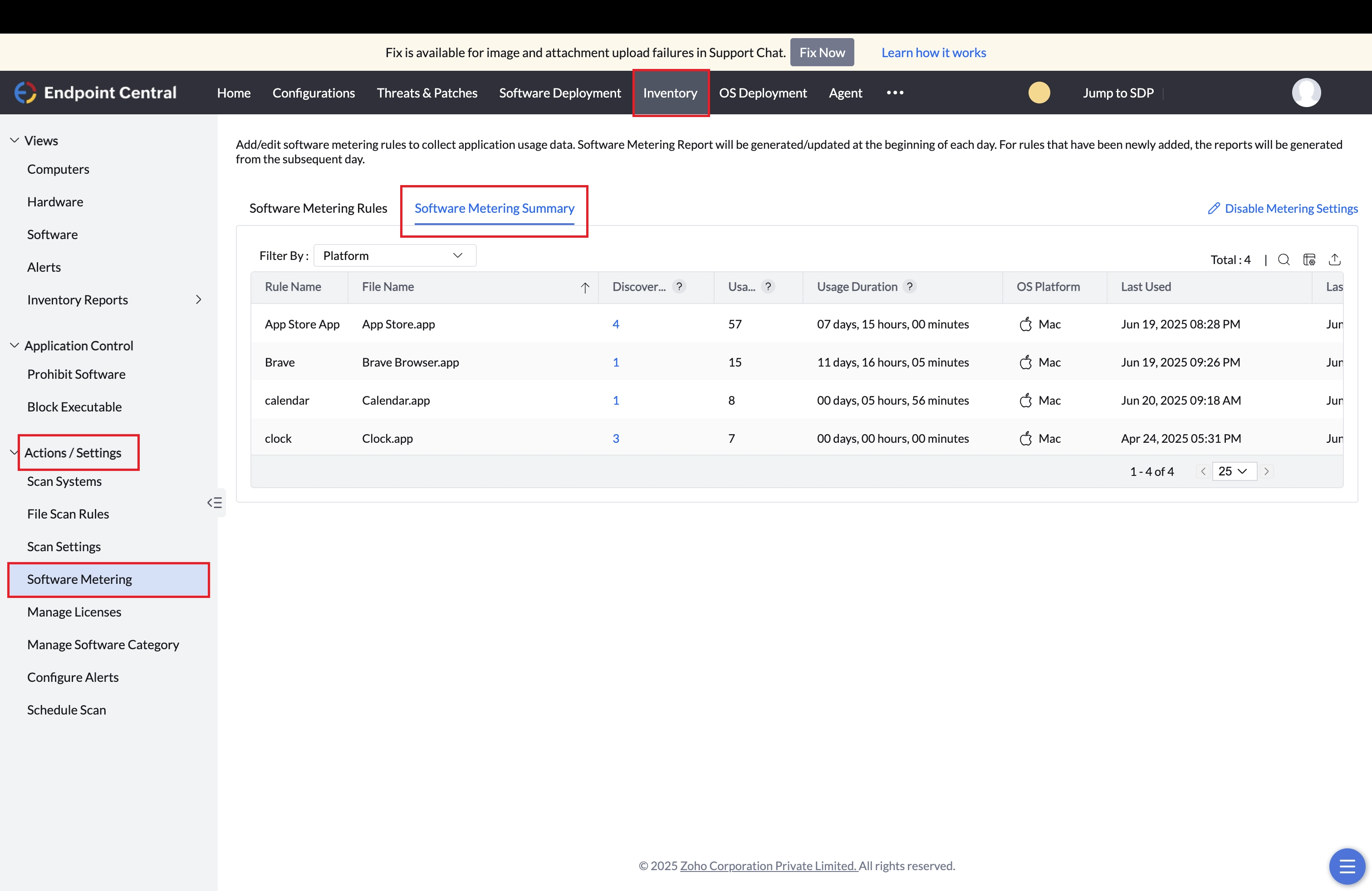
To check the Software Metering Summary, navigate to Inventory > Action/Settings > Software Metering > Software Metering Summary.
Once a rule is set, the agent machine will start metering the application from the next refresh cycle which occurs once every 90 minutes.
The metered data will be posted to the server once per day. Therefore, the data can be checked from the next day after setting the rule.
How to check Software Metering Reports?
IT admins can generate reports on the metered software to audit the usage statistics. There are three types of software metering reports that help you make an informed decision about buying software applications and renewing licenses for existing software applications.
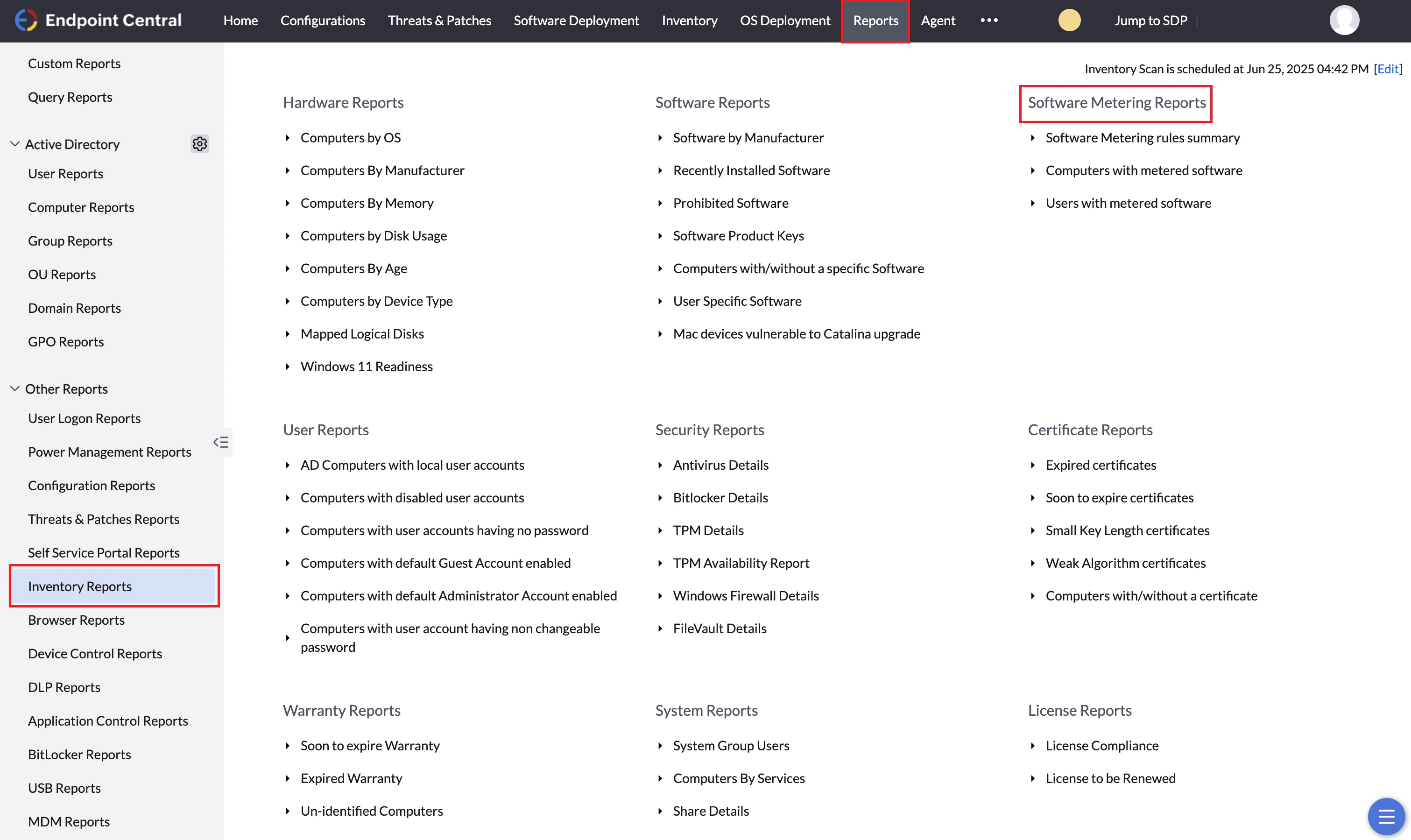
To check the Software Metering Reports navigate to Reports > Inventory Reports > Software Metering Reports. You can view the below listed reports:
- Software metering rules summary
- Computers with metered software
- Users with metered software
Software metering rules summary
Based on the rules added for metering a particular software, this report provides the following details :
- Discovered count : Number of computers in the network which have the software application installed.
- Usage count : Number of times a software application is used in all the computers in the network.
- Usage duration : Information about how long a software application has been used.
Computers with metered software
- It provides the list of computers which is running the metered software.
- In addition to this, the admin can view the reports for each computer during a stipulated time period.
- With the help of such usage details, the admin can choose to either retain or revoke the license for the software application used on each computer.
Users with metered software
- The usage details for every user specific software is provided in this report.
- This is helpful when the users logs into several computer but still the software usage details for that user-specific software needs to be metered.
The last 90 days data from the current date is stored in the Endpoint Central report.