Remote Endpoint Management and Security is now simplified
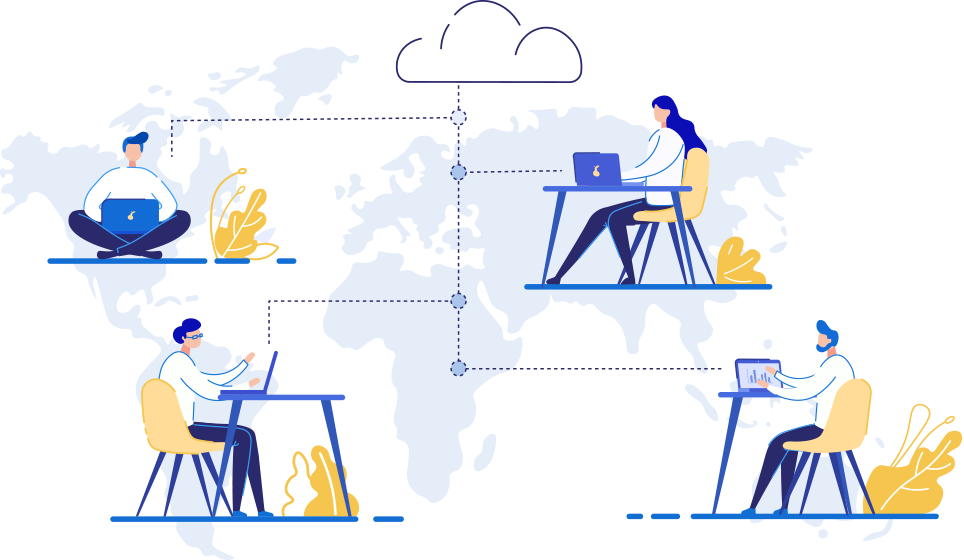
The rise of hybrid and distributed work has made remote endpoint management a critical priority for IT teams worldwide. Organizations now manage a sprawling mix of devices across locations, operating systems, and ownership models. From onboarding to retirement, across hybrid workspaces and highly heterogeneous OS ecosystems, ManageEngine Endpoint Central gives IT admins the tools to oversee remote endpoints, proactively secure all network devices, encrypt corporate data, and ensure maximum productivity regardless of where work happens.
According to the 2025 Gartner Market Guide for Endpoint Management Tools, managing and securing employee endpoints across distributed environments has become a top priority for IT leaders worldwide. Robert Half's 2025 research further highlights the scale of the challenge, with 88% of U.S. employers now offering hybrid work options, significantly expanding the number of remote endpoints IT teams must manage and secure. The device mix is also growing more varied, with JumpCloud's Q1 2025 SME IT Trends Report putting Windows at 56% of devices, macOS at 27%, and Linux at 20% across small and mid-size enterprises. The end of the device lifecycle is just as demanding, as 55% of IT and security professionals say remote offboarding is harder than in-office offboarding, according to Teqtivity's Q2 2026 Asset Intelligence Report.
Today's corporate network environment is a distributed and dynamic environment with many moving parts that need to be managed, authenticated, and secured without any deterrence to the end user's productivity. A solution that provides effective endpoint management security while still delivering a seamless end user experience is vital.
Remote endpoint management is the process of monitoring, managing, and securing all end-user devices, including desktops, laptops, mobile devices, servers, and IoT devices, from a central platform, regardless of where those devices are located. It enables IT administrators to deploy patches, enforce security policies, manage applications, and respond to threats across geographically distributed endpoints without requiring physical access to any device.
As organizations shift to hybrid and fully distributed work models, remote endpoint management has evolved from a convenience into a foundational security requirement. Endpoints are the entry points most frequently targeted by attackers, and managing them effectively across diverse operating systems and ownership models, including BYOD and COPE, demands a unified, intelligent platform.
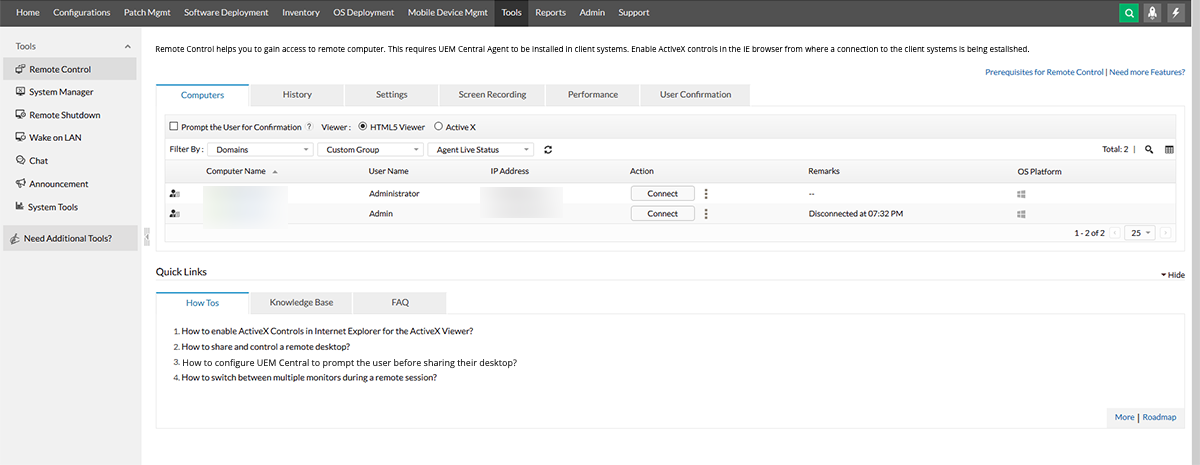
Endpoint Central offers full-fledged support for diverse remote endpoints ranging from desktops, smartphones, tablets, servers, point-of-sale devices, thin clients, IoT, wearables, kiosks and other network components. It also supports the entire endpoint management life cycle for Windows, Mac, Linux, iOS, Android, tvOS and chromeOS. Learn more!
The usage of Secure Gateway Server, when roaming agents access the server through the internet, prevents the exposure of Endpoint Central Server directly to the internet by serving as an intermediate server between the Endpoint Central server and roaming agents. The concept of BYOD involves employees using their personal devices to access corporate data on the network, such as from personal laptops, mobile devices and tablets, whereas COPE allows the company owned devices to be extensively personalized like using non-work related apps or customizing the device configuration. While the advantages of BYOD/COPE often include improved productivity and reduced cost, its adoption in organizations has also increased security risks since business-critical data are accessed from personal devices that are prone to vulnerabilities.
Endpoint Central helps manage all corporate-owned and personal devices from a single console, with security features like per-app VPN and global HTTP proxy. While traditional VPN protects the data on the internet, the data available on the corporate apps can be protected by configuring per-app VPN, which creates a VPN when data on the specified apps is accessed. The feature Global HTTP proxy provides data security by ensuring that the internet connectivity and all personal and business communication are always re-directed through a single proxy. Learn more!
The aim of Endpoint Central's zero trust mechanism is to remove security assumptions and implement foolproof strategies in place. Our zero trust architecture has identity authentication in the centre of it all. Our Conditional Access policies enforce a user to perform security actions if they want to access an internal resource. This protects an organization's assets as well as the network data while still enabling the users to stay productive irrespective of their location. Endpoint Central's robust Client Certificate Distribution keeps away unauthorized clients from connecting to the server. Each agent has a unique certificate and a corresponding private key signed by the server's trusted root certificate authority. Only upon the successful validation of the certificate and the key, the server connect to the agent. In-depth security features like completely restrict sharing data between managed and unmanaged apps, restricting sharing of data using AirDrop to other devices, restrict cut/copy/paste between managed and unmanaged apps, and restricting users from connecting to any external storage drives ensures corporate data does not get transferred from managed devices.
Endpoint Central provides configurations that help administrators manage applications, system settings, desktop settings, and security policies. These are beneficial in base-lining systems, and ensuring that targets can be selected at user or system level. Endpoint Central also allows a group of configurations to be applied together using the collection feature. By deploying predefined configurations, or by deploying custom scripts, IT admins can modify firewall settings and secure corporate data, which is extremely critical in remote endpoint protection. Endpoint Central helps you in improving the security posture of your organization by facilitating the implementation of these controls that are the recommended practices for reducing attack surface, namely CIS, GDPR, ISO, PCI, HIPAA, VPAT, RBI and NIST. Learn more!
With cybercrimes exponentially on the rise and hackers becoming more and more sophisticated, staying one step ahead of them is vital. One of the most common entry points for these attacks are unpatched systems. Endpoint Central provides fully automated patch management solutions for Windows, Mac, Linux, and third-party applications. Using Endpoint Central, IT admins can automate patch deployment every step of the way, and save time, effort and help desk resources. To avoid bandwidth congestion and ensure system availability in a remote endpoint management environment, system administrators can schedule the installation of patches on a convenient day and time by configuring a deployment policy. Endpoint Central allows the agent to download patches directly from trusted vendor sites, instead of downloading from the server. This ensures bandwidth consumption and smooth patch cycles while the workforce is remote. Endpoint Central agent also has the intelligence to switch between direct download and server download when toggling between LAN and internet connections.
With the increasing adoption of remote workforce, patching cycles have been disrupted, making vulnerability prioritization the need of the hour. Leverage the advanced vulnerability dashboard and prioritization filters to narrow the threat landscape by fixing the vulnerabilities. Use Automated Patch Deployment to seamlessly automate patch cycles. Learn more!
Endpoint Central scans your network periodically to fetch software and hardware inventory details, and detect any changes in the network. A remote work environment gives unmonitored freedom to the end users to download malicious applications or to be tricked into downloading one. With Endpoint Central, you can remotely initiate an asset scan anytime, anywhere, and once it is completed, a detailed report will be sent to the configured e-mail ID. Detect the presence of risky software like BitTorrent, Pando, Usenet, End-of-life software and uninstall them immediately. Leverage application whitelisting to ensure that these applications are never allowed to execute in the endpoints. With system administrators having the need to ensure that no computers on the network have any prohibited software installed on them, Endpoint Central allows you to prohibit software and add an auto uninstall policy, in few clicks. You also have the option to notify the user and request them to uninstall the software on their own. Learn more!
Unknown hardware and storage devices can pose dangerous threats to enterprise data and devices, especially in remote endpoint management. Since this usage cannot be completely eliminated in a remote work environment, Endpoint Central's secure USB feature helps administrators limit the scope of USB device usage, selectively based on roles and departments, by enabling IT admins to centrally block or disable them in the network. This prevents unauthorized download and upload activities, as well as the possibility of injecting harmful malware into the network. Endpoint Central offers advanced features like detecting and immediately classifying 18+ types of in-built and external peripheral devices for Windows and Mac endpoints as trusted, allowed, temporarily allowed or blocked, tracing and auditing all device and file actions, and viewing all actions on the device and file action trends at a glance. Learn more!
Browser-based attacks have been gaining importance in internet security. To deal with this alarming vulnerability influx, it is vital to protect network data and systems from privacy breaches and malware. Browser attacks, such as man-in-the-browser and crypto-jacking, can fly under the radar, making their detection challenging. Since web browsers don't come packed with high-level embedded security, IT admins need to customize the security level to keep intruders at bay. Endpoint Central ensures this complete process is simplified by providing a powerful browser security extension. Admins can configure the browser settings in a single click, and deploy them to users' browsers centrally, regardless of their physical location. Once configured, users cannot override them, nor can they bypass the warning screen to access infected websites. Learn more
Remote work can lead to a significant increase in the number of help desk tickets. Endpoint Central integrates with different help desk solutions namely Jira, Zendesk, ServiceDesk Plus, and ServiceNow, to provide endpoint management features directly from the help desk console. These integrations help boost help desk productivity by reducing ticket turnaround time, enabling the IT team to meet SLAs faster. Learn more
Efficiently control network devices from a remote location using Endpoint Central's comprehensive modern management features that enable an easy migration to Windows 10, bulk enrollment, application distribution, and better endpoint security including being able to wipe endpoints remotely. These capabilities lift off weight from an IT admin's shoulders, and increase overall productivity, reduce unnecessary downtime, and improve network security. Learn more

Endpoint Central enables IT administrators to execute remote commands directly on Windows and Mac endpoints from a single centralized console, without needing physical access or a separate remote session tool. Whether you need to run diagnostic scripts, push configuration changes, restart services, or retrieve system information, remote command execution allows IT teams to resolve issues faster and reduce help desk turnaround time significantly.
For Windows endpoints, administrators can run PowerShell and command prompt scripts remotely. For Mac endpoints, shell scripts can be executed with the same ease. All command activity is logged for audit and compliance purposes, ensuring visibility into every action taken on managed devices.
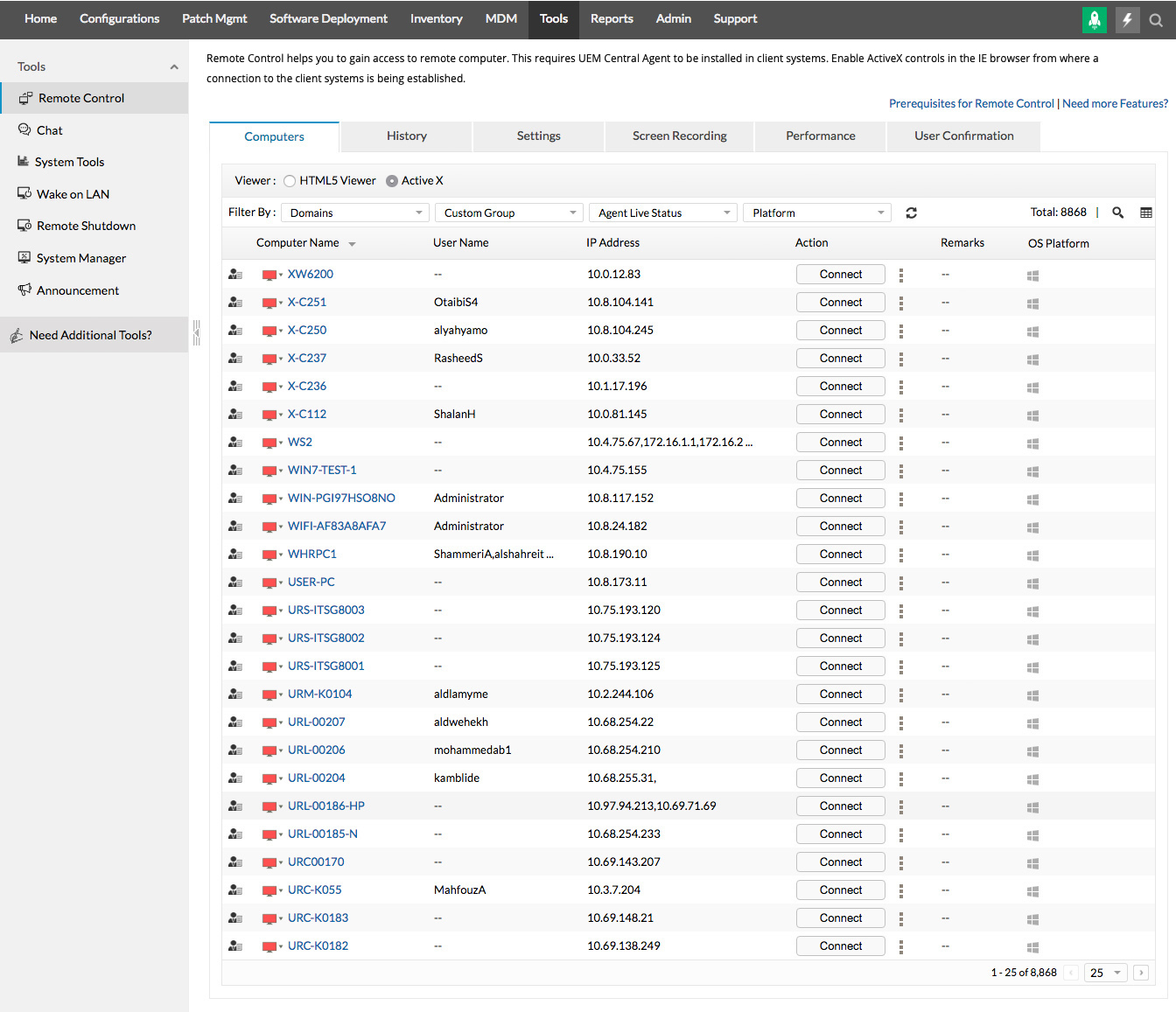
Setting up remote endpoint management with Endpoint Central is straightforward and designed to scale with your organization. Here is a step-by-step overview of the process:
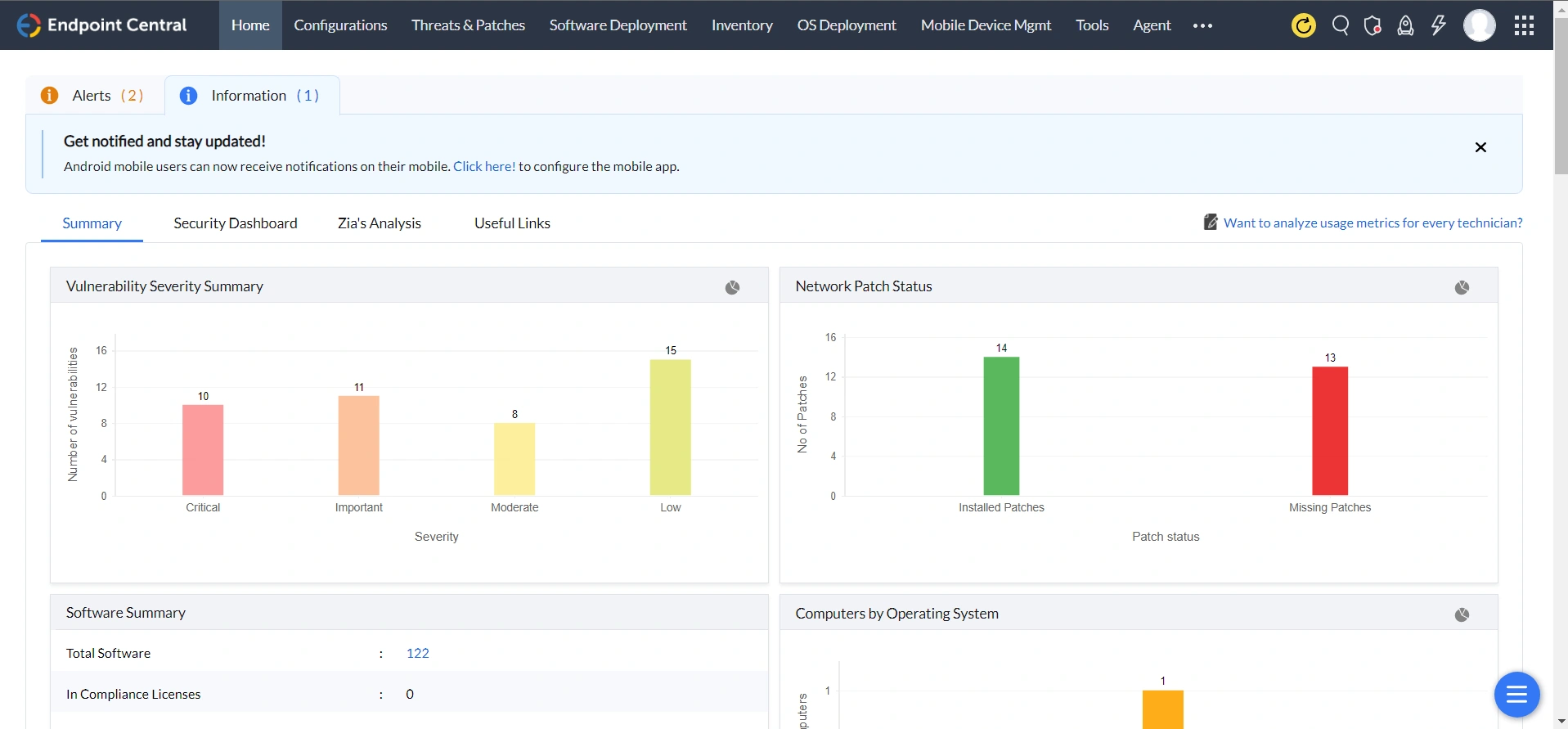
Endpoint Central is a unified endpoint management solution that's easy to set up and use, and is friendly on an organization's budget. This ManageEngine endpoint management solution enables IT admins to address network challenges confidently, and ensure that the remote endpoint management and remote endpoint security tasks are performed efficiently.
Centralized remote endpoint management allows IT admins to enforce security policies, deploy patches, configure firewalls, and monitor device activity from a single console. Endpoint Central provides real-time visibility and automated response capabilities across all managed endpoints, regardless of their location, ensuring consistent security without requiring physical access to each device.
Yes. Endpoint Central supports remote command execution on both Windows and Mac endpoints from a unified management console. IT admins can run PowerShell or command prompt scripts on Windows devices and shell scripts on Mac devices, all with centralized logging for audit and compliance purposes.
For small organizations with a largely remote workforce, Endpoint Central offers a cloud-hosted deployment option that requires minimal infrastructure investment. IT admins can install the server, deploy lightweight agents to remote devices, configure the Secure Gateway Server for internet-based communication, and start managing all endpoints from a centralized dashboard within a few hours.
Endpoint Central supports BYOD management through containerization, which separates personal and corporate data on the same device. IT admins can enforce per-app VPN, apply mobile device management policies, and restrict data sharing between managed and unmanaged apps, while preserving employee privacy on personal devices.
Endpoint Central uses a Secure Gateway Server to establish encrypted communication with roaming agents over the internet, without requiring a traditional VPN connection. This allows IT teams to manage, patch, and secure devices that are permanently off-network, ensuring no endpoint goes unmanaged regardless of connectivity method.
Endpoint Central automates the entire device lifecycle, covering enrollment and configuration at onboarding, patch and software management during active use, and remote wipe and decommissioning at retirement. Automated policies, scheduled deployments, and self-service capabilities reduce the manual burden on IT teams, enabling them to scale device management across hundreds or thousands of endpoints efficiently.
Endpoint Central integrates natively with leading helpdesk platforms including Jira, Zendesk, ServiceDesk Plus, and ServiceNow. This allows IT support teams to initiate remote troubleshooting, run commands, deploy fixes, and manage endpoints directly from within the helpdesk console, reducing ticket resolution times and improving SLA performance.
The key criteria for selecting a remote endpoint management solution include multi-platform support across Windows, Mac, Linux, iOS, and Android; automated patch management; BYOD and COPE support; zero trust and conditional access capabilities; compliance framework alignment (CIS, GDPR, HIPAA, NIST); helpdesk integration; and a centralized management console with real-time visibility. Deployment flexibility, whether cloud, on-premises, or hybrid, is also an important consideration for growing organizations.







