
Pricing  Get Quote


How to unblock ADSelfService Plus' default admin account

The default admin account in ADSelfService Plus follows the configuration that governs Product Technicians in ADSelfService Plus.

You might need to manually unblock the default admin account if,
  • You have configured a blocking time after which technician accounts are automatically unblocked (Configuration > Administrative Tools > Technician > Advanced > General > Block Users Who Fail Identity Verification), but you want to unblock the default admin account immediately.
  • The blocking period is set to forever, and the accounts can only be unblocked manually.

Steps to manually unblock the default admin account

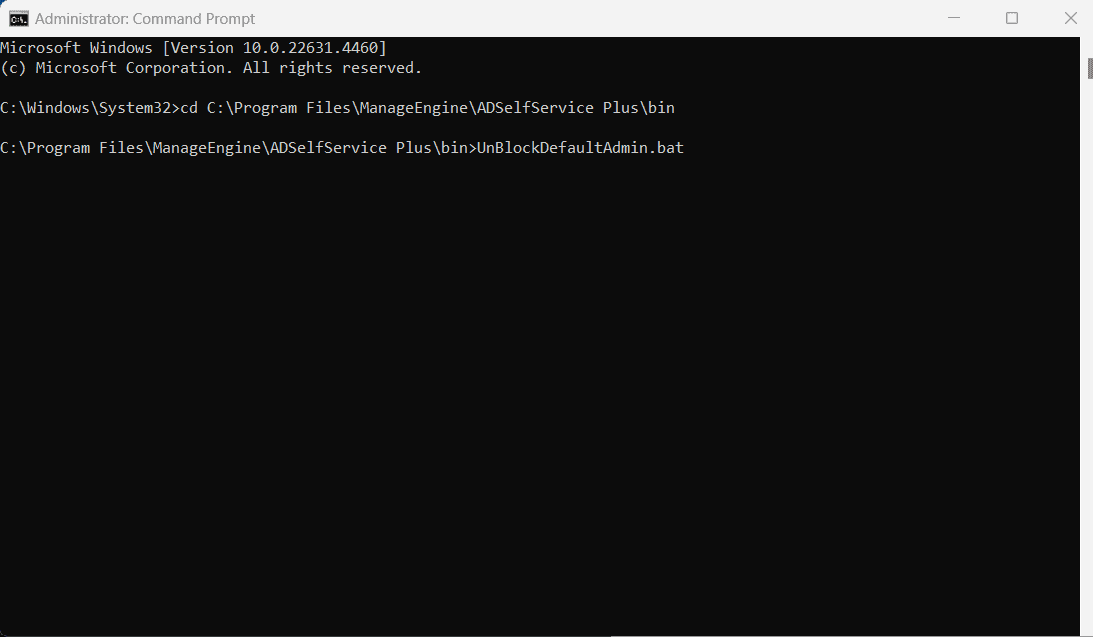
  1. Log into the Windows machine on which ADSelfService Plus is installed, and open the Command Prompt in elevated mode
  2. Navigate to the ADSelfService Plus installation directory. The default location is: C:\Program Files\ManageEngine\ADSelfService Plus\bin
  3. Run the following file: UnBlockDefaultAdmin.bat

    Steps to manually unblock the default admin account

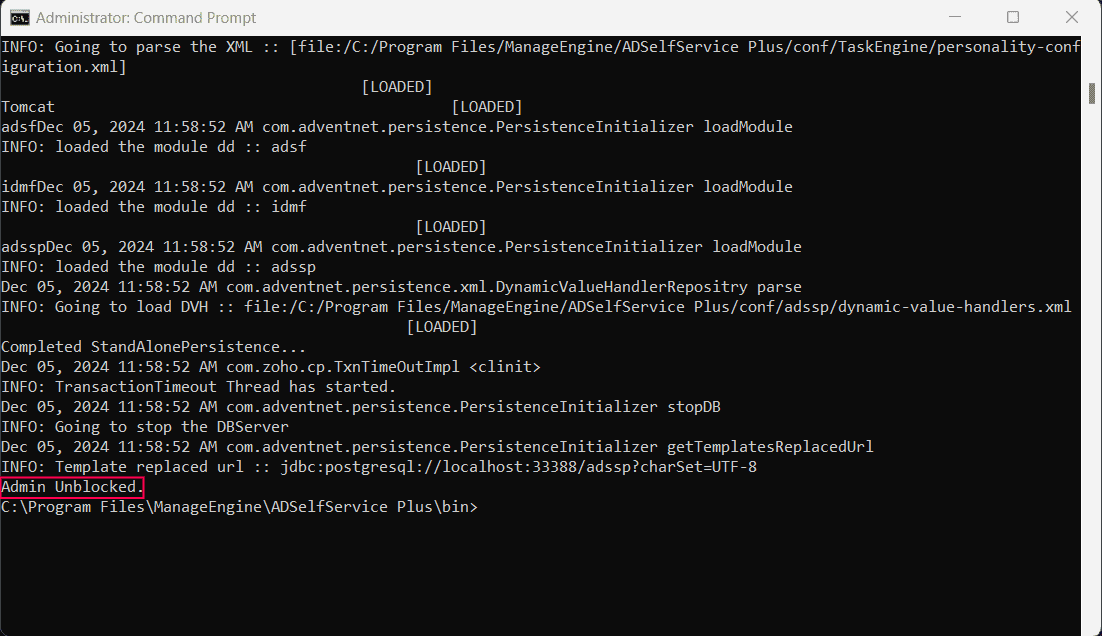
    Once the process is complete, a confirmation message will appear: Admin Unblocked.
    Steps to manually unblock the default admin account

    The default admin account will now be unblocked and ready for use.

Next steps

  • Log in to ADSelfService Plus using the default admin account.
  • If you need to reset the default admin password, refer to this guide.

Request for Support

Need further assistance? Fill this form, and we'll contact you rightaway.

  • Name
  •  
  • Business Email *
  •  
  • Phone *
  •  
  • Problem Description *
  •  
  • Country
  •  
  • By clicking 'Submit' you agree to processing of personal data according to the Privacy Policy.
Highlights of ADSelfService Plus

Password self-service

Allow Active Directory users to self-service their password resets and account unlock tasks, freeing them from lengthy help desk calls.

One identity with single sign-on

Get seamless one-click access to 100+ cloud applications. With enterprise single sign-on, users can access all their cloud applications using their Active Directory credentials.

Password and account expiry notification

Intimate Active Directory users of their impending password and account expiry via email and SMS notifications.

Password synchronization

Synchronize Windows Active Directory user passwords and account changes across multiple systems automatically, including Microsoft 365, Google Workspace, IBM iSeries, and more.

Password policy enforcer

Strong passwords resist various hacking threats. Enforce Active Directory users to adhere to compliant passwords by displaying password complexity requirements.

Directory self-update and corporate directory search

Enable Active Directory users to update their latest information themselves. Quick search features help admins scout for information using search keys like contact numbers.


ADSelfService Plus trusted by

Embark on a journey towards identity security and Zero Trust






