Patch Manager Plus

Endpoint Central
Smart IT teams don't just patch, they're armed against malware, untrusted peripherals, and data leaks with
full-stack endpoint security!
Smart IT teams don't just patch, they're armed against malware, untrusted peripherals, and data leaks with
full-stack endpoint security!
Managing endpoint security shouldn't be complicated. Endpoint Central consolidates endpoint management and security into one comprehensive solution, easing your workload, eliminating tool sprawl and alert fatigue, and improving outcomes.


Outpace cyber threats by harnessing advanced Threat Detection and Response (TDR) capabilities, reducing the potential for vulnerability exploitation and, strengthening your security posture.
Ensure extensive data security by protecting your data at rest, in use, and in transit using encryption measures and the Principle of Least privilege (PoLP).
With robust Attack Surface Management (ASM) strategies, have comprehensive visibility over your corporate inventory, proactively evaluate risks, and enhance overall attack vector resilience.
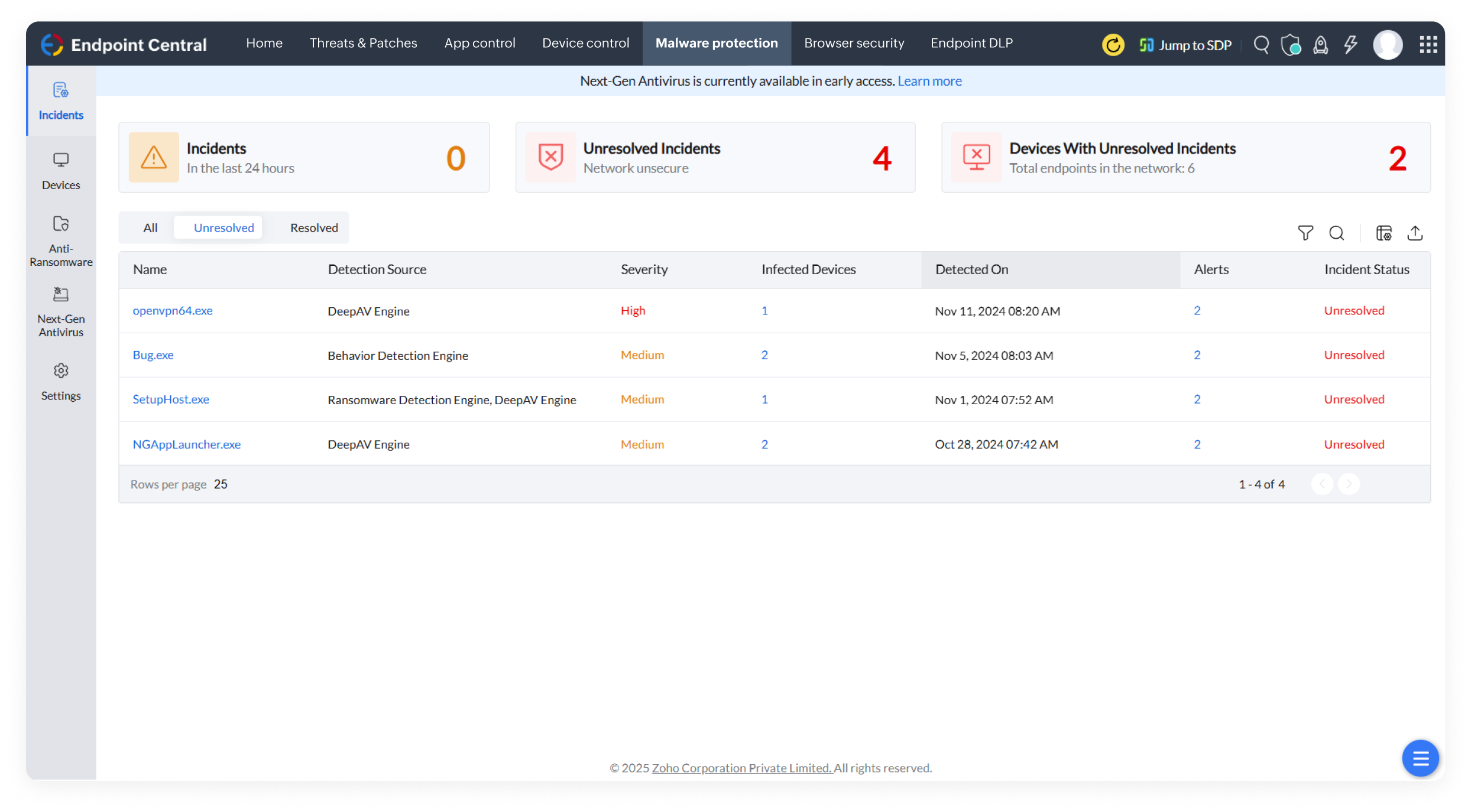
Parry the blows of evasive threats with Next-Gen Antivirus, an AI-powered real-time behavioral detection mechanism that keeps your endpoints armored against sophisticated malware.
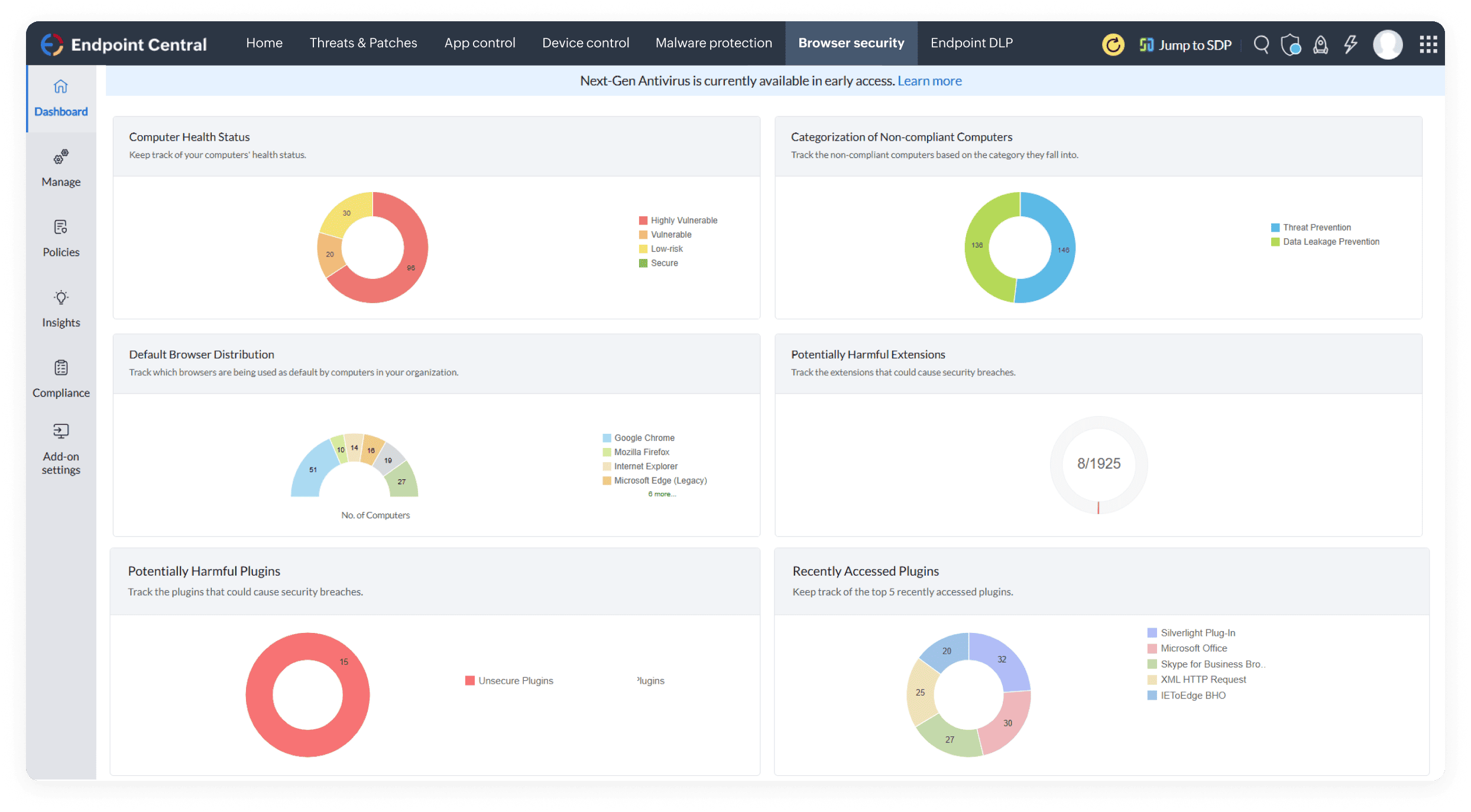
Harden your enterprise browsing environment by enforcing browser security configurations to fortify the first line of defense in the attack surface against web-borne threats.
With robust Attack Surface Management (ASM) strategies, have comprehensive visibility over your corporate inventory, proactively evaluate risks, and enhance overall attack vector resilience.
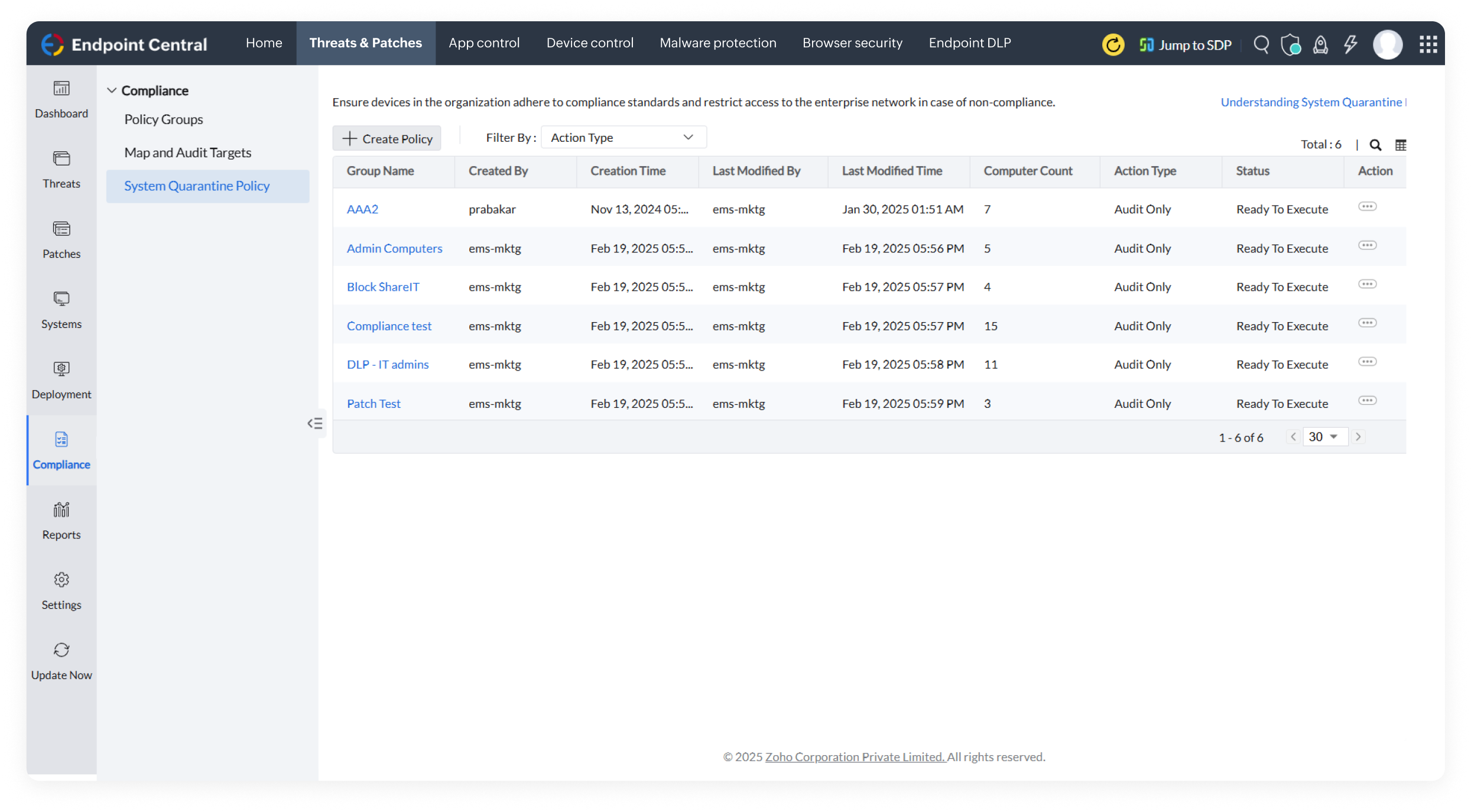
Enforce network access control to isolate non-compliant devices, ensuring only authorized, secure devices can access corporate resources.


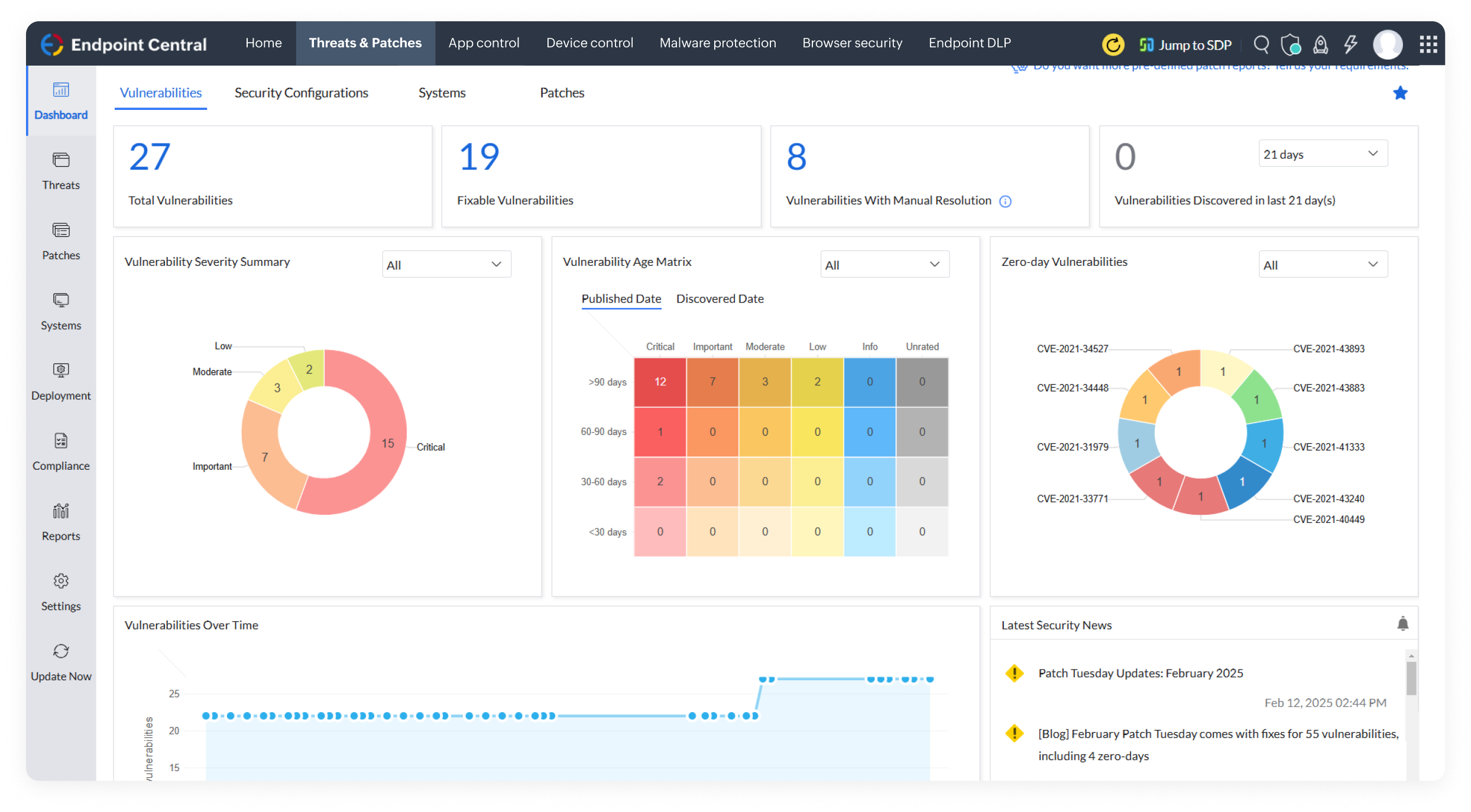
Scan, detect, and prioritize vulnerabilities based on severity, patch availability, age, and many factors, for prompt mitigation.

Receive notifications on zero-day patches, automate patch deployment, and deploy pre-tested scripts to combat zero-day threats and publicly-disclosed vulnerabilities.

Isolate endpoints with security risks using customizable quarantine policies, notify users when machine goes non-compliant and enable admins to perform regular audits, to ensure compliance and protect your enterprise.

Strengthen your defense strategy by auditing and eliminating outdated, end-of-life software (EOL) while keeping a close watch on active ports to prevent unauthorized access and threats.

Ensure adherence with regulations such as PCI DSS, ISO, HIPAA, and GDPR by automating patch management, enforcing security policies, and comprehensive audit and reporting.

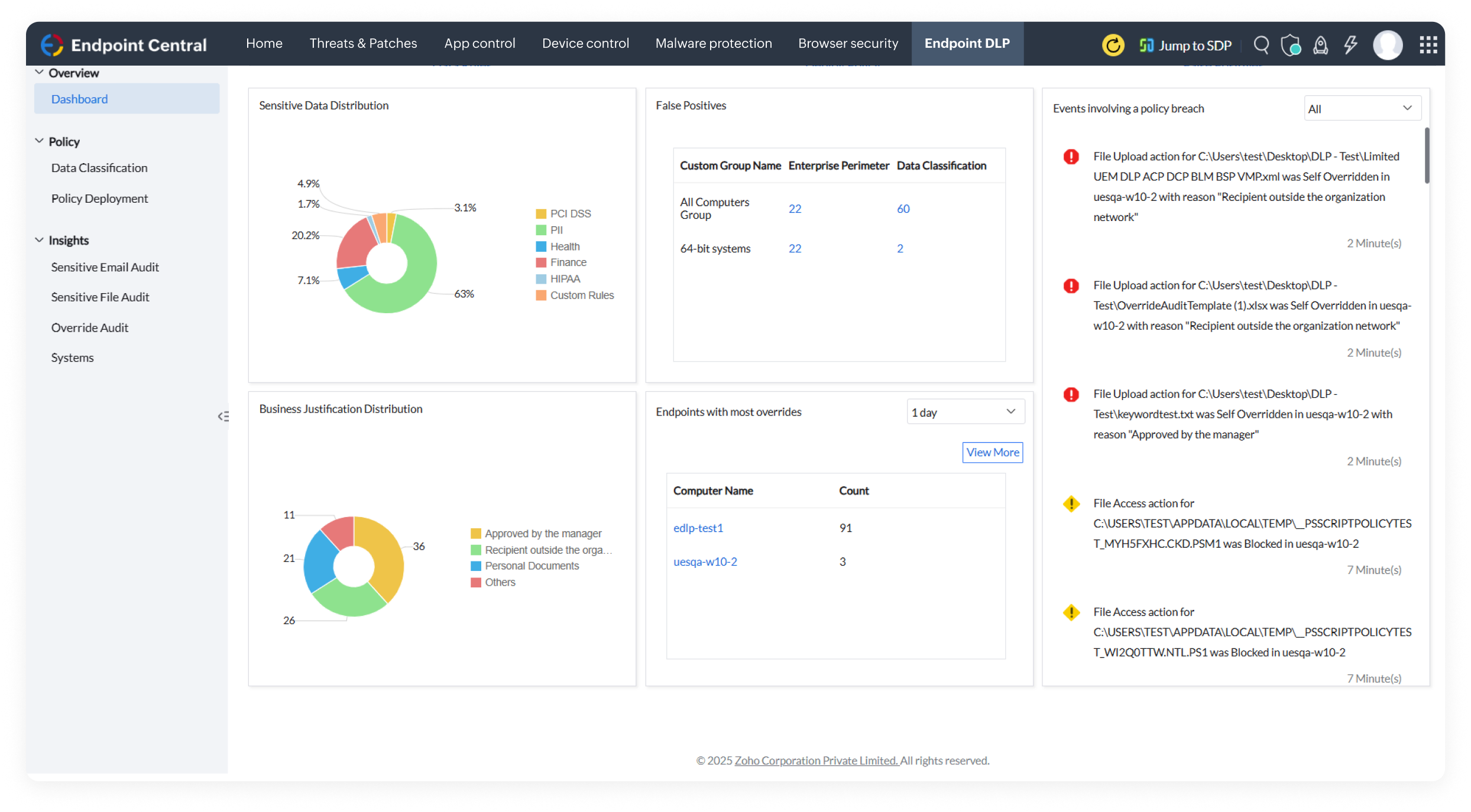
Scan endpoints to identify and classify sensitive data using predefined or customizable rules based on factors such as, PII, file extensions, keywords and matching content, to protect them against theft.

Safeguard enterprise data at rest, in use, and in transit, restrict screen capture, allow file uploads only to trusted domains, block sensitive file exports, securely manage email attachments and removable storage data.

Isolate enterprise data in BYOD using logical containers, giving IT admins complete control over corporate data/resources without compromising the user's personal space.

Enforce encryption policies with BitLocker and FileVault, while safeguarding access through secure recovery key lifecycle management, including generation, storage, rotation, and controlled access.

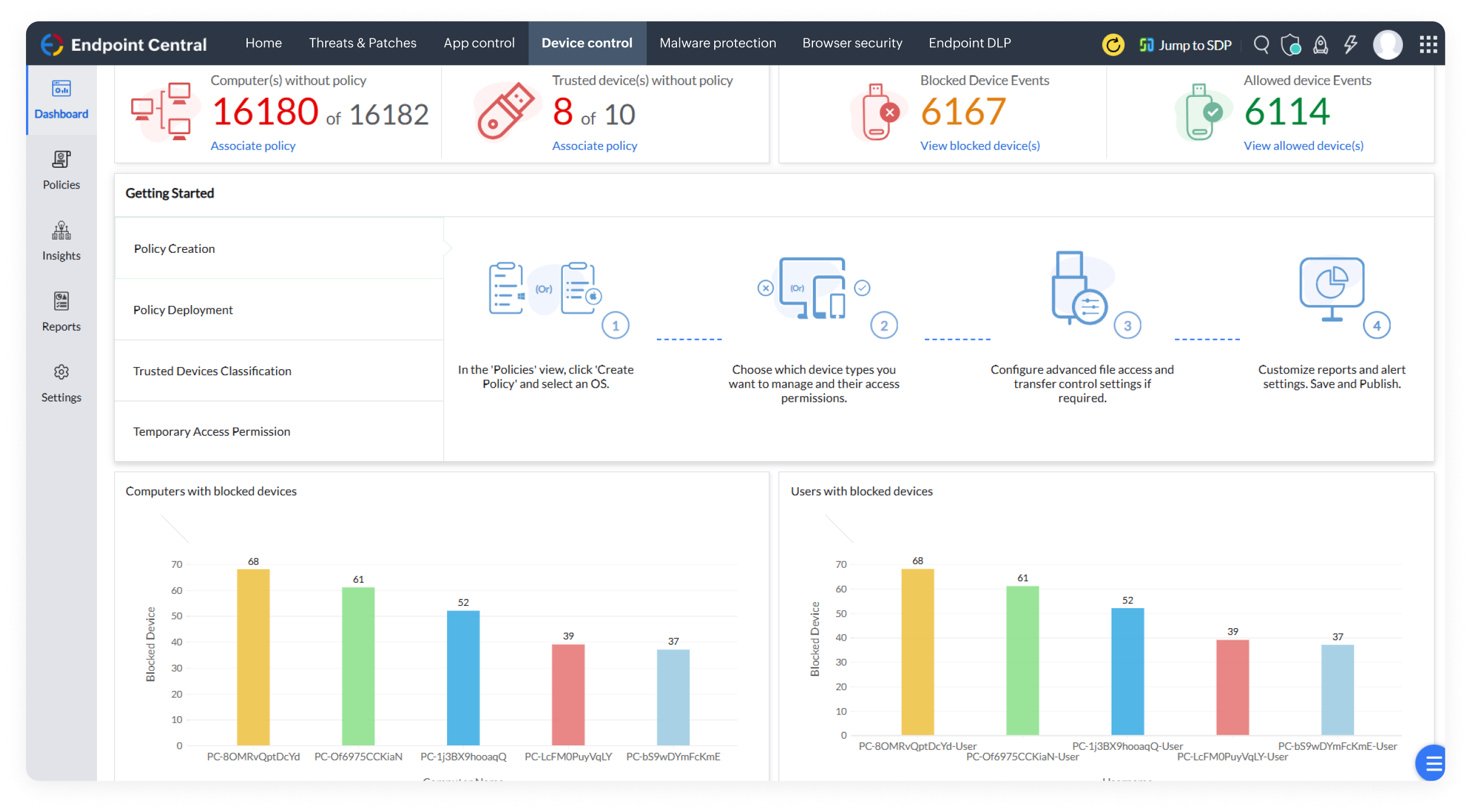
Control and monitor USB devices with role-based restrictions, granular activity tracking, and audit-ready reports to safeguard your data.

Ensure data integrity and prevent loss by monitoring sensitive file transfers and creating secure mirror copies whenever files are moved to external devices.

Scan endpoints to identify and classify sensitive data using predefined or customizable rules based on factors such as, PII, file extensions, keywords and matching content, to protect them against theft.

Safeguard enterprise data at rest, in use, and in transit, restrict screen capture, allow file uploads only to trusted domains, block sensitive file exports, securely manage email attachments and removable storage data.
Isolate enterprise data in BYOD using logical containers, giving IT admins complete control over corporate data/resources without compromising the user's personal space.

Maintain business continuity with one-click recovery, restoring files to their latest shadow copy, and minimizing downtime after an attack.

Ensure continuous protection even without internet connectivity and monitor devices without relying on frequent signature updates.

Ensure only trusted applications are used in endpoints and block applications which pose threats or disrupt business productivity, including removal of pre-installed apps in mobile devices.

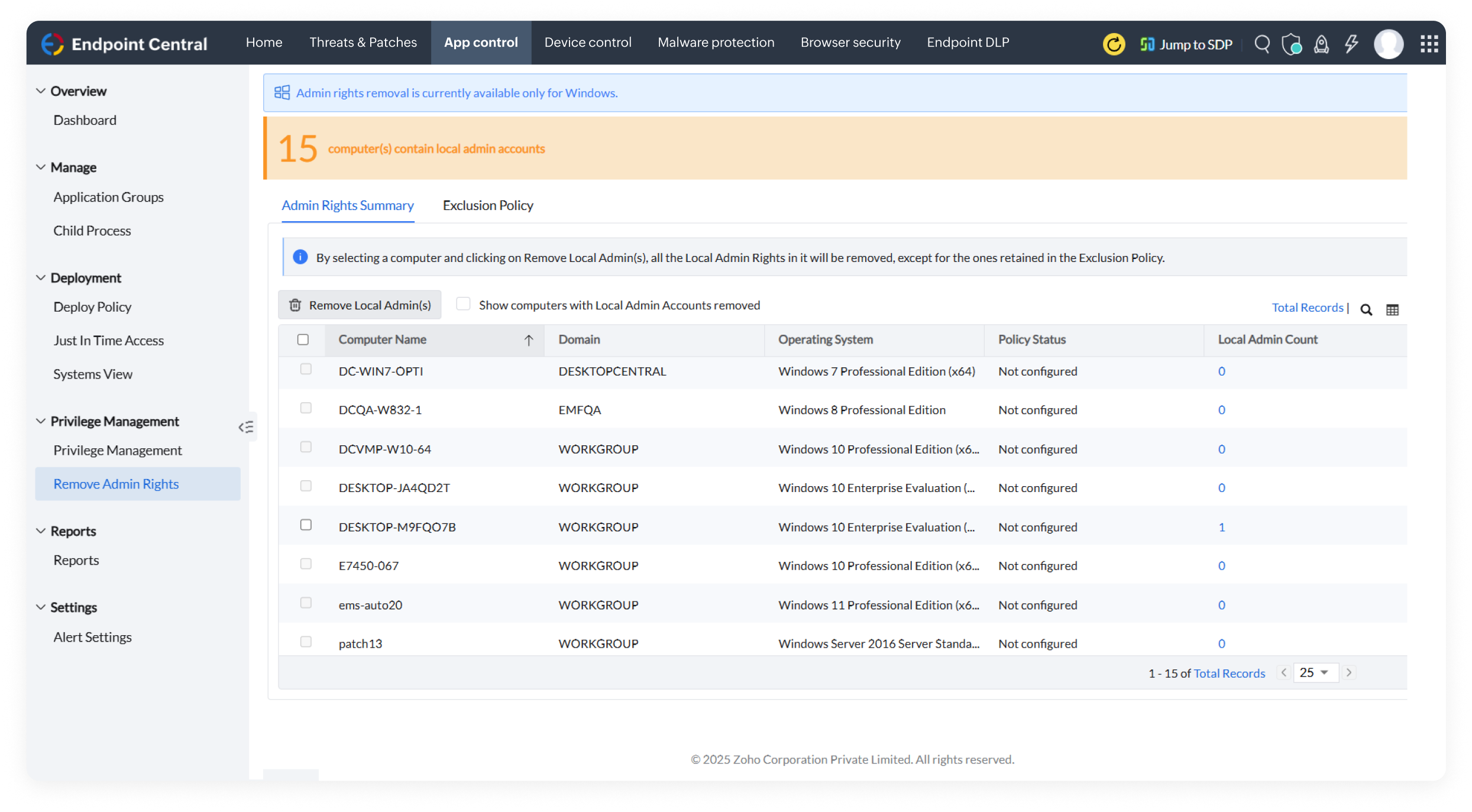
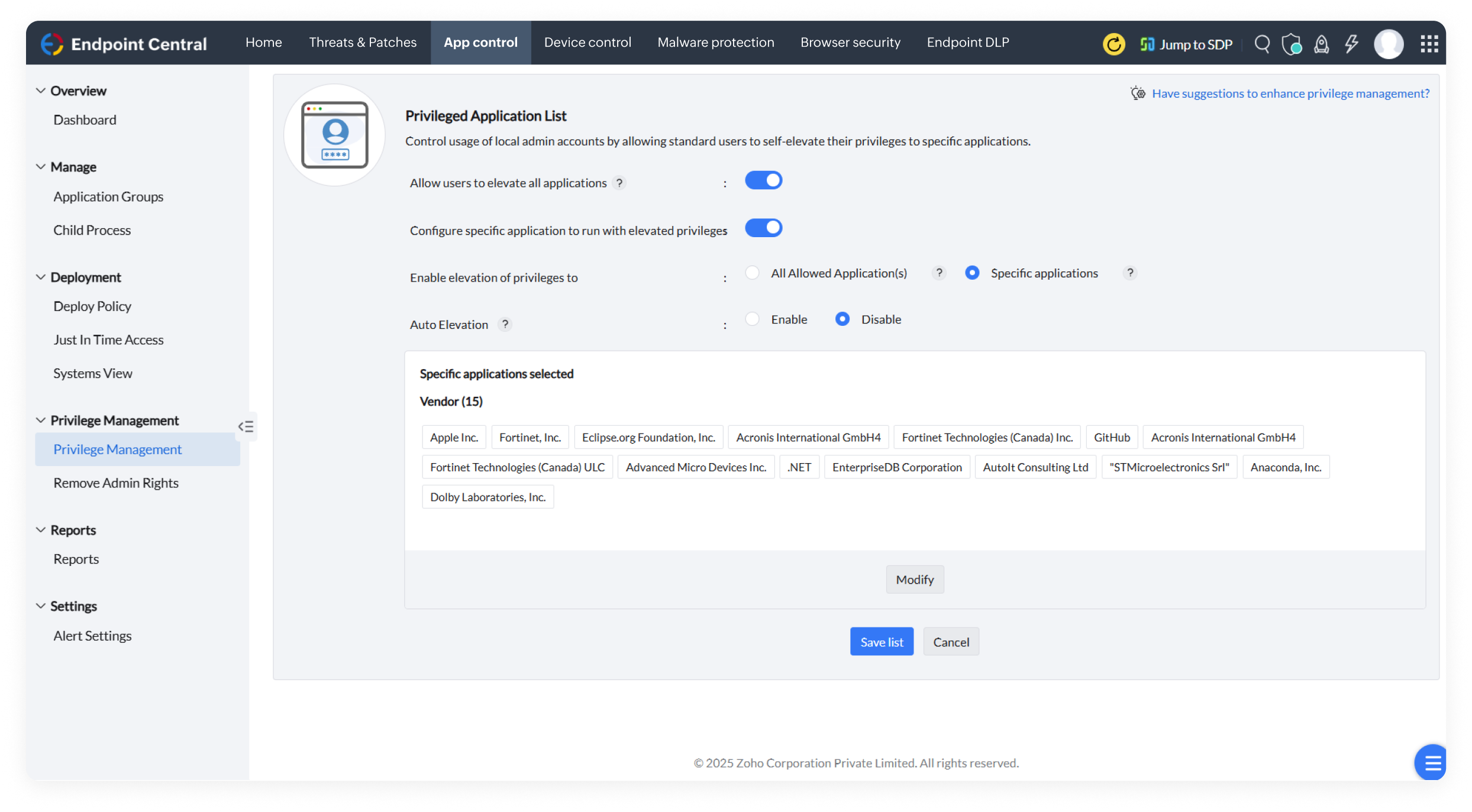
Enhance security by enforcing the Principle of Least Privilege Access (PoLP), removing unnecessary admin rights, and granting appropriate application privileges to the right users.

Track and block harmful child processes, ensuring only authorized activities are permitted, regardless of elevated application privileges.

Enable selective, time-bound access to critical applications, curbing insider threats and keeping everything running smoothly.

Keep your corporate data secure by enforcing conditional access policies such as Exchange Access and Office 365, ensuring only authorized users have access to the right corporate sources.

Deploy customized browser configurations across endpoints, enhancing security by aligning settings with your organization's specific requirements.

Stay vigilant by preventing end users from downloading malicious files and executables, reducing the risk of malware attacks.
Restrict access to unsecure websites, minimizing browser vulnerabilities and reducing security risks across your organization’s endpoints.

Improve browser protection and productivity by deploying only trusted add-ons and blocking unnecessary extension permissions to prevent data theft.

Redirect users to compatible browsers for legacy web apps, ensuring smooth access without disrupting their preferred browsing choice.

Establish secure, web-based remote connections from anywhere with capabilities such as sharing files and blackening the end user's screen to preserve their privacy.

Record remote sessions for auditing and compliance purposes.

Optimize troubleshooting with tools such as disk cleanup, Wake on LAN, remote shutdown, defragmentation, and other system manager tools.

Resolve issues instantaneously with multi-technician collaboration during troubleshooting.

Provide support via text, calls, or video for faster issue resolution and troubleshoot multiple monitors from one remote system easily.

Deploy software effortlessly using predefined templates with built-in install and uninstall switches, saving time and effort.

Seamlessly distribute, install, and update mobile apps on devices silently and automatically, reducing manual intervention and saving time.
Install apps with preconfigured permissions, ensure devices are ready to use out of the box, and restrict unauthorized permission changes to maintain compliance for enhanced security.

Allow employees to independently install organization-approved apps and patches, reducing the IT team workload.

Automate app update management by enabling sysadmins to ensure timely, tested updates while maintaining data security and device performance.

Gain real-time visibility into software and hardware details, including OS, manufacturer, age, and device type of your endpoints.
Manage licenses by software metering, tracking usage details, and planning license renewals based on software usage data.

Safeguard corporate data by tracking devices leaving or entering defined geographical boundaries and triggering automated actions such as enabling lost mode and device data wipe.

Deploy customizable power consumption configurations across devices, reducing power costs and helping create an environmentally friendly IT ecosystem.

Maintain a central repository of business-critical content and instantly distribute, update, or remove it across a large number of BYOD and corporate devices.

Capture images from both live and switched off endpoints with smart online and offline imaging methods.

Streamline deployments with ready-made templates tailored to specific roles or departments.
Easily deploy OSs to devices outside your network, supporting work-from-home (WFH) setups with standalone deployment.

With no physical effort, deploy OSs to multiple remote machines at once, using PXE, USB, or ISO.

Streamline profile migration by backing up user profiles and deploying them on new machines, reducing manual effort and saving time for your IT team.

Simplify OS deployment using a single golden image for multiple computers, automatically adding compatible drivers based on each machine's unique hardware configuration.