Description
Endpoint Central provides multiple-monitor support during Remote Desktop Connection. With this feature, you can fully utilize all the monitors connected to the client computer for Remote Desktop connection. There are two different ways to view the monitors:
- ActiveX Viewer
- Html5 Viewer
ActiveX Viewer
When you establish a remote connection, Endpoint Central automatically detects the monitors available and displays the information on the ActiveX tool bar. You can choose the monitor you want to view and also switch between the available monitors whenever you want, during the session.
Steps
To switch between multiple monitors during a remote session in ActiveX Viewer, follow the steps given below:
- Click the Tools -> Remote Control -> Computers.
- In the Viewer section, select ActiveX viewer.
- In the Action column, against the computer that you want to connect to, click Connect.
- Click View Desktop.
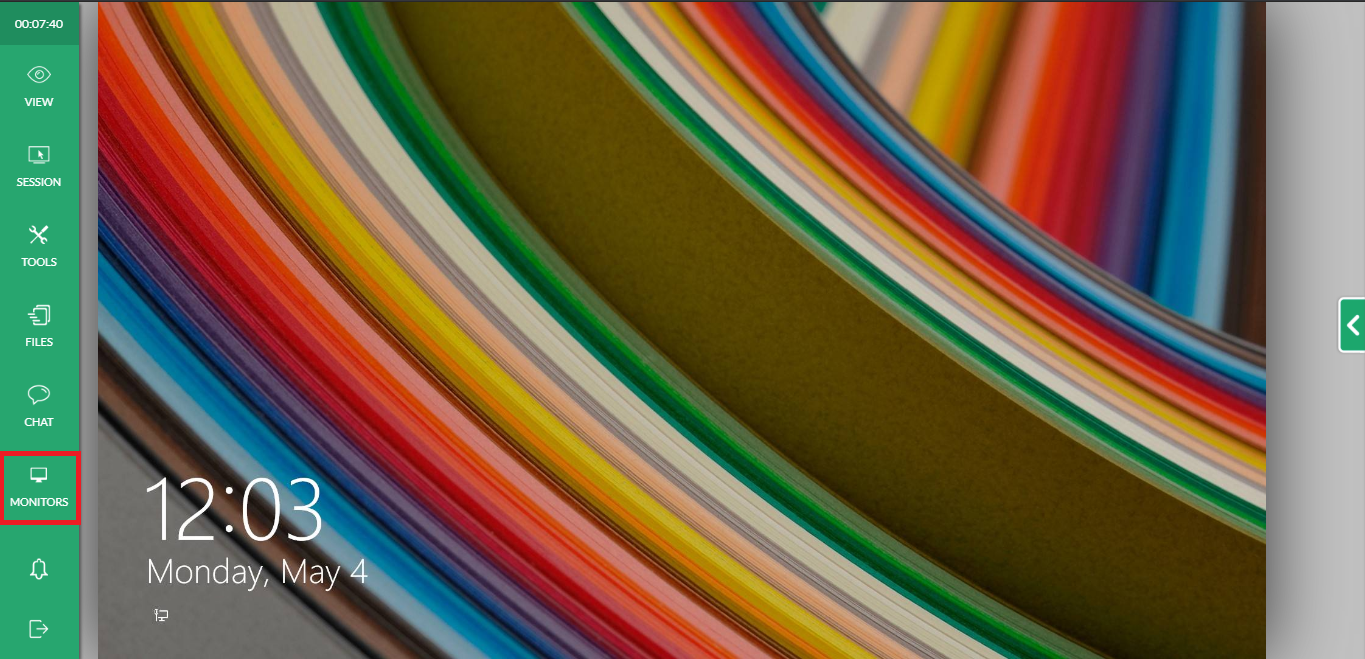
Note: When Endpoint Central detects multiple monitors, it automatically adds an icon on the toolbar, which enables you to switch between multiple monitors. It is known as the Multi Monitor icon. The primary monitor gets displayed by default.
- Click the Multi Monitor icon to switch between monitors.
Html5 Viewer
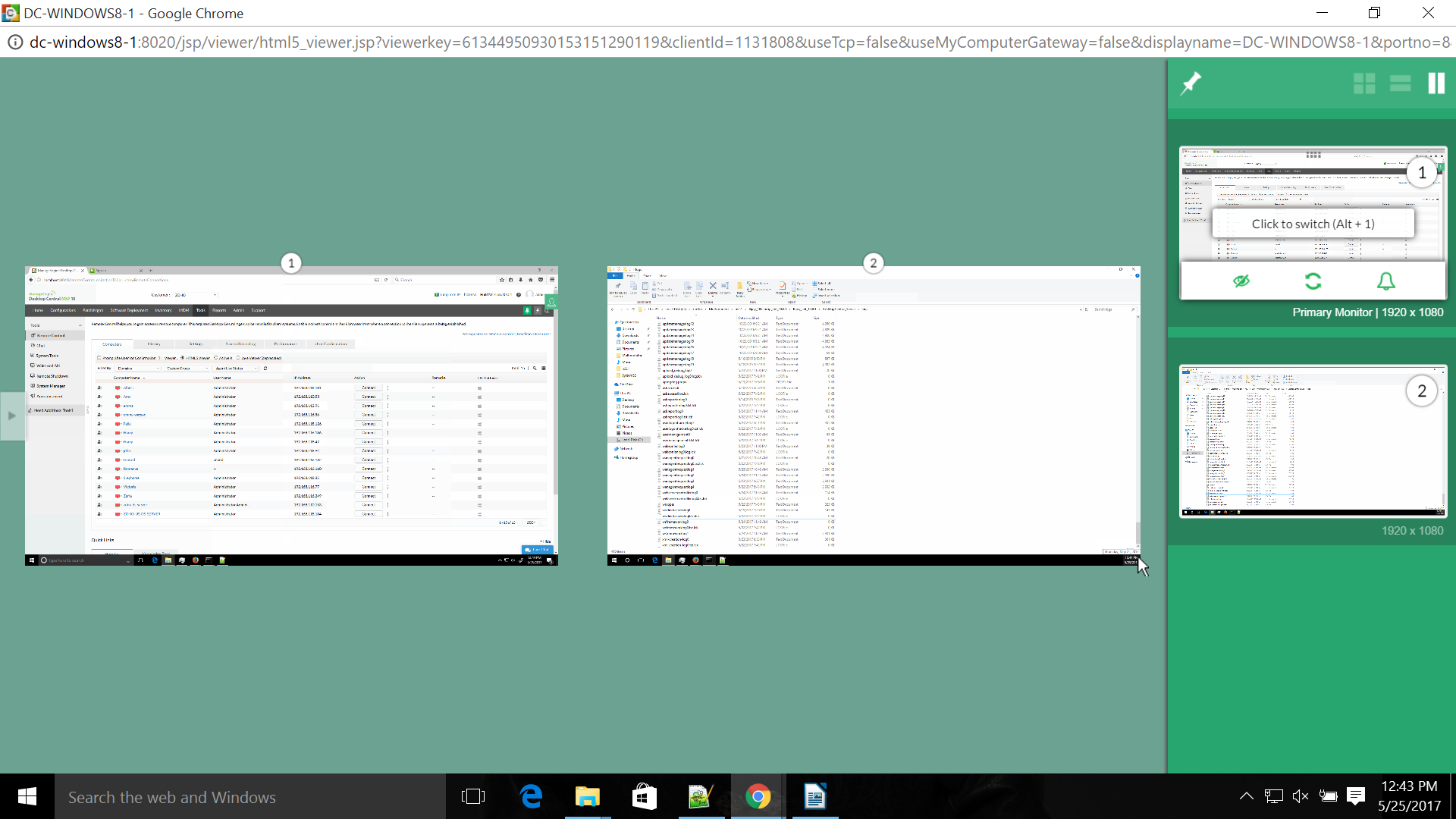
On establishing remote connection in Html5 Viewer, Endpoint Central automatically detects the monitors available and displays the information. You have the ability to view and perform operations on multiple monitors simultaneously.
Steps
To initiate a remote desktop connection with a client setup with multiple monitors in Html5 Viewer, follow the steps given below:
- Navigate to Tools -> Remote Control.
- On the Computers tab, in the Viewer section, select HTML5 Viewer.
- In the Action column, against the computer that you want to establish remote connection to, click Connect.
- Once connection is established, Endpoint Central automatically detects the monitors that are available and displays this information on the Html5 Viewer.
How to use multiple-monitor feature?
The HTML5 Viewer will display all the monitors detected in the client computer. Initially, you can select to view the monitor of your choice. The monitor that you are currently viewing is termed as the active monitor.
Preview Pane - Displays thumbnail view of all the available monitors. You have the ability to switch between different monitors, add or remove monitors from the active view, during the remote session. To reorder, you can Drag and Drop the monitor thumbnails in the preview pane and this order will be retained in the active view.
 Pin icon - Allows you to view the preview pane permanently. Disabling it, will hide the preview pane.
Layout - Provides different layouts for displaying all the available monitors in the preview pane:
 Client layout - View all monitors as it is in the client setup
 Vertical layout - View all monitors vertically
 Horizontal layout - View all monitors horizontally
 Add Monitor icon - Allows you to add a monitor to the active view.
 Hide Monitor icon - Allows you to hide a monitor from the full screen view. Ensure, at least one monitor is being viewed currently in the active view. Else, the Hide Monitor icon will be disabled.
 Live Preview - Allows you to view live updates of all actions being performed on each monitor in the preview screen itself.
 Instant notification - Allows you to receive notifications as soon as keyboard focus shifts to any other monitor apart from the ones that you are currently viewing.
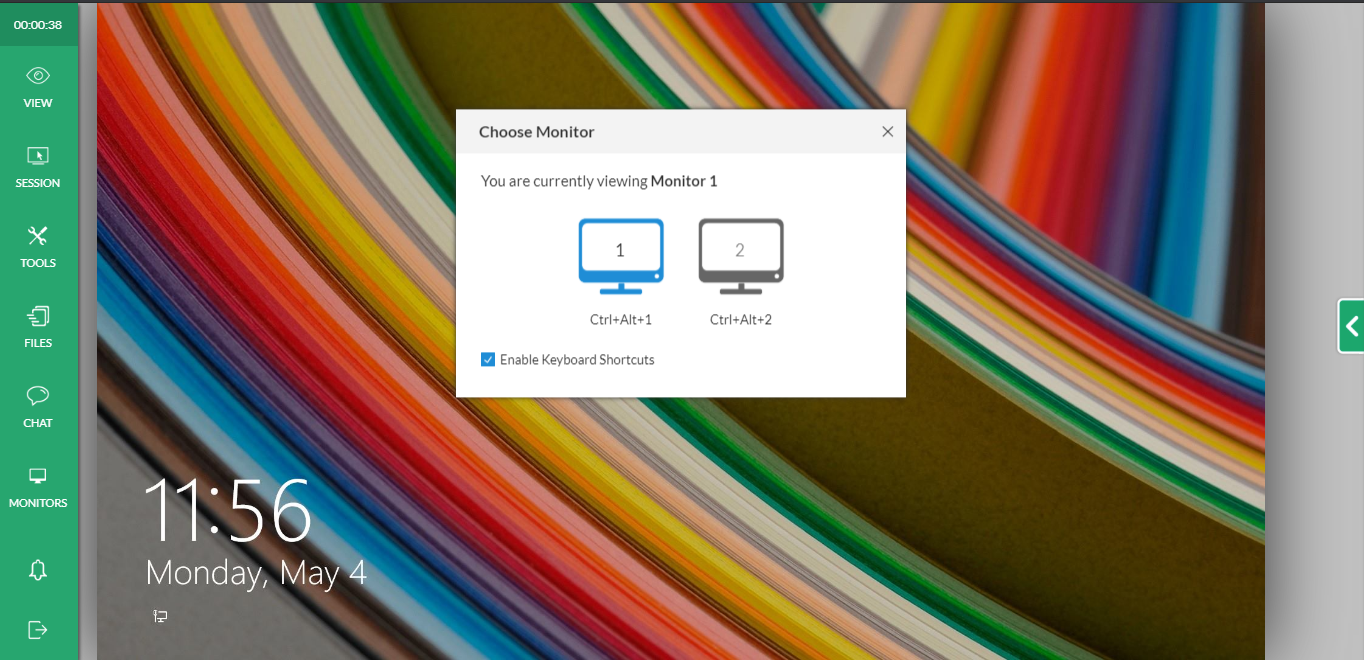
Note - When multiple technicians are connected to a remote computer with multiple monitors in setup, Endpoint Central enables only switching between the different monitors. It does not allow viewing all the monitors simultaneously.

 Free Edition