 Free Edition
Administrators can sometimes accidentally delete a computer object from AD. If the computer account is not immediately restored, users will not be able to log in and access resources using that particular system, which results in obvious loss of productivity.
Using RecoveryManager Plus, you can instantly restore deleted computer accounts. The deleted computer accounts are restored with their password attribute intact, and they are also rejoined to the domain upon restoration which enables users to instantly log in and be productive.
Follow the steps listed below to restore deleted a computer account.
 icon to narrow the search for the object to be restored.
 icon in the OUs field to select the OU in which the computer object was present.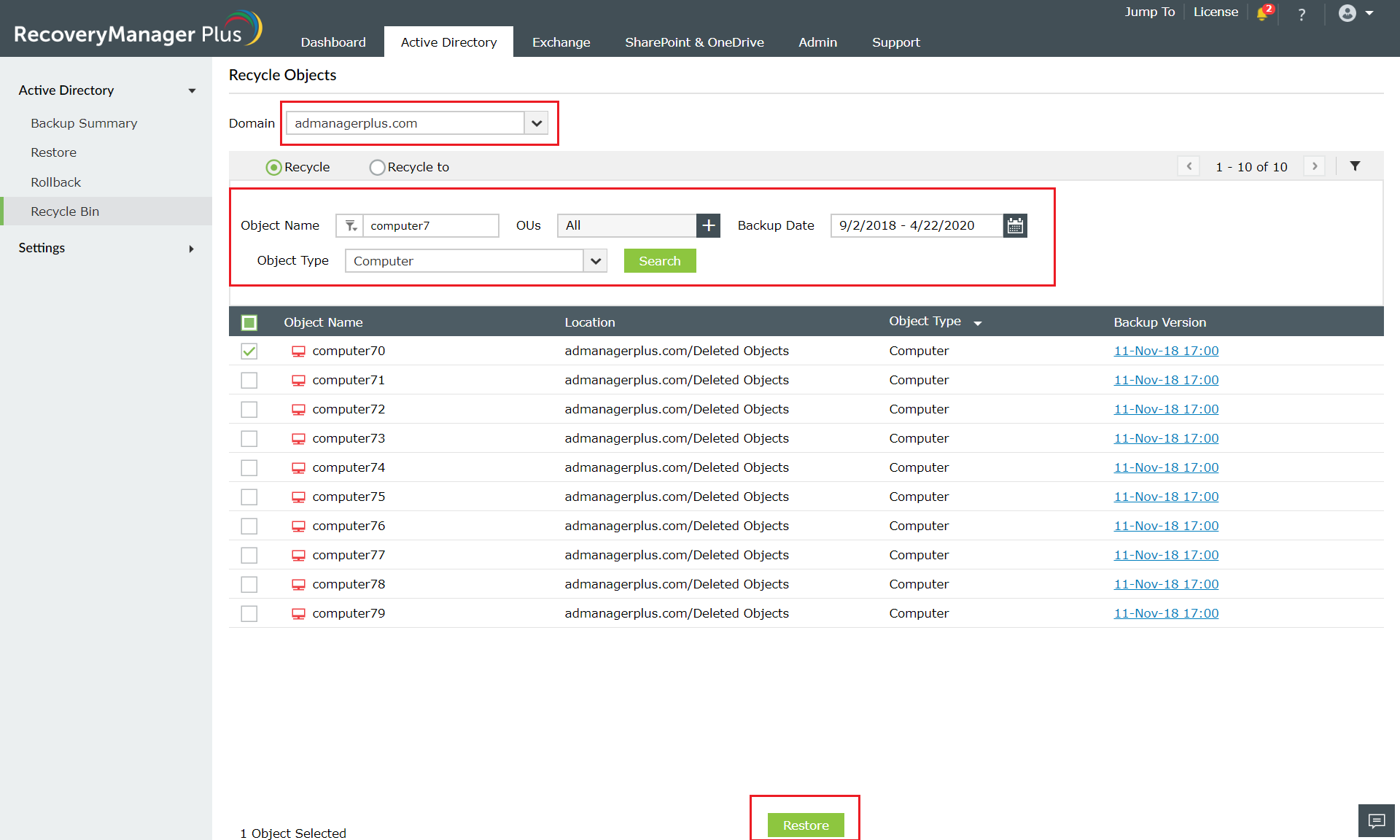
The computer account has now been restored to the location in which it was present before it was deleted.
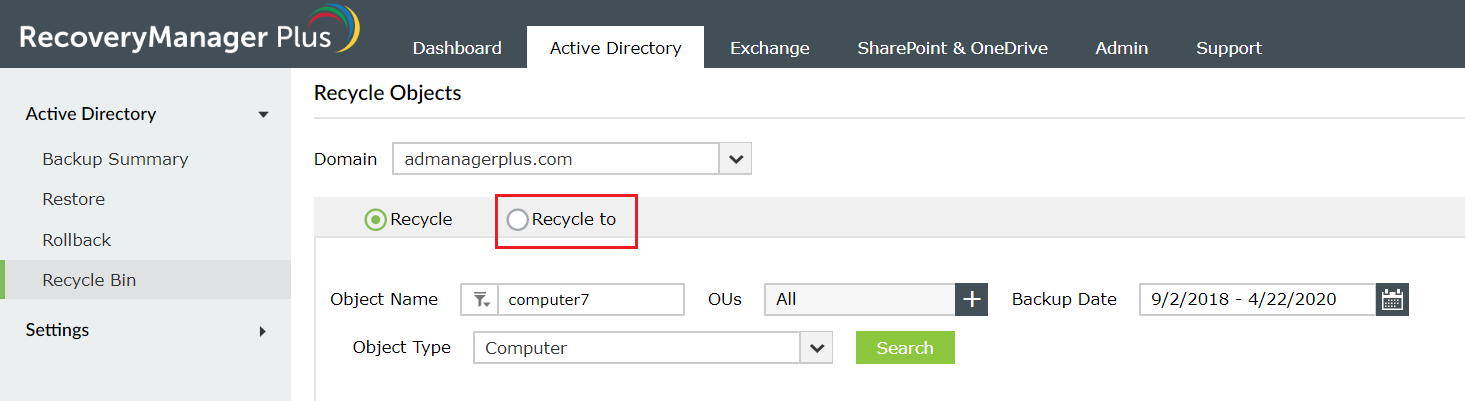
You can also choose to restore the deleted computer object to a new location by selecting the Recycle to radio button.
In the pop-up that appears, select the OU to which you’d like to restore the computer account to and clickSave.
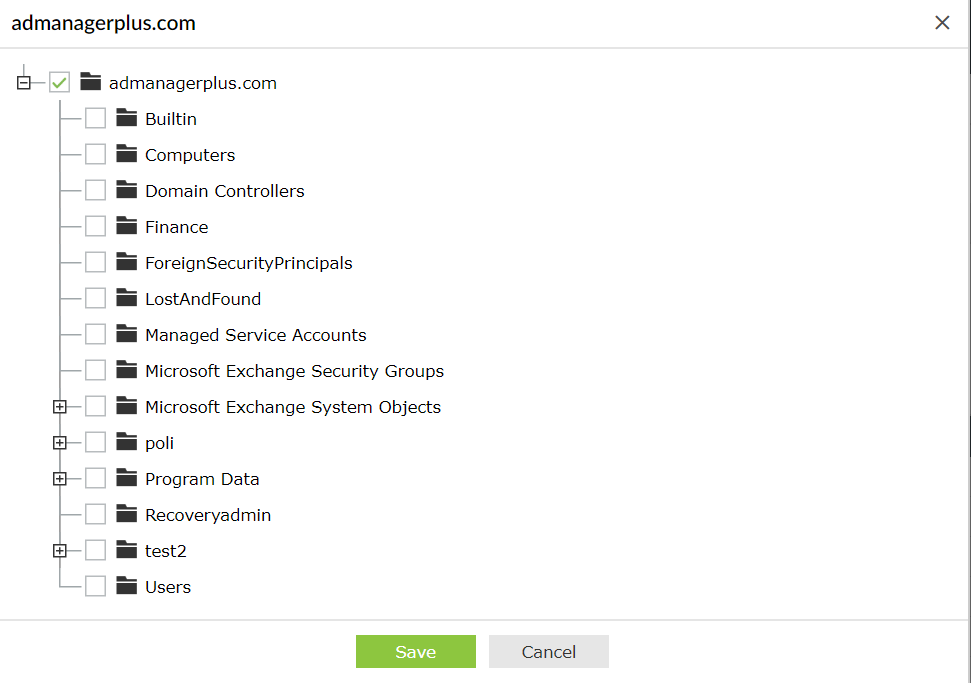
The deleted computer account will be restored to the OU you select.
Fill this form, and we'll contact you rightaway.
Our technical support team will get in touch with you at the earliest."

