Knowledge Base

Adding Custom Delegation Roles

Yes. RecoveryManager Plus allows you to create custom technician roles to fit your needs.

To create your own technician role,
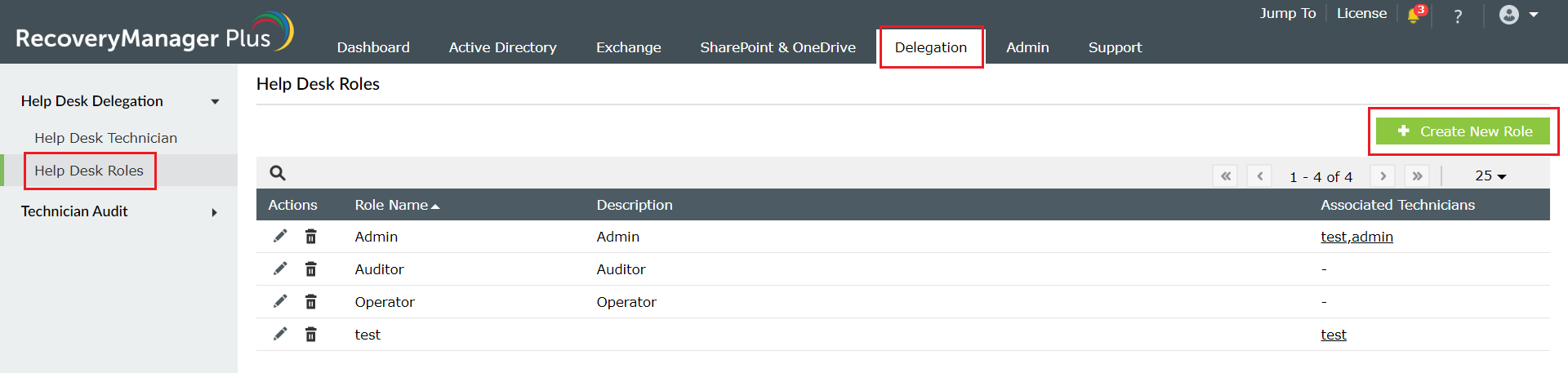
  • Log in to RecoveryManager Plus as an administrator.
  • Navigate to Delegation tab >Help Desk Roles.
  • Click the Create New Role button.
  • custom-help-desk-roles

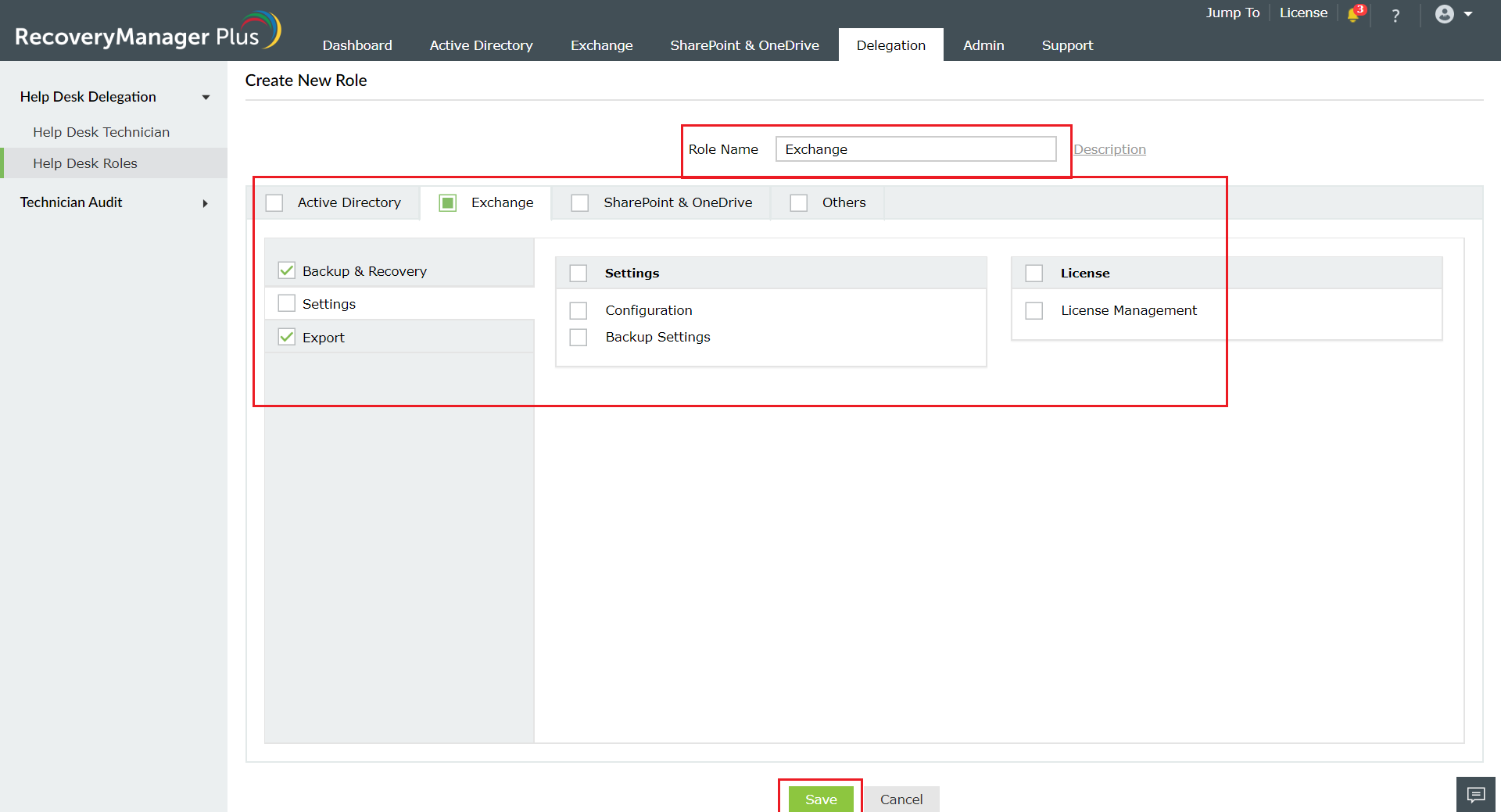
  • In the create help desk role page, enter an appropriate name and description for the new role.
  • From the list of modules, select the operations that you wish to include in this role.
  • Click Save to create the new role.

create-new-role

Couldn't find the feature you wanted? Raise a feature request
Need a full-fledged demonstartion of the product? Request a personalized demo

Need further assistance?

Fill this form, and we'll contact you rightaway.

Request Support

  •  
  • *
     
  • *
     
  • *
     
  • By submitting you agree to processing of personal data according to the Privacy Policy.

"Thank you for submitting your request.

Our technical support team will get in touch with you at the earliest."

A single pane of glass for AD, Entra ID, Microsoft 365,
Google Workspace, Exchange, and Zoho WorkDrive backup.
  • » Personal WorkDrive backup
  • » Backup retention
  • » Incremental backup