Last updated: July 24, 2026
How to migrate licenses of apps requiring Apple ID for installation, to installing it silently without requiring Apple ID?
This guide explains how to migrate iOS app licenses (iOS 9.0+) from Apple ID-based (user-associated) installation to device-associated licenses, enabling silent, zero-touch app installs on supervised, shared corporate devices. Admins change the App Installation Type from "Prompts for Apple ID" to "Without Apple ID" in App Repository; apps modified before a certain build number must be migrated manually, and the app must be device-assignable in Apple Business Manager for this to work.
Description
While configuring app distribution in iOS app management, if you select 'Prompts for Apple ID' for the option 'App Installation Type', Apple ID is needed for app installation on the device. Thus, the app license is associated with user's Apple ID (User-associated app license).
Other benefits of device-associated app licenses:
- Efficient bulk installation of apps.
- Zero user intervention for app installation(in Supervised devices).
- Useful in installing apps in corporate devices, without associating an Apple account with the devices.
Steps
For migrating all apps,
- Click on Device Management and select App Repository.
- Select Apple App Management and Click on Modify button.
- Change App Installation Type from 'Prompts for Apple ID' to 'Without Apple ID'.
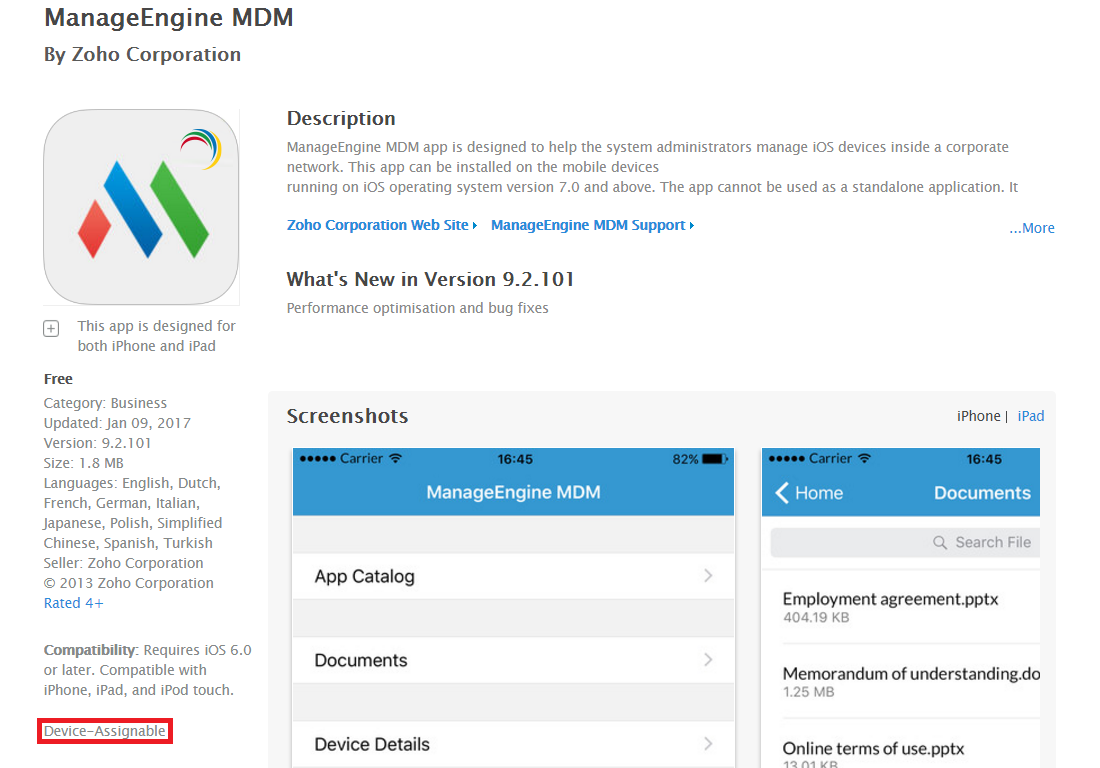
NOTE: The app developer has to provide the app with the provision for installing apps without requiring Apple ID. To know whether an app is device-assignable, go to the Apple Business Manager portal, and search for the app. The app details mention the app is device-assignable as shown below, then the app doesn't require Apple ID for installation and can be installed silently. If it is listed as user-assignable, then the app requires Apple ID for installation, even if configured otherwise in MDM. If you're still using Apple Volume Purchase Program or Apple VPP, you must migrate Apple VPP to Apple Business Manager Portal.
|
Frequently asked questions
What's the difference between a user-associated and a device-associated app license?
A user-associated license requires an Apple ID on the device to install the app, while a device-associated license is tied to the device itself, letting the app install silently without any Apple ID, which is useful when multiple users share one corporate device.
How do I migrate an app from requiring Apple ID to silent installation?
In App Repository, select Apple App Management, click Modify, and change the App Installation Type from "Prompts for Apple ID" to "Without Apple ID".
Why does an app still ask for an Apple ID after I changed the App Installation Type?
The app developer must make the app device-assignable; check the Apple Business Manager portal to see if the app is listed as device-assignable or user-assignable, since user-assignable apps always require an Apple ID regardless of the MDM setting.
Does this silent installation work on all iOS versions?
This is applicable for iOS devices running 9.0 or later versions.