Issue in reconfiguring two-factor authentication
Administrators can now regenerate QR code for a specific user, which can be used to configure the two-factor authentication again.
What was the problem?
Administrators cannot regenerate a QR code to reset the two-factor authentication. The existing resend QR code functionality which has been sending the same code for two-factor authentication is now enhanced with the 'Regenerate QR Code' capability to help administrators with reconfiguring the two-factor authentication.
How do I fix it?
This has been fixed in Endpoint Central version 10.1.2228.13 on 13.12.2022. To apply this fix, follow the steps below:
- Login to your Endpoint Central console, click on your current build number on the top right corner.
- You'll be able to find the latest build applicable to you. Download the PPM and update.
Once the PPM upgrade is done, follow the steps below to regenerate the QR code:
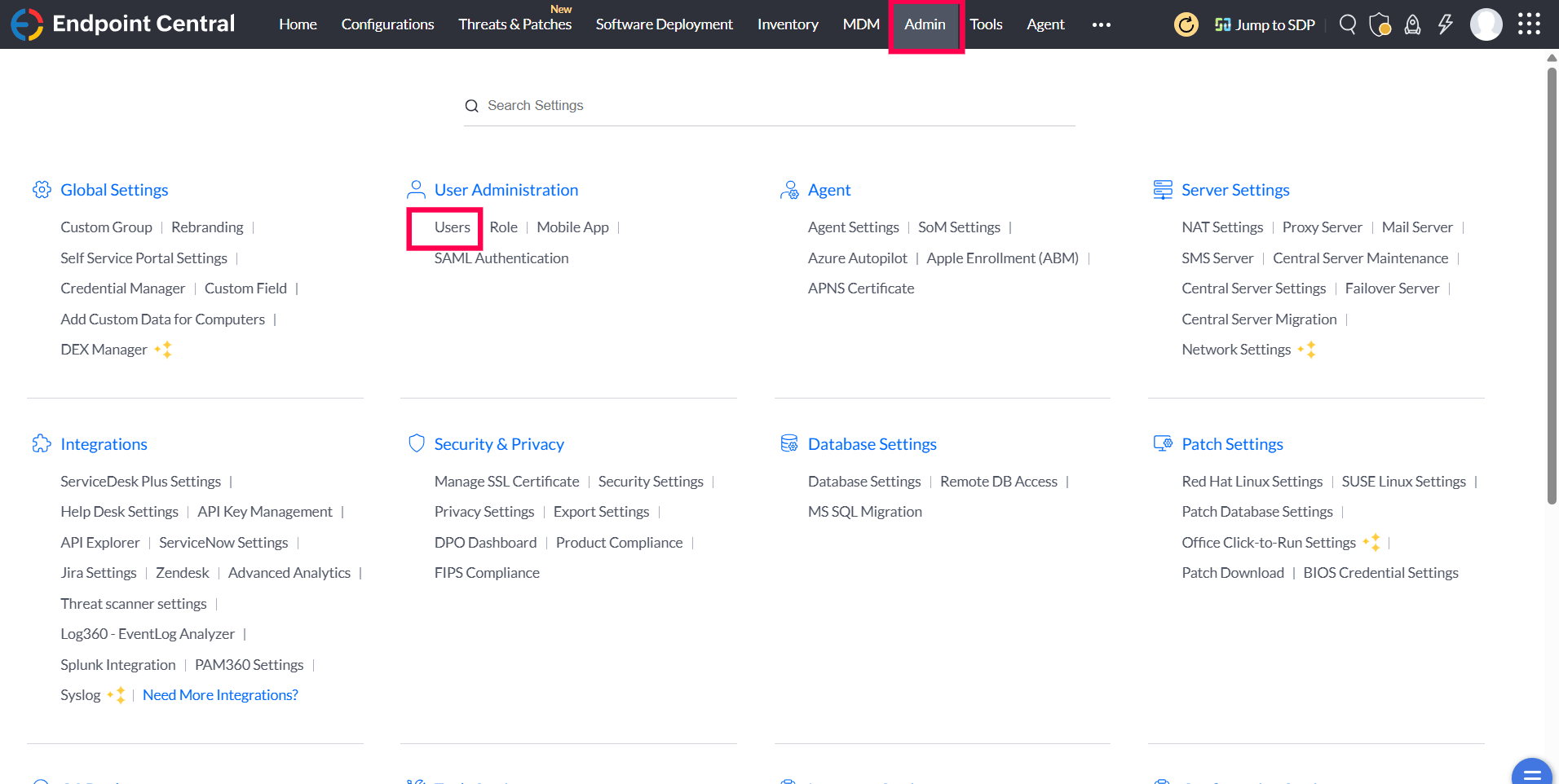
- In the Central Server console, navigate to Admin > User Administration > Users
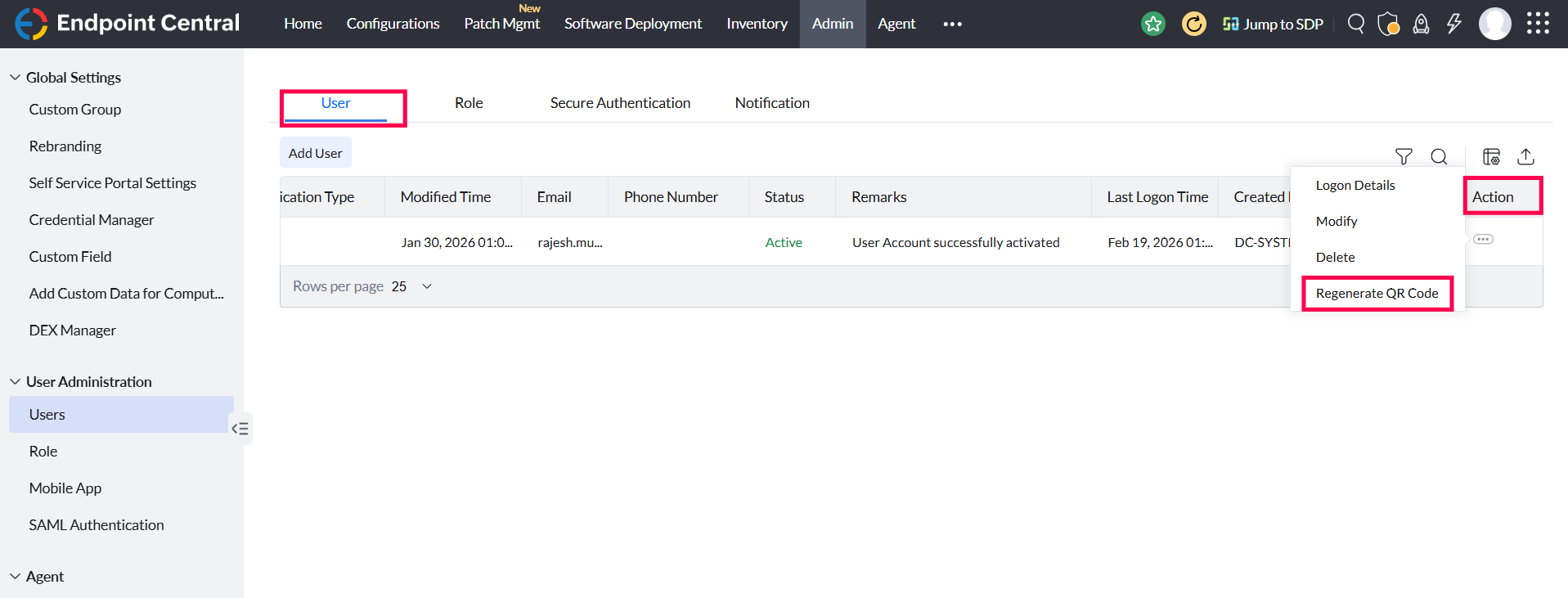
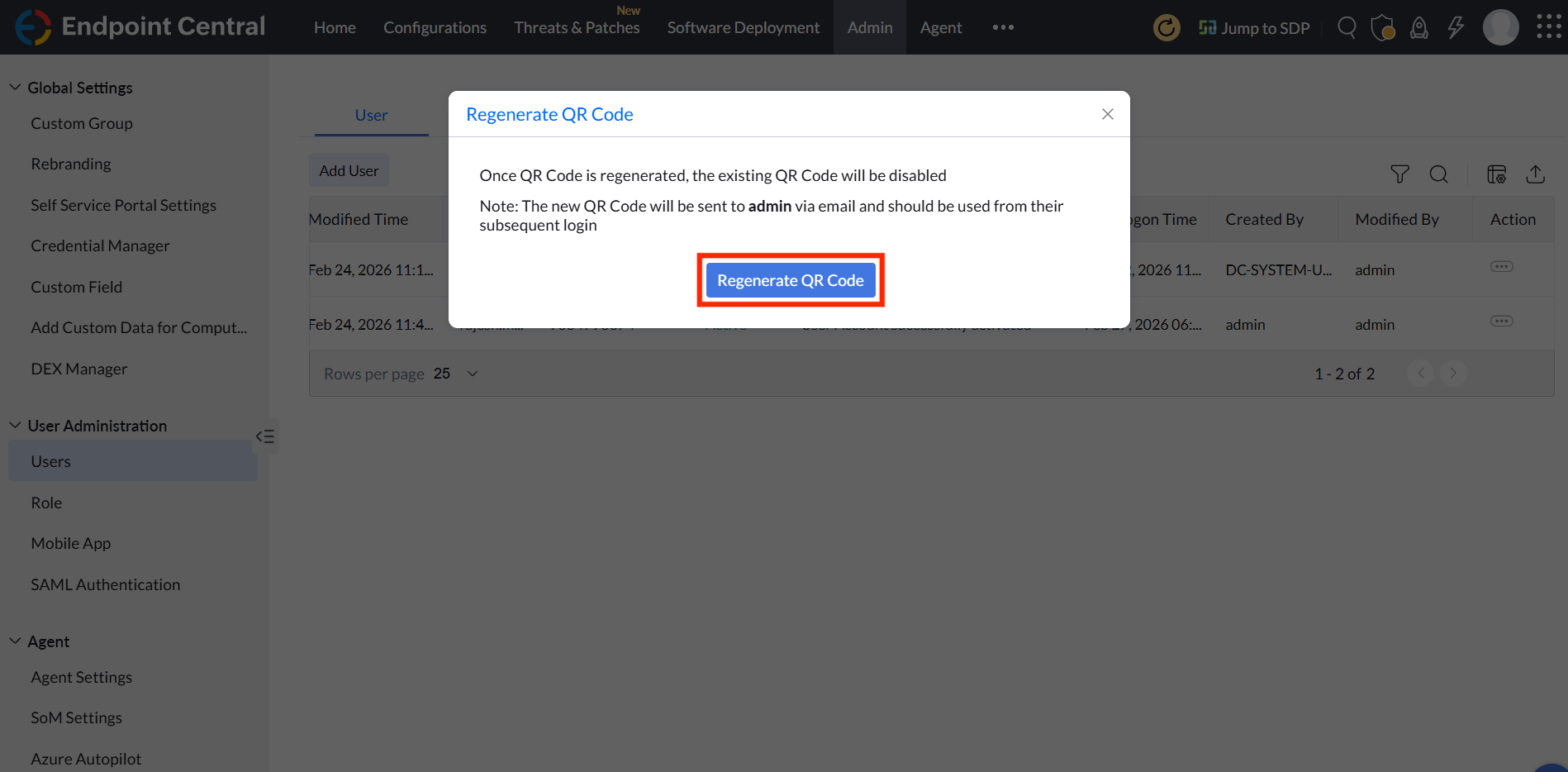
- Under the User tab, click on the Action icon corresponding to the user for whom you want to regenerate the QR code, and select Regenerate QR Code. For the builds above 11.5.2603.1 the new QR code will be sent to the Admins via the registered email ID.
This vulnerability is not applicable to Endpoint Central Cloud.
Credits
Luke Williams via Endpoint Central's Bug Bounty Program.
Help
For further assistance, please reach out to our support at endpointcentral-support@manageengine.com




