- Home
- Logging Guide
- Firewall best practices
What are firewall rules? How to manage them and best practices
In this page
- What are firewall rules and how do they work?
- Types of firewall rules
- Best practices for managing firewall rules
- How ManageEngine EventLog Analyzer helps you to strengthen security by seamlessly managing firewall rules
Firewalls are the first line of defense in network security against modern threats, helping to fend off malicious actors and stay secure. When firewalls are compromised, attackers can gain unauthorized access to sensitive data, including customer information and intellectual property—a disaster for any business.
Compromised firewalls can also lead to distributed-denial-of-service (DDoS) attacks, which overwhelm network resources and render services unavailable to users. So, it's critical to follow firewall management best practices to steer clear of any threats.
What are firewall rules and how do they work?
Firewall rules are specifications set by network administrators that dictate how a firewall processes incoming and outgoing network traffic. These rules are typically organized into access control lists (ACLs), which define permissions for various types of traffic based on parameters such as:
- Source IP address
- Destination IP address
- Source port
- Destination port
- Protocol (e.g., TCP, UDP)
When a data packet reaches the firewall, it is evaluated against these rules in a top-down manner. If a packet matches a rule, the action specified by that rule (allow or deny) is executed. If no rules match, the default action is typically to deny the traffic.

To understand this, let's consider a simple firewall ruleset that governs traffic between different network segments. The rules are defined based on source and destination IP addresses, ports, and the action (allow or deny).
| Rule # | Source address | Source port | Destination address | Destination port | Action |
|---|---|---|---|---|---|
| 1 | 10.10.10.3 | Any | Any | Any | Deny |
| 2 | Any | Any | 10.10.10.3 | Any | Deny |
| 3 | Any | Any | 10.10.10.7 | Any | Deny |
| 4 | 10.10.10.5 | Any | 10.10.10.8 | Any | Allow |
| 5 | Any | Any | Any | Any | Deny |
Rule #2 denies all incoming traffic from any source to the specific destination IP address (10.10.10.3) on any port, effectively blocking any attempts to connect to that IP from outside sources.
Rule #5 denies all traffic from any source to any destination on any port, ensuring that any packet not explicitly allowed by previous rules is blocked, reinforcing a strong security posture.
Types of firewall rules
Access rules
These rules determine which traffic can enter or exit the network based on source and destination IP addresses, ports, and protocols, effectively blocking or allowing specific traffic.
NAT rules
Network Address Translation (NAT) rules translate private IP addresses to public addresses, facilitating secure communication between internal networks and the internet while hiding internal structures from external threats.
Stateful packet filtering
This type of rule monitors active connections and evaluates packets, allowing or denying them based on their state and whether they are part of an established connection.
Application-level gateways (Proxy firewalls)
These firewalls inspect traffic at the application layer, providing granular control over specific applications and ensuring only safe traffic is allowed through.
Circuit-level gateways
These manage sessions between trusted hosts without inspecting packet contents, focusing on establishing a secure connection rather than analyzing individual packets.
Best practices for managing firewall rules
Establish clear policies
Establish clear policies for firewall rule management by defining the organization's security requirements, identifying critical assets, and determining the necessary protection levels.
- Create a baseline policy that outlines rules for inbound and outbound traffic, specifying allowed and denied protocols and ports.
- Regularly review existing rules to ensure they remain relevant and effective, adapting to changing network environments and emerging threats.
- Align firewall rules with overall security policies to maintain consistency and compliance.
Implement the principle of least privilege
- Limit access: Only allow the minimum access necessary for users and applications to function. This reduces the risk of unauthorized access and potential vulnerabilities.
- RBAC: Use role-based access control (RBAC) to restrict rule changes to authorized personnel, further enhancing security.
Organize and prioritize rules
- Logical hierarchy: Order firewall rules based on their importance and restrictiveness. Place critical allow rules at the top, followed by block rules for malicious traffic.
- Consistent naming conventions: Employ standardized naming conventions for easy identification of each rule's purpose.
- Group related rules: Organize rules by functionality (e.g., allowing specific services or blocking certain traffic types) to improve manageability.
Streamline rule management
- Use groups for similar rules: Create groups of related rules to simplify management, allowing changes to be applied across multiple rules simultaneously.
- Review and audit rules: Conduct periodic reviews to identify obsolete or redundant rules that may slow down performance or create security gaps.
Testing and validation
- Simulate changes before deployment: Always test new or modified rules in a controlled environment to ensure they function as intended without causing disruptions.
- Continuous monitoring: Implement ongoing monitoring of network traffic patterns and firewall logs to detect unusual activity or potential threats. This helps you fine-tune firewall rules as needed.
Block the following ports
The SANS Institute’s Firewall Checklist recommends blocking outbound traffic on the following ports to enhance security.
| Service | Port type | Port number |
|---|---|---|
| DNS Zone Transfers | TCP | 53 |
| TFTP Daemon | UDP | 69 |
| Link | TCP | 87 |
| SUN RPC | TCP & UDP | 111 |
| BSD UNIX | TCP | 512-514 |
| LPD | TCP | 515 |
| UUCPD | TCP | 540 |
| Open WINDOWS | TCP & UDP | 2000 |
| NFS | TCP & UDP | 2049 |
| X Windows | TCP & UDP | 6000-6255 |
| Small services | TCP & UDP | 20 and below |
| Small services | TCP & UDP | 20 and below |
| FTP | TCP | 21 |
| SSH | TCP | 22 |
| Telnet | TCP | 23 |
| SMTP | TCP | 25 |
| NTP | TCP & UDP | 37 |
| Finger | TCP | 79 |
| HTTP | TCP | 80 |
| POP | TCP | 109 & 110 |
| NNTP | TCP | 119 |
| NTP | TCP | 123 |
| NetBIOS in Windows NT | TCP & UDP | 135 |
| NetBIOS in Windows NT | UDP | 137 & 138 |
| NetBIOS | TCP | 139 |
| IMAP | TCP | 143 |
| SNMP | TCP | 161 & 162 |
| SNMP | UDP | 161 & 162 |
| BGP | UDP | 179 |
| LDAP | TCP & UDP | 389 |
| SSL | TCP | 443 |
| NetBIOS in Win2k | TCP & UDP | 445 |
| Syslog | UDP | 514 |
| SOCKS | TCP | 1080 |
| Cisco AUX port | TCP | 2001 |
| Cisco AUX port (stream) | TCP | 4001 |
| Lockd (Linux DoS Vulnerability) | TCP & UDP | 4045 |
| Cisco AUX port (binary) | TCP | 6001 |
| Common high-order HTTP ports | TCP | 8000, 8080, 8888 |
Blocking these ports helps prevent unauthorized access and reduces the risk of potential vulnerabilities associated with unused services.
Document everything
Documenting everything related to your firewall rules is crucial for effective firewall management and security.
- Maintain a centralized record that includes each rule's purpose, the services affected, and the user impact.
- Document essential details such as the creator's name, date added, and any expiration timelines for temporary rules.
This practice aids in compliance audits and helps new team members understand existing configurations quickly.
How ManageEngine EventLog Analyzer helps you to strengthen security by seamlessly managing firewall rules
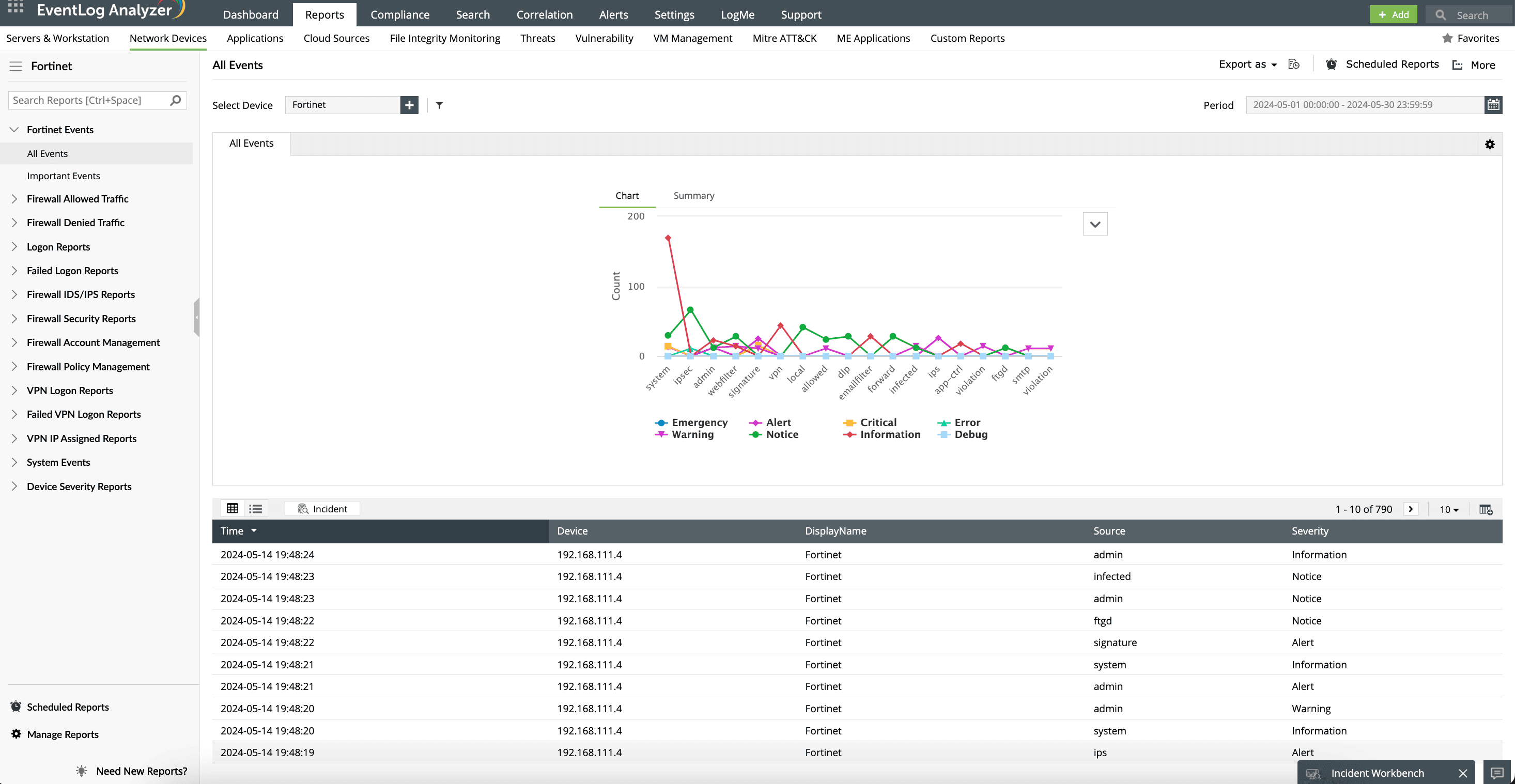
ManageEngine EventLog Analyzer is a comprehensive log management solution that monitors, collects, analyzes, and archives logs from your network devices, including firewalls. It compiles and unifies firewall logs in one place, enabling thorough monitoring and analysis. EventLog Analyzer also comes with real-time alert capabilities that help you stay ahead of persistent threats lurking to invade your network.
Simplify log management by automatically collecting and analyzing logs from various firewall vendors, including Sophos, Barracuda, Cisco, Check Point, and Juniper.
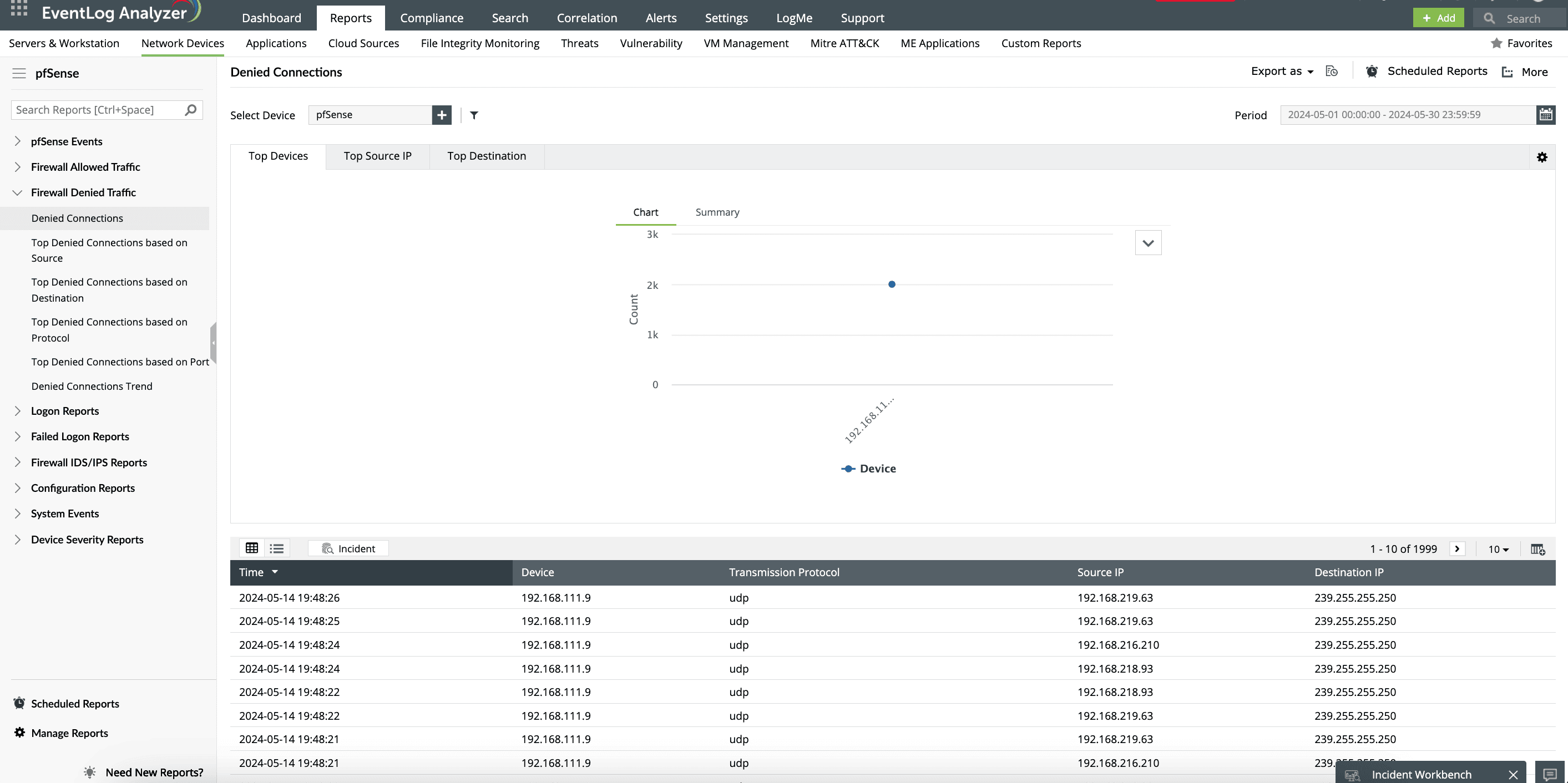
EventLog Analyzer generates detailed reports on denied connections, allowing organizations to analyze which users, servers, or applications are being blocked. This insight helps identify potential misconfigurations or unauthorized access attempts easily.
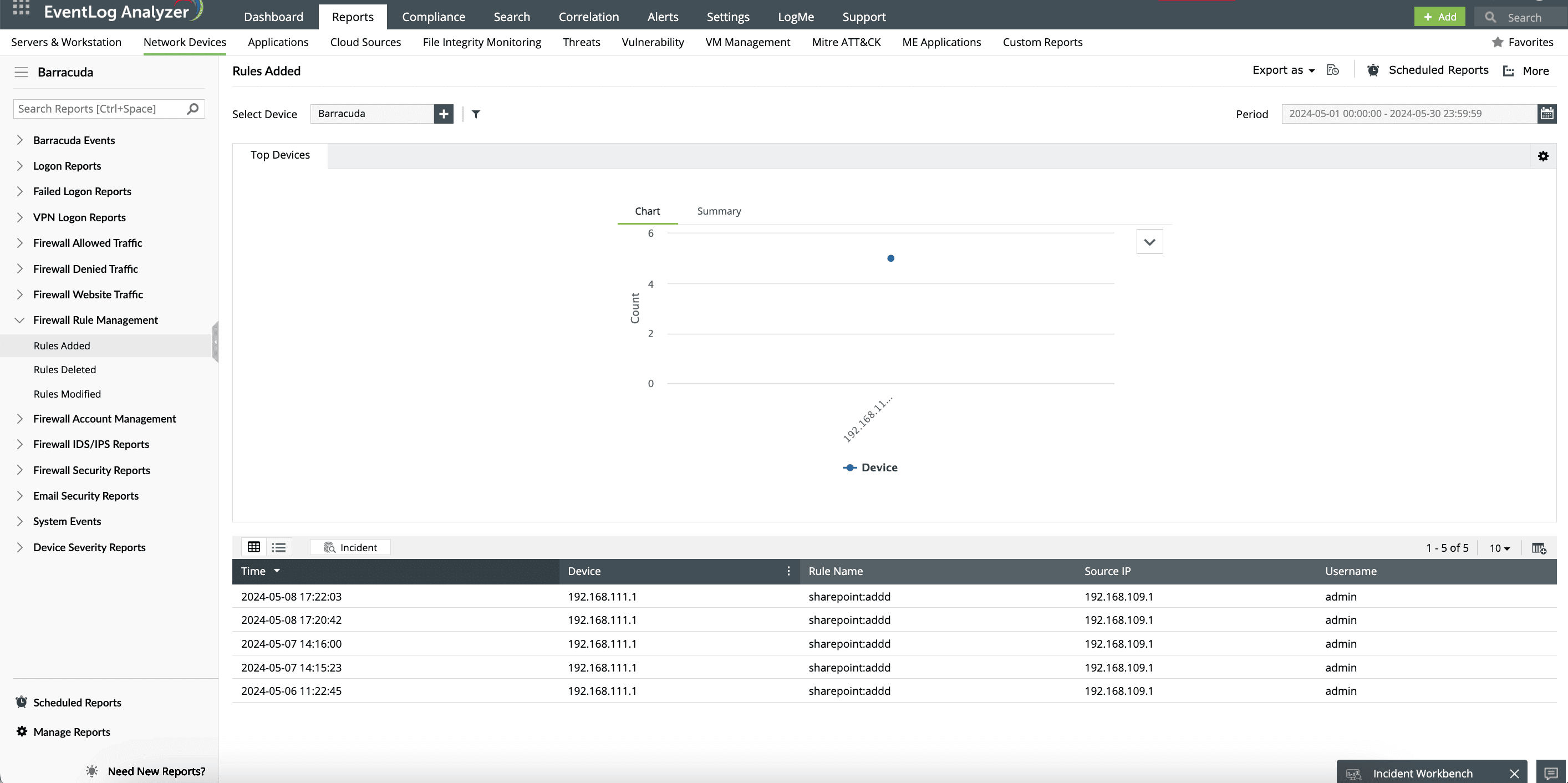
Continuously monitor for unauthorized changes to firewall rules, ensuring that any modifications are logged and reported. This feature is pivotal for preventing malicious intrusions by ensuring that only authorized personnel can alter firewall settings.
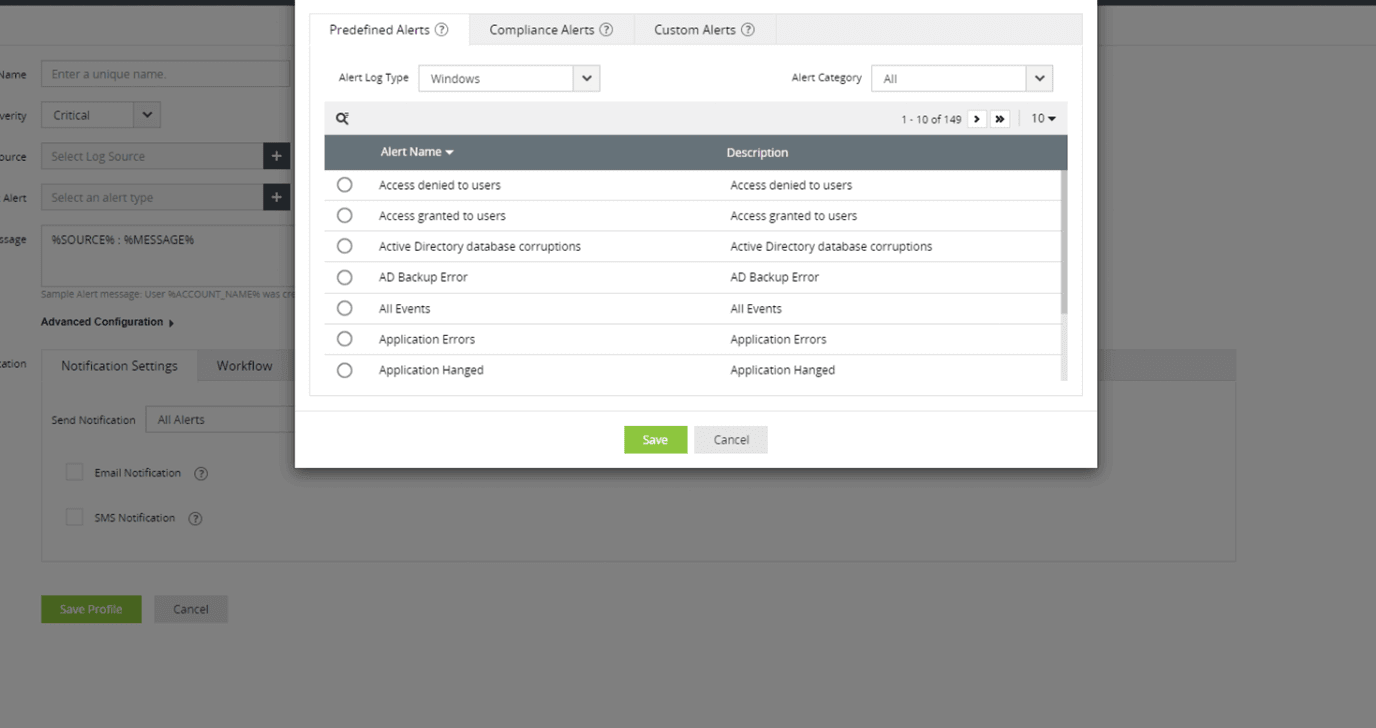
Thwart attacks before they escalate by setting up instant alerts with EventLog Analyzer's correlation rules. You can associate an alert with predefined workflows to be triggered in response to detected attacks. These workflows can automate actions like blocking IP addresses or notifying administrators, streamlining incident response efforts.