How to fix Windows update error 0x80070643
Last updated on:In this page
- What does error 0x80070643 in Windows mean?
- Common causes of Windows error 0x80070643
- Seven effective ways to resolve Windows update error 0x80070643
- -Restart Windows update services
- -Run the Windows update troubleshooter
- -Repair the .NET Framework
- -Run SFC and DISM commands
- -Reset Windows update components
- -Temporarily disable antivirus software
- -Manually install the Windows updates
- How ManageEngine EventLog Analyzer can help
What does error 0x80070643 in Windows mean?
The error code 0x80070643 usually occurs within the Windows Update utility whenever there's an issue with the Windows update. The two common error descriptions that you can encounter are:
- There were some problems installing updates, but we'll try again later. If you keep seeing this and want to search the web or contact support for information, this may help: (0x80070643)
- Failed to install on [date] - 0x80070643
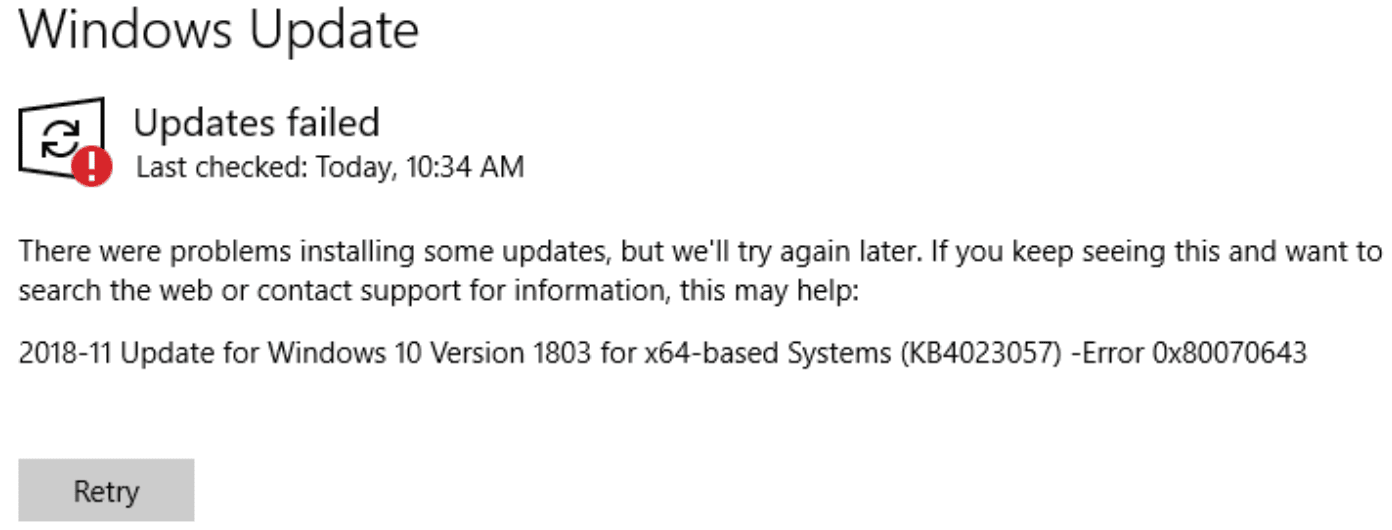
This article elaborates the common causes for the occurrence of this error and the steps to fix them. Note that the instructions provided in this article apply to all recent versions of Windows, including Windows 10, 11, and Windows Server.

Common causes of Windows error 0x80070643
The 0x80070643 error occurs due to various underlying system issues, including:
- Corrupted system files: Damaged or missing Windows system files can disrupt the update process.
- Faulty .NET Framework: Issues with the .NET Framework, a critical component for many Windows applications, can trigger this error during updates.
- Registry errors: Inaccurate or corrupted registry entries can cause installation failures.
- Windows installer malfunctions: Problems within the Windows Installer service itself can lead to this error.
- Previous incomplete updates: Sometimes, unfinished or incomplete installations from previous updates lead to subsequent failures.
- Antivirus or software conflicts: Conflicts with installed security software or application that can interfere with Windows update operations.
- Outdated software: Running outdated applications or system components can trigger installation issues.
How to fix Windows update error code 0x80070643
Before you perform these steps, it's often recommended to retry the installation and restart the system. Sometimes, attempting to reinstall the updates manually or a simple reboot will work. Therefore, we recommend this before you perform the below troubleshooting steps.
1. Restart Windows update services
Several core services must function correctly for Windows update to succeed. Restarting these services often resolves glitches causing error 0x80070643.
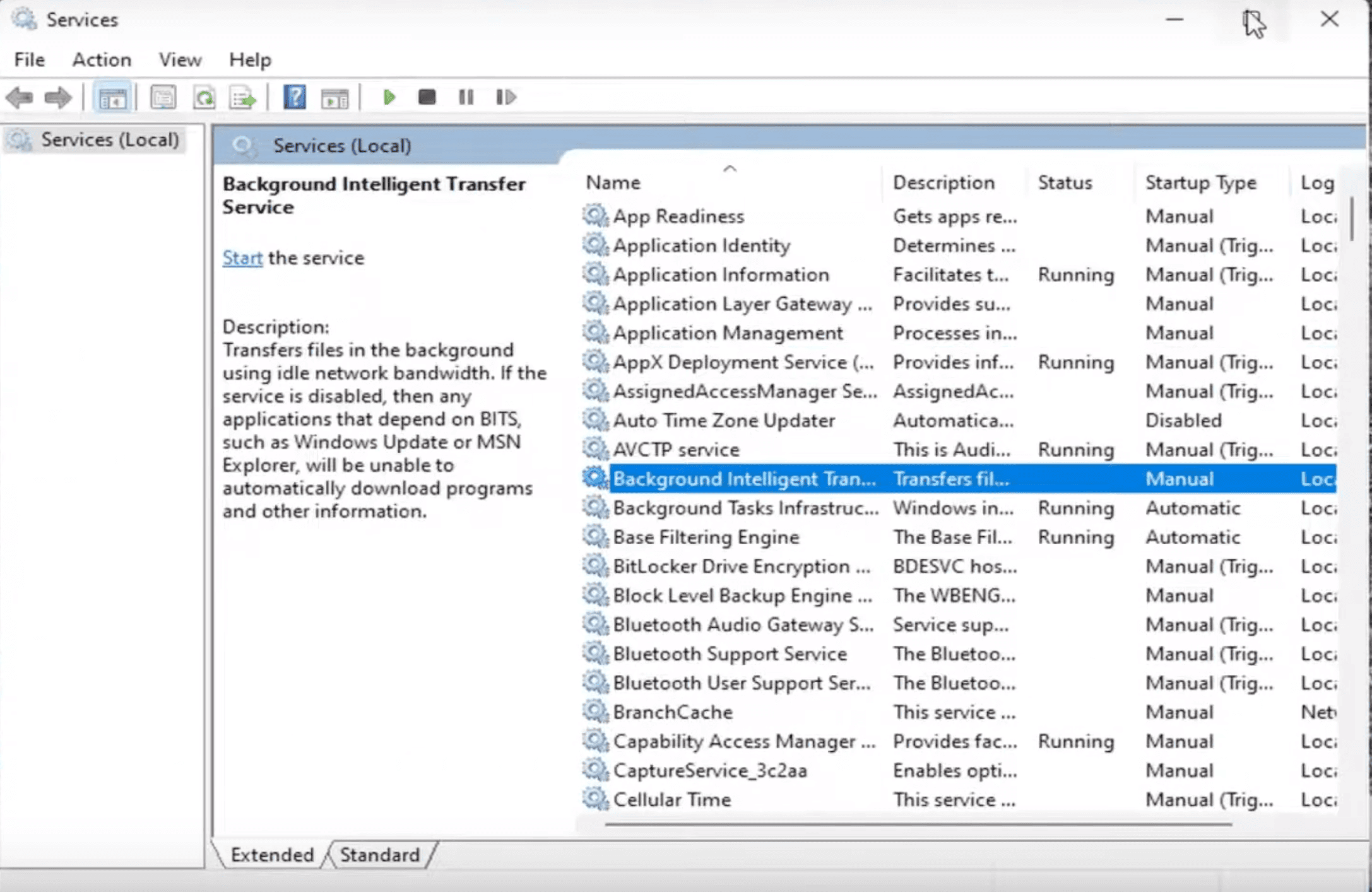
- Press the Win key + R, and type services.msc and click ok, to open the Services app (services.msc).
- Find Background intelligent transfer service (BITS), and Windows update services.
- Right-click each, and select Restart or Start if they are stopped. Restarting these services ensures that all update processes are reset and ready to function properly.
2. Run the Windows update troubleshooter
Windows has a built-in troubleshooter to automatically detect and resolve update issues:
- Click Start -> Go to Settings -> Update & Security -> Troubleshoot -> Additional troubleshooters.
- Select Windows Update and click Run the troubleshooter button.
- Follow the on-screen instructions to diagnose and fix download error - 0x80070643.
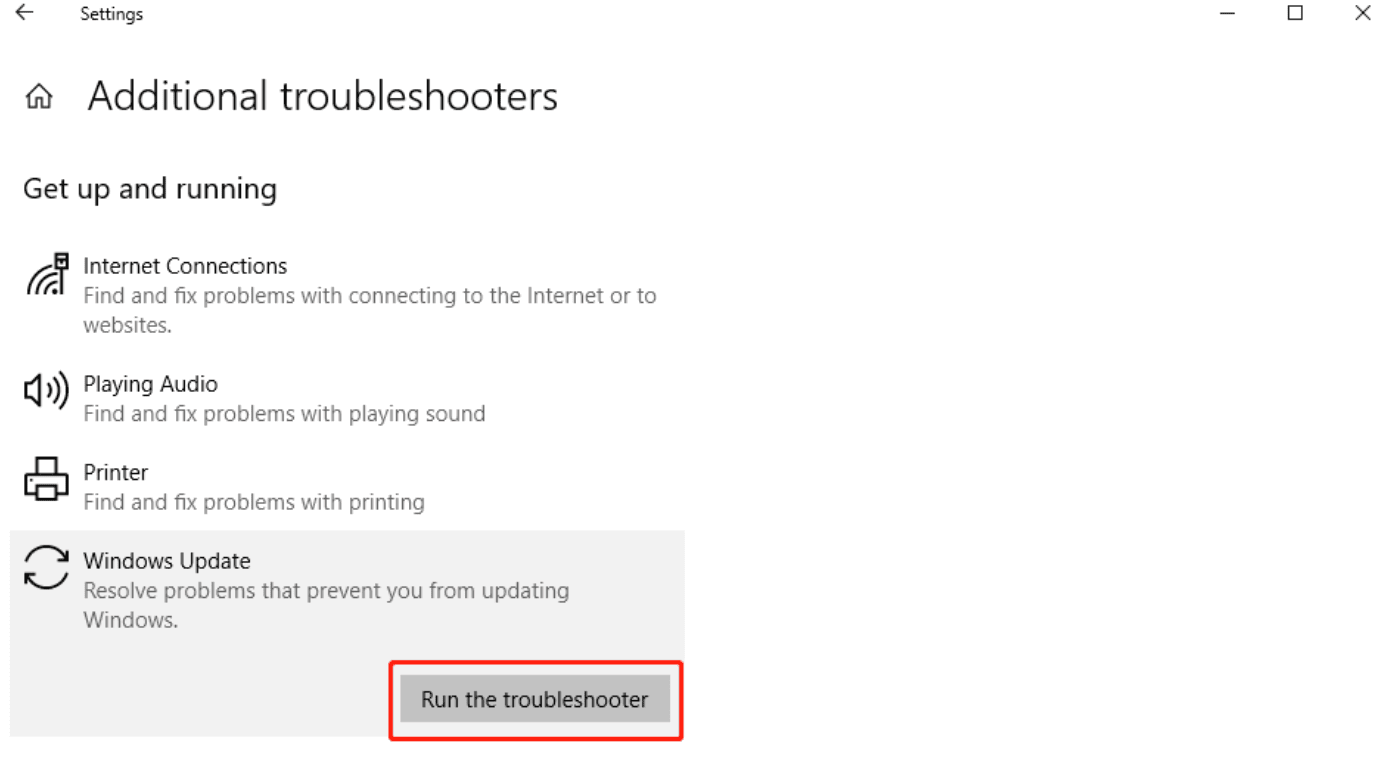
This tool identifies common problems with Windows update components and automatically applies fixes to resolve error 0x80070643.
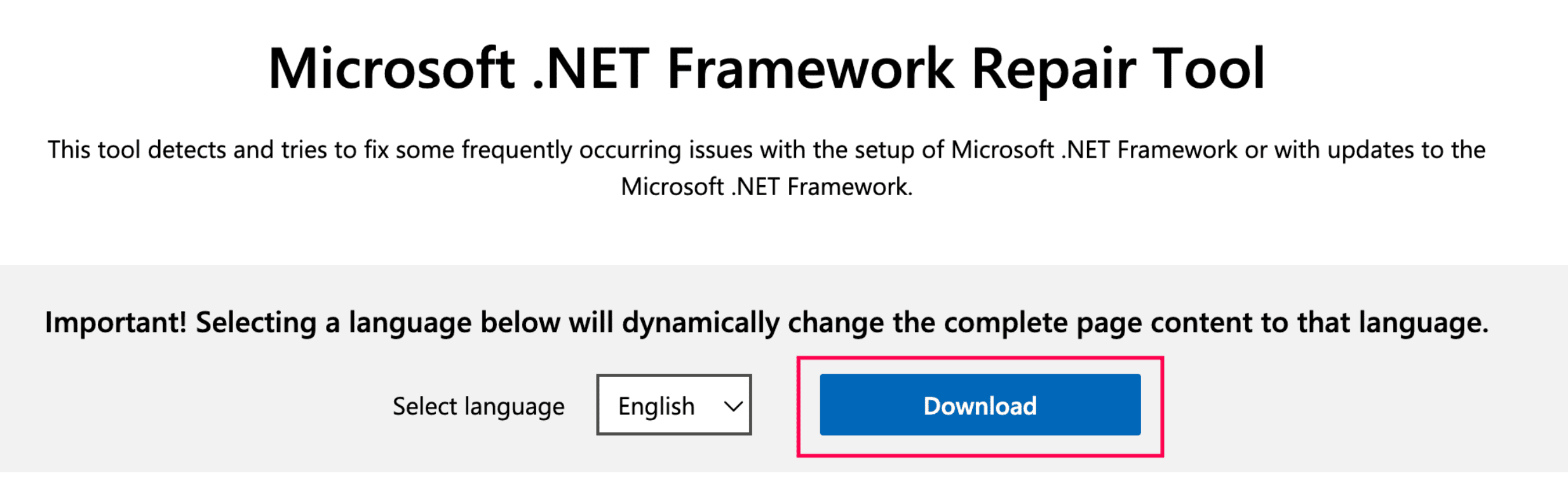
3. Run the .NET Framework Repair Tool
A corrupted .NET Framework can often trigger the windows update 0x80070643 error. To resolve this:
- Download and run the Microsoft .NET Framework Repair Tool from the official Microsoft website.
- Follow the on-screen instructions to repair or update .NET Framework.
- Once the repair is complete, reboot the system and try the update again.
4. Perform a system file check (SFC) and DISM Scan
Corrupted or missing system files are another common cause of this error. Running SFC and DISM scans can resolve this:
- Launch Command Prompt with administrative privileges.
- Run the commands below
            sfc /scannow
            DISM.exe /Online /Cleanup-image /Restorehealth
These commands will scan the system for missing or corrupted files and attempt to restore them from a cached version or online source, resolving issues that might be causing update failures.
5. Reset Windows update components
If the error persists, resetting the Windows update components can help resolve any misconfigurations:
- Open the Command Prompt in admin mode.
- Run the following commands in sequence:
            net stop wuauserv
            net stop cryptSvc
            net stop bits
            net stop msiserver
            ren C:\Windows\SoftwareDistribution SoftwareDistribution.old
            ren C:\Windows\System32\catroot2 Catroot2.old
            net start wuauserv
            net start cryptSvc
            net start bits
            net start msiserver
This clears and resets Windows update’s cache and helps resolve any persistent issues.
6. Temporarily disable antivirus
Sometimes, antivirus software can interfere with the Windows update process, blocking certain files or processes required for installation.
- Temporarily disable your antivirus program and retry the Windows update.
- Remember to activate the antivirus immediately after the update completes to ensure system security.
7. Manually install updates
If the steps above do not resolve the issue, manually downloading and installing the update can bypass the automatic update mechanism:
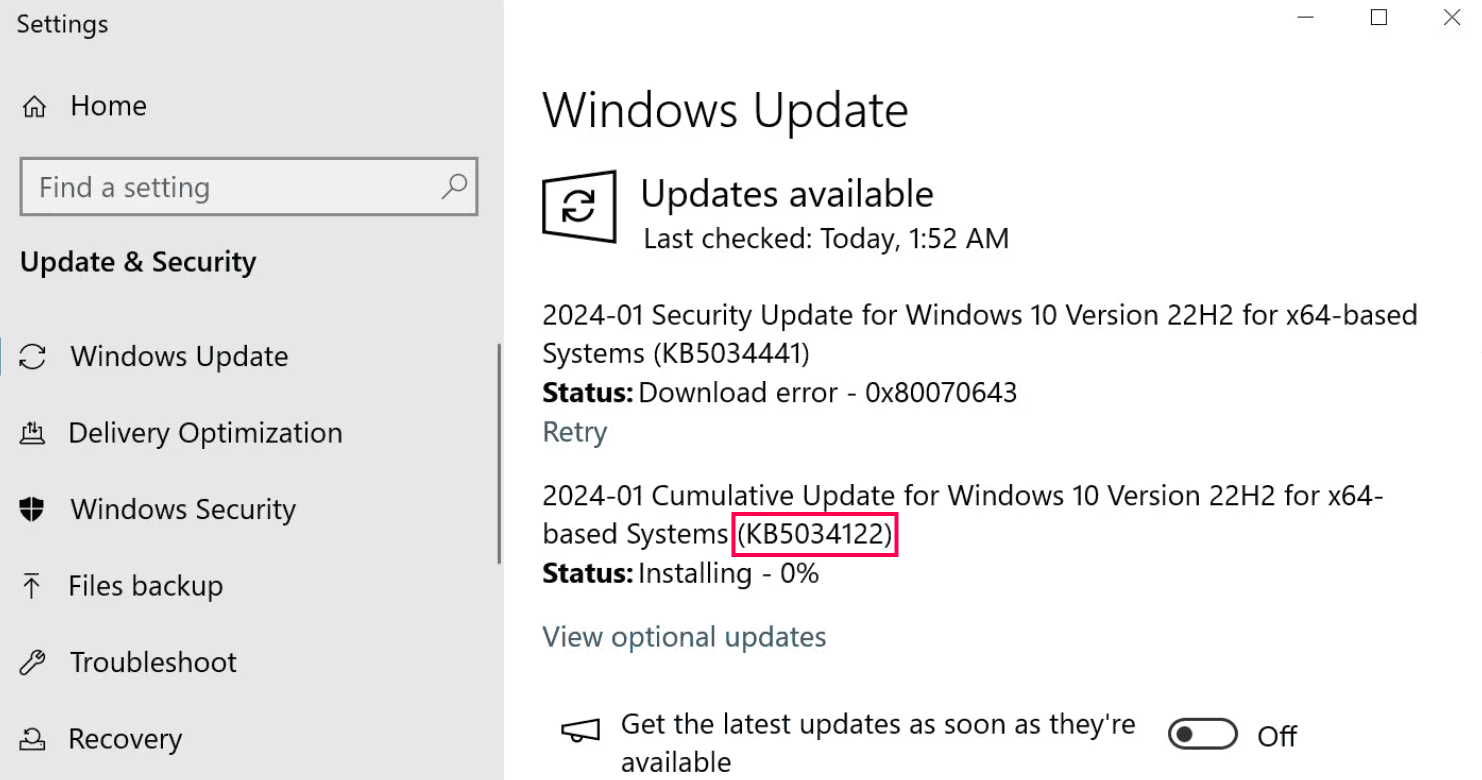
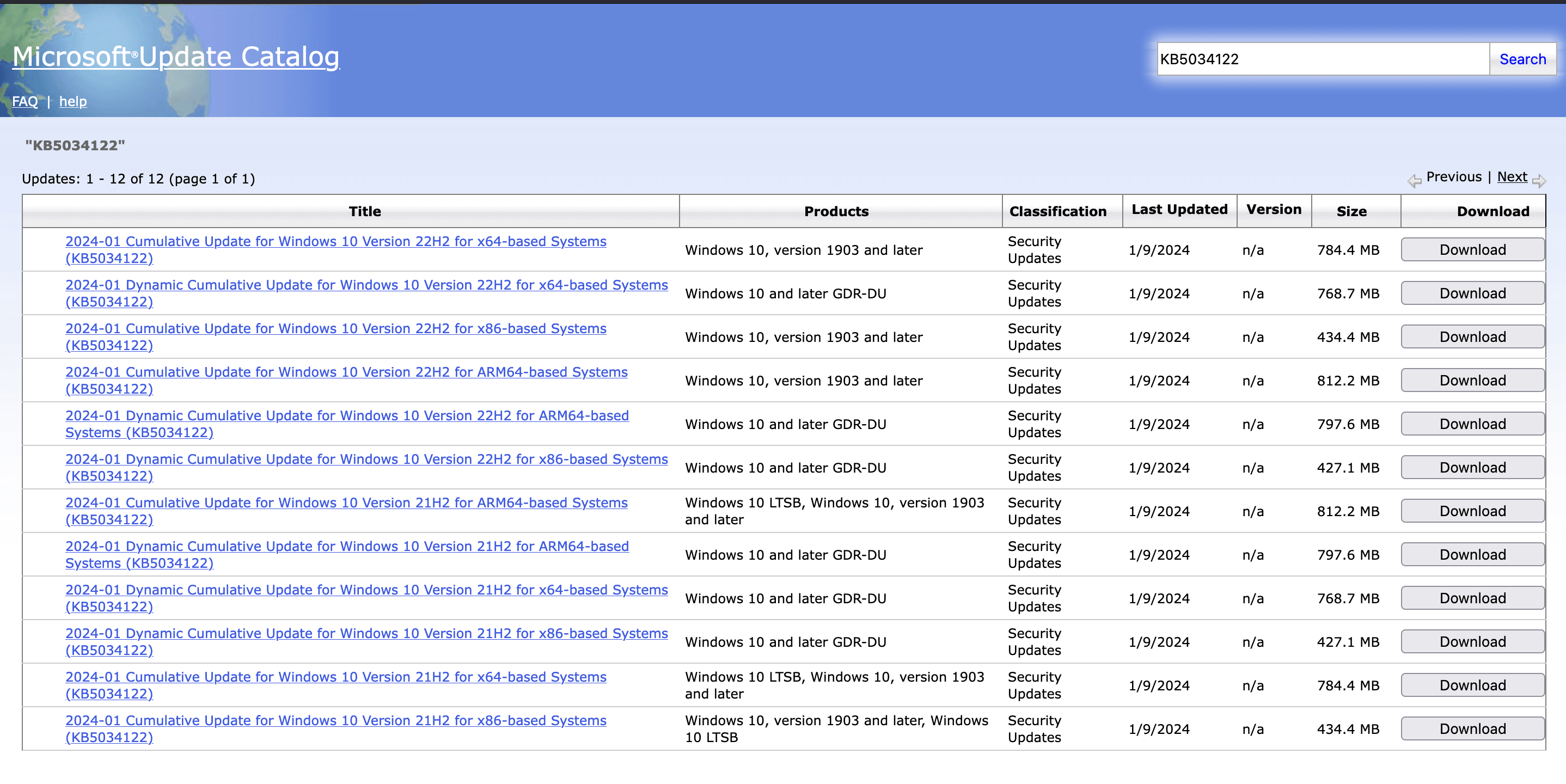
- Go to the Microsoft Update Catalog website and search for the specific update using its Knowledge base(KB) number.
- Download and install the windows update manually.
How to fix 0x80070643 in Windows 10, version 21H2 and 22H2
The Windows Recovery Environment (WinRE) is a built-in tool that can restore your system to its factory settings in case of severe system corruption. However, if your Windows Recovery partition doesn't have at least 250 MB of free space, you may encounter the error 0x80070643 when trying to download the Windows 10 KB503441 update. To resolve this issue, you'll need to manually resize your partition to 250 MB.
How ManageEngine EventLog Analyzer can help with error 0x80070643 troubleshooting
ManageEngine EventLog Analyzer is a comprehensive log management and IT compliance solution that centrally collects, analyzes, correlates, and archives Windows event logs across your network facilitating operational troubleshooting, performance and health monitoring, and ensuring security. Sysadmin can use this log management tool to:
- Centrally monitor Windows systems across the environment that have been impacted by the update error 0x80070643.
- Identify recurring patterns or anomalies that might be related to the error, helping them uncover underlying issues or predict future occurrences.
- Generate reports to troubleshoot the 0x80070643 error through effective event log analysis.
- Can trigger alerts based on the trends or specific log messages that correspond to critical update errors.
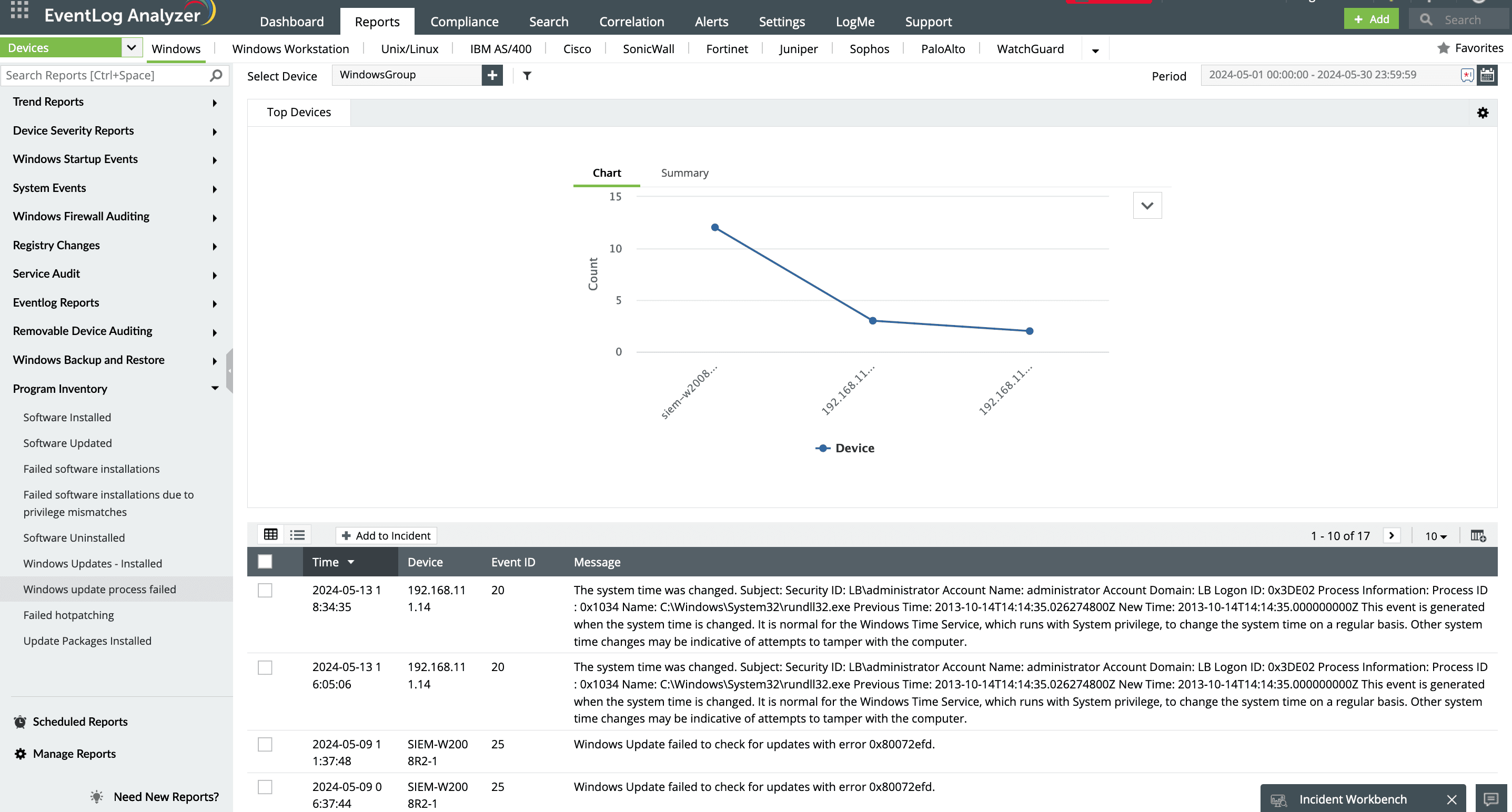
ManageEngine EventLog Analyzer provides out-of-the-box report on Failed Windows Update Process that helps you to view all the update failures in your environment without having to use the filter and creating custom views in Event Viewer. The report provides exact error description, time of occurrence, and other device details to aid in troubleshooting process.