

Syslog analyzer: How it works and why you need one
Last updated on:In this page
- What is a syslog analyzer?
- How does a syslog analyzer work?
- Firewall syslog analysis: The most critical use case
- The multi-vendor challenge in syslog analysis
- How a syslog analyzer normalizes vendor formats
- Real-world syslog analysis: From raw logs to security insights
- Free and open-source syslog analyzers
- How ManageEngine EventLog Analyzer simplifies syslog analysis
What is a syslog analyzer?
A syslog analyzer is a tool that collects, parses, and analyzes syslog messages generated by servers, firewalls, routers, switches, Linux/Unix systems, and other network devices. These logs capture critical system and security details such as authentication activity, configuration updates, firewall allow or deny decisions, system failures, service restarts, and application or kernel-level events.
While syslogs are typically stored in plain-text locations such as /var/log/ on Linux systems, reviewing them manually becomes difficult as log volume increases. A syslog analyzer converts this raw, unstructured data into organized, searchable insights, helping you detect incidents quickly, troubleshoot system issues, track configuration and infrastructure changes, and maintain compliance across complex environments.
How does a syslog analyzer work?
A syslog analyzer processes logs through four stages:
- Collection: Receives syslog messages from devices via UDP, TCP, or TLS
- Parsing & normalization: Extracts fields (timestamp, source IP, event type, severity) and maps them to a common schema
- Indexing: Stores normalized data for fast full-text and field-based search
- Analysis: Applies correlation rules, detects anomalies, and generates alerts
The results surface through dashboards, reports, and real-time alerts, enabling faster troubleshooting, security monitoring, and compliance reporting.
Firewall syslog analysis: The most critical use case
Why firewalls generate the most security-relevant syslogs
Firewalls are key syslog sources that continuously generate logs, offering complete visibility into your network’s security posture. Unlike server or application logs that track specific system activities, firewall logs capture the full spectrum of network traffic, making them essential for proactive security monitoring and incident response.
What firewall logs capture
Firewall logs capture a wide range of security and operational events:
- Traffic flows: Every connection attempt, whether allowed or denied, including source and destination IPs, ports, and protocols
- Security threats: Intrusion prevention alerts, malware detections, botnet communications, and exploit attempts
- Policy enforcement: Rule matches, ACL decisions, and NAT translations that show how security policies are applied in real time
- VPN activity: Tunnel establishment and teardown, authentication events, and connectivity issues
- Configuration changes: Updates to firewall rules, policy modifications, and administrative actions
When firewall syslog data is collected and analyzed alongside logs from other infrastructure components such as servers, routers, switches, and applications, it provides the broader context needed to investigate incidents and identify attack patterns.
Challenges specific to firewall log analysis
While firewall logs are invaluable, they present several analytical challenges:
- High volume: Enterprise firewalls can generate thousands of log entries per minute, making manual review impossible.
- Real-time requirements: Security threats must be detected and responded to immediately, requiring instant log processing and correlation.
- Context scarcity: A single denied connection may be harmless noise or the first sign of reconnaissance, therefore correlation with other logs is essential.
- Compliance requirements: Regulations like PCI DSS, HIPAA, and GDPR mandate firewall log retention and regular review.
- Alert fatigue: Without proper filtering and correlation, teams drown in false positives and miss critical events.
A centralized syslog analyzer solves these challenges by normalizing firewall logs into structured fields and enabling real-time search, correlation, alerts, and reporting.This allows security teams to investigate suspicious traffic, validate firewall rule behavior, support compliance audits, and maintain continuous visibility into network perimeter activity. Centralized syslog analysis eliminates the blind spots that occur when firewall logs are reviewed in isolation.
The multi-vendor challenge
One of the biggest obstacles in effective firewall log analysis is the lack of standardization across vendors. Each firewall uses its own log formats, field names, severity levels, and message structures. This inconsistency makes it difficult to analyze logs uniformly or correlate events across different firewall brands without a centralized log management solution.
Format variations across leading vendors
SonicWall syslog format:
SonicWall devices use a key-value format with fields like id, pri, msg, src, and dst. They generate extensive logs covering intrusion prevention activity, content filtering decisions, VPN tunnel health, gateway antivirus updates, and bandwidth usage.
Example:
id=firewall pri=alert msg="IPS Alert" attack="SQL Injection Attempt" src=192.168.10.5 dst=34.117.59.10
Palo Alto syslog format:
Palo Alto firewalls use comma-separated values with positional fields. Their logs include threat detections, URL access blocks, VPN tunnel events, and system alerts, organized into distinct log types (traffic, threat, config, system).
Example:
1,2025/01/22 10:11:23,THREAT,url,deny,192.168.1.15,34.107.221.1,Web-Proxy
Cisco ASA syslog format:
Cisco devices use a structured format with message IDs and severity codes. They report events ranging from ACL matches and NAT translations to interface status changes, routing updates, system errors, and security alerts.
Example:
%ASA-4-106023: Deny tcp src outside:203.0.113.10/443 dst inside:10.1.1.25/51500 by access-group "outside_access"
FortiGate syslog format:
Fortinet FortiGate firewalls use a key-value format similar to SonicWall but with different field names. They produce logs for blocked files, policy matches, threat signatures, and configuration changes.
Example:
date=2025-01-22 time=11:33:12 devname="FG100E" type="utm" subtype="virus" eventid=131072 msg="File blocked" srcip=10.1.1.20 dstip=8.8.8.8
These format differences create operational challenges for security teams. In multi-vendor environments, teams must navigate multiple log syntaxes, create separate queries for each platform, and manually correlate events across different firewall types.
To understand FortiGate syslog formats, field structures, and event types in detail, refer to the FortiGate syslog formats guide.
How a syslog analyzer normalizes vendor formats
A syslog analyzer standardizes logs from multiple firewall vendors by mapping different log fields, severity levels, and message structures into a unified format. This normalization ensures consistent analysis, simplifies querying, and enables accurate event correlation across diverse platforms.
Here's how different vendor logs are transformed into a unified format:
| Vendor | Raw log field | Normalized field | Example value |
|---|---|---|---|
| SonicWall | src=192.168.10.5 | Source IP | 192.168.10.5 |
| Palo Alto | Position 5: 192.168.1.15 | Source IP | 192.168.1.15 |
| Cisco ASA | src outside:203.0.113.10 | Source IP | 203.0.113.10 |
| FortiGate | srcip=10.1.1.20 | Source IP | 10.1.1.20 |
| SonicWall | attack="SQL Injection" | Threat Type | SQL Injection Attempt |
| Palo Alto | THREAT,url,deny | Threat Type | URL Block |
| Cisco ASA | %ASA-4-106023: Deny | Threat Type | ACL Deny |
| FortiGate | subtype="virus" | Threat Type | Virus Blocked |
This normalization process allows you to run a single query like show all denied connections from external IPs in the last hour and receive results from all firewall brands in a consistent, comparable format. Field mapping also enables correlation rules that work across vendors, such as detecting a host that was blocked by multiple firewalls within a short timeframe.
Real-world analysis: From raw logs to security insights
Understanding how a syslog analyzer transforms disparate vendor logs into actionable intelligence. The following scenario demonstrates how cross-vendor log correlation helps uncover complex threats that may otherwise go unnoticed.
Cross-vendor correlation scenario
Imagine your security team receives an alert about potential data exfiltration. An internal server is making unusual outbound connections to an unknown IP address.
Step 1: Initial detection: Your FortiGate firewall logs show a server attempting to connect to an external IP:
date=2025-01-22 time=14:22:05 devname="FG100E" type="traffic" subtype="forward" srcip=10.1.50.15 dstip=185.220.101.50 action=accept
Step 2: Correlation across vendors:
The syslog analyzer correlates this event with logs collected from other firewall platforms across the environment:
- SonicWall logs show that the same external IP attempted to scan multiple internal systems several hours earlier, but the activity was blocked by IPS.
- Cisco ASA logs indicate that the internal server (10.1.50.15) received an inbound connection through a compromised partner VPN tunnel shortly before the outbound traffic began.
- Palo Alto firewall logs reveal repeated access to domains classified as newly registered and high risk.
Step 3: Timeline reconstruction:
Using normalized log data, the syslog analyzer reconstructs a unified event timeline:
- 11:15am – External IP scans the network (blocked by SonicWall)
- 11:45am – Suspicious login via partner VPN (Cisco ASA)
- 12:30pm – Server accesses high-risk domains (Palo Alto)
- 2:22pm – Outbound data transfer to the external IP begins (FortiGate)
This consolidated timeline highlights a coordinated, multi-stage attack rather than isolated events.
Step 4: Automated response:
Based on predefined correlation rules, the syslog analyzer automatically:
- Triggers a high-priority alert consolidating all related events
- Updates firewall rules to block the malicious IP across all devices
- Generates a centralized incident report with evidence from all four vendors
- Notifies the security team with complete contextual information for investigation.
What initially appeared as a single allowed connection on one firewall is revealed through cross-vendor correlation to be part of a multi-stage attack. Without centralized syslog analysis and normalization, these connections between events across different firewall platforms would remained siloed, allowing data exfiltration to continue undetected.
This scenario demonstrates why a syslog analyzer is critical for modern security operations. It eliminates blind spots created by vendor silos, accelerates incident detection, delivers end-to-end attack context, and enables automated response driven by correlated intelligence.
Free & open-source syslog analyzers
Free and open-source syslog tools such as syslog-ng and Rsyslog provide essential capabilities like log collection, parsing, real-time viewing, and basic search. While they’re often referred to as syslog analyzers, these solutions primarily function as log collectors and forwarders. Performing true log analysis such as correlation, alerting, reporting, anomaly detection, and forensic investigation requires a dedicated solution like EventLog Analyzer.
These open-source tools work well for small teams or environments that need a lightweight and customizable setup without licensing costs. However, as log volumes grow and security requirements become more complex, organizations typically need capabilities that go beyond what these tools offer. This includes event correlation, user activity monitoring, automated compliance reporting, long-term log retention, and advanced analytics. ManageEngine EventLog Analyzer delivers these capabilities out of the box, helping you gain deeper visibility, streamline investigations, and meet regulatory standards more efficiently.
Looking for free syslog server tools?
Explore our curated list of free and open-source syslog servers to help you get started with log collection and analysis.
How ManageEngine EventLog Analyzer simplifies syslog analysis
EventLog Analyzer collects, parses, and correlates syslog data from routers, switches, firewalls, Linux/Unix systems, and applications, giving you complete visibility into events across your network. With built-in support for UDP, TCP, and TLS syslog protocols, it ensures reliable log ingestion and real-time monitoring across distributed environments.
The solution removes the complexity of manual log analysis by centralizing syslog data and provides intuitive dashboards, powerful search, and correlation capabilities. This helps you to detect anomalies quickly, drill down into issues, and respond to threats before they escalate.
Key capabilities of EventLog Analyzer as your syslog analyzer software:
- Centralize syslog collection: Automatically discover network devices and streamline syslog ingestion across routers, switches, firewalls, Linux/Unix systems, and applications, eliminating manual setup and fragmented log sources.
- Normalize and enrich syslog data: Uses prebuilt parsers for thousands of log formats and enriches events with user context, geolocation, and threat-intel data to improve the accuracy of investigations.
- Detect critical events instantly: Leverages real-time correlation rules and integrated threat-intelligence feeds to alert you about anomalies, device failures, brute-force attempts, and security violations faster than traditional syslog analyzers.
- Accelerate troubleshooting: Provides high-speed indexed search, granular filters, and drill-down views that help you pinpoint root causes within seconds, even across large distributed environments.
- Simplify compliance reporting: Provides predefined audit-ready reports for PCI DSS, ISO 27001, GDPR, HIPAA, and SOX, along with long-term retention and tamper-proof archives to support audits and forensic investigations.
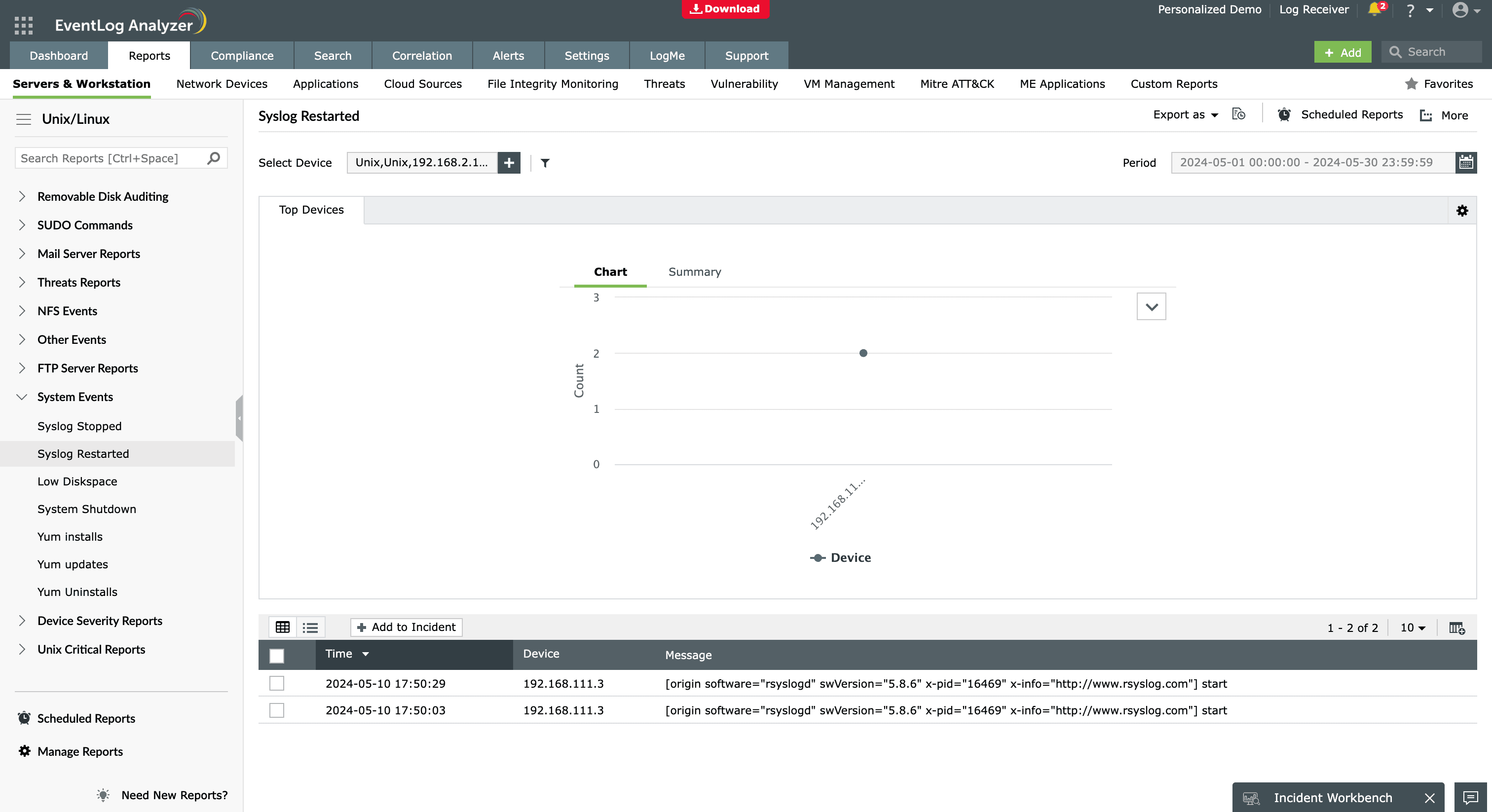
Whether you manage a SonicWall firewall, Cisco switches, or a multi-vendor hybrid environment, EventLog Analyzer provides comprehensive enterprise syslog analysis in a single platform. By centralizing and correlating all syslog data, it enables faster threat detection, efficient operations, and stronger security posture across your IT environment, ensuring your organization remains audit-ready.
Frequently asked questions
A syslog analyzer in Linux collects and processes log messages generated by the system and applications. It helps you monitor system health, detect errors, and analyze security events efficiently by centralizing and filtering logs.
Organizations need a syslog analyzer to centralize log data, improve visibility, speed up incident investigation, and meet regulatory compliance requirements. Instead of analyzing logs on multiple devices, a syslog analyzer provides a single dashboard with alerts, visualizations, and reports that simplify IT operations and security monitoring.
A syslog analyzer receives syslog messages from devices over UDP or TCP, normalizes the data, categorizes the logs by severity or event type, and stores them for analysis. Advanced solutions such as EventLog Analyzer correlate logs, detect anomalies, generate alerts, and deliver detailed reports for auditing and security investigations.
Yes. Several free and open-source syslog analyzers are available to help you collect, parse, and monitor log data at no cost. Tools like rsyslog and syslog-ng are widely used for high-performance log collection and forwarding. Platforms such as Graylog offer additional features like dashboards, search, and alerting for small teams.
EventLog Analyzer also provides a free edition that supports up to five log sources and includes basic reporting and alerting. This makes it suitable for small environments or test setups that need simple syslog analysis without deploying a full SIEM.
A syslog server collects and stores syslog messages, but a syslog analyzer goes further by interpreting the data through dashboards, alerts, and reporting. In short, a syslog server is for log collection, while a syslog analyzer transforms stored logs into meaningful insights for troubleshooting, security, and audit management.
Yes. A syslog analyzer helps detect security threats by identifying anomalies, failed logins, configuration changes, firewall rule violations, privilege escalation, and suspicious network activity. Tools like EventLog Analyzer also support threat intelligence correlation and automated alerts, enabling faster response during potential cyberattacks.









