Chat Notification Template
Firewall Analyzer can be configured to send Chat messages on tools like Slack to notify users when an alert is generated.
To create a Chat notification template, make sure your Slack setup is integrated with Firewall Analyzer. If not, you can configure it by following the instructions listed here.
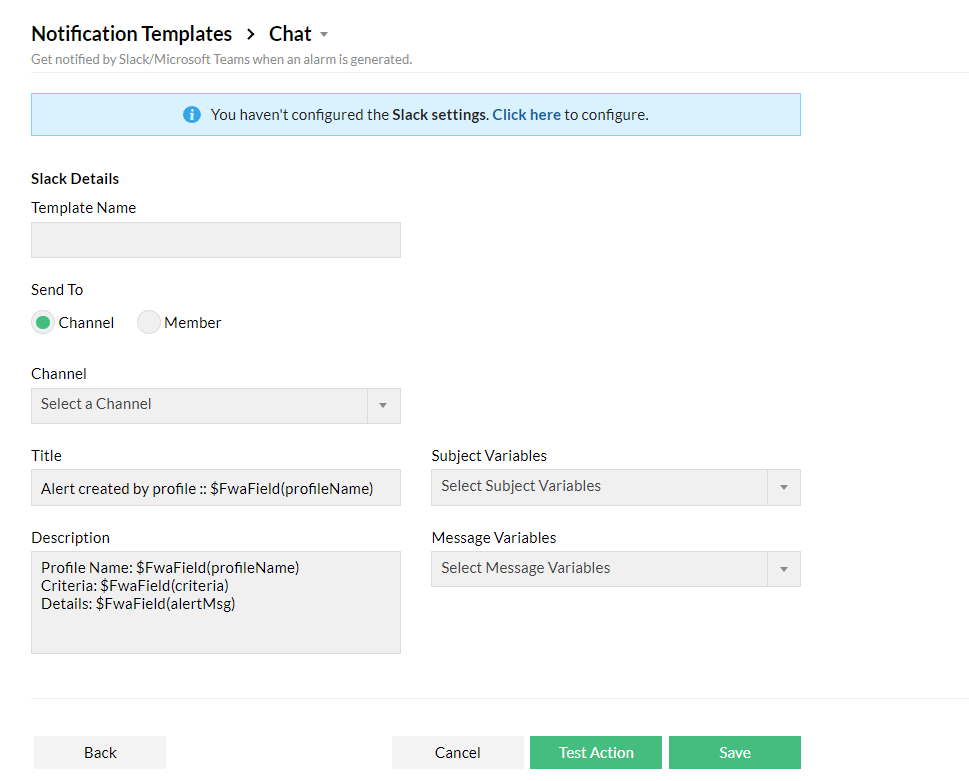
- To create a Chat Notification Template, go to Settings > Others > Notification Template > Chat.
- Choose the Channel or a Member to which the message has to be sent to.
- All the channels and the members present in your workspace will be listed in the drop down.
- Enter the Title, Subject Variables, Description, and Message Variables.
- Click Test Action to test or Save to save the template.