Configuring Cisco Devices - Meraki
Firewall Analyzer supports the following versions of various Cisco devices.
Configuring Cisco Meraki
To configure Cisco Meraki to send log data to Firewall Analyzer,
- Open your Meraki dashboard.
- Select a device.
- Select Alerts & Administration.
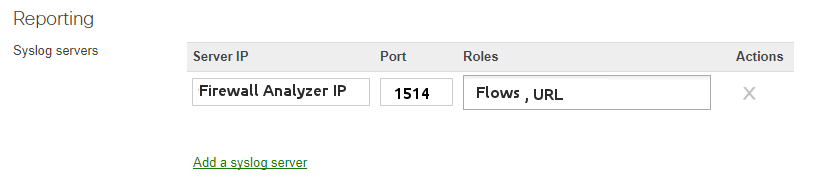
- Scroll down to the Logging section and click Add a syslog server.
- Type the IP address of your Firewall Analyzer.
- Type port number 1514.
- Choose which types of events to export:
- Event Log —The messages from the dashboard under Monitor > Event Log.
- Flows — Inbound and outbound traffic flow-generated syslog messages that include the source, destination, and port numbers.
- URL— HTTP GET requests generating syslog entries.
Note: You can direct each type of traffic to a different syslog server.
Additional Resource:
For troubleshooting, refer the vendor documentation:
https://documentation.meraki.com/Special:Search?path=&q=Troubleshooting